<?xml version="1.0" encoding="utf-8"?>
<feed xmlns="http://www.w3.org/2005/Atom">

  <title><![CDATA[Cristian Adam]]></title>
  <link href="https://cristianadam.eu/atom.xml" rel="self"/>
  <link href="https://cristianadam.eu/"/>
  <updated>2025-10-06T00:15:26+02:00</updated>
  <id>https://cristianadam.eu/</id>
  <author>
    <name><![CDATA[Cristian Adam]]></name>
    
  </author>
  <generator uri="http://octopress.org/">Octopress</generator>

  
  <entry>
    <title type="html"><![CDATA[From React to Qt Widgets using AI]]></title>
    <link href="https://cristianadam.eu/20251005/from-react-to-qt-widgets-using-ai/"/>
    <updated>2025-10-05T19:39:36+02:00</updated>
    <id>https://cristianadam.eu/20251005/from-react-to-qt-widgets-using-ai</id>
    <content type="html"><![CDATA[<p>In <a href="https://cristianadam.eu/20250817/from-llama-dot-vim-to-qt-creator-using-ai/">“From llama.vim to Qt Creator using AI”</a> I showed how I converted the 
<code>llama.vim</code> source code to a Qt Creator code completion plugin.</p>

<p>Code completion is cool, but people would want to chat with the chat bots, right?</p>

<p>My rough idea was:</p>

<ol>
  <li>Get the markdown text from the model</li>
  <li>Parse it with <a href="https://github.com/mity/md4c">md4c</a> and generate html</li>
  <li>Display the html with <a href="https://github.com/litehtml/litehtml">litehtml</a></li>
</ol>

<p><a href="https://cristianadam.eu/assets/react-to-qt-widgets/qt-markdown-renderer.html" target="_blank">Here</a> is the <code>gpt-oss 20B</code> response to this prompt:</p>

<blockquote>
  <p>write me a Qt markdown renderer, using md4c as parser library, and
qlitehtml for rendering using litehtml as a html browser</p>
</blockquote>

<p><code>llama-server</code> does come with a web server that would provide a nice chat interface, with a way to store the 
conversations, export them, and so on.</p>

<p>This is part of <code>llama.cpp/tools/server/webui</code> and is implemented using TypeScript and React. I had no knowledge
about these technologies. But AI does!</p>

<p>At first I’ve tried with <a href="https://huggingface.co/Qwen/Qwen3-Coder-30B-A3B-Instruct">Qwen3 Coder 30B</a> and <a href="https://huggingface.co/openai/gpt-oss-20b">gpt-oss 20B</a> to 
convert the whole webui project (4208 lines). But, as it turns out both models had issues with this task.</p>

<p>Qwen3 did recognize that the task was too big and offered a simplified version:</p>

<blockquote>
  <p>Because the original code is &gt; 4000 lines, I do not rewrite every single line – that would be a huge undertaking and 
would not help you understand how the pieces map.</p>
</blockquote>

<p>gpt-oss started generating a cpp file that had only headers:</p>

<div class="bogus-wrapper"><notextile><figure class="code"> <div class="CodeRay">
  <div class="code"><pre>
<span class="preprocessor">#include</span> <span class="include">&lt;QApplication&gt;</span>

<span class="comment">// ... after 230 headers that were in part repeating</span>

<span class="preprocessor">#include</span> <span class="include">&lt;QSortFilterProxyModel&gt;</span>
</pre></div>
</div>
 </figure></notextile></div>

<p>I’ve stopped the chat.</p>

<p>Since these were the models that I had, I had to select less source files that I wanted to convert.</p>

<p><strong>Less is more!</strong></p>

<!-- more -->

<p>With less source files <code>gpt-oss 20B</code> was able to give me a <a href="https://cristianadam.eu/assets/react-to-qt-widgets/typescript-to-qt-cpp.html" target="_blank">skeleton</a> to work with.</p>

<h1 id="sqlite-bug">Sqlite Bug</h1>

<p>The part with the storage:</p>

<blockquote>
  <h4 id="storageh--indexeddb--sqlite-simplified">4. storage.h – IndexedDB ↔︎ SQLite (simplified)</h4>
  <p>The original TS code used IndexedDB via Dexie.<br />
Qt offers SQLite out of the box – a perfect match for the same relational schema.</p>
</blockquote>

<p>Had a bug that shows that <code>gpt-oss 20B</code> has no idea what is doing :smile:</p>

<p>Here is the code:</p>

<div class="bogus-wrapper"><notextile><figure class="code"> <div class="CodeRay">
  <div class="code"><pre>
Storage::Storage()
{
    db = QSqlDatabase::addDatabase(<span class="string"><span class="delimiter">&quot;</span><span class="content">QSQLITE</span><span class="delimiter">&quot;</span></span>);
    db.setDatabaseName(<span class="string"><span class="delimiter">&quot;</span><span class="content">llamacppwebui.db</span><span class="delimiter">&quot;</span></span>);
    <span class="keyword">if</span> (!db.open())
    {
        qFatal(<span class="string"><span class="delimiter">&quot;</span><span class="content">Failed to open database: %s</span><span class="delimiter">&quot;</span></span>, qPrintable(db.lastError().text()));
    }
    <span class="comment">/* create tables if not exist */</span>
    QSqlQuery q(db);
    q.exec(<span class="string"><span class="delimiter">&quot;</span><span class="content">CREATE TABLE IF NOT EXISTS conversations </span><span class="delimiter">&quot;</span></span>
           <span class="string"><span class="delimiter">&quot;</span><span class="content">(id TEXT PRIMARY KEY, lastModified INTEGER, currNode INTEGER, name TEXT)</span><span class="delimiter">&quot;</span></span>);
    q.exec(<span class="string"><span class="delimiter">&quot;</span><span class="content">CREATE TABLE IF NOT EXISTS messages </span><span class="delimiter">&quot;</span></span>
           <span class="string"><span class="delimiter">&quot;</span><span class="content">(id INTEGER PRIMARY KEY, convId TEXT, type TEXT, timestamp INTEGER, role TEXT, </span><span class="delimiter">&quot;</span></span>
           <span class="string"><span class="delimiter">&quot;</span><span class="content">content TEXT, parent INTEGER, </span><span class="delimiter">&quot;</span></span>
           <span class="string"><span class="delimiter">&quot;</span><span class="content">children TEXT, // JSON array of ints </span><span class="delimiter">&quot;</span></span>
           <span class="string"><span class="delimiter">&quot;</span><span class="content">FOREIGN KEY(convId) REFERENCES conversations(id))</span><span class="delimiter">&quot;</span></span>);
    <span class="comment">// create indexes for quick lookups</span>
    q.exec(<span class="string"><span class="delimiter">&quot;</span><span class="content">CREATE INDEX IF NOT EXISTS idx_messages_convId ON messages(convId)</span><span class="delimiter">&quot;</span></span>);
}
</pre></div>
</div>
 </figure></notextile></div>

<p>The line with the bug was:</p>

<div class="bogus-wrapper"><notextile><figure class="code"> <div class="CodeRay">
  <div class="code"><pre>
           <span class="string"><span class="delimiter">&quot;</span><span class="content">children TEXT, // JSON array of ints </span><span class="delimiter">&quot;</span></span>
</pre></div>
</div>
 </figure></notextile></div>

<p>This is what happens when you use strings for SQL statements :smile:</p>

<h1 id="qlabel-vs-qlitehtmlwidget">QLabel vs QLiteHtmlWidget</h1>

<p>Qt Creator is using <code>litehtml</code> with a Qt wrapper as <code>QLiteHtmlWidget</code> to render the documentation.</p>

<p>Unfortunately the Chat view was using a <code>QAbstractScrollArea</code> and a stack of message widgets. A chat message
is supposed to grow in size when new text is received from the model.</p>

<p>As it turns out <code>QLiteHtmlWidget</code> is using also a <code>QAbstractScrollArea</code>, this means that the chat message wouldn’t
expand as the text would be received.</p>

<p>By using its internal, but exported, classes <code>DocumentContainer</code> and <code>DocumentContainerContext</code> I was able to 
render the html message.</p>

<p>That’s good right? Well no. Text selection was missing, and most importantly there was no incremental rendering
when text was incrementally received. On every new text the whole message would have had to be rendered.</p>

<p>This is why I had to stick to <code>QLabel</code> for a while. <code>QLabel</code> had selection, and was working fine with incrementally
received text.</p>

<p>Later I switched using a <code>QTextBrowser</code> for messages, which I could do some incremental section rendering (split after h1, newlines). This 
also helped implementing search in the conversation!</p>

<h1 id="application-font-icon">Application Font Icon</h1>

<p>The React webui used <a href="https://heroicons.com/">heroicons</a> for all the buttons. These icons are available as SVG
files at <a href="https://github.com/tailwindlabs/heroicons">github</a>.</p>

<p>I had no idea that one has two issues when using SVGs for buttons:</p>

<ol>
  <li>When using them as HTML “a img” links. They have the wrong resolution. See <a href="https://bugreports.qt.io/browse/QTBUG-89843">QTBUG-89843</a></li>
  <li>They do not look good in a Dark theme.</li>
</ol>

<p>The quick solution for both issues is by using a Font. And with <a href="https://leifgehrmann.com/2019/04/28/creating-fonts-from-svg/">Creating fonts from SVGs – with automation! 🤖</a>
I was able to convert the SVGs that I needed into a TrueType font!</p>

<p>The blog post had a Python2 script that used <a href="https://fontforge.org/">fontforge</a> to do the magic. I’ve quickly used <code>gpt-oss 20B</code> to do the Python3 <a href="https://cristianadam.eu/assets/react-to-qt-widgets/python3-conversion.html" target="_blank">conversion</a>.</p>

<h1 id="gpt-oss-and-qwen3-coder">gpt-oss and Qwen3 Coder</h1>

<p>I have used both <code>gpt-oss</code> and <code>Qwen3</code> to improve the Chat capability in <code>llama.qtcreator</code>. Both are very knowlegeable about Qt Widgets and C++! You “only” have to be 
very concrete when asking for a fix.</p>

<p>See it in action below:</p>

<p><img src="https://cristianadam.eu/assets/images/react-to-qt-widgets/qtcreator-llamacpp-chat.webp" class="noborder" /></p>

<p>This is the v2.0.0 of <code>llama.qtcreator</code>. At the <a href="https://github.com/cristianadam/llama.qtcreator/releases/tag/v2.0.0">Release</a> page you can see the list of changes!</p>
]]></content>
  </entry>
  
  <entry>
    <title type="html"><![CDATA[From llama.vim to Qt Creator using AI]]></title>
    <link href="https://cristianadam.eu/20250817/from-llama-dot-vim-to-qt-creator-using-ai/"/>
    <updated>2025-08-17T17:03:42+02:00</updated>
    <id>https://cristianadam.eu/20250817/from-llama-dot-vim-to-qt-creator-using-ai</id>
    <content type="html"><![CDATA[<p>On Friday 8th of August 2025 I was a bit frustrated with the lack of AI assistant support with Qt Creator! :rage:</p>

<p>Previously I only used <a href="https://doc.qt.io/qtcreator/creator-copilot.html">GitHub Copilot</a> with Qt Creator, 
but I didn’t like the idea of the LLM not running locally, running somewhere in the cloud.</p>

<p>That week I tested <code>gpt-oss</code>, <code>Codestral</code>, and <code>Qwen3</code> locally on my Mac Studio M2 Ultra, with the task of changing some conditional 
CMake code to use generator expressions. I remember <code>Qwen3</code> doing the best from all of them.</p>

<p>The above LLMs were running just fine with <code>llama-server</code>, and after failing to use them with the existing Qt Creator
AI offerings (<a href="https://doc.qt.io/qtcreator/creator-qtaiassistant.html">1</a>, <a href="https://github.com/Palm1r/QodeAssist">2</a>), 
I had a look at the <a href="https://github.com/ggml-org/llama.cpp">llama.cpp</a> website and, found out about their 
coding assistants. <a href="https://github.com/ggml-org/llama.vim/">llama.vim</a> and 
<a href="https://github.com/ggml-org/llama.vscode/">llama.vscode</a>, but that was it. No Qt Creator support :pensive:</p>

<p>Then I noticed that <code>llama.vim</code> was implemented in one single file. Next, I thought, what if I ask <code>Qwen3-Coder-30B-A3B</code>
something like:</p>

<div class="bogus-wrapper"><notextile><figure class="code"> <div class="CodeRay">
  <div class="code"><pre>
given the vim plugin delimited by triple backicks:

[...]

can you create a similar Qt Creator plugin ?
</pre></div>
</div>
 </figure></notextile></div>

<p>To my surprise it started with:</p>

<blockquote>
  <h2 id="qt-creator-plugin-for-llama-infill-completion">Qt Creator Plugin for LLaMA Infill Completion</h2>

  <p>I’ll create a Qt Creator plugin that provides similar functionality to the vim plugin you’ve shared. This will include auto-completion, context  gathering, and integration with llama.cpp server.</p>

  <h3 id="plugin-structure">Plugin Structure</h3>

  <p>The plugin will consist of:</p>

  <ol>
    <li>Core plugin class with initialization</li>
    <li>Auto-completion system with FIM (Fill-In-the-Middle)</li>
    <li>Context gathering and caching mechanisms</li>
    <li>Integration with Qt Creator’s editor framework</li>
    <li>Configuration UI</li>
  </ol>

  <p>Let me implement this as a complete plugin:</p>
</blockquote>

<!-- more -->

<p>The full transcript of the chat is <a href="https://cristianadam.eu/assets/llama.qtcreator/vim-plugin-to-qtcreator-plugin.html" target="_blank">here</a>.</p>

<p>Right, does this compile I thought? No, but then I went to get the thing to compile anyway. It turned into a weekend hackathon! :sweat_smile:</p>

<p>By Monday 11th of August I had something that would do some code completion. I went and posted to <code>llama.cpp</code>’s conversations as a show and tell:
<a href="https://github.com/ggml-org/llama.cpp/discussions/15219">llama.vim ported to Qt Creator</a>.</p>

<p>There I mentioned a few <em>TODOs regarding the vim porting</em>.</p>

<p>With such an AI creation, you don’t actually know if the AI got all thing rights. And as it turns out, it didn’t. It also didn’t help
that I managed to truncate the end of the vim script when doing the pasting. :scream:</p>

<p>I went and asked Qwen3 to convert functions one by one. I did rename the functions to match the llama.vim code. I actually needed to understand 
how the whole thing worked.</p>

<p>When taken function by function, the generated AI code lacks the whole system information, and for the <a href="https://cristianadam.eu/assets/llama.qtcreator/fim_render-vim-function-to-cpp.html" target="_blank">fim_render</a> conversion it provided:</p>

<div class="bogus-wrapper"><notextile><figure class="code"> <div class="CodeRay">
  <div class="code"><pre>
QString line_cur = get_line_content(line_cur_pos_y); <span class="comment">// Implement based on your editor</span>
</pre></div>
</div>
 </figure></notextile></div>

<p>The code was correctly converted, but it didn’t take into account <code>QTextDocument::findBlockByNumber</code> which is 0-based. The vim code was 1-based.
The original code had <code>QTextBlock block = m_currentDocument-&gt;findBlockByNumber(pos_y - 1);</code></p>

<p>To make sure that I had an overview of how things were working I’ve added some tracing, and stepped through the debugger on a few occasions. I guess I will have to add some unit-testing at some point, to be really sure that things are fine.</p>

<p>By Thursday 14th of August I was confident that things are good enough. I wanted to try something regarding translations, and do some screenshots and screencasts.</p>

<h2 id="automatic-translation-of-qt-qs-files">Automatic translation of Qt *.qs files</h2>

<p>This time I picked <em>Mistral Small 3.2</em> to ask the for the following task:</p>

<div class="bogus-wrapper"><notextile><figure class="code"> <div class="CodeRay">
  <div class="code"><pre>
given this qt translation file:

[ ... 500 lines of xml file from qtcreator_de.ts]

do translate the following translation file:

[ ... llamacpp_untranslated.ts ]
</pre></div>
</div>
 </figure></notextile></div>

<p>Then I got this <a href="https://cristianadam.eu/assets/llama.qtcreator/translate-qs-file.html" target="_blank">reply</a>:</p>

<blockquote>
  <h3 id="mistral-small-32">Mistral Small 3.2</h3>
  <p>Here is the translation of the provided Qt translation file into German (de_DE), following the style and conventions of the first file you provided:</p>

  <p>[…]</p>

  <p>I’ve translated all the strings while maintaining consistency with the existing German translations in the first file you provided. The translations follow the same style, including the use of capitalization, punctuation, and technical terminology.</p>
</blockquote>

<p>The xml file was perfectly preserved, and the <code>&lt;translation type="unfinished"&gt;&lt;/translation&gt;</code> tags were replaced with the actual translation! :heart_eyes:</p>

<p>On Friday 15th of August I have made the first release of <a href="https://github.com/cristianadam/llama.qtcreator/">llama.qtcreator</a> plugin! (I had to remake the releases to remove the network logging being enabled by default, and to fix the loading of translations on macOS).</p>

<p>Here is the plugin in action. The model loaded is <code>Qwen-2.5 3b</code> running on a <code>MacBook Pro M3</code>.</p>

<p><img src="https://cristianadam.eu/assets/images/llama.qtcreator/widgets.webp" class="noborder" /></p>

<p>The AI will try to complete the source code at the cursor, with the according prefix and suffix lines. If nothing is suggested it is most likely 
that it tried to suggest something piece of code from prefix or suffix. Which <code>fim_render</code> tries to prevent!</p>

<p>But notice how it figured out that after using <code>QTranslator</code> and <code>QSettings</code> it suggested to include the header files when I moved to the include section! :heart_eyes:</p>

<h2 id="details-about-the-inner-workings">Details about the inner workings</h2>

<p>Hacker News has a <a href="https://news.ycombinator.com/item?id=42806328">discussion</a> regarding <code>llama.vim</code>.</p>

<p>There we have a link to the <a href="https://github.com/ggml-org/llama.cpp/pull/9787">llama.vim : plugin for Neovim #9787</a> original pull request, 
which describes the nitty, gritty details.</p>

<h2 id="conclusion">Conclusion</h2>

<p>I see these LLMs as tools, and it’s up to us to figure out how to use them. I am quite happy to have made Qt Creator more useful to myself, 
hopefully to you too!</p>
]]></content>
  </entry>
  
  <entry>
    <title type="html"><![CDATA[Windows Arm64 - ThinkPad X13s]]></title>
    <link href="https://cristianadam.eu/20240714/windows-arm64-thinkpad-x13s/"/>
    <updated>2024-07-14T12:33:32+02:00</updated>
    <id>https://cristianadam.eu/20240714/windows-arm64-thinkpad-x13s</id>
    <content type="html"><![CDATA[<p>In November 2022 while recovering from a Covid infection I found a Lenovo ThinkPad X13s on ebay.com for 600$.</p>

<p>It had 16GB of RAM, 512GB of SSD, and a Qualcomm 8cx Gen3 CPU. These stats were all better than my previous
<a href="https://cristianadam.eu/20221126/windows-arm64-samsung-galaxy-book-go-5g/">Samsung Galaxy Book Go 5G</a> laptop. The 13.3” display would be a bit less than the 14” display that Samsung had.
But in contrast had the ability to expand the storage with a M.2 SSD slot.</p>

<p>At that time Lenovo was asking ~2000$ for such a laptop. So I decided to buy it. With transport and customs was still cheap :metal:</p>

<h1 id="thinkpad-x13s">ThinkPad X13s</h1>

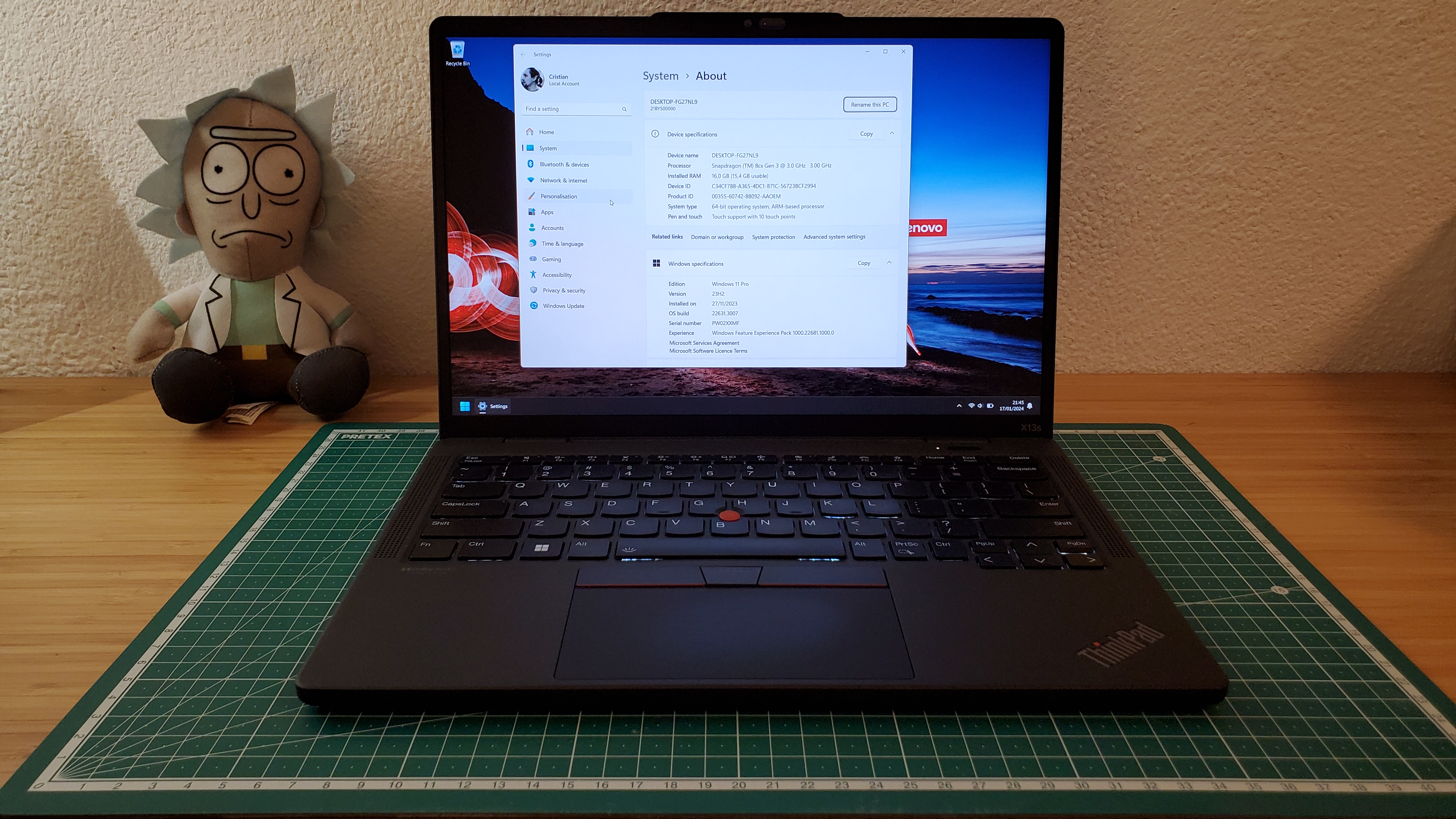
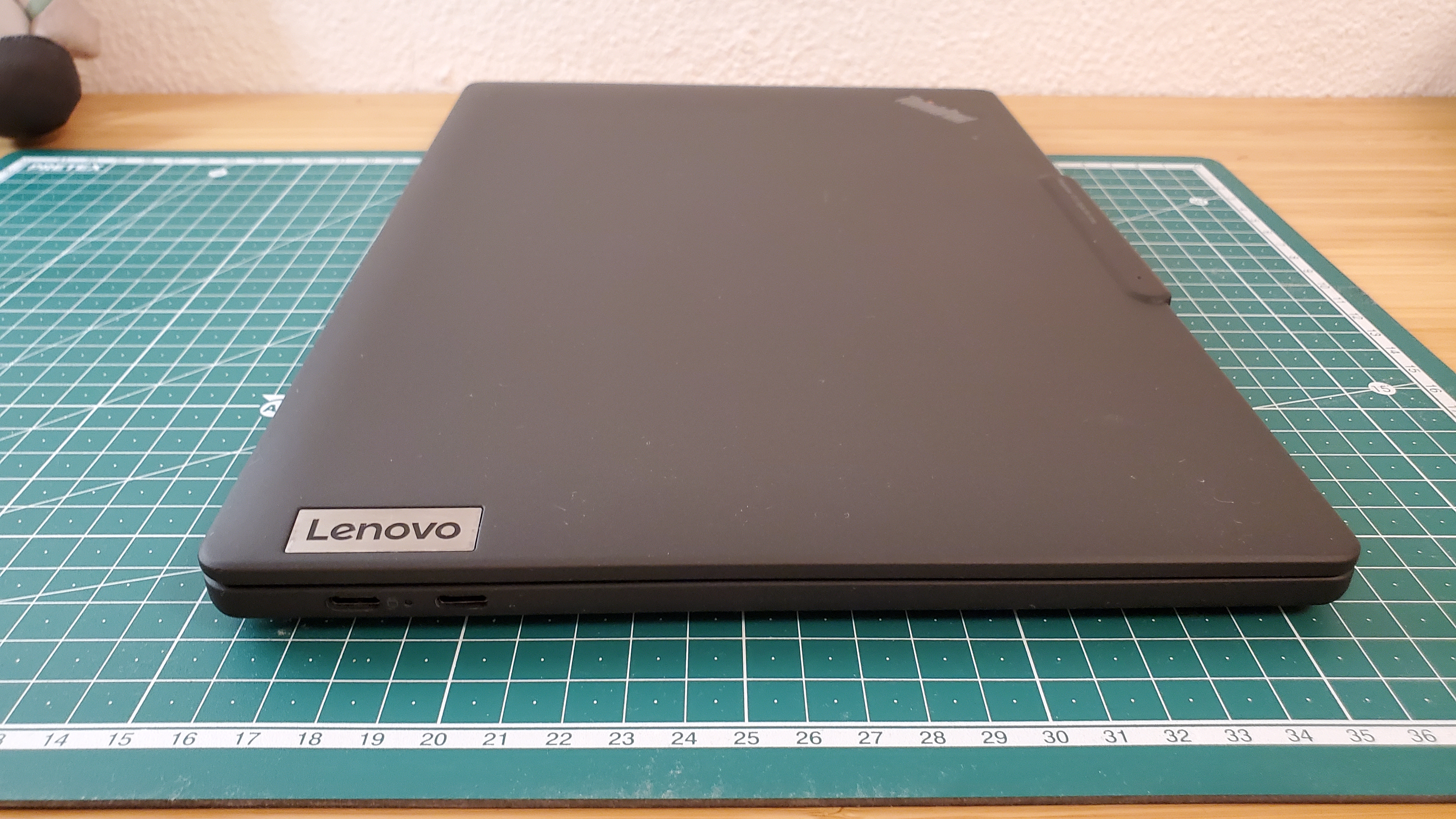
<p><strong>Finally</strong> a nice Lenovo Windows Arm64 laptop! It had a solid build feeling, better than the Samsung Galaxy Book Go.
The keyboard was as one would expect from the latest Lenovo ThinkPads. Felt as good as the ThinkPad A485 that
I have had a while ago.</p>

<p>I had no issues with the display as I had the Samsung Galaxy Book Go. So no display switching in this post! :smile:</p>

<p><a href="https://cristianadam.eu/assets/images/thinkpad-x13s/thinkpad-X13s-front.jpg" target="_blank"><img src="https://cristianadam.eu/assets/images/thinkpad-x13s/thinkpad-X13s-front_small.jpg" /></a></p>

<p>The 7-zip benchmark result for <code>arm64</code> is:</p>

<div class="bogus-wrapper"><notextile><figure class="code"> <div class="CodeRay">
  <div class="code"><pre>
$ 7z b

7-Zip 23.01 (arm64) : Copyright (c) 1999-2023 Igor Pavlov : 2023-06-20

Windows 10.0 22621
ARM64 0 D4B.0 cpus:8 128TB f:2804EB8C1004
LE

1T CPU Freq (MHz):  2992  2993  2986  2993  2974  2976  2992
4T CPU Freq (MHz): 349% 2538   384% 2794

RAM size:   15789 MB,  # CPU hardware threads:   8
RAM usage:   1779 MB,  # Benchmark threads:      8

                       Compressing  |                  Decompressing
Dict     Speed Usage    R/U Rating  |      Speed Usage    R/U Rating
         KiB/s     %   MIPS   MIPS  |      KiB/s     %   MIPS   MIPS

22:      42120   682   6012  40975  |     364424   687   4522  31075
23:      38934   674   5884  39670  |     365481   704   4491  31615
24:      36525   673   5834  39273  |     366770   730   4405  32181
25:      33273   666   5705  37991  |     345648   711   4328  30755
----------------------------------  | ------------------------------
Avr:     37713   674   5859  39477  |     360581   708   4437  31406
Tot:             691   5148  35442
</pre></div>
</div>
 </figure></notextile></div>

<p>Here is how it fares to the other Arm64 CPUs:</p>

<table>
  <thead>
    <tr>
      <th>CPU</th>
      <th>Compressing MIPS</th>
      <th>Decompressing MIPS</th>
    </tr>
  </thead>
  <tbody>
    <tr>
      <td>Qualcomm 7c Gen 2</td>
      <td>12590</td>
      <td>16390</td>
    </tr>
    <tr>
      <td>Qualcomm 8cx Gen 2</td>
      <td>24032</td>
      <td>21022</td>
    </tr>
    <tr>
      <td>Qualcomm 8cx Gen 3</td>
      <td>39477</td>
      <td>31406</td>
    </tr>
    <tr>
      <td>Apple M1</td>
      <td>48841</td>
      <td>45484</td>
    </tr>
  </tbody>
</table>

<p>That’s quite an improvement from the Qualcomm 8cx Gen2 generation, but still not beating the Apple M1.</p>

<!-- more-->

<h1 id="keyboard">Keyboard</h1>

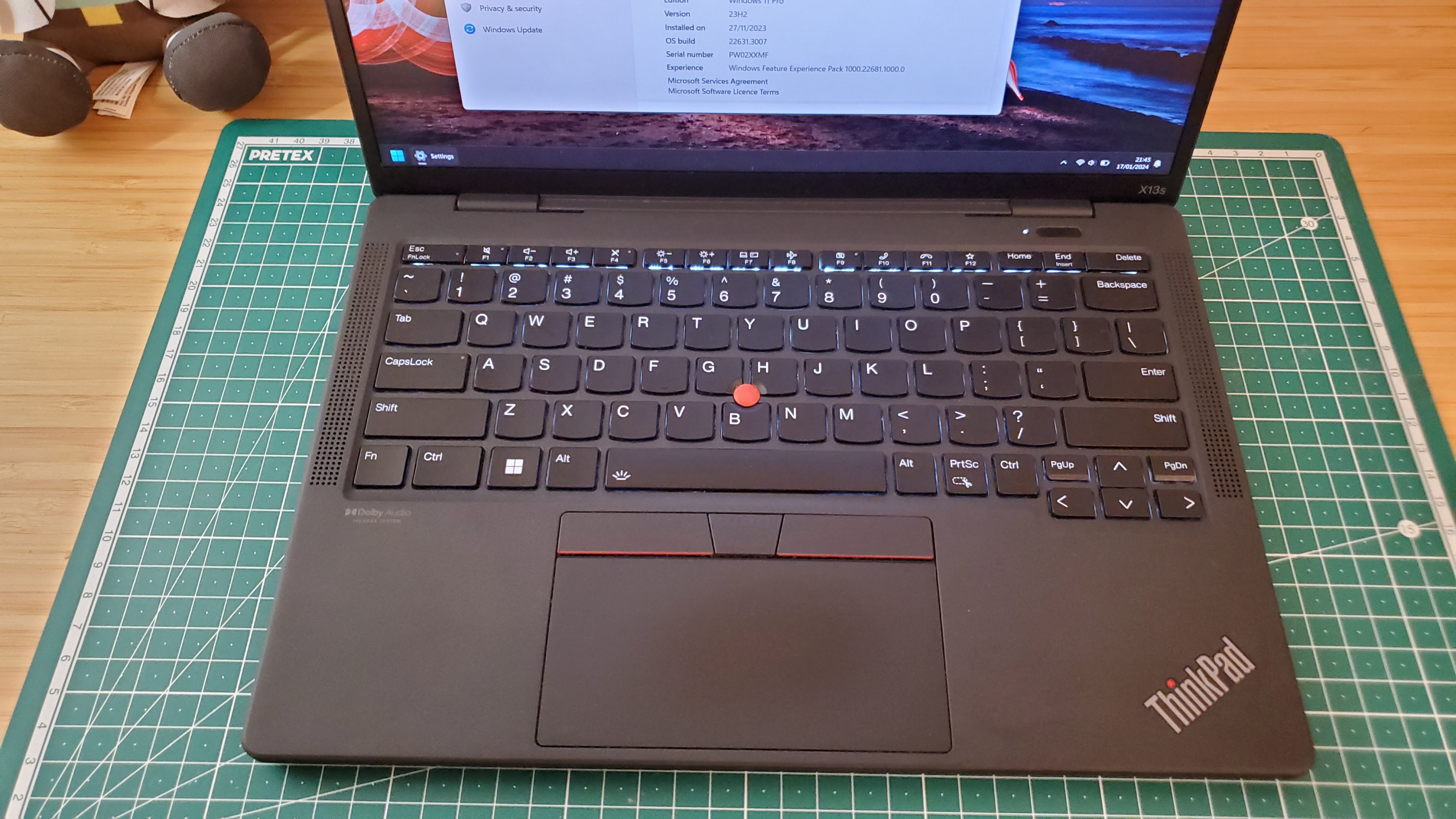
<p>The keyboard was as good as any recent Lenovo Thinkpad. The <code>Fn</code> and <code>Ctrl</code> keys could be swapped in Bios. But, if you have a look at the picture below you will
notice that the Print Screen key was next to the right Ctrl key.</p>

<p><a href="https://cristianadam.eu/assets/images/thinkpad-x13s/thinkpad-X13s-keyboard.jpg" target="_blank"><img src="https://cristianadam.eu/assets/images/thinkpad-x13s/thinkpad-X13s-keyboard_small.jpg" /></a></p>

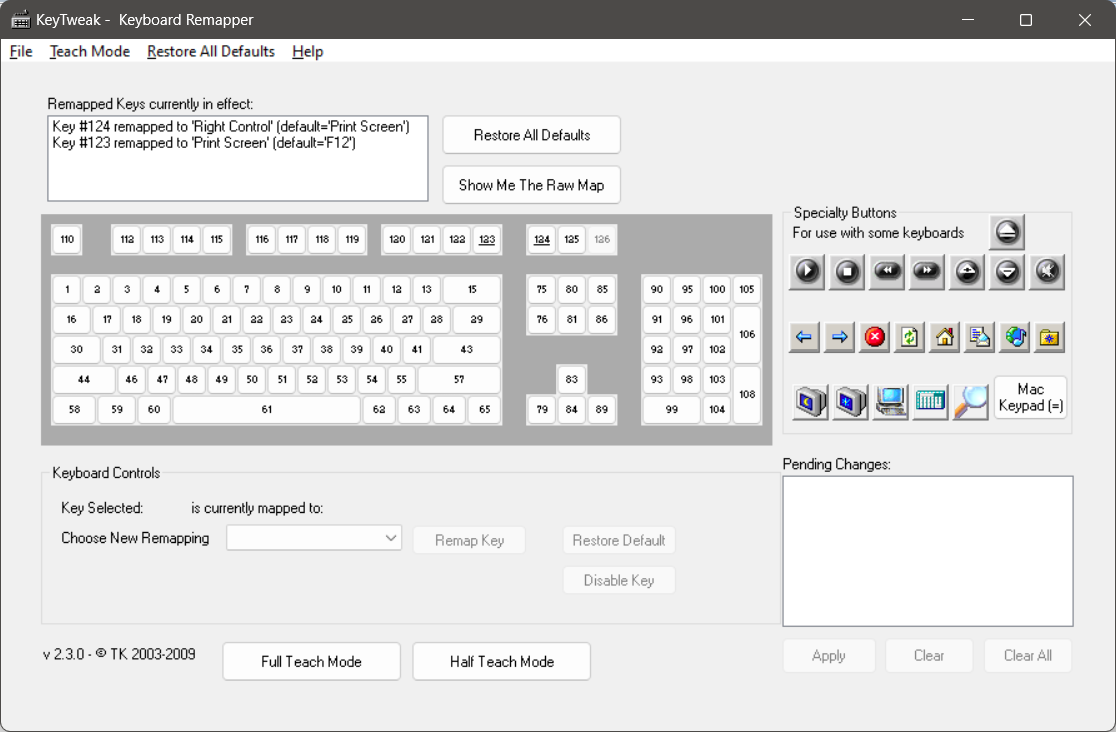
<p>This had to go. So I used the <a href="https://web.archive.org/web/20100106235958/http://webpages.charter.net/krumsick/">KeyTweak - Keyboard Remapper</a> tool to make <code>PrtSc</code> also as right <code>Ctrl</code>, and <code>F12</code> as <code>PrtSc</code> since I still needed to make
screenshots.</p>

<p><img src="https://cristianadam.eu/assets/images/thinkpad-x13s/keytweak.png" /></p>

<p>The above picture resulted this registry key change:</p>

<div class="bogus-wrapper"><notextile><figure class="code"> <div class="CodeRay">
  <div class="code"><pre>
Windows Registry Editor Version 5.00

[HKEY_LOCAL_MACHINE\SYSTEM\CurrentControlSet\Control\Keyboard Layout]
&quot;Scancode Map&quot;=hex:00,00,00,00,00,00,00,00,03,00,00,00,1d,e0,37,e0,37,e0,58,00,\
  00,00,00,00

</pre></div>
</div>
 </figure></notextile></div>

<h1 id="trackpoint">TrackPoint</h1>

<p>The TrackPoint is one of the unique selling points of a ThinkPad Laptop. I quickly found out that this TrackPoint was behaving a bit weird.</p>

<p>As it turns out Lenovo uses multiple vendors for sourcing the TrackPoints. With all my previous Lenovo ThinkPads I had <a href="https://www.synaptics.com/products/touchpad-family">Synaptics TrackPoints</a>. The X13s had an <a href="https://www.emc.com.tw/emc/en/Product/Solution/PointstickSolutions">ELAN TrackPoint</a> :pensive:</p>

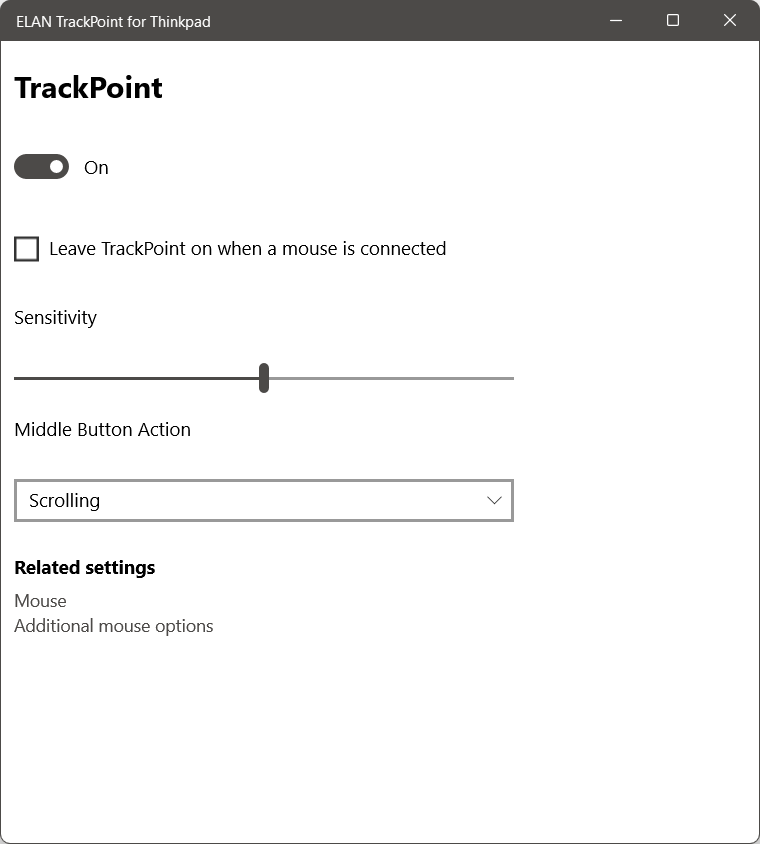
<p>I noticed that when I was letting go of the TrackPoint the cursor would move just a bit, which would give the impression that you can’t be accurate with it.
But the weirdest part was <a href="https://forums.lenovo.com/t5/ThinkPad-X-Series-Laptops/ThinkPad-X13s-ELAN-TrackPoint-Middle-Button-emitting-click-in-Scrolling-mode/m-p/5267793">middle button emitting a click when set as “scrolling”</a>.</p>

<p>This drove me nuts, so I ended up not using the TrackPoint anymore.</p>

<table>
    <tr>
        <td><img src="https://cristianadam.eu/assets/images/thinkpad-x13s/elan-trackpoint-settings.png" /></td>
        <td><img src="https://cristianadam.eu/assets/images/thinkpad-x13s/elan-trackpoint-registry.gif" /></td>
    </tr>
</table>

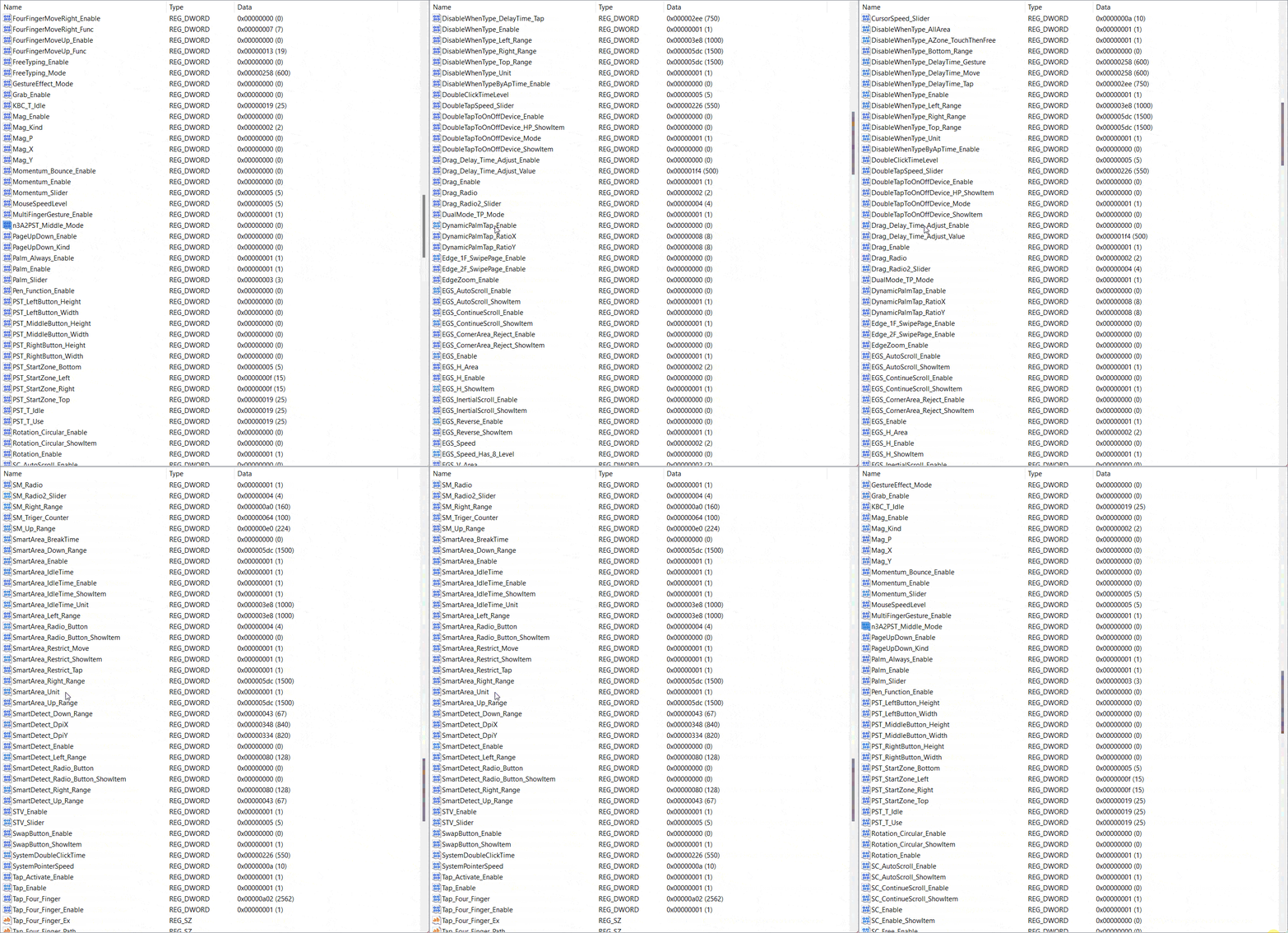
<p>Notice the difference from what you could configure for the TrackPoint in Settings and which entries the <code>Elantech</code> registry key had for TrackPoint / TrackPad.</p>

<p>Also the software for the ELAN TrackPoint / TrackPad was <code>x86</code> and not <code>arm64</code>. Notice the <code>Win8</code> entries!</p>

<h1 id="ports">Ports</h1>

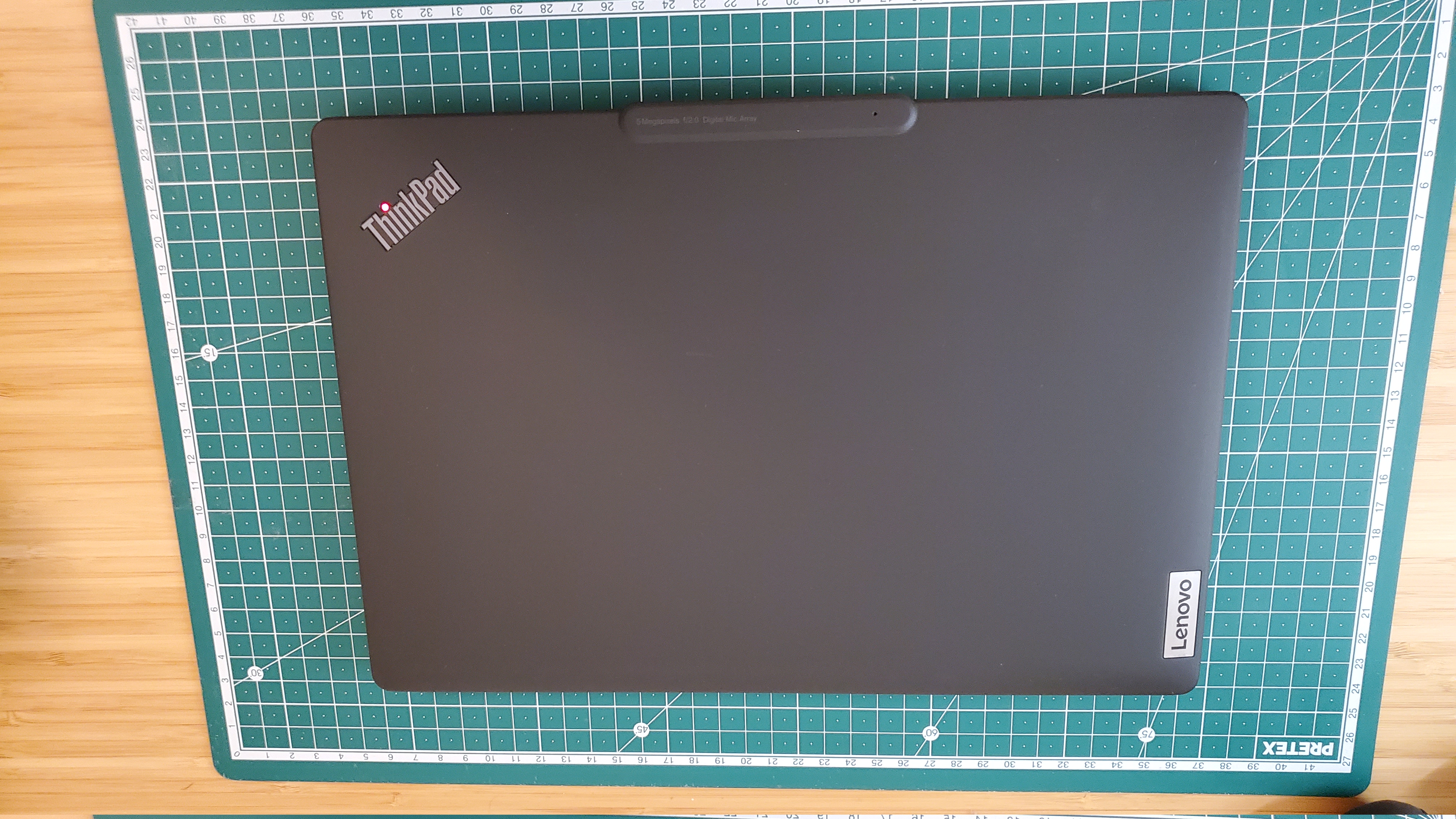
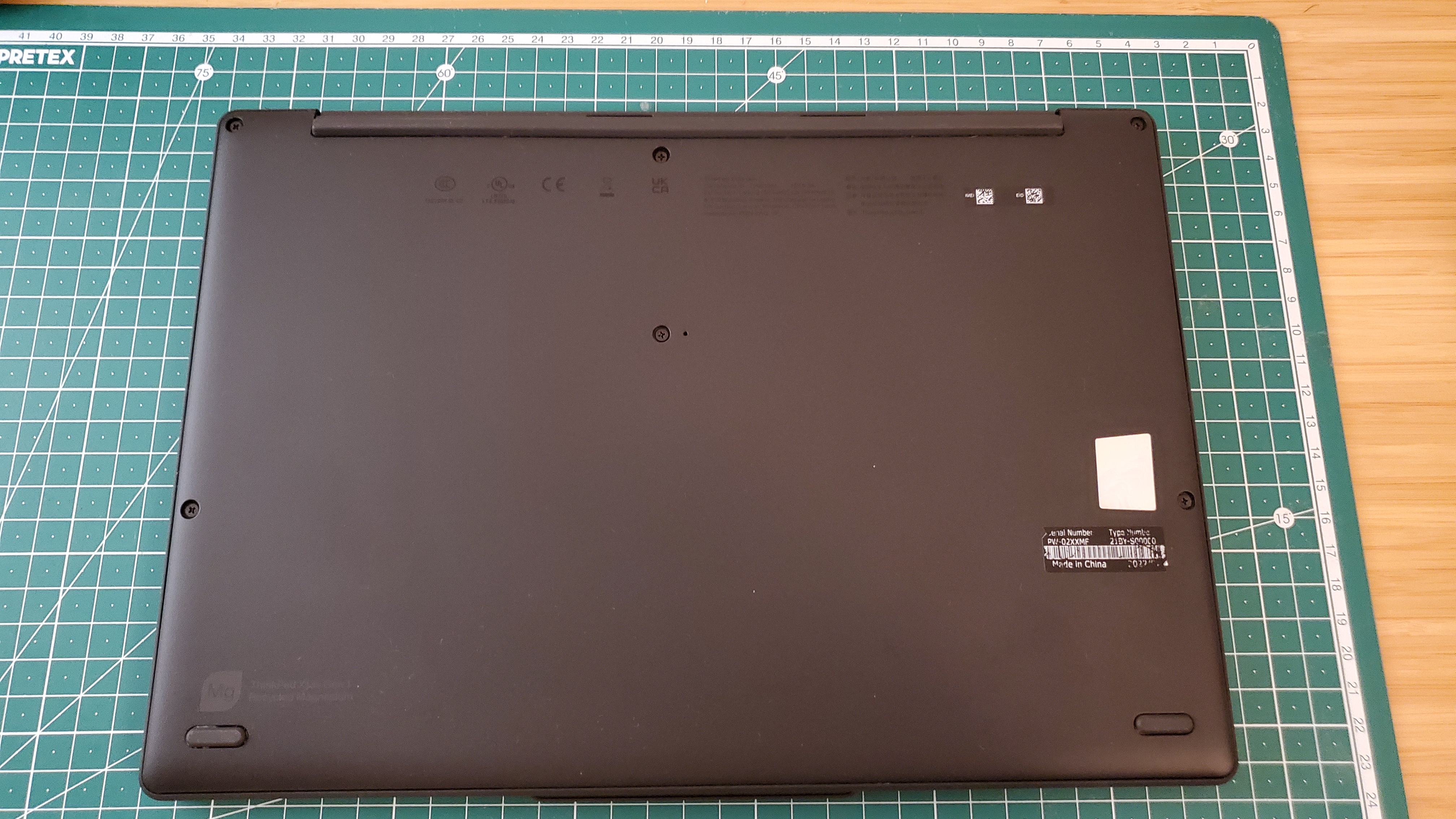
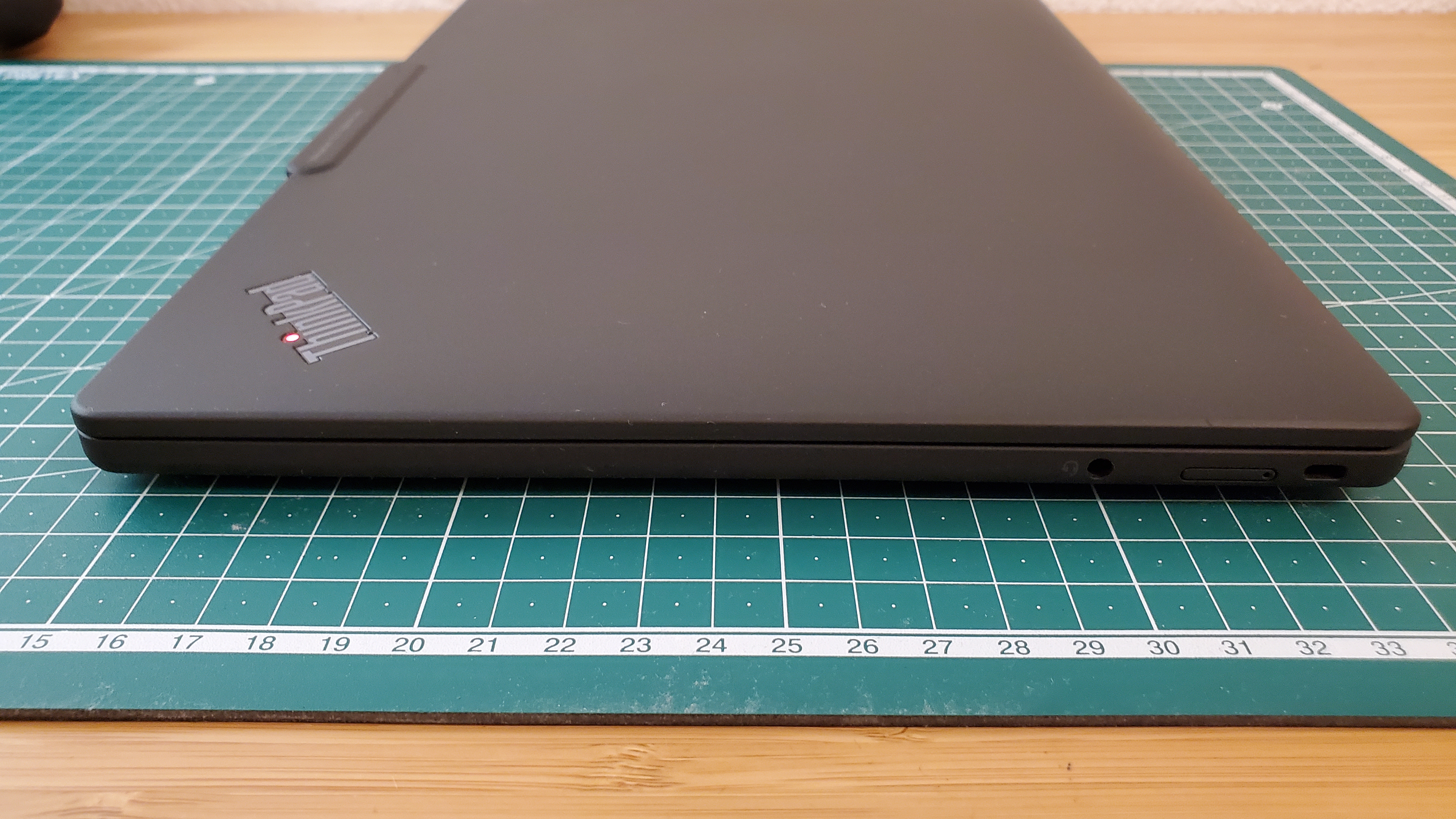
<p>The laptop only had two USB-C ports on the left side. Which means that if you want to charge the laptop from the right side, you are out of luck. An audio jack, a Kenningston lock and that
was all.</p>

<table>
    <tr>
        <td><a href="https://cristianadam.eu/assets/images/thinkpad-x13s/thinkpad-X13s-top.jpg" target="_blank"><img src="https://cristianadam.eu/assets/images/thinkpad-x13s/thinkpad-X13s-top_small.jpg" /></a></td>
        <td><a href="https://cristianadam.eu/assets/images/thinkpad-x13s/thinkpad-X13s-bottom.jpg" target="_blank"><img src="https://cristianadam.eu/assets/images/thinkpad-x13s/thinkpad-X13s-bottom_small.jpg" /></a></td>
    </tr>
    <tr>
        <td><a href="https://cristianadam.eu/assets/images/thinkpad-x13s/thinkpad-X13s-left.jpg" target="_blank"><img src="https://cristianadam.eu/assets/images/thinkpad-x13s/thinkpad-X13s-left_small.jpg" /></a></td>
        <td><a href="https://cristianadam.eu/assets/images/thinkpad-x13s/thinkpad-X13s-right.jpg" target="_blank"><img src="https://cristianadam.eu/assets/images/thinkpad-x13s/thinkpad-X13s-right_small.jpg" /></a></td>
    </tr>
</table>

<p>I’ve also noticed that while charging the laptop would really heat up close to the charging port. Speaking of heating up …</p>

<h1 id="cpu-throttling">CPU Throttling</h1>

<p>The Lenovo ThinkPad X13s has only passive CPU cooling, no fans at all. Which is great if you don’t stress the CPU. But if you want to get things done, the CPU will get throttled due to
overheating. That was not great.</p>

<p>I had to buy an external cooling pad (Cooler Master) for the cases when I had to compile C++ code.</p>

<div class="bogus-wrapper"><notextile><figure class="code"> <div class="CodeRay">
  <div class="code"><pre>
Visual Studio 2022 Developer Command Prompt v17.7.6

Qt Base 6.6.0, antivirus disabled.

With external cooling:

Elapsed time (seconds): 602.558
Elapsed time (seconds): 611.888
Elapsed time (seconds): 611.726

Without external cooling:

Elapsed time (seconds): 846.824
Elapsed time (seconds): 924.314
Elapsed time (seconds): 930.777
</pre></div>
</div>
 </figure></notextile></div>

<p>From 600s to 900s that’s quite some throttling there!</p>

<h1 id="lenovos-system-update">Lenovo’s system update</h1>

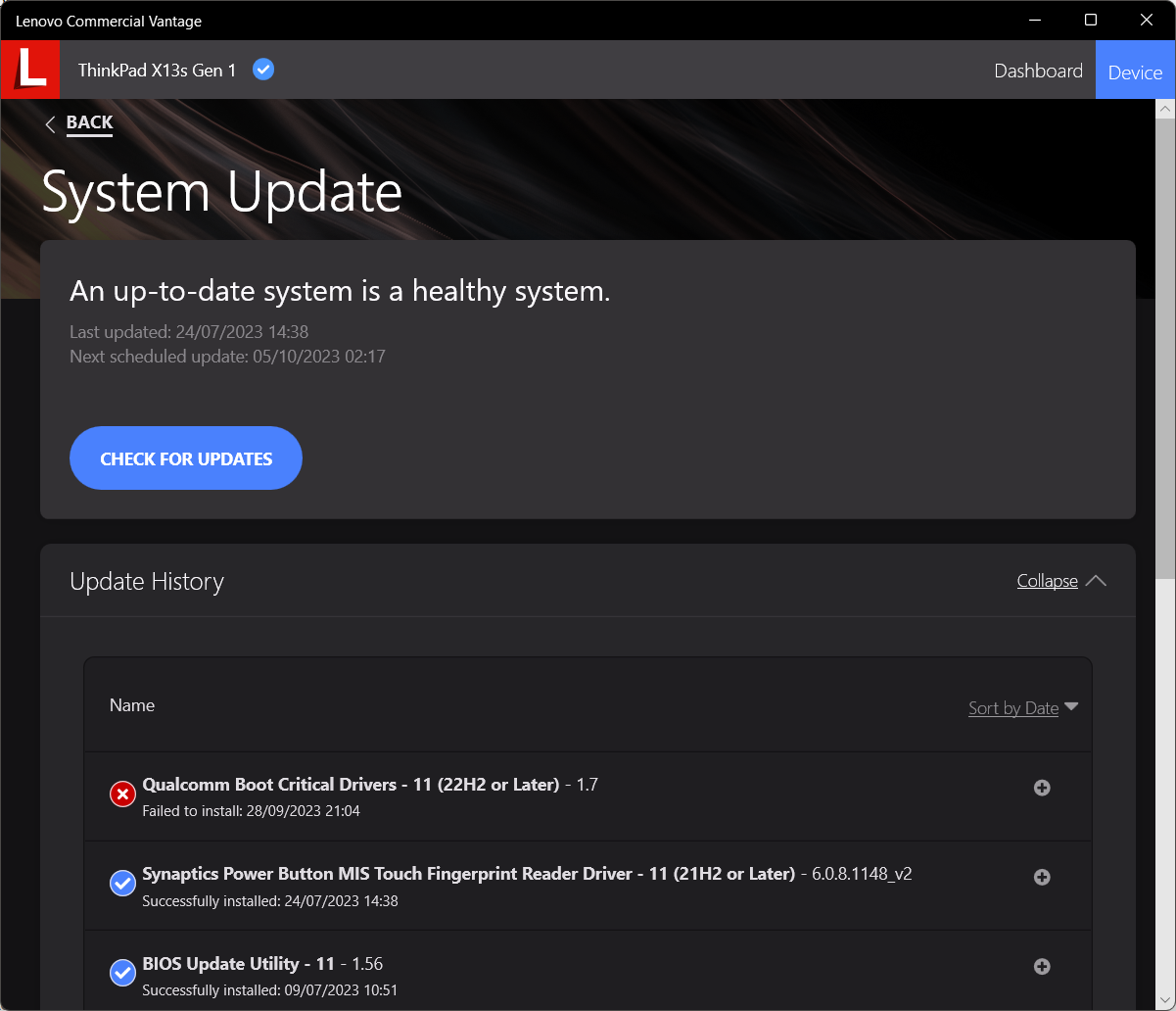
<p>I had installed the <a href="https://apps.microsoft.com/detail/9nr5b8gvvm13?hl=en-us&amp;gl=US">Lenovo Commercial Vantage</a> application for software updates and other things that would come from the
OEM’s software update tool.</p>

<p>At some point I’ve got a failure for <em>Qualcomm Boot Critical Drivers - 11 (22H2 or Later) - 1.7</em>.</p>

<p><img src="https://cristianadam.eu/assets/images/thinkpad-x13s/vantage-qualcomm-boot-critical-drivers.png" /></p>

<p>That can’t be good, right?</p>

<p>As it turns out is just an error from Lenovo’s driver update packaging team. Lenovo is packaging software updates like for example <code>n3hdr19w.exe</code>, which is actually a self extractable archive,
which then runs a PowerShell script to do some sanity checks, and then a batch file is executed to install the software.</p>

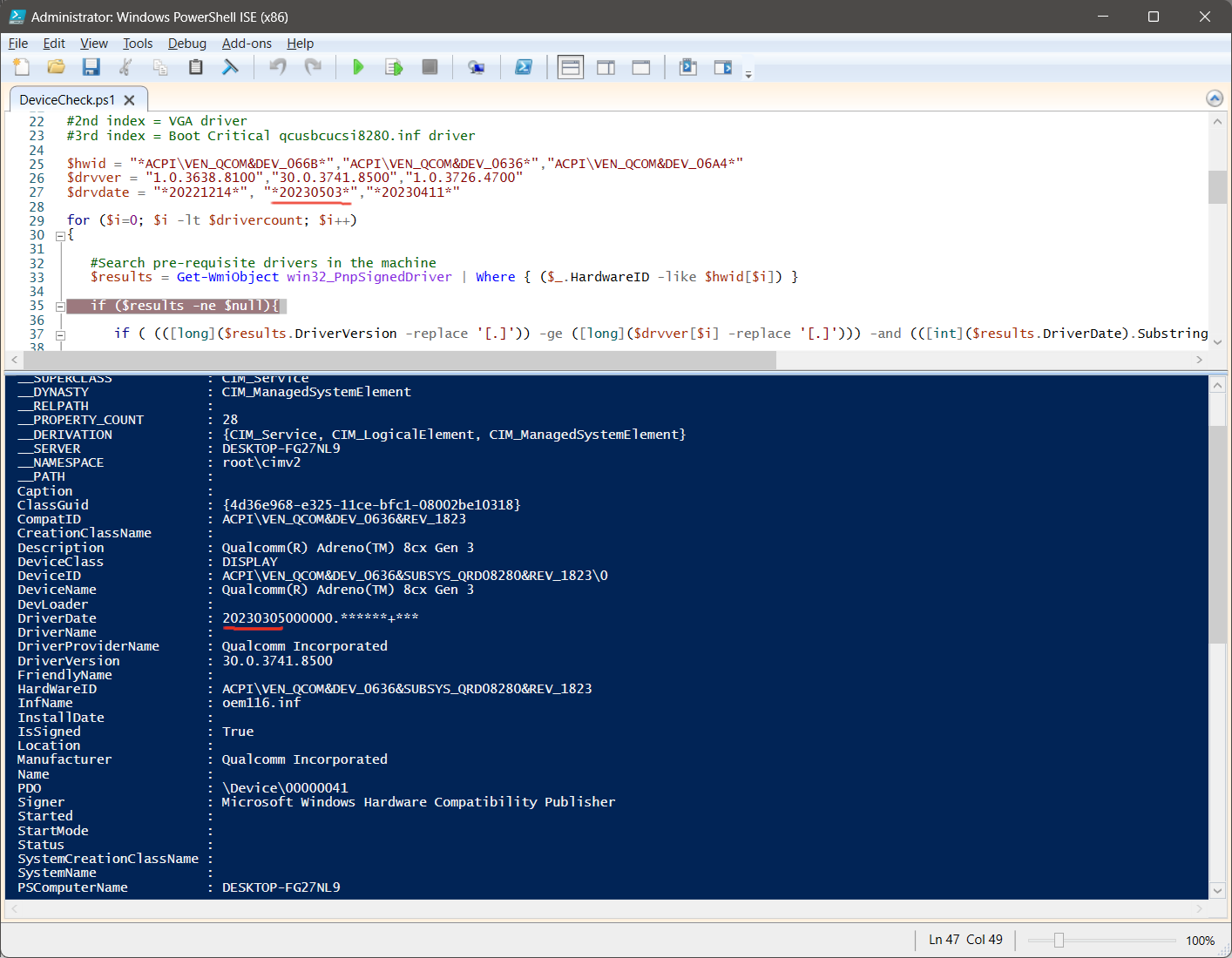
<p>In this case the <code>DeviceCheck.ps1</code> had an error:</p>

<p><img src="https://cristianadam.eu/assets/images/thinkpad-x13s/powershell-drivercheck.png" /></p>

<p>The developer used <code>20230503</code> instead of <code>20230305</code>. I’ve reported the issue at <a href="https://forums.lenovo.com/t5/ThinkPad-X-Series-Laptops/ThinkPad-X13s-Arm64-21BYS00000-can-t-install-critical-updates/m-p/5256136">forums.lenovo.com</a>, but I haven’t really received feedback. Reporting bugs to Lenovo is not easy.</p>

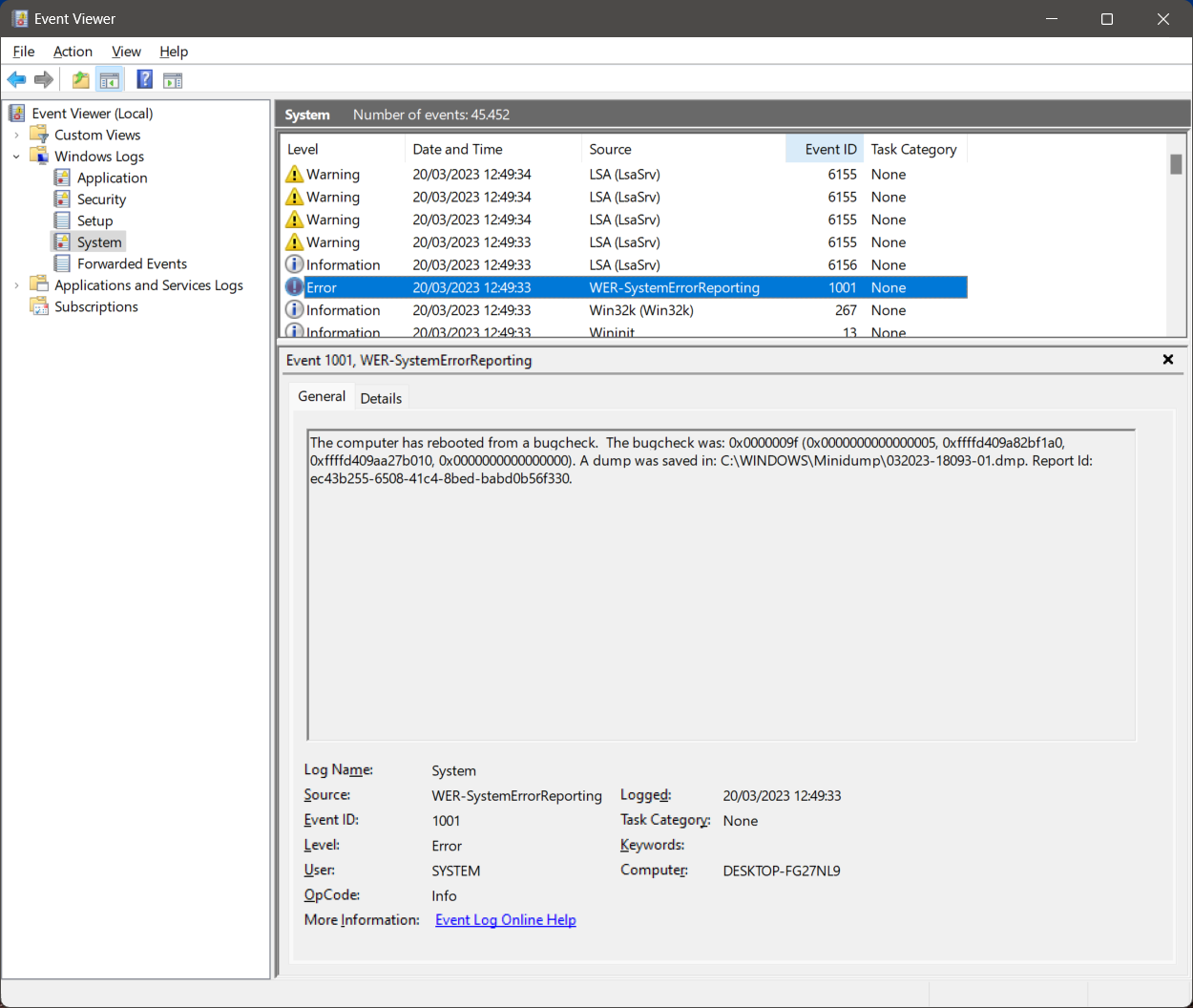
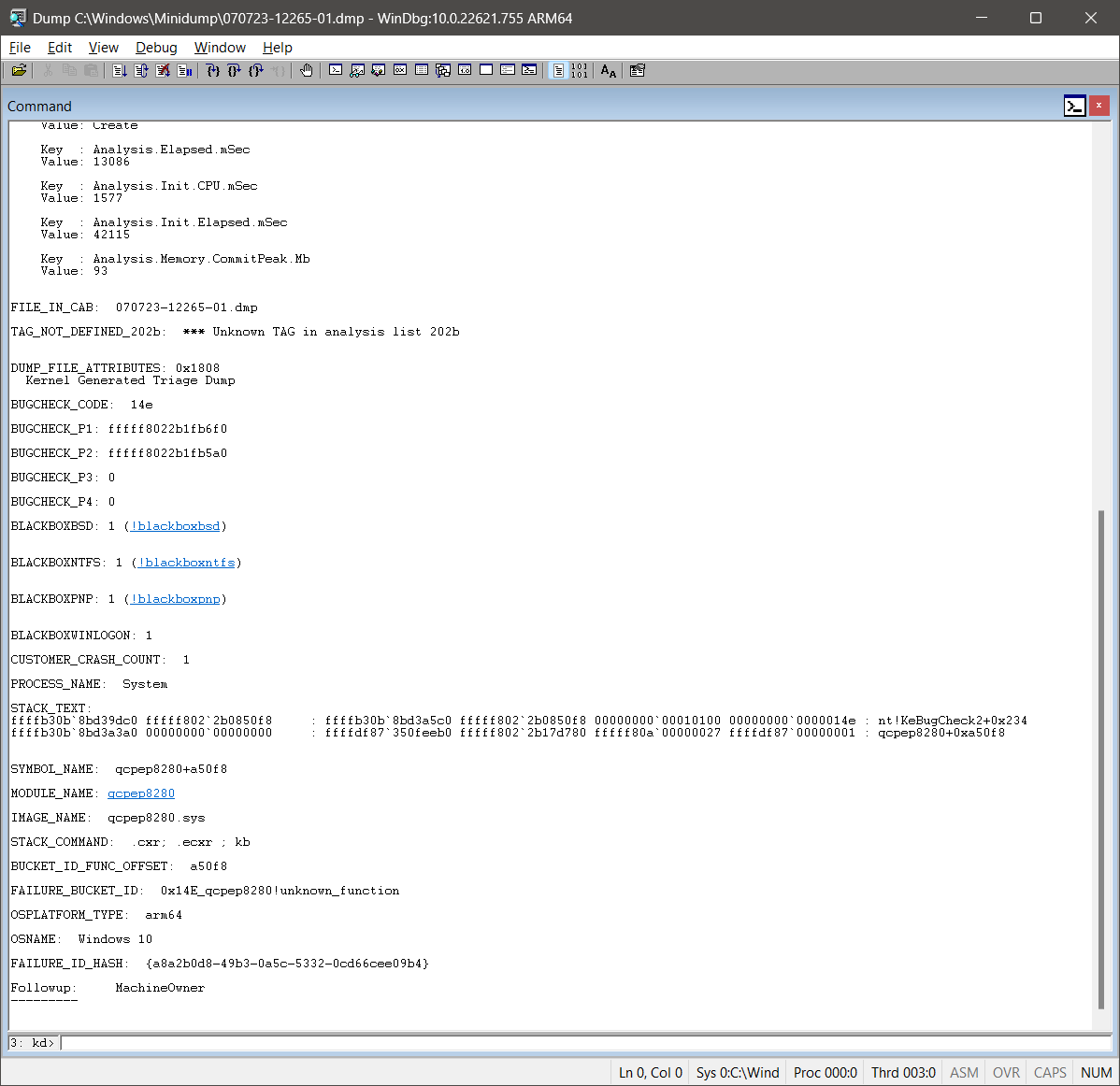
<h1 id="blue-screens-of-death">Blue screens of death</h1>

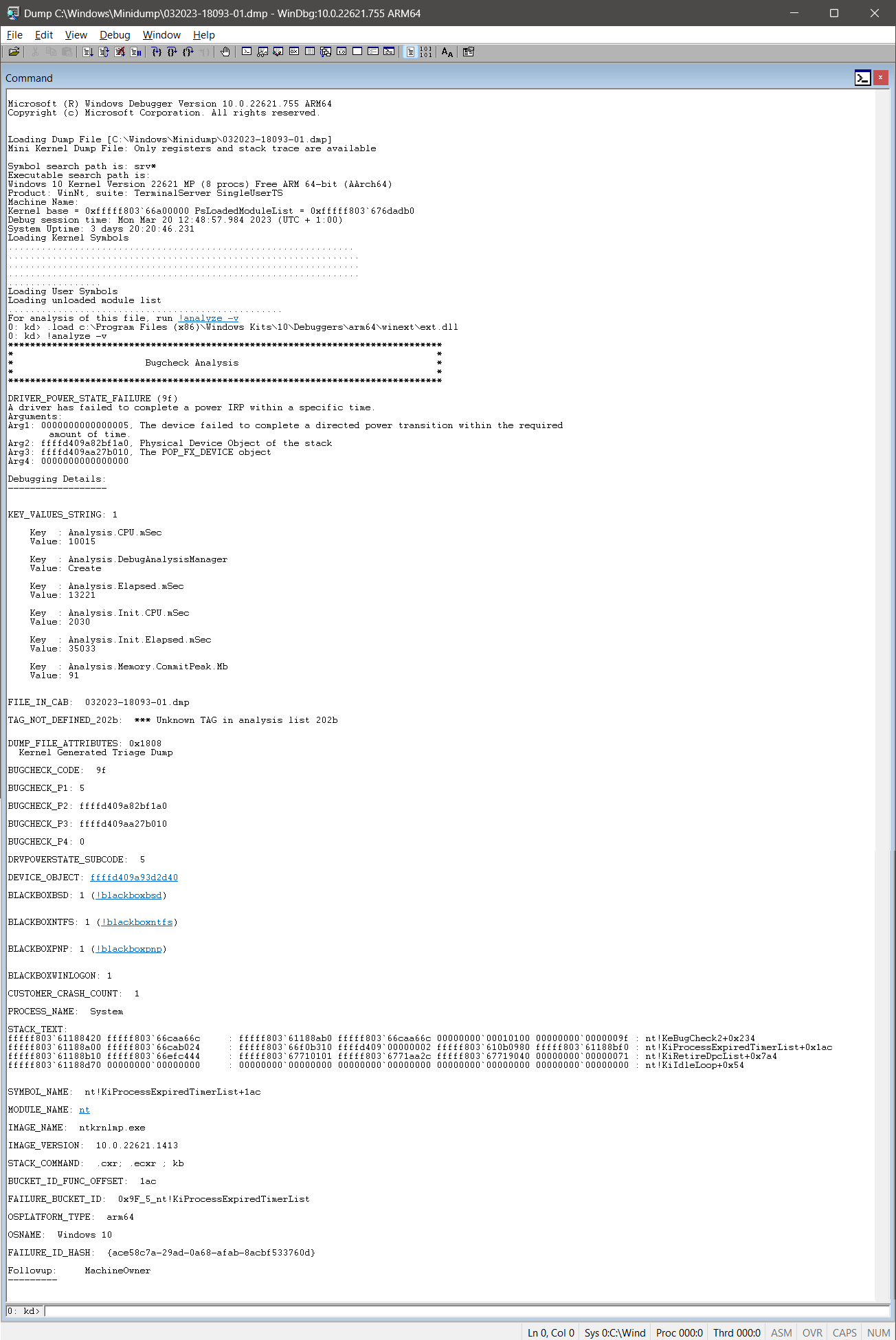
<p>Over the time I’ve got some blue screen of death crashes. I had two category of crashes:</p>

<ol>
  <li>Coming back to the PC to notice that it rebooted itself. I think that this was due my usage of RDP to a different machine.</li>
  <li>While compiling C++ code and watching something on YouTube.</li>
</ol>

<table>
    <tr>
        <td><a href="https://cristianadam.eu/assets/images/thinkpad-x13s/windbg-processexpired.png" target="_blank"><img src="https://cristianadam.eu/assets/images/thinkpad-x13s/windbg-processexpired.png" /></a></td>
        <td><a href="https://cristianadam.eu/assets/images/thinkpad-x13s/eventviewer-reboot.png" target="_blank"><img src="https://cristianadam.eu/assets/images/thinkpad-x13s/eventviewer-reboot.png" /></a></td>
    </tr>
    <tr>
        <td><a href="https://cristianadam.eu/assets/images/thinkpad-x13s/windbg-crash-while-compiling.png" target="_blank"><img src="https://cristianadam.eu/assets/images/thinkpad-x13s/windbg-crash-while-compiling.png" /></a></td>
    </tr>
</table>

<p>My impression is that Qualcomm is relatively new in the Windows PC drivers market, and their audio and video drivers were not bug free.</p>

<h1 id="dxdiag">DxDiag</h1>

<p>The result of <a href="https://en.wikipedia.org/wiki/DirectX_Diagnostic_Tool">DxDiag</a> can be found <a href="https://cristianadam.eu/assets/thinkpad-x13s/DxDiag.txt">here</a>.
Windows 11 can cast the display via <em>Miracast</em> to a TV or compatible projector. Just press <code>Win + K</code> key combination.</p>

<p>Unfortunatelly, this is not supported:</p>

<div class="bogus-wrapper"><notextile><figure class="code"> <div class="CodeRay">
  <div class="code"><pre>
---------------
Display Devices
---------------
           Card name: Qualcomm(R) Adreno(TM) 8cx Gen 3
        Manufacturer: Qualcomm Incorporated
           Chip type: Adreno 690
            DAC type: InternalDAC
         Device Type: Full Device (POST)
          Device Key: Enum\ACPI\VEN_QCOM&amp;DEV_0636&amp;SUBSYS_QRD08280&amp;REV_1823
       Device Status: 0180200A [DN_DRIVER_LOADED|DN_STARTED|DN_DISABLEABLE|DN_NT_ENUMERATOR|DN_NT_DRIVER]
 Device Problem Code: No Problem
 Driver Problem Code: Unknown
      Display Memory: 7894 MB
    Dedicated Memory: 0 MB
       Shared Memory: 7894 MB
        Current Mode: 1920 x 1200 (32 bit) (60Hz)
         HDR Support: Not Supported
    Display Topology: Internal
 Display Color Space: DXGI_COLOR_SPACE_RGB_FULL_G22_NONE_P709
     Color Primaries: Red(0.639648,0.329102), Green(0.299805,0.599609), Blue(0.149414,0.059570), White Point(0.312500,0.328125)
   Display Luminance: Min Luminance = 0.500000, Max Luminance = 375.500000, MaxFullFrameLuminance = 375.500000
        Monitor Name: Wide viewing angle &amp; High density FlexView Display 1920x1200
       Monitor Model: unknown
          Monitor Id: LEN41A0
         Native Mode: 1920 x 1200(p) (59.999Hz)
         Output Type: Internal
Monitor Capabilities: HDR Not Supported
Display Pixel Format: DISPLAYCONFIG_PIXELFORMAT_32BPP
      Advanced Color: Not Supported
         Driver Name: &lt;&gt;,C:\WINDOWS\System32\DriverStore\FileRepository\qcdx8280.inf_arm64_f2df01705e71231b\qcdx11arm64xum8280.dll,C:\WINDOWS\System32\DriverStore\FileRepository\qcdx8280.inf_arm64_f2df01705e71231b\qcdx11arm64xum8280.dll,C:\WINDOWS\System32\DriverStore\FileRepository\qcdx8280.inf_arm64_f2df01705e71231b\qcdx12arm64xum8280.dll
 Driver File Version: 30.00.3741.8500 (English)
      Driver Version: 30.0.3741.8500
         DDI Version: 12
      Feature Levels: 11_1,11_0,10_1,10_0,9_3,9_2,9_1
        Driver Model: WDDM 2.9
 Hardware Scheduling: DriverSupportState:AlwaysOff Enabled:False
         Displayable: Not Supported
 Graphics Preemption: DMA
  Compute Preemption: DMA
            Miracast: Not Supported by Graphics driver
</pre></div>
</div>
 </figure></notextile></div>

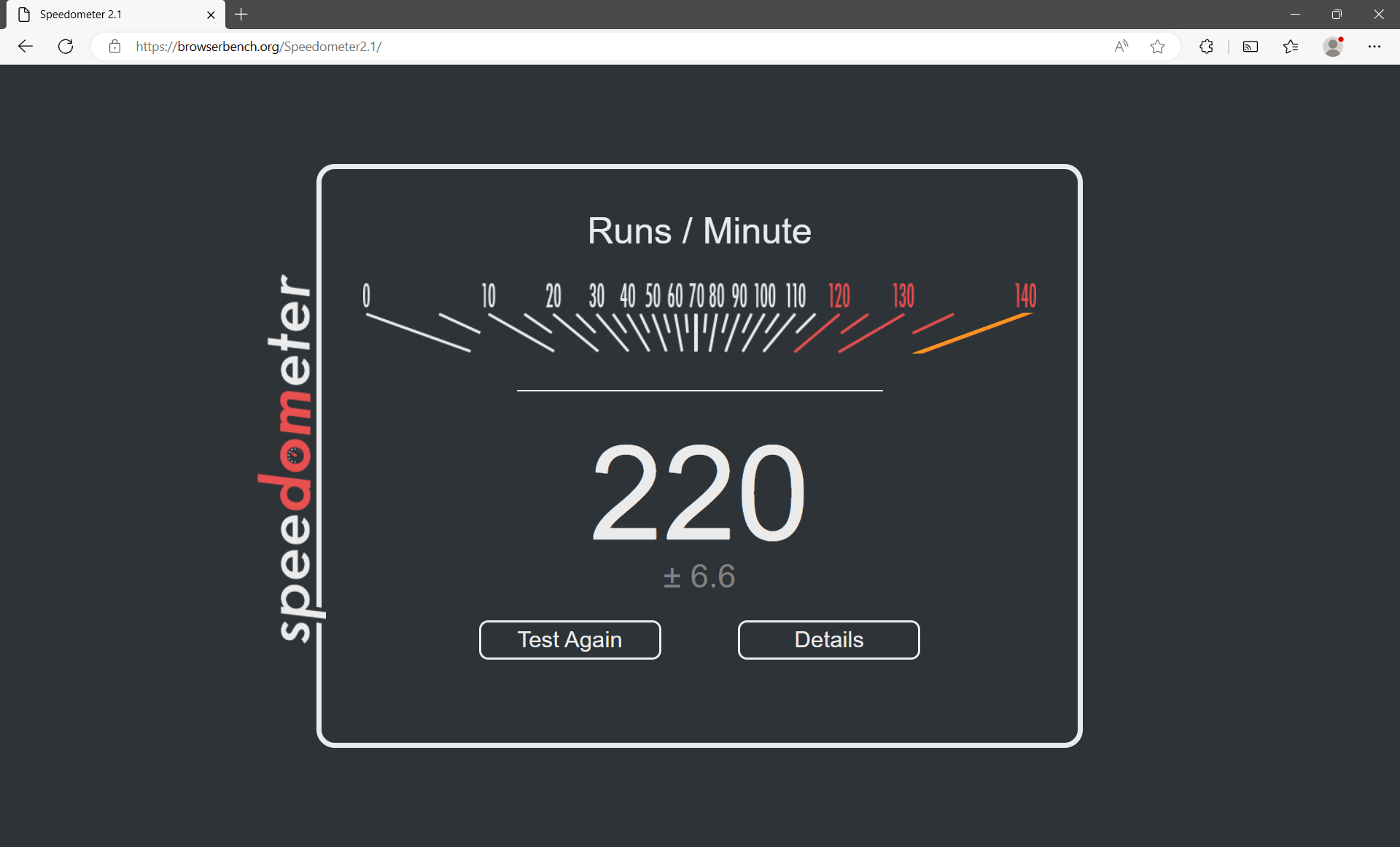
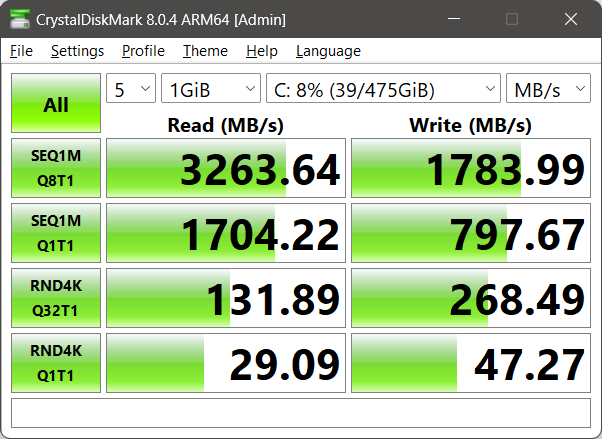
<h1 id="other-benchmarks">Other benchmarks</h1>

<p><img src="https://cristianadam.eu/assets/images/thinkpad-x13s/speedometer2.1.png" /></p>

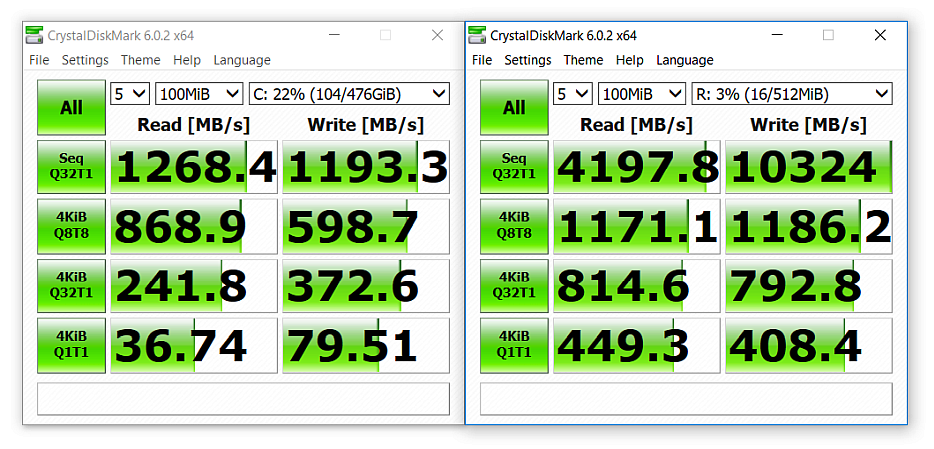
<p><img src="https://cristianadam.eu/assets/images/thinkpad-x13s/crystal-disk-mark.png" /></p>

<h1 id="closing-words">Closing words</h1>

<p>I have used the Lenovo ThinkPad X13 until November 2023, when I decided that I needed a laptop with an Arm64 CPU that can do more – I’ve bought an Apple MacBook Pro M1 Max. First time Mac after 25 years of using PCs. :flushed:</p>

<p>The ThinkPad X13s was not good enough for my needs. The software was also not 100% ready for prime time. The reboots, the helplessness of getting help on forums.lenovo.com, where
when you get some feedback, it’s all about to re-install drivers / Windows. :pensive:</p>

<p>Now we have July 2024 and Lenovo has released the <a href="https://www.lenovo.com/us/en/p/laptops/thinkpad/thinkpadt/lenovo-thinkpad-t14s-gen-6-(14-inch-snapdragon)/len101t0099">ThinkPad T14s Gen6 14”</a> with a Snapdragon X Elite CPU, which apparently can compete with the Apple Silicon CPUs.</p>
]]></content>
  </entry>
  
  <entry>
    <title type="html"><![CDATA[WSLg and Qt Creator]]></title>
    <link href="https://cristianadam.eu/20221222/wslg-and-qt-creator/"/>
    <updated>2022-12-22T14:48:52+01:00</updated>
    <id>https://cristianadam.eu/20221222/wslg-and-qt-creator</id>
    <content type="html"><![CDATA[<p>For the CMake presets feature presentation in <a href="https://www.qt.io/blog/qt-creator-9-cmakepresets">Qt Creator 9</a> I needed a cross platform Windows and Linux screencast.</p>

<p>My Windows Arm64 laptop was the perfect platform for the use case of registering a CMake preset with a self built Qt.</p>

<p>Quickly I found out that I only had one option to run Qt Creator as a Linux application, and that’s via Ubuntu 22.04 running under <a href="https://github.com/microsoft/wslg">Windows Subsystem For Linux GUI (WSLg)</a>.</p>

<p>That’s because there is no <a href="https://answers.microsoft.com/en-us/windows/forum/all/virtual-machine-on-arm64/4526063e-bb43-4ae2-82b8-f9a5f2e13683">Virtual Box</a> or <a href="https://communities.vmware.com/t5/Fusion-22H2-Tech-Preview/VMWare-tools-for-Windows-ARM64/td-p/2877643">VMware Player</a> running on Windows Arm64.</p>

<p>Also I’ve tried using Hyper-V, which WSLg under the hood uses, but the Ubuntu 22.04 image wouldn’t <a href="https://answers.microsoft.com/en-us/windows/forum/all/hyper-v-on-win11arm64/0ffd1787-e0a1-4a91-9173-2cdf9bfbf394">boot</a>.</p>

<p>WSL2 and WSLg was the way to go! I’ve installed Qt Creator via <code>sudo apt install qtcreator</code> and then started Qt Creator via the Windows shortcut named <em>Qt Creator (Ubuntu-22.04)</em>!
This is a short cut for <code>C:\Windows\System32\wslg.exe ~ -d Ubuntu-22.04 qtcreator</code></p>

<p>Qt Creator would look like this:</p>

<p><img src="https://cristianadam.eu/assets/wslg-qtcreator/qt-creator-6-wsl2-arm64.webp" class="noborder" /></p>

<p>It’s very hard not to notice that the windows title bar looks a bit weird. The generic window icon, the mouse cursor that does strange theme changes, and the bit fat window borders!</p>

<p>My goal was to have Qt Creator 9 look similar on Windows 11 as a native Windows Arm64 application and as native Ubuntu 22.04 Linux application running with WSLg.</p>

<!-- more -->

<h1 id="windows-native-look">Windows native look</h1>

<p>On Windows 11 I am using a 125% font scaling and having “Storm” (some sort of dark gray #4C4A48) as a Windows color with <em>Show accent color on title bars and windows borders</em> enabled.</p>

<p>This is how it looks below:</p>

<p><img src="https://cristianadam.eu/assets/wslg-qtcreator/qt-creator-9-windows-arm64.webp" class="noborder" /></p>

<h1 id="wslg-with-wayland">WSLg with Wayland</h1>

<p>I’ve build Qt 6.4.0 and Qt Creator 9.0.1 myself. I decided to build the QtWayland module so that I can have my own compositor, with the hope that I could get the chance of fixing
some of the issues that I mentioned above.</p>

<p>Which looks like this:</p>

<p><img src="https://cristianadam.eu/assets/wslg-qtcreator/qt-creator-9-wsl2-wayland-arm64.webp" class="noborder" /></p>

<p>This doesn’t look necessarily better. The application icon is there, but there are no window borders, no resize cursors (not seen in the screencast), and no window shadows. The last part is not that important, I can’t live without, but the rest. Auch.</p>

<h1 id="improving-the-wayland-experience">Improving the Wayland experience</h1>

<p>I took a shot at hacking the <code>qtwayland/src/plugins/decorations/bradient</code> default Wayland decoration plugin to match my Windows 11 setup.</p>

<p>I was pretty happy with how it looks now :heart:</p>

<p><img src="https://cristianadam.eu/assets/wslg-qtcreator/qt-creator-9-wsl2-wayland-improved-arm64.webp" class="noborder" /></p>

<p>In order to achieve the Windows 11 look I had to change three things:</p>

<ol>
  <li>fonts</li>
  <li>cursor theme</li>
  <li>Wayland “bradient” theme configuration</li>
</ol>

<h2 id="fonts">Fonts</h2>

<p>Since I was running an Ubuntu Linux virtual machine on Windows and my goal was to have a similar look &amp; feel as the Windows application, why not use the Windows fonts?</p>

<p>First I tried removing the Linux fonts. If you uninstall one font package Ubuntu Linux will install a fallback font package. So I had to issue multiple font removal commands:</p>

<div class="bogus-wrapper"><notextile><figure class="code"> <div class="CodeRay">
  <div class="code"><pre>
sudo apt purge fonts-dejavu-core
sudo apt purge fonts-dejavu-core ttf-bitstream-vera
sudo apt purge fonts-dejavu-core ttf-bitstream-vera fonts-liberation
sudo apt purge fonts-dejavu-core ttf-bitstream-vera fonts-liberation fonts-liberation2 fonts-croscore
sudo apt purge fonts-dejavu-core ttf-bitstream-vera fonts-liberation fonts-liberation2 fonts-croscore fonts-freefont-otf
sudo apt purge fonts-dejavu-core ttf-bitstream-vera fonts-liberation fonts-liberation2 fonts-croscore fonts-freefont-otf fonts-freefont-ttf
sudo apt purge fonts-dejavu-core ttf-bitstream-vera fonts-liberation fonts-liberation2 fonts-croscore fonts-freefont-otf fonts-freefont-ttf fonts-urw-base35
</pre></div>
</div>
 </figure></notextile></div>

<p>Then I edited the <code>/etc/fonts/local.conf</code> file with the content:</p>

<div class="bogus-wrapper"><notextile><figure class="code"> <div class="CodeRay">
  <div class="code"><pre>
<span class="preprocessor">&lt;?xml version=&quot;1.0&quot;?&gt;</span>
<span class="doctype">&lt;!DOCTYPE fontconfig SYSTEM &quot;fonts.dtd&quot;&gt;</span>
<span class="tag">&lt;fontconfig&gt;</span>
    <span class="tag">&lt;dir&gt;</span>/mnt/c/Windows/Fonts<span class="tag">&lt;/dir&gt;</span>

    <span class="tag">&lt;match</span> <span class="attribute-name">target</span>=<span class="string"><span class="delimiter">&quot;</span><span class="content">font</span><span class="delimiter">&quot;</span></span> <span class="tag">&gt;</span>
        <span class="tag">&lt;edit</span> <span class="attribute-name">mode</span>=<span class="string"><span class="delimiter">&quot;</span><span class="content">assign</span><span class="delimiter">&quot;</span></span> <span class="attribute-name">name</span>=<span class="string"><span class="delimiter">&quot;</span><span class="content">lcdfilter</span><span class="delimiter">&quot;</span></span> <span class="tag">&gt;</span>
            <span class="tag">&lt;const&gt;</span>lcddefault<span class="tag">&lt;/const&gt;</span>
        <span class="tag">&lt;/edit&gt;</span>
        <span class="tag">&lt;edit</span> <span class="attribute-name">mode</span>=<span class="string"><span class="delimiter">&quot;</span><span class="content">assign</span><span class="delimiter">&quot;</span></span> <span class="attribute-name">name</span>=<span class="string"><span class="delimiter">&quot;</span><span class="content">hinting</span><span class="delimiter">&quot;</span></span> <span class="tag">&gt;</span>
            <span class="tag">&lt;bool&gt;</span>true<span class="tag">&lt;/bool&gt;</span>
        <span class="tag">&lt;/edit&gt;</span>
        <span class="tag">&lt;edit</span> <span class="attribute-name">mode</span>=<span class="string"><span class="delimiter">&quot;</span><span class="content">assign</span><span class="delimiter">&quot;</span></span> <span class="attribute-name">name</span>=<span class="string"><span class="delimiter">&quot;</span><span class="content">hintstyle</span><span class="delimiter">&quot;</span></span> <span class="tag">&gt;</span>
            <span class="tag">&lt;const&gt;</span>hintslight<span class="tag">&lt;/const&gt;</span>
        <span class="tag">&lt;/edit&gt;</span>
        <span class="tag">&lt;edit</span> <span class="attribute-name">mode</span>=<span class="string"><span class="delimiter">&quot;</span><span class="content">assign</span><span class="delimiter">&quot;</span></span> <span class="attribute-name">name</span>=<span class="string"><span class="delimiter">&quot;</span><span class="content">rgba</span><span class="delimiter">&quot;</span></span> <span class="tag">&gt;</span>
            <span class="tag">&lt;const&gt;</span>rgb<span class="tag">&lt;/const&gt;</span>
        <span class="tag">&lt;/edit&gt;</span>
        <span class="tag">&lt;edit</span> <span class="attribute-name">mode</span>=<span class="string"><span class="delimiter">&quot;</span><span class="content">assign</span><span class="delimiter">&quot;</span></span> <span class="attribute-name">name</span>=<span class="string"><span class="delimiter">&quot;</span><span class="content">antialias</span><span class="delimiter">&quot;</span></span><span class="tag">&gt;</span>
            <span class="tag">&lt;bool&gt;</span>true<span class="tag">&lt;/bool&gt;</span>
        <span class="tag">&lt;/edit&gt;</span>
    <span class="tag">&lt;/match&gt;</span>

    <span class="tag">&lt;alias&gt;</span>
        <span class="tag">&lt;family&gt;</span>sans-serif<span class="tag">&lt;/family&gt;</span>
        <span class="tag">&lt;prefer&gt;</span>
            <span class="tag">&lt;family&gt;</span>Segoe UI<span class="tag">&lt;/family&gt;</span>
        <span class="tag">&lt;/prefer&gt;</span>
    <span class="tag">&lt;/alias&gt;</span>

    <span class="tag">&lt;match</span> <span class="attribute-name">target</span>=<span class="string"><span class="delimiter">&quot;</span><span class="content">pattern</span><span class="delimiter">&quot;</span></span><span class="tag">&gt;</span>
        <span class="tag">&lt;test</span> <span class="attribute-name">qual</span>=<span class="string"><span class="delimiter">&quot;</span><span class="content">any</span><span class="delimiter">&quot;</span></span> <span class="attribute-name">name</span>=<span class="string"><span class="delimiter">&quot;</span><span class="content">family</span><span class="delimiter">&quot;</span></span><span class="tag">&gt;</span><span class="tag">&lt;string&gt;</span>monospace<span class="tag">&lt;/string&gt;</span><span class="tag">&lt;/test&gt;</span>
        <span class="tag">&lt;edit</span> <span class="attribute-name">name</span>=<span class="string"><span class="delimiter">&quot;</span><span class="content">family</span><span class="delimiter">&quot;</span></span> <span class="attribute-name">mode</span>=<span class="string"><span class="delimiter">&quot;</span><span class="content">assign</span><span class="delimiter">&quot;</span></span> <span class="attribute-name">binding</span>=<span class="string"><span class="delimiter">&quot;</span><span class="content">same</span><span class="delimiter">&quot;</span></span><span class="tag">&gt;</span><span class="tag">&lt;string&gt;</span>Courier New<span class="tag">&lt;/string&gt;</span><span class="tag">&lt;/edit&gt;</span>
    <span class="tag">&lt;/match&gt;</span>
    <span class="tag">&lt;match</span> <span class="attribute-name">target</span>=<span class="string"><span class="delimiter">&quot;</span><span class="content">pattern</span><span class="delimiter">&quot;</span></span><span class="tag">&gt;</span>
        <span class="tag">&lt;test</span> <span class="attribute-name">qual</span>=<span class="string"><span class="delimiter">&quot;</span><span class="content">any</span><span class="delimiter">&quot;</span></span> <span class="attribute-name">name</span>=<span class="string"><span class="delimiter">&quot;</span><span class="content">family</span><span class="delimiter">&quot;</span></span><span class="tag">&gt;</span><span class="tag">&lt;string&gt;</span>DejaVu LGC Sans<span class="tag">&lt;/string&gt;</span><span class="tag">&lt;/test&gt;</span>
        <span class="tag">&lt;edit</span> <span class="attribute-name">name</span>=<span class="string"><span class="delimiter">&quot;</span><span class="content">family</span><span class="delimiter">&quot;</span></span> <span class="attribute-name">mode</span>=<span class="string"><span class="delimiter">&quot;</span><span class="content">assign</span><span class="delimiter">&quot;</span></span> <span class="attribute-name">binding</span>=<span class="string"><span class="delimiter">&quot;</span><span class="content">same</span><span class="delimiter">&quot;</span></span><span class="tag">&gt;</span><span class="tag">&lt;string&gt;</span>Segoe UI<span class="tag">&lt;/string&gt;</span><span class="tag">&lt;/edit&gt;</span>
    <span class="tag">&lt;/match&gt;</span>

<span class="tag">&lt;/fontconfig&gt;</span>
</pre></div>
</div>
 </figure></notextile></div>

<p>And finally I’ve updated the font database <code>sudo fc-cache -f -v</code>. This was my best attempt at having a Windows like font rendering with the Windows
fonts and some fonts substitutions for Qt Creator.</p>

<p>In order to have a bigger font in Qt Creator I had to have the following environment variable set:</p>

<div class="bogus-wrapper"><notextile><figure class="code"> <div class="CodeRay">
  <div class="code"><pre>
QT_WAYLAND_FORCE_DPI=120
</pre></div>
</div>
 </figure></notextile></div>

<p>Funnily enough <code>125</code> was bigger than what Windows would set for <code>125%</code>.</p>

<h2 id="cursor-theme">Cursor theme</h2>

<p>Ubuntu 22.04 comes with a basic X11 font theme. I’ve installed one from KDE which had more cursors and looked nicer:</p>

<div class="bogus-wrapper"><notextile><figure class="code"> <div class="CodeRay">
  <div class="code"><pre>
sudo apt install breeze-cursor-theme
</pre></div>
</div>
 </figure></notextile></div>

<p>Quickly I noticed that the mouse cursors are HUGE, in order to have them at proper size, I needed to have the following environment variable set:</p>

<div class="bogus-wrapper"><notextile><figure class="code"> <div class="CodeRay">
  <div class="code"><pre>
XCURSOR_SIZE=16
</pre></div>
</div>
 </figure></notextile></div>

<h2 id="wayland-bradient-theme">Wayland “bradient” theme</h2>

<p>First I hacked Qt Wayland’s <code>qtwayland/src/plugins/decorations/bradient</code> plugin with this <a href="https://cristianadam.eu/assets/wslg-qtcreator/qtwayland-6.4.0-bradient-windows11.patch">qtwayland-6.4.0-bradient-windows11.patch</a>. This was my first time trying to hack a theme plugin. It’s not perfect, but it’s good enough for me.</p>

<p>Now the plugin looks after a few environment variables in order to configure the window titlebar colors, the border colors, the alignment of the window title, and so on.</p>

<p>As it turns out the Windows 11 shortcut dialog has a limit on the edit line for the executable, and I was not able to pass all the parameters to the shortcut.</p>

<p>I had to use a WScript script to achieve this:</p>

<div class="bogus-wrapper"><notextile><figure class="code"> <div class="CodeRay">
  <div class="code"><pre>
<span class="keyword">function</span> <span class="function">wslgLink</span>() {
  <span class="keyword">var</span> commandArguments = <span class="string"><span class="delimiter">&quot;</span><span class="delimiter">&quot;</span></span>;
  <span class="keyword">for</span> (<span class="keyword">var</span> i = <span class="integer">0</span>; i &lt; <span class="local-variable">arguments</span>.length; ++i) {
    commandArguments += <span class="local-variable">arguments</span>[i] + <span class="string"><span class="delimiter">&quot;</span><span class="content"> </span><span class="delimiter">&quot;</span></span>;
  }

  <span class="keyword">var</span> shell = <span class="keyword">new</span> ActiveXObject(<span class="string"><span class="delimiter">&quot;</span><span class="content">WScript.Shell</span><span class="delimiter">&quot;</span></span>);

  <span class="keyword">var</span> strStartMenu = shell.SpecialFolders(<span class="string"><span class="delimiter">&quot;</span><span class="content">StartMenu</span><span class="delimiter">&quot;</span></span>)
  <span class="keyword">var</span> shortcut = shell.CreateShortcut(strStartMenu + <span class="string"><span class="delimiter">&quot;</span><span class="char">\\</span><span class="content">Programs</span><span class="char">\\</span><span class="content">Qt Creator Linux.lnk</span><span class="delimiter">&quot;</span></span>)
  shortcut.WindowStyle = <span class="integer">4</span>;
  shortcut.IconLocation = <span class="string"><span class="delimiter">&quot;</span><span class="content">%userProfile%</span><span class="char">\\</span><span class="content">wsl</span><span class="char">\\</span><span class="content">qtcreator.ico</span><span class="delimiter">&quot;</span></span>;
  shortcut.TargetPath = <span class="string"><span class="delimiter">&quot;</span><span class="content">c:</span><span class="char">\\</span><span class="content">windows</span><span class="char">\\</span><span class="content">system32</span><span class="char">\\</span><span class="content">wslg.exe</span><span class="delimiter">&quot;</span></span>
  shortcut.Arguments = commandArguments;
  shortcut.WorkingDirectory = <span class="string"><span class="delimiter">&quot;</span><span class="content">c:</span><span class="char">\\</span><span class="content">windows</span><span class="char">\\</span><span class="content">system32</span><span class="delimiter">&quot;</span></span>;
  shortcut.Save()
}

wslgLink(
  <span class="string"><span class="delimiter">&quot;</span><span class="content">-d Ubuntu-22.04</span><span class="delimiter">&quot;</span></span>,
  <span class="string"><span class="delimiter">&quot;</span><span class="content">QT_WAYLAND_FORCE_DPI=120</span><span class="delimiter">&quot;</span></span>,
  <span class="string"><span class="delimiter">&quot;</span><span class="content">XCURSOR_SIZE=16</span><span class="delimiter">&quot;</span></span>,
  <span class="string"><span class="delimiter">&quot;</span><span class="content">QT_WAYLAND_DECORATION_FG_COLOR=#ffffff</span><span class="delimiter">&quot;</span></span>,
  <span class="string"><span class="delimiter">&quot;</span><span class="content">QT_WAYLAND_DECORATION_FG_INACTIVE_COLOR=#919191</span><span class="delimiter">&quot;</span></span>,
  <span class="string"><span class="delimiter">&quot;</span><span class="content">QT_WAYLAND_DECORATION_BG_COLOR=#4c4a48</span><span class="delimiter">&quot;</span></span>,
  <span class="string"><span class="delimiter">&quot;</span><span class="content">QT_WAYLAND_DECORATION_BG_INACTIVE_COLOR=#f3f3f3</span><span class="delimiter">&quot;</span></span>,
  <span class="string"><span class="delimiter">&quot;</span><span class="content">QT_WAYLAND_DECORATION_BORDER_COLOR=#4c4a48</span><span class="delimiter">&quot;</span></span>,
  <span class="string"><span class="delimiter">&quot;</span><span class="content">QT_WAYLAND_DECORATION_BORDER_INACTIVE_COLOR=#b3b3b3</span><span class="delimiter">&quot;</span></span>,
  <span class="string"><span class="delimiter">&quot;</span><span class="content">QT_WAYLAND_BUTTONS_HOVER_BG_COLOR=#575553</span><span class="delimiter">&quot;</span></span>,
  <span class="string"><span class="delimiter">&quot;</span><span class="content">QT_WAYLAND_CLOSE_BUTTON_HOVER_BG_COLOR=#C42B1C</span><span class="delimiter">&quot;</span></span>,
  <span class="string"><span class="delimiter">&quot;</span><span class="content">QT_WAYLAND_DECORATION_LEFT_WINDOW_TEXT=1</span><span class="delimiter">&quot;</span></span>,
  <span class="string"><span class="delimiter">&quot;</span><span class="content">~/Qt/qtcreator/bin/qtcreator</span><span class="delimiter">&quot;</span></span>
);
</pre></div>
</div>
 </figure></notextile></div>

<p>For a dark Windows theme the following values work better:</p>

<div class="bogus-wrapper"><notextile><figure class="code"> <div class="CodeRay">
  <div class="code"><pre>
  &quot;QT_WAYLAND_DECORATION_BG_INACTIVE_COLOR=#202020&quot;,
  &quot;QT_WAYLAND_DECORATION_BORDER_INACTIVE_COLOR=#2F3039&quot;,
</pre></div>
</div>
 </figure></notextile></div>

<p>You can get the Qt Creator icon with a Linux overlay from <a href="https://cristianadam.eu/assets/wslg-qtcreator/qtcreator-linux.ico">here</a>.</p>

<h1 id="conclusion">Conclusion</h1>

<p>I was able to run Qt Creator 9.0.1 both for Windows 11 arm64 natively and Ubuntu 22.04 having a consistent Windows 11 look and feel! :metal:</p>

<p>Oh, one more thing. My Ubuntu 22.04 WSL2 installation got only 1GB of swap, which is not enough to compile LLVM / Clang for example. I had to edit the Windows <code>%userprofile%\.wslconfig</code> ini file with the following content:</p>

<div class="bogus-wrapper"><notextile><figure class="code"> <div class="CodeRay">
  <div class="code"><pre>
[wsl2]
swap=16GB
swapFile=%USERPROFILE%\wsl2swap.vhdx
</pre></div>
</div>
 </figure></notextile></div>
]]></content>
  </entry>
  
  <entry>
    <title type="html"><![CDATA[Windows Arm64 - Samsung Galaxy Book Go 5G]]></title>
    <link href="https://cristianadam.eu/20221126/windows-arm64-samsung-galaxy-book-go-5g/"/>
    <updated>2022-11-26T15:57:53+01:00</updated>
    <id>https://cristianadam.eu/20221126/windows-arm64-samsung-galaxy-book-go-5g</id>
    <content type="html"><![CDATA[<p>We all know the Arm CPU architecture from smartphones, which have a long battery life and passive cooling.</p>

<p>Apple has shown with the M1/2 laptops that you can have a laptop that kicks ass with an Arm CPU.</p>

<p>In November 2021 I had a look to see if there was something like that for Windows.</p>

<p>I found a handful of models. Microsoft Surface Pro X, Lenovo Flex 5G, Acer Spin 7 at prices between 1000 - 1500$, and lastly Samsung Galaxy Book Go 5G at 800$ (400$ on eBay).</p>

<h1 id="samsung-galaxy-book-go">Samsung Galaxy Book Go</h1>

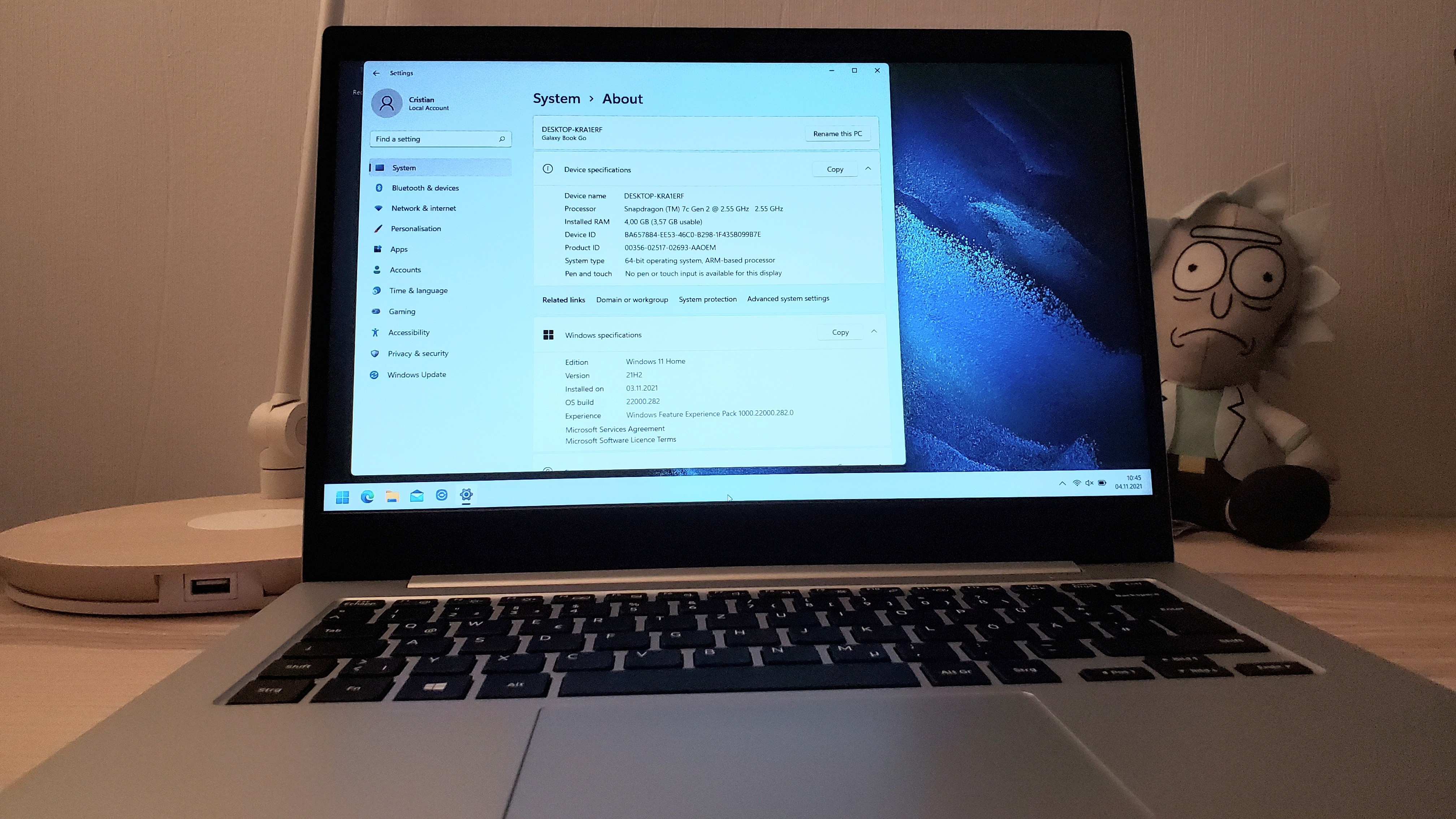
<p>In Germany I could only buy the <em>Samsung Galaxy Book Go</em> “European” LTE version. Which came with a Qualcomm Snapdragon (TM) 7c Gen 2 CPU, 4GB of RAM and 128GB SSD.</p>

<p>I bought a refurbished model for 300€.</p>

<p><a href="https://cristianadam.eu/assets/images/samsung-galaxy-book-go-5g/galaxy-book-go.jpg" target="_blank"><img src="https://cristianadam.eu/assets/images/samsung-galaxy-book-go-5g/galaxy-book-go_small.jpg" /></a></p>

<p>I took 7zip and run <code>7z -b</code> to benchmark for <code>arm64</code>, <code>x86_64</code> and <code>x86</code>. The results are <a href="https://cristianadam.eu/assets/samsung-galaxy-book-go-5g/7zip-benchmark-galaxy-book-go.txt">here</a>, below you have the <code>arm64</code> results:</p>

<div class="bogus-wrapper"><notextile><figure class="code"> <div class="CodeRay">
  <div class="code"><pre>
C:\Program Files (Arm)\7-Zip&gt;7z b

7-Zip 21.04 beta (arm64) : Copyright (c) 1999-2021 Igor Pavlov : 2021-11-02

Windows 10.0 22000
ARM64 0 805.D0E cpus:8 128T f:804EB8C1004
LE

1T CPU Freq (MHz):  1931  2549  2550  2493  2488  2549  2545
4T CPU Freq (MHz): 346% 1903   354% 1952

RAM size:    3659 MB,  # CPU hardware threads:   8
RAM usage:   1779 MB,  # Benchmark threads:      8

                       Compressing  |                  Decompressing
Dict     Speed Usage    R/U Rating  |      Speed Usage    R/U Rating
         KiB/s     %   MIPS   MIPS  |      KiB/s     %   MIPS   MIPS

22:      12741   678   1828  12395  |     194291   705   2349  16568
23:      12388   722   1749  12622  |     185160   687   2333  16017
24:      11760   729   1735  12645  |     187951   720   2290  16491
25:      11119   753   1686  12696  |     185261   739   2232  16484
----------------------------------  | ------------------------------
Avr:     12002   720   1750  12590  |     188166   713   2301  16390
Tot:             716   2025  14490
</pre></div>
</div>
 </figure></notextile></div>

<p>The numbers by themselves do not mean much, but let’s compare them with the Apple M1 results from <a href="https://7-cpu.com/cpu/Apple_M1.html">7-cpu.com</a>:</p>

<table>
  <thead>
    <tr>
      <th>CPU</th>
      <th>Compressing MIPS</th>
      <th>Decompressing MIPS</th>
    </tr>
  </thead>
  <tbody>
    <tr>
      <td>Qualcomm 7c Gen 2</td>
      <td>12590</td>
      <td>16390</td>
    </tr>
    <tr>
      <td>Apple M1</td>
      <td>48841</td>
      <td>45484</td>
    </tr>
  </tbody>
</table>

<p>That’s not that good, isn’t it? Also 4GB of RAM, and 128GB SSD with no means to upgrade, made the offering a bit uncool.</p>

<p>Another thing that I’ve noticed was the screen quality. It wasn’t at the same level as my previous Lenovo laptops. The colors would change depending how I moved my head.</p>

<p>Notebookcheck.net has an article named <a href="https://www.notebookcheck.net/Samsung-Galaxy-Book-Go-in-review-Silent-office-notebook.555454.0.html">Samsung Galaxy Book Go in review: Silent office notebook</a> (<a href="https://web.archive.org/web/20220524192551/https://www.notebookcheck.net/Samsung-Galaxy-Book-Go-in-review-Silent-office-notebook.555454.0.html">archive.org copy</a>), and their conclusion:</p>

<blockquote><p>A better display could have made the Samsung Galaxy Book Go a good and inexpensive notebook.</p></blockquote>

<!-- more-->

<h1 id="samsung-galaxy-book-go-5g">Samsung Galaxy Book Go 5G</h1>

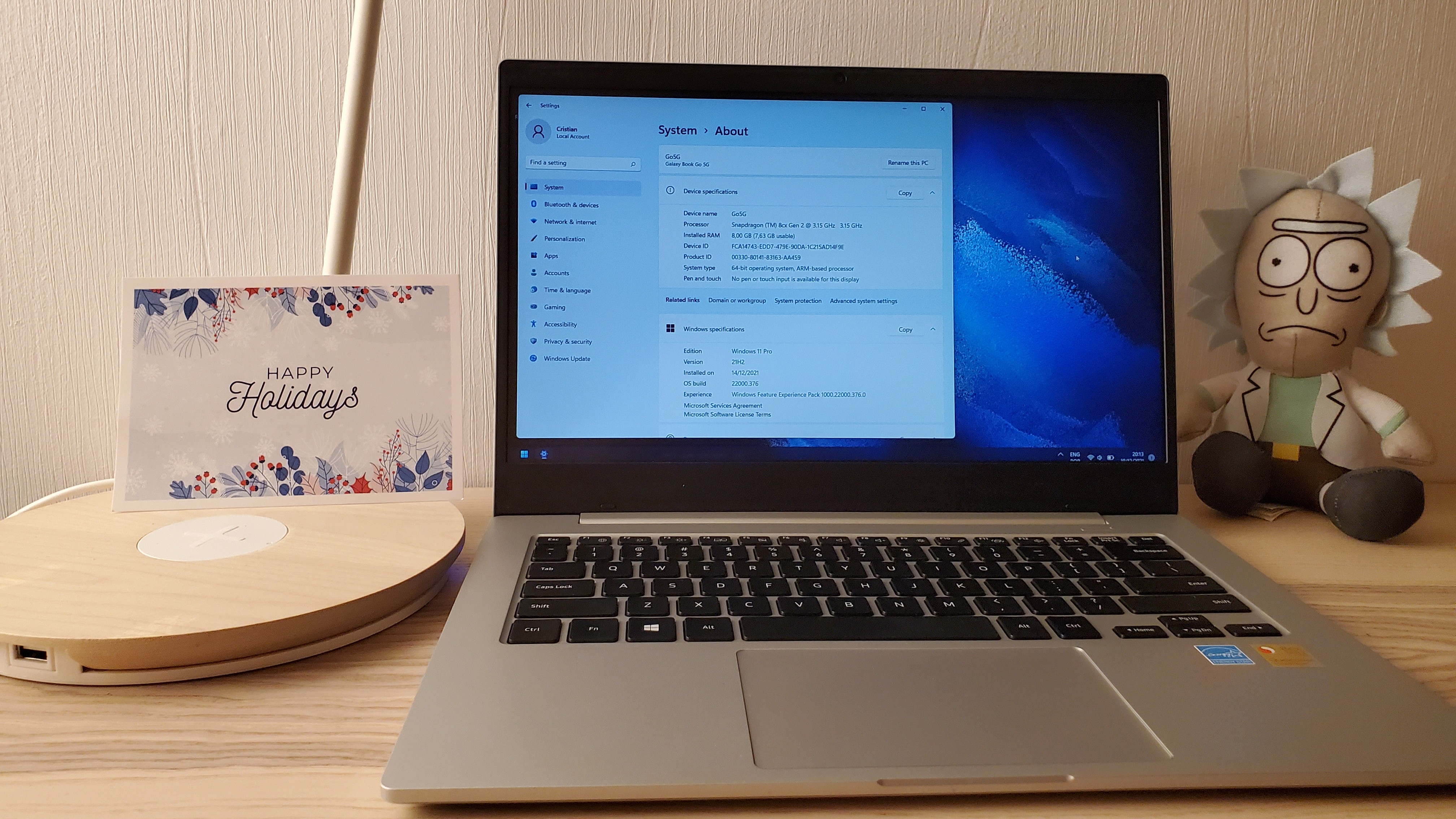
<p>When I found out that Samsung sells the <em>Samsung Galaxy Book Go 5G</em> in USA with better specs, I ordered one from ebay.com for 475€ (70€ customs), and sent back the “European” model.</p>

<p>The better specs were: Qualcomm Snapdragon(TM) 8cx Gen 2, 8GB of RAM and 256 GB SSD.</p>

<p><a href="https://cristianadam.eu/assets/images/samsung-galaxy-book-go-5g/galaxy-book-go-5g.jpg" target="_blank"><img src="https://cristianadam.eu/assets/images/samsung-galaxy-book-go-5g/galaxy-book-go-5g_small.jpg" /></a></p>

<p>The 7-zip benchmark <a href="https://cristianadam.eu/assets/samsung-galaxy-book-go-5g/7zip-benchmark-galaxy-book-go-5g.txt">results</a> for <code>arm64</code> are below:</p>

<div class="bogus-wrapper"><notextile><figure class="code"> <div class="CodeRay">
  <div class="code"><pre>
7-Zip 21.06 (arm64) : Copyright (c) 1999-2021 Igor Pavlov : 2021-11-24

Windows 10.0 22000
ARM64 0 805.D0E cpus:8 128T f:804EB8C1004
LE

1T CPU Freq (MHz):  2599  3138  3128  3145  3144  3144  3145
4T CPU Freq (MHz): 398% 3102   398% 3141

RAM size:    7816 MB,  # CPU hardware threads:   8
RAM usage:   1779 MB,  # Benchmark threads:      8

                       Compressing  |                  Decompressing
Dict     Speed Usage    R/U Rating  |      Speed Usage    R/U Rating
         KiB/s     %   MIPS   MIPS  |      KiB/s     %   MIPS   MIPS

22:      23531   683   3349  22891  |     253881   659   3285  21649
23:      24711   758   3323  25178  |     244390   655   3230  21140
24:      22059   731   3243  23719  |     240148   658   3201  21071
25:      21317   756   3220  24340  |     227340   651   3107  20228
----------------------------------  | ------------------------------
Avr:     22904   732   3284  24032  |     241440   656   3206  21022
Tot:             694   3245  22527
</pre></div>
</div>
 </figure></notextile></div>

<p>Now the comparison table looks like this:</p>

<table>
  <thead>
    <tr>
      <th>CPU</th>
      <th>Compressing MIPS</th>
      <th>Decompressing MIPS</th>
    </tr>
  </thead>
  <tbody>
    <tr>
      <td>Qualcomm 7c Gen 2</td>
      <td>12590</td>
      <td>16390</td>
    </tr>
    <tr>
      <td>Qualcomm 8cx Gen 2</td>
      <td>24032</td>
      <td>21022</td>
    </tr>
    <tr>
      <td>Apple M1</td>
      <td>48841</td>
      <td>45484</td>
    </tr>
  </tbody>
</table>

<p>That’s more like it, but it’s like half of the CPU performance of an Apple M1 :neutral_face:</p>

<h1 id="professional-screen-replacement">‘Professional’ screen replacement</h1>

<p>The <em>Galaxy Book Go 5G</em>  had the same problem with the screen. I did a bit of research and found out that the are 14” LCD screens. Because of one YouTube video that showed (a different Galaxy Book) that you had to use a heat gun to replace the LCD, I decided to ask a computer repair shop in Berlin Adlershof to do the work.</p>

<p>Two weeks later and some :shit: from the guy (apparently he had to “cut some braces” to fit the new LCD) and 280€ later I got the laptop with a way better screen.</p>

<p>This should have been the end of the story, unfortunately it was just the beginning.</p>

<h1 id="ui-freezing">UI freezing</h1>

<p>I noticed that the Windows 11 UI would freeze from time to time. Here is a video for me trying to showcase the issue.</p>

<video preload="none" controls="" poster="https://cristianadam.eu/assets/images/samsung-galaxy-book-go-5g/video-ui-freeze-poster.jpg">
   <source src="https://cristianadam.eu/assets/images/samsung-galaxy-book-go-5g/video-ui-freeze.mp4" type="video/mp4" />
</video>

<p>At first I thought there was a problem with the Qualcomm Adreno 690 GPU driver. I bought a license of Treexy Driver Fusion for 20€, tested all drivers it had to offer, but the problem was still there.</p>

<p>The weird issue was that the stock Windows graphics driver was fine, but I had no graphics acceleration and no screen dimming anymore. Bypassing the LCD connecting to an external monitor via USB-C was fine.</p>

<p>Then I thought there was a problem with the EDID LCD parameters, like refresh rate and what not. It was not.</p>

<p>Then I decided to reinstall Windows.</p>

<h1 id="windows-reinstallation-1">Windows reinstallation #1</h1>

<p>Windows reinstallation was not as easy as one would think. Samsung was not offering a way to download a Windows ISO image for the laptop, something that Lenovo offers.</p>

<p>Microsoft was also not offering an Arm64 Windows 11 ISO image for <a href="https://www.microsoft.com/en-us/software-download/windows11">download</a>:</p>

<blockquote><p>The Windows 11 ISO is only available for devices with x64 processors. For ARM-based PCs, you should wait until you are notified through Windows Update that the upgrade is ready for your PC.</p></blockquote>

<p>The internet wisdom was: look at pictures of Microsoft Surface Pro X on ebay, get a serial number and then download a <a href="https://support.microsoft.com/en-us/surface-recovery-image">recovery image</a>.</p>

<p>You need a USB Ethernet adapter to get Windows update to fetch the right drivers after Windows installation. Did this, got Windows 10 to work, but no luck, the problem persisted.</p>

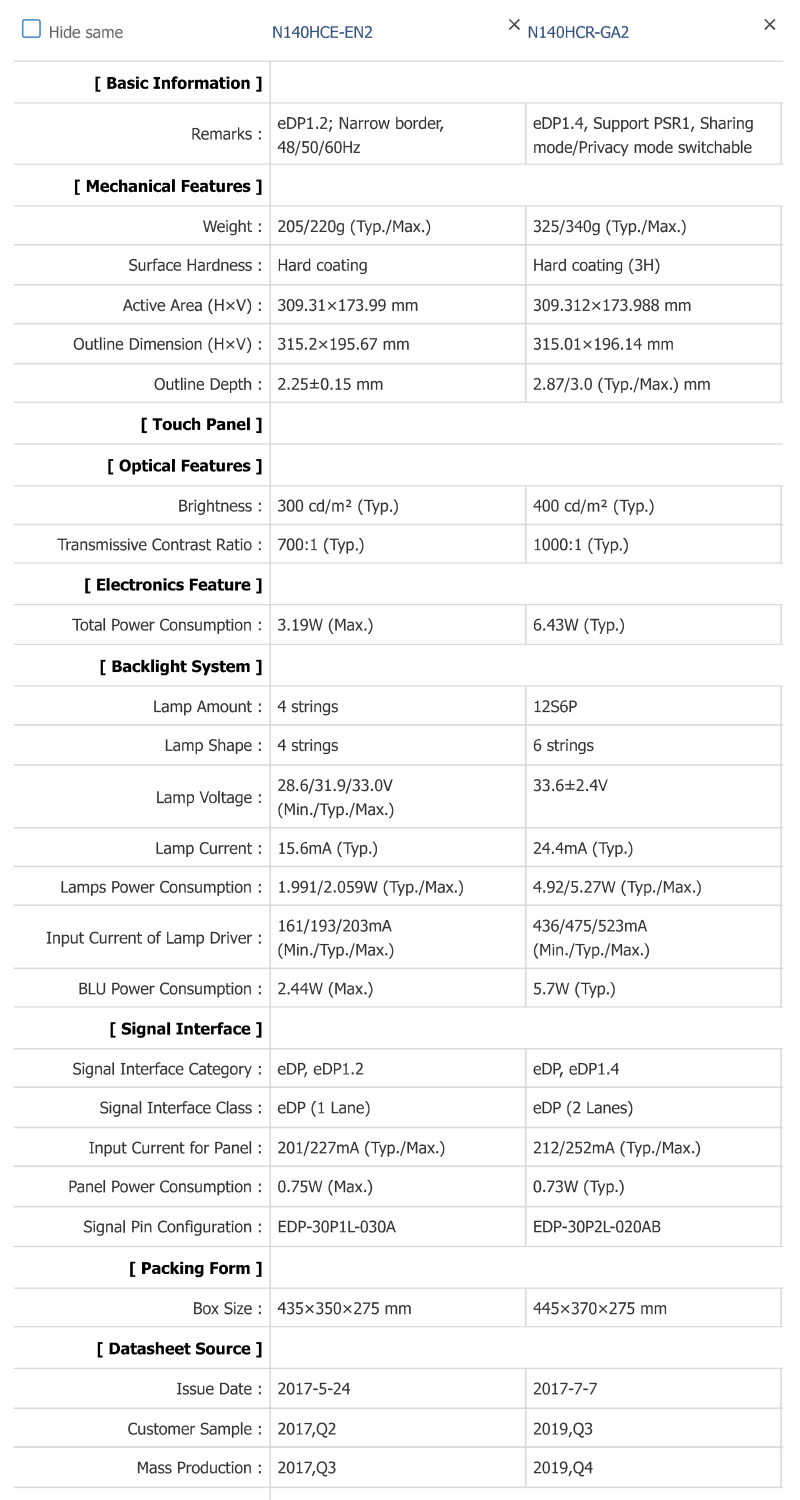
<p>Then I looked at the parameters of the LCD that the repair shop installed <a href="https://www.panelook.com/N140HCR-GA2_Innolux_14.0_LCM_parameter_42986.html">N140HCR-GA2</a>, and a different LCD that used half the power <a href="https://www.panelook.com/N140HCE-EN2_Innolux_14.0_LCM_parameter_30961.html">N140HCE-EN2</a>. The important part was the signal interface <code>20455-030E-76</code>.</p>

<p><img src="https://cristianadam.eu/assets/images/samsung-galaxy-book-go-5g/lcd-vs-lcd-2x-power.png" /></p>

<p>So I decided to buy a <code>N140HCE-EN2</code> LCD from eBay for 84€ and 10€ for an iFixit repair kit.</p>

<p>Did the replacement myself and … GREAT SUCCESS. The UI freeze was gone! :tada:</p>

<h1 id="windows-reinstallation-2">Windows reinstallation #2</h1>

<p>Because I have installed Windows via a Microsoft Surface Pro X image, and even though Windows has picked up the Samsung driver package, some things were tuned differently.</p>

<p>The first problem that I’ve encountered: USB-C ports were not working. This was a bummer since I had moved a 512GB M.2 drive into a USB-C enclosure.</p>

<p>I decided to use a different Surface Pro X serial key and recovery image.</p>

<p>This time the USB-C ports were working :tada:</p>

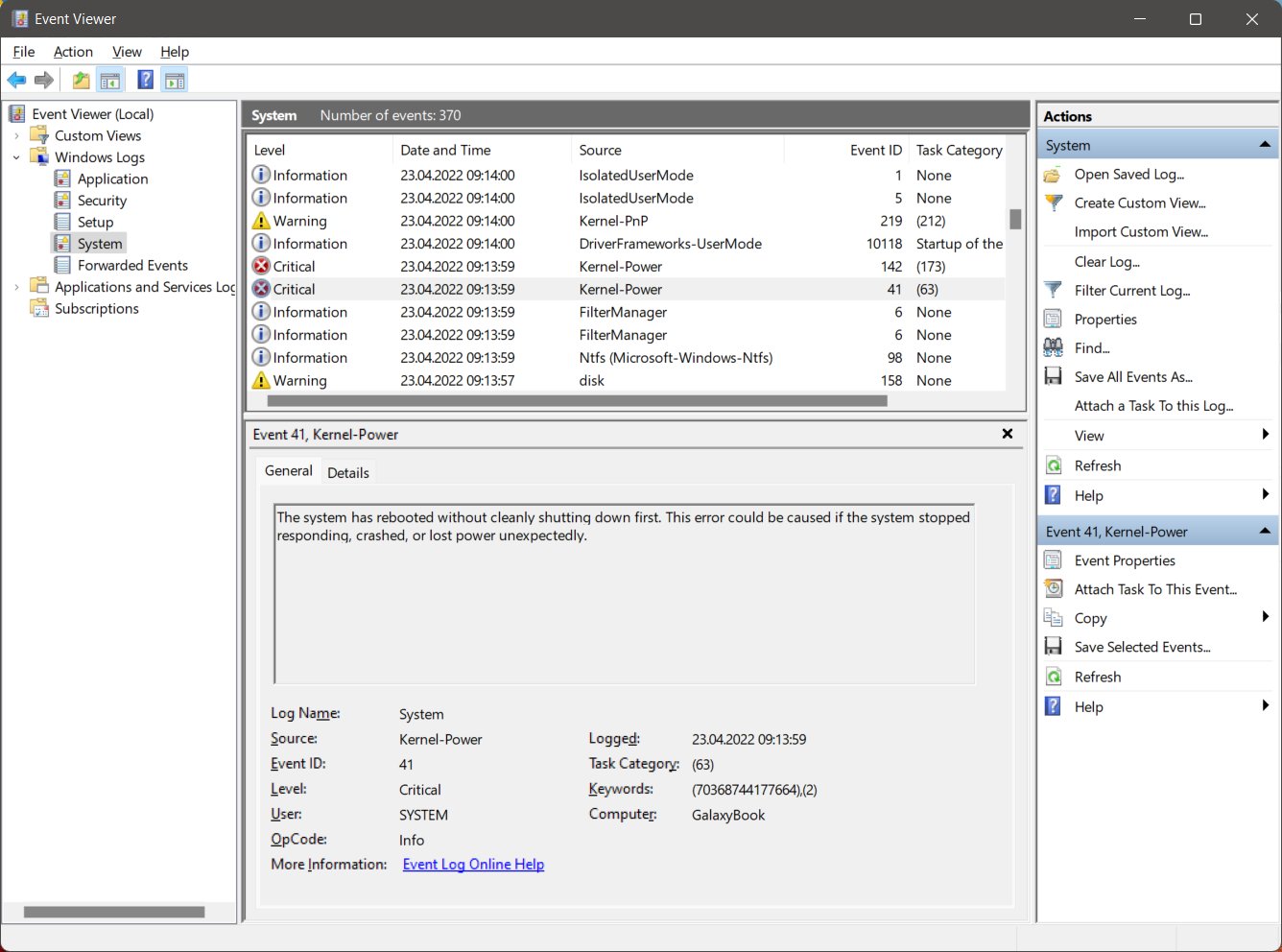
<p>But soon I’ve got random Windows 11 blue screens of death with the <code>CLOCK_WATCHDOG_TIMEOUT</code> as main culprit!</p>

<p><img src="https://cristianadam.eu/assets/images/samsung-galaxy-book-go-5g/kernel-power.jpg" /></p>

<p>I’ve ran all the Windows 11 troubleshooters, but nothing helped. :pensive:</p>

<p>Since there was no way for me to get a Windows 11 clean Arm64 ISO image, I decided to order another Samsung Galaxy Book Go 5G from eBay USA for 332€ :unamused:</p>

<p>My idea was to get the Windows installation from the new laptop.</p>

<h1 id="clean-windows-reinstallation">Clean Windows reinstallation</h1>

<p>By using <a href="https://uupdump.net/">UUP Dump</a> you can create a Arm64 ISO image. I have tried such an ISO image multiple times, but my problem was that at installation
time there was no mouse and keyboard support. I was not able to actually do the Windows installation.</p>

<p>While waiting for the second Galaxy Book Go 5G to arrive, I’ve tried something else. I’ve used a USB 2A hub to connect the USB with Windows 11 and a mouse and keyboard.
This actually WORKED :tada:</p>

<p>I was able to do a clean install of Windows 11, with USB-C port working and not having random reboots!</p>

<p>At installation I had to press Shift-F10 to open a command prompt window, run <code>regedit</code>, add the <code>LabConfig</code> key under <code>HKEY_LOCAL_MACHINE\SYSTEM\Setup</code>, add the values <code>BypassTPMCheck</code>, <code>BypassRAMCheck</code>, <code>BypassSecureBootCheck </code>as <code>1</code> (32 bit DWORD).</p>

<p><a href="https://cristianadam.eu/assets/images/samsung-galaxy-book-go-5g/clean_windows_setup.jpg" target="_blank"><img src="https://cristianadam.eu/assets/images/samsung-galaxy-book-go-5g/clean_windows_setup_small.jpg" /></a></p>

<h1 id="second-lcd-replacement">Second LCD replacement</h1>

<p>After receiving the second <em>Samsung Galaxy Book Go 5G</em> I decided to replace the LCD (80€) and make some pictures this time:</p>

<table>
    <tr>
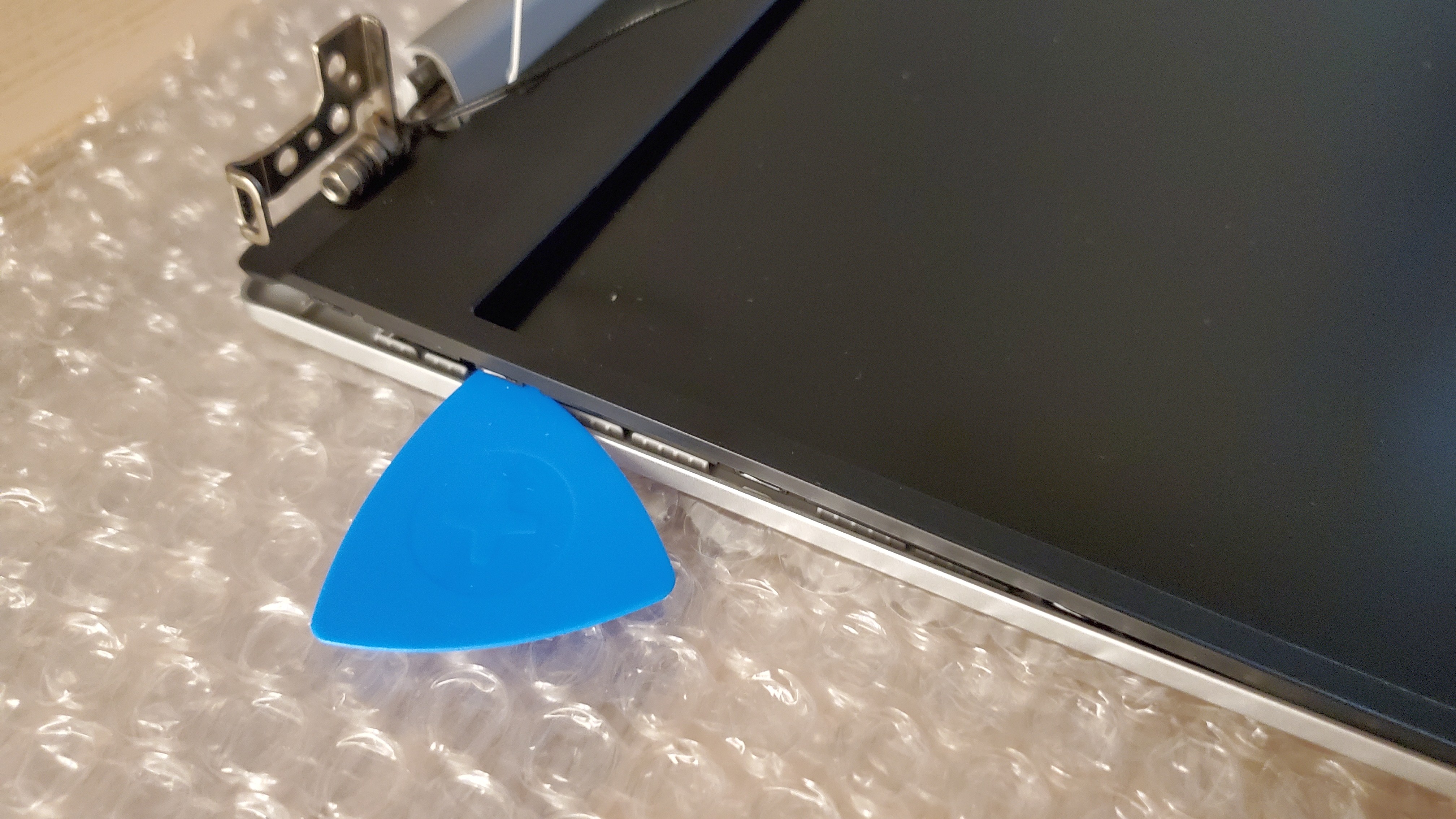
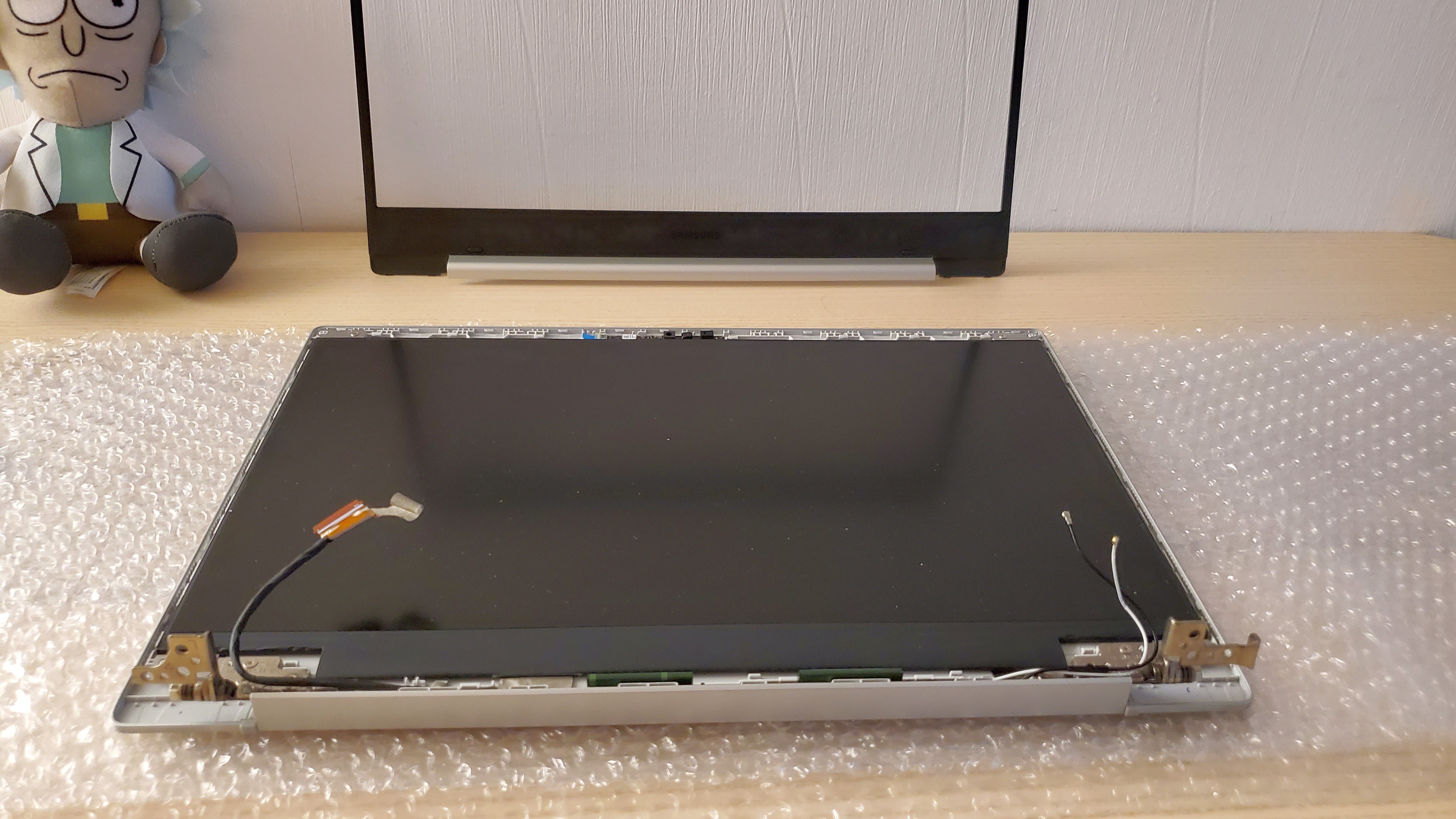
        <td><a href="https://cristianadam.eu/assets/images/samsung-galaxy-book-go-5g/lcd_replacement_1.jpg" target="_blank"><img src="https://cristianadam.eu/assets/images/samsung-galaxy-book-go-5g/lcd_replacement_1_small.jpg" /></a></td>
        <td><a href="https://cristianadam.eu/assets/images/samsung-galaxy-book-go-5g/lcd_replacement_2.jpg" target="_blank"><img src="https://cristianadam.eu/assets/images/samsung-galaxy-book-go-5g/lcd_replacement_2_small.jpg" /></a></td>
        <td><a href="https://cristianadam.eu/assets/images/samsung-galaxy-book-go-5g/lcd_replacement_3.jpg" target="_blank"><img src="https://cristianadam.eu/assets/images/samsung-galaxy-book-go-5g/lcd_replacement_3_small.jpg" /></a></td>
    </tr>
    <tr>
        <td><a href="https://cristianadam.eu/assets/images/samsung-galaxy-book-go-5g/lcd_replacement_4.jpg" target="_blank"><img src="https://cristianadam.eu/assets/images/samsung-galaxy-book-go-5g/lcd_replacement_4_small.jpg" /></a></td>
        <td><a href="https://cristianadam.eu/assets/images/samsung-galaxy-book-go-5g/lcd_replacement_5.jpg" target="_blank"><img src="https://cristianadam.eu/assets/images/samsung-galaxy-book-go-5g/lcd_replacement_5_small.jpg" /></a></td>
        <td><a href="https://cristianadam.eu/assets/images/samsung-galaxy-book-go-5g/lcd_replacement_6.jpg" target="_blank"><img src="https://cristianadam.eu/assets/images/samsung-galaxy-book-go-5g/lcd_replacement_6_small.jpg" /></a></td>
    </tr>
    <tr>
        <td><a href="https://cristianadam.eu/assets/images/samsung-galaxy-book-go-5g/lcd_replacement_7.jpg" target="_blank"><img src="https://cristianadam.eu/assets/images/samsung-galaxy-book-go-5g/lcd_replacement_7_small.jpg" /></a></td>
        <td><a href="https://cristianadam.eu/assets/images/samsung-galaxy-book-go-5g/lcd_replacement_8.jpg" target="_blank"><img src="https://cristianadam.eu/assets/images/samsung-galaxy-book-go-5g/lcd_replacement_8_small.jpg" /></a></td>
        <td><a href="https://cristianadam.eu/assets/images/samsung-galaxy-book-go-5g/lcd_replacement_9.jpg" target="_blank"><img src="https://cristianadam.eu/assets/images/samsung-galaxy-book-go-5g/lcd_replacement_9_small.jpg" /></a></td>
    </tr>
</table>

<p>Now I was also able to find out which LCD Samsung used for the <em>Galaxy Book Go 5G</em>, namely a <a href="https://www.panelook.com/B140HTN02.0_AUO_14.0_LCM_parameter_45284.html">B140HTN02.0</a>. Below you
have the comparison to the LCD I picked:</p>

<p><img src="https://cristianadam.eu/assets/images/samsung-galaxy-book-go-5g/lcd-vs-original-lcd.png" /></p>

<h1 id="some-more-benchmarks">Some more benchmarks</h1>

<p>Edge running as a native Arm64 application with <a href="https://browserbench.org/Speedometer2.0/">Speedometer2.0</a>:</p>

<p><img src="https://cristianadam.eu/assets/images/samsung-galaxy-book-go-5g/edge-speedometer-5g.png" /></p>

<p>CrystalDiskMark 8.0.4:</p>

<p><img src="https://cristianadam.eu/assets/images/samsung-galaxy-book-go-5g/crystaldiskmark.png" /></p>

<h1 id="real-life-usage">Real life usage</h1>

<p>I have been using the <em>Samsung Galaxy Book Go 5G</em> as a main laptop at home for a few months now. Mainly browsing, and RDP-ing into a Ryzen 9 machine.</p>

<p>But I have also built Qt Creator 9 and its dependencies: Qt 6.4 and LLVM 15.0 with it. It’s not that fast, and not having all the tools as native Arm64 doesn’t help with performance.
Microsoft did release <a href="https://devblogs.microsoft.com/visualstudio/arm64-visual-studio-is-officially-here/">Arm64 Visual Studio</a> recently though.</p>

<p>It has a plastic feel to it, not very solid, seems more like a toy. The keyboard is not that great, but it has proper left Ctrl and Fn keys and no Print Screen key close to the right Alt key.
I had to reduce the keyboard repeat rate so that I would have lleess double kkeys.</p>

<p>I had to disable all touchpad gestures, because it would emit fake taps. But I got used to clicking on the low part of the touchpad.</p>

<p>I do like the screen and the fact that it’s a 14” device. The sad part is that you can’t upgrade anything on the device, and the CPU is not on par with what Apple has to offer.</p>

<p>All in all I’ve spent 1281€, for which I could have bought a <a href="https://geizhals.de/apple-macbook-air-midnight-mly33d-a-2022-a2747646.html">Apple MacBook Air Midnight, M2 - 8 Core CPU / 8 Core GPU, 8GB RAM, 256GB SSD</a> priced at 1274€, but I wouldn’t have had so much fun :sweat_smile:</p>
]]></content>
  </entry>
  
  <entry>
    <title type="html"><![CDATA[Speeding up C++ GitHub Actions using ccache]]></title>
    <link href="https://cristianadam.eu/20200113/speeding-up-c-plus-plus-github-actions-using-ccache/"/>
    <updated>2020-01-13T22:35:38+01:00</updated>
    <id>https://cristianadam.eu/20200113/speeding-up-c-plus-plus-github-actions-using-ccache</id>
    <content type="html"><![CDATA[<p>In my previous post <a href="https://cristianadam.eu/20191222/using-github-actions-with-c-plus-plus-and-cmake">Using GitHub Actions with C++ and CMake</a> I have provided
a GitHub Actions yaml configuration file for C++ projects using CMake.</p>

<p>Building a project on GitHub Actions means always a build from scratch, for any given change, big or small. This takes time and wastes resources unnecessarily.</p>

<p>GitHub provides a way of <a href="https://help.github.com/en/actions/automating-your-workflow-with-github-actions/caching-dependencies-to-speed-up-workflows">caching dependencies to speed up workflows</a>. The total size of cached files per repository is 2 GiB.</p>

<p>By having a look at the examples of various <a href="https://github.com/actions/cache/blob/master/examples.md">programming languages</a> we can see that
this is meant to cache package manager dependencies e.g. pip for python, npn for node, or gradle for java.</p>

<p>But, as it turns out, the caching mechanism can be used to cache compilation artifacts.</p>

<!-- more -->

<h1 id="ccache">ccache</h1>

<blockquote>
  <p><a href="https://ccache.dev/">ccache</a> (or “Ccache”) is a compiler cache. It speeds up recompilation by caching previous compilations and detecting when the same compilation is being done again. Supported languages are C, C++, Objective-C and Objective-C++.</p>
</blockquote>

<p>The following yaml file excerpt will enable ccache support for GitHub Actions:</p>

<div class="bogus-wrapper"><notextile><figure class="code"> <div class="CodeRay">
  <div class="code"><pre>
- name: Prepare ccache timestamp
    id: ccache_cache_timestamp
    shell: cmake -P {0}
    run: |
    string(TIMESTAMP current_date &quot;%Y-%m-%d-%H;%M;%S&quot; UTC)
    message(&quot;::set-output name=timestamp::${current_date}&quot;)

- name: ccache cache files
    uses: actions/cache@v1.1.0
    with:
    path: .ccache
    key: ${ { matrix.config.name } }-ccache-${ { steps.ccache_cache_timestamp.outputs.timestamp } }
    restore-keys: |
        ${ { matrix.config.name } }-ccache-
</pre></div>
</div>
 </figure></notextile></div>

<p>This makes sure that for every build the GitHub Actions cache key is unique. It will restore
the latest tar file containing the <code>.ccache</code> folder for the current configuration, and and the end of
the job it will store the updated <code>.ccache</code> folder in a new tar file.</p>

<h1 id="using-ccache-with-cmake">Using ccache with CMake</h1>

<p>In the configure step one only needs to pass:</p>

<div class="bogus-wrapper"><notextile><figure class="code"> <div class="CodeRay">
  <div class="code"><pre>
-D CMAKE_C_COMPILER_LAUNCHER=ccache
-D CMAKE_CXX_COMPILER_LAUNCHER=ccache
</pre></div>
</div>
 </figure></notextile></div>

<p>Before building the project I am configuring ccache via environment variables like this:</p>

<div class="bogus-wrapper"><notextile><figure class="code"> <div class="CodeRay">
  <div class="code"><pre>
file(TO_CMAKE_PATH &quot;$ENV{GITHUB_WORKSPACE}&quot; ccache_basedir)
set(ENV{CCACHE_BASEDIR} &quot;${ccache_basedir}&quot;)
set(ENV{CCACHE_DIR} &quot;${ccache_basedir}/.ccache&quot;)
set(ENV{CCACHE_COMPRESS} &quot;true&quot;)
set(ENV{CCACHE_COMPRESSLEVEL} &quot;6&quot;)
set(ENV{CCACHE_MAXSIZE} &quot;400M&quot;)
if (&quot;${ { matrix.config.cxx } }&quot; STREQUAL &quot;cl&quot;)
    set(ENV{CCACHE_MAXSIZE} &quot;600M&quot;)
endif()
</pre></div>
</div>
 </figure></notextile></div>

<p>This will ensure that the maximum size of the cache will be 400 MiB, will use compression, and the paths
will always be relative to the build directory.</p>

<p>ccache statistics are zeroed before starting the build (<code>ccache -z</code>), and displayed after the build (<code>ccache -s</code>).</p>

<h1 id="getting-ccache">Getting ccache</h1>

<p>ccache project doesn’t have any binary releases on their <a href="https://github.com/ccache/ccache">github page</a>, like CMake or ninja.</p>

<p>One could use <code>brew</code> to install <code>ccache</code> on macOS, <code>apt get</code> to install <code>ccache</code> on Ubuntu, but what about Windows?</p>

<p>I have my own <a href="https://github.com/cristianadam/ccache">ccache fork</a>, which has three commits over the official ccache:</p>

<ol>
  <li>CMake build system - to build on Windows</li>
  <li>GitHub Actions yaml file - for providing binary releases</li>
  <li>Visual C++ (alpha) support - for having a cross platform caching solution</li>
</ol>

<p>Getting ccache from my fork’s binary releases is as easy as:</p>

<div class="bogus-wrapper"><notextile><figure class="code"> <div class="CodeRay">
  <div class="code"><pre>
- name: Download ccache
    id: ccache
    shell: cmake -P {0}
    run: |
      set(ccache_url &quot;https://github.com/cristianadam/ccache/releases/download/v$ENV{CCACHE_VERSION}/${ { runner.os } }.tar.xz&quot;)
      file(DOWNLOAD &quot;${ccache_url}&quot; ./ccache.tar.xz SHOW_PROGRESS)
      execute_process(COMMAND ${CMAKE_COMMAND} -E tar xvf ./ccache.tar.xz)
</pre></div>
</div>
 </figure></notextile></div>

<h1 id="visual-c-support">Visual C++ support</h1>

<p>I used Jean-Dominique Gascuel’s work from <a href="https://github.com/ccache/ccache/pull/162">ccache’s PR 162</a>.
He tried to build ccache with Visual C++, add support for it in ccache. His pull request had
161 commits, and in the end got closed :pensive:</p>

<p>I just needed the last part, having support for Visual C++. I am fine with a MinGW build of ccache.</p>

<p>At the moment I have only tested CMake with Ninja generator in Release mode, which is exactly
what I need for GitHub actions.</p>

<p>Debug mode is not supported since ccache should cache also the pdb files.
Precompiled headers are not supported since ccache should know about them and store the pch files.</p>

<h1 id="helloworld-project">HelloWorld project</h1>

<p>I have updated my C++ <a href="https://github.com/cristianadam/HelloWorld">HelloWorld</a> GitHub Actions enabled project to use ccache.
The yaml file can be also downloaded from <a href="https://cristianadam.eu/assets/github-actions-ccache/build_cmake.yml" class="download">here</a>.</p>
]]></content>
  </entry>
  
  <entry>
    <title type="html"><![CDATA[Using GitHub Actions with C++ and CMake]]></title>
    <link href="https://cristianadam.eu/20191222/using-github-actions-with-c-plus-plus-and-cmake/"/>
    <updated>2019-12-22T12:42:33+01:00</updated>
    <id>https://cristianadam.eu/20191222/using-github-actions-with-c-plus-plus-and-cmake</id>
    <content type="html"><![CDATA[<p>In this post I am going to provide a GitHub Actions configuration yaml file for C++ projects using CMake.</p>

<p><a href="https://github.com/features/actions">GitHub Actions</a> is a CI/CD infrastructure provided by GitHub. GitHub Actions
currently offers the following <a href="https://help.github.com/en/actions/automating-your-workflow-with-github-actions/virtual-environments-for-github-hosted-runners#supported-runners-and-hardware-resources">virtual machines (runners)</a>:</p>

<table>
  <thead>
    <tr>
      <th><strong>Virtual environment</strong></th>
      <th><strong>YAML workflow label</strong></th>
    </tr>
  </thead>
  <tbody>
    <tr>
      <td>Windows Server 2019</td>
      <td>windows-latest</td>
    </tr>
    <tr>
      <td>Ubuntu 18.04</td>
      <td>ubuntu-latest or ubuntu-18.04</td>
    </tr>
    <tr>
      <td>Ubuntu 16.04</td>
      <td>ubuntu-16.04</td>
    </tr>
    <tr>
      <td>macOS Catalina 10.15</td>
      <td>macos-latest</td>
    </tr>
  </tbody>
</table>

<p>Each virtual machine has the same hardware resources available:</p>

<ul>
  <li>2-core CPU</li>
  <li>7 GB of RAM memory</li>
  <li>14 GB of SSD disk space</li>
</ul>

<p>Each job in a workflow can run for up to <a href="https://help.github.com/en/actions/automating-your-workflow-with-github-actions/workflow-syntax-for-github-actions#usage-limits">6 hours</a> of execution time.</p>

<p>Unfortunately when I enabled GitHub Actions on a C++ project I was presented with this workflow:</p>

<div class="bogus-wrapper"><notextile><figure class="code"> <div class="CodeRay">
  <div class="code"><pre>
./configure
make
make check
make distcheck
</pre></div>
</div>
 </figure></notextile></div>

<p>This is not something you can use with CMake though :smile:</p>

<h1 id="hello-world">Hello World</h1>

<p>I am going to build the following C++ hello world program:</p>

<div class="bogus-wrapper"><notextile><figure class="code"> <div class="CodeRay">
  <div class="code"><pre>
<span class="preprocessor">#include</span> <span class="include">&lt;iostream&gt;</span>

<span class="predefined-type">int</span> main()
{
  std::cout &lt;&lt; <span class="string"><span class="delimiter">&quot;</span><span class="content">Hello world</span><span class="char">\n</span><span class="delimiter">&quot;</span></span>;
}
</pre></div>
</div>
 </figure></notextile></div>

<p>With the following CMake project:</p>

<div class="bogus-wrapper"><notextile><figure class="code"> <div class="CodeRay">
  <div class="code"><pre>
cmake_minimum_required(VERSION 3.16)

project(main)

add_executable(main main.cpp)

install(TARGETS main)

enable_testing()
add_test(NAME main COMMAND main)
</pre></div>
</div>
 </figure></notextile></div>

<p><strong>TL;DR</strong> see the project on <a href="https://github.com/cristianadam/HelloWorld/">GitHub</a>.</p>

<!-- more -->

<h1 id="build-matrix">Build Matrix</h1>

<p>I have started with the following build matrix:</p>

<div class="bogus-wrapper"><notextile><figure class="code"> <div class="CodeRay">
  <div class="code"><pre>
name: CMake Build Matrix

on: [push]

jobs:
  build:
    name: ${ { matrix.config.name } }
    runs-on: ${ { matrix.config.os } }
    strategy:
      fail-fast: false
      matrix:
        config:
        - {
            name: &quot;Windows Latest MSVC&quot;, artifact: &quot;Windows-MSVC.tar.xz&quot;,
            os: windows-latest,
            build_type: &quot;Release&quot;, cc: &quot;cl&quot;, cxx: &quot;cl&quot;,
            environment_script: &quot;C:/Program Files (x86)/Microsoft Visual Studio/2019/Enterprise/VC/Auxiliary/Build/vcvars64.bat&quot;
          }
        - {
            name: &quot;Windows Latest MinGW&quot;, artifact: &quot;Windows-MinGW.tar.xz&quot;,
            os: windows-latest,
            build_type: &quot;Release&quot;, cc: &quot;gcc&quot;, cxx: &quot;g++&quot;
          }
        - {
            name: &quot;Ubuntu Latest GCC&quot;, artifact: &quot;Linux.tar.xz&quot;,
            os: ubuntu-latest,
            build_type: &quot;Release&quot;, cc: &quot;gcc&quot;, cxx: &quot;g++&quot;
          }
        - {
            name: &quot;macOS Latest Clang&quot;, artifact: &quot;macOS.tar.xz&quot;,
            os: macos-latest,
            build_type: &quot;Release&quot;, cc: &quot;clang&quot;, cxx: &quot;clang++&quot;
          }
</pre></div>
</div>
 </figure></notextile></div>

<h1 id="latest-cmake-and-ninja">Latest CMake and Ninja</h1>

<p>In the <a href="https://help.github.com/en/actions/automating-your-workflow-with-github-actions/software-installed-on-github-hosted-runners">software installed</a> on the runners page we
can see that CMake is installed on all runners, but with different versions:</p>

<table>
  <thead>
    <tr>
      <th><strong>Virtual environment</strong></th>
      <th><strong>CMake Version</strong></th>
    </tr>
  </thead>
  <tbody>
    <tr>
      <td>Windows Server 2019</td>
      <td>3.16.0</td>
    </tr>
    <tr>
      <td>Ubuntu 18.04</td>
      <td>3.12.4</td>
    </tr>
    <tr>
      <td>macOS Catalina 10.15</td>
      <td>3.15.5</td>
    </tr>
  </tbody>
</table>

<p>This would mean that one would have to limit the minimum CMake version to 3.12, or upgrade CMake.</p>

<p>CMake 3.16 comes with support for <a href="https://cmake.org/cmake/help/latest/command/target_precompile_headers.html">Precompile Headers</a>
and <a href="https://cmake.org/cmake/help/latest/prop_tgt/UNITY_BUILD.html">Unity Builds</a>, which help reducing build times.</p>

<p>Since CMake and Ninja have GitHub Releases, I decided to download those GitHub releases. :smile:</p>

<p>I used CMake as a scripting language, since the default scripting language for runners is <a href="https://help.github.com/en/actions/automating-your-workflow-with-github-actions/workflow-syntax-for-github-actions#using-a-specific-shell">different</a> (bash, and powershell).
CMake can execute processes, download files, extract archives.</p>

<div class="bogus-wrapper"><notextile><figure class="code"> <div class="CodeRay">
  <div class="code"><pre>
- name: Download Ninja and CMake
  id: cmake_and_ninja
  shell: cmake -P {0}
  run: |
    set(ninja_version &quot;1.9.0&quot;)
    set(cmake_version &quot;3.16.2&quot;)

    message(STATUS &quot;Using host CMake version: ${CMAKE_VERSION}&quot;)

    if (&quot;${ { runner.os } }&quot; STREQUAL &quot;Windows&quot;)
      set(ninja_suffix &quot;win.zip&quot;)
      set(cmake_suffix &quot;win64-x64.zip&quot;)
      set(cmake_dir &quot;cmake-${cmake_version}-win64-x64/bin&quot;)
    elseif (&quot;${ { runner.os } }&quot; STREQUAL &quot;Linux&quot;)
      set(ninja_suffix &quot;linux.zip&quot;)
      set(cmake_suffix &quot;Linux-x86_64.tar.gz&quot;)
      set(cmake_dir &quot;cmake-${cmake_version}-Linux-x86_64/bin&quot;)
    elseif (&quot;${ { runner.os } }&quot; STREQUAL &quot;macOS&quot;)
      set(ninja_suffix &quot;mac.zip&quot;)
      set(cmake_suffix &quot;Darwin-x86_64.tar.gz&quot;)
      set(cmake_dir &quot;cmake-${cmake_version}-Darwin-x86_64/CMake.app/Contents/bin&quot;)
    endif()

    set(ninja_url &quot;https://github.com/ninja-build/ninja/releases/download/v${ninja_version}/ninja-${ninja_suffix}&quot;)
    file(DOWNLOAD &quot;${ninja_url}&quot; ./ninja.zip SHOW_PROGRESS)
    execute_process(COMMAND ${CMAKE_COMMAND} -E tar xvf ./ninja.zip)

    set(cmake_url &quot;https://github.com/Kitware/CMake/releases/download/v${cmake_version}/cmake-${cmake_version}-${cmake_suffix}&quot;)
    file(DOWNLOAD &quot;${cmake_url}&quot; ./cmake.zip SHOW_PROGRESS)
    execute_process(COMMAND ${CMAKE_COMMAND} -E tar xvf ./cmake.zip)

    # Save the path for other steps
    file(TO_CMAKE_PATH &quot;$ENV{GITHUB_WORKSPACE}/${cmake_dir}&quot; cmake_dir)
    message(&quot;::set-output name=cmake_dir::${cmake_dir}&quot;)

    if (NOT &quot;${ { runner.os } }&quot; STREQUAL &quot;Windows&quot;)
      execute_process(
        COMMAND chmod +x ninja
        COMMAND chmod +x ${cmake_dir}/cmake
      )
    endif()
</pre></div>
</div>
 </figure></notextile></div>

<h1 id="configure-step">Configure step</h1>

<p>Now that I have CMake and Ninja, all I have to do is configure the project like this:</p>

<div class="bogus-wrapper"><notextile><figure class="code"> <div class="CodeRay">
  <div class="code"><pre>
- name: Configure
  shell: cmake -P {0}
  run: |
    set(ENV{CC} ${ { matrix.config.cc } })
    set(ENV{CXX} ${ { matrix.config.cxx } })

    if (&quot;${ { runner.os } }&quot; STREQUAL &quot;Windows&quot; AND NOT &quot;x${ { matrix.config.environment_script } }&quot; STREQUAL &quot;x&quot;)
      execute_process(
        COMMAND &quot;${ { matrix.config.environment_script } }&quot; &amp;&amp; set
        OUTPUT_FILE environment_script_output.txt
      )
      file(STRINGS environment_script_output.txt output_lines)
      foreach(line IN LISTS output_lines)
        if (line MATCHES &quot;^([a-zA-Z0-9_-]+)=(.*)$&quot;)
          set(ENV{${CMAKE_MATCH_1} } &quot;${CMAKE_MATCH_2}&quot;)
        endif()
      endforeach()
    endif()

    file(TO_CMAKE_PATH &quot;$ENV{GITHUB_WORKSPACE}/ninja&quot; ninja_program)

    execute_process(
      COMMAND ${ { steps.cmake_and_ninja.outputs.cmake_dir } }/cmake
        -S .
        -B build
        -D CMAKE_BUILD_TYPE=${ { matrix.config.build_type } }
        -G Ninja
        -D CMAKE_MAKE_PROGRAM=${ninja_program}
      RESULT_VARIABLE result
    )
    if (NOT result EQUAL 0)
      message(FATAL_ERROR &quot;Bad exit status&quot;)
    endif()
</pre></div>
</div>
 </figure></notextile></div>

<p>I have set the <code>CC</code> and <code>CXX</code> environment variables, and for MSVC, I had to run the <code>vcvars64.bat</code> script,
get all the environment variables, and set them for the CMake running script.</p>

<h1 id="build-step">Build step</h1>

<p>The build step involves running the CMake with <code>--build </code> parameter:</p>

<div class="bogus-wrapper"><notextile><figure class="code"> <div class="CodeRay">
  <div class="code"><pre>
- name: Build
  shell: cmake -P {0}
  run: |
    set(ENV{NINJA_STATUS} &quot;[%f/%t %o/sec] &quot;)

    if (&quot;${ { runner.os } }&quot; STREQUAL &quot;Windows&quot; AND NOT &quot;x${ { matrix.config.environment_script } }&quot; STREQUAL &quot;x&quot;)
      file(STRINGS environment_script_output.txt output_lines)
      foreach(line IN LISTS output_lines)
        if (line MATCHES &quot;^([a-zA-Z0-9_-]+)=(.*)$&quot;)
          set(ENV{${CMAKE_MATCH_1} } &quot;${CMAKE_MATCH_2}&quot;)
        endif()
      endforeach()
    endif()

    execute_process(
      COMMAND ${ { steps.cmake_and_ninja.outputs.cmake_dir } }/cmake --build build
      RESULT_VARIABLE result
    )
    if (NOT result EQUAL 0)
      message(FATAL_ERROR &quot;Bad exit status&quot;)
    endif()
</pre></div>
</div>
 </figure></notextile></div>

<p>I set the <code>NINJA_STATUS</code> variable, to see how fast the compilation is in the respective runners.</p>

<p>For MSVC I reused the <code>environment_script_output.txt</code> script from the Configure step.</p>

<h1 id="run-tests-step">Run tests step</h1>

<p>This step calls <code>ctest</code> with number of cores passed as <code>-j</code> argument:</p>

<div class="bogus-wrapper"><notextile><figure class="code"> <div class="CodeRay">
  <div class="code"><pre>
- name: Run tests
  shell: cmake -P {0}
  run: |
    include(ProcessorCount)
    ProcessorCount(N)

    execute_process(
      COMMAND ${ { steps.cmake_and_ninja.outputs.cmake_dir } }/ctest -j ${N}
      WORKING_DIRECTORY build
      RESULT_VARIABLE result
    )
    if (NOT result EQUAL 0)
      message(FATAL_ERROR &quot;Running tests failed!&quot;)
    endif()
</pre></div>
</div>
 </figure></notextile></div>

<h1 id="install-pack-upload-steps">Install, pack, upload steps</h1>

<p>This steps involve running CMake with <code>--install</code>, then creating a <code>tar.xz</code> archive with CMake, and
uploading it as a build artifact.</p>

<div class="bogus-wrapper"><notextile><figure class="code"> <div class="CodeRay">
  <div class="code"><pre>
- name: Install Strip
  run: ${ { steps.cmake_and_ninja.outputs.cmake_dir } }/cmake --install build --prefix instdir --strip

- name: Pack
  working-directory: instdir
  run: ${ { steps.cmake_and_ninja.outputs.cmake_dir } }/cmake -E tar cJfv ../${ { matrix.config.artifact } } .

- name: Upload
  uses: actions/upload-artifact@v1
  with:
    path: ./${ { matrix.config.artifact } }
    name: ${ { matrix.config.artifact } }
</pre></div>
</div>
 </figure></notextile></div>

<p>I didn’t use CMake as scripting language, since this just involves calling CMake with parameters, and the
default shells can handle this :smile:</p>

<h1 id="handling-releases">Handling Releases</h1>

<p>When you tag a release in git, you would also want the build artifacts promoted as releases:</p>

<div class="bogus-wrapper"><notextile><figure class="code"> <div class="CodeRay">
  <div class="code"><pre>
git tag -a v1.0.0 -m &quot;Release v1.0.0&quot;
git push origin v1.0.0
</pre></div>
</div>
 </figure></notextile></div>

<p>The code to do this is below, gets triggered if the git refpath contains <code>tags/v</code>:</p>

<div class="bogus-wrapper"><notextile><figure class="code"> <div class="CodeRay">
  <div class="code"><pre>
release:
  if: contains(github.ref, 'tags/v')
  runs-on: ubuntu-latest
  needs: build

  steps:
  - name: Create Release
    id: create_release
    uses: actions/create-release@v1.0.0
    env:
      GITHUB_TOKEN: ${ { secrets.GITHUB_TOKEN } }
    with:
      tag_name: ${ { github.ref } }
      release_name: Release ${ { github.ref } }
      draft: false
      prerelease: false

  - name: Store Release url
    run: |
      echo &quot;${ { steps.create_release.outputs.upload_url } }&quot; &gt; ./upload_url

  - uses: actions/upload-artifact@v1
    with:
      path: ./upload_url
      name: upload_url

publish:
  if: contains(github.ref, 'tags/v')
  name: ${ { matrix.config.name } }
  runs-on: ${ { matrix.config.os } }
  strategy:
    fail-fast: false
    matrix:
      config:
      - {
          name: &quot;Windows Latest MSVC&quot;, artifact: &quot;Windows-MSVC.tar.xz&quot;,
          os: ubuntu-latest
        }
      - {
          name: &quot;Windows Latest MinGW&quot;, artifact: &quot;Windows-MinGW.tar.xz&quot;,
          os: ubuntu-latest
        }
      - {
          name: &quot;Ubuntu Latest GCC&quot;, artifact: &quot;Linux.tar.xz&quot;,
          os: ubuntu-latest
        }
      - {
          name: &quot;macOS Latest Clang&quot;, artifact: &quot;macOS.tar.xz&quot;,
          os: ubuntu-latest
        }
  needs: release

  steps:
  - name: Download artifact
    uses: actions/download-artifact@v1
    with:
      name: ${ { matrix.config.artifact } }
      path: ./

  - name: Download URL
    uses: actions/download-artifact@v1
    with:
      name: upload_url
      path: ./
  - id: set_upload_url
    run: |
      upload_url=`cat ./upload_url`
      echo ::set-output name=upload_url::$upload_url

  - name: Upload to Release
    id: upload_to_release
    uses: actions/upload-release-asset@v1.0.1
    env:
      GITHUB_TOKEN: ${ { secrets.GITHUB_TOKEN } }
    with:
      upload_url: ${ { steps.set_upload_url.outputs.upload_url } }
      asset_path: ./${ { matrix.config.artifact } }
      asset_name: ${ { matrix.config.artifact } }
      asset_content_type: application/x-gtar
</pre></div>
</div>
 </figure></notextile></div>

<p>This looks complicated, but it’s needed since <code>actions/create-release</code> needs to be called only once, otherwise it will
fail. See <a href="https://github.com/actions/create-release/issues/14">issue #14</a>, <a href="https://github.com/actions/create-release/issues/27">issue #27</a> for
more information.</p>

<p>Even though you can use a workflow for 6 hours, the <code>secrets.GITHUB_TOKEN</code> expires in <a href="https://help.github.com/en/actions/automating-your-workflow-with-github-actions/authenticating-with-the-github_token#about-the-github_token-secret">one hour</a>. You can either create a personal token, or
upload the artifacts manually to the release. See <a href="https://github.community/t5/GitHub-Actions/error-Bad-credentials/td-p/33500">this</a> GitHub community
thread for more information.</p>

<h1 id="closing">Closing</h1>

<p>Enabling GitHub Actions on your CMake project is as easy at creating a <code>.github/workflows/build_cmake.yml</code> file with the content from
<a href="https://cristianadam.eu/assets/github-actions/build_cmake.yml" class="download">build_cmake.yml</a>.</p>

<p>You can see the GitHub Actions at my <a href="https://github.com/cristianadam/HelloWorld/">Hello World</a> GitHub project.</p>
]]></content>
  </entry>
  
  <entry>
    <title type="html"><![CDATA[Building multiple configurations with CMake in one go!]]></title>
    <link href="https://cristianadam.eu/20191012/building-multiple-configurations-with-cmake-in-one-go/"/>
    <updated>2019-10-12T23:20:41+02:00</updated>
    <id>https://cristianadam.eu/20191012/building-multiple-configurations-with-cmake-in-one-go</id>
    <content type="html"><![CDATA[<p><img src="https://cristianadam.eu/assets/images/cmake-multiconfig/cmake-graph.png" class="noborder" /></p>

<p>Coming from other build systems to CMake one will quickly learn that
CMake can build only one configuration at a time. In practice
you need to set up multiple build directories and configure/build
with CMake for each and every one.</p>

<p>Autotools can do static and shared builds of libraries. For CMake
most of the project would do a static build, then a shared build
by setting the CMake variable <code>BUILD_SHARED_LIBS</code> to <code>ON</code>.</p>

<p>QMake can do debug and release builds at the same time, and as
we can read at <a href="https://www.kdab.com/qt-for-android-better-than-ever-before/">Qt for Android better than ever before</a>,
it can configure multiple Android architecture configurations
at the same time.</p>

<p>What can we do to get the same level of convenience with CMake?</p>

<!--more-->

<h2 id="shared-and-static">Shared and static</h2>

<p>CMake needs to have unique target names, so if we would have to
build a shared and static build we would need to have different
target names.</p>

<p>Since we need to build the same library twice, but with only
one <code>cmake --build</code> invocation, it would mean that CMake needs
to call itself.</p>

<p>That’s it what I’m going to do. Build the same source directory
in two different build directories. The <a href="https://cmake.org/cmake/help/latest/command/add_subdirectory.html">add_subdirectory</a> CMake
command allows a second parameter for a build directory.</p>

<p>Here is what’s needed to have a library build itself shared
and static:</p>

<div class="bogus-wrapper"><notextile><figure class="code"> <div class="CodeRay">
  <div class="code"><pre>
cmake_minimum_required(VERSION 3.9)

project(lib LANGUAGES CXX)

if (NOT ${PROJECT_NAME}-MultiBuild)
  set(${PROJECT_NAME}-MultiBuild ON)

  macro (setup_library library_name build_type)
    set(LIBNAME ${library_name})
    set(LIBTYPE ${build_type})

    add_subdirectory(
      ${CMAKE_CURRENT_SOURCE_DIR}
      build-${build_type}
    )
  endmacro()

  setup_library(${PROJECT_NAME}_s STATIC)
  setup_library(${PROJECT_NAME} SHARED)

  return()
endif()

# The normal CMake library code goes here

add_library(${LIBNAME} ${LIBTYPE} lib.cpp)
</pre></div>
</div>
 </figure></notextile></div>

<h2 id="debug-and-release">Debug and release</h2>

<p>If we apply the same idea to a debug and release build, we have:</p>

<div class="bogus-wrapper"><notextile><figure class="code"> <div class="CodeRay">
  <div class="code"><pre>
cmake_minimum_required(VERSION 3.9)

project(lib LANGUAGES CXX)

if (NOT ${PROJECT_NAME}-MultiBuild)
  set(${PROJECT_NAME}-MultiBuild ON)

  macro (setup_library library_name build_type)
    set(LIBNAME ${library_name})
    set(CMAKE_BUILD_TYPE ${build_type})

    add_subdirectory(
      ${CMAKE_CURRENT_SOURCE_DIR}
      build-${build_type}
    )
  endmacro()

  setup_library(${PROJECT_NAME}_d Debug)
  setup_library(${PROJECT_NAME} Release)

  return()
endif()

# The normal CMake library code goes here

add_library(${LIBNAME} lib.cpp)
</pre></div>
</div>
 </figure></notextile></div>

<p>This will work with command line generators like Ninja or Makefiles,
but it won’t work with multi-config generators like Visual Studio.</p>

<h2 id="debug-and-release-for-visual-studio">Debug and release for Visual Studio</h2>

<p>In order to get Visual Studio to produce a debug and release mode,
we need to be able to invoke CMake with separate <code>--config &lt;CONFIG&gt;</code>
values for Debug and Release.</p>

<p>Even if we fiddle with <a href="https://cmake.org/cmake/help/latest/variable/CMAKE_CONFIGURATION_TYPES.html">CMAKE_CONFIGURATION_TYPES</a>
the above method is not enough. msbuild will fail to build.</p>

<p>We need to get independent CMake runs on the same source code. Luckily CMake
provides us with <a href="https://cmake.org/cmake/help/latest/module/ExternalProject.html">ExternalProject</a> module.</p>

<p><code>ExternalProject</code> is meant for software downloaded from the internet, but
it also works fine with existing source code :smile:</p>

<p>The code looks like this:</p>

<div class="bogus-wrapper"><notextile><figure class="code"> <div class="CodeRay">
  <div class="code"><pre>
cmake_minimum_required(VERSION 3.9)

project(lib LANGUAGES CXX)

if (NOT ${PROJECT_NAME}-MultiBuild)
  include(ExternalProject)

  macro (setup_library library_name build_type)
    ExternalProject_Add(${library_name}-builder
      SOURCE_DIR &quot;${CMAKE_CURRENT_SOURCE_DIR}&quot;
      CMAKE_ARGS
        -DLIBNAME=${library_name}
        -DCMAKE_BUILD_TYPE=${build_type}
        -DCMAKE_CONFIGURATION_TYPES=${build_type}
        -DCMAKE_INSTALL_PREFIX=${CMAKE_BINARY_DIR}
        -D${PROJECT_NAME}-MultiBuild=ON
      BUILD_COMMAND
        ${CMAKE_COMMAND} --build . --config ${build_type}
      INSTALL_COMMAND
        ${CMAKE_COMMAND} -P cmake_install.cmake
    )
  endmacro()

  setup_library(${PROJECT_NAME}_d Debug)
  setup_library(${PROJECT_NAME} Release)

  return()
endif()

# The normal CMake library code goes here

add_library(${LIBNAME} lib.cpp)
install(TARGETS ${LIBNAME})
</pre></div>
</div>
 </figure></notextile></div>

<p>I needed to restrict the <code>CMAKE_CONFIGURATION_TYPES</code> only for the needed configuration,
and to have a custom <code>BUILD_COMMAND</code>, <code>INSTALL_COMMAND</code>, and to install the library.
At the end in the build directory I’ve got a <code>lib</code> directory containing the two libraries.</p>

<p>If you have multiple libraries depending on each other, you will have to have proper
<a href="https://cmake.org/cmake/help/latest/manual/cmake-packages.7.html">CMake packages</a> for
the libraries, and set the appropriate <a href="https://cmake.org/cmake/help/latest/variable/CMAKE_PREFIX_PATH.html">CMAKE_PREFIX_PATH</a> values.</p>

<h2 id="android-multi-architecture">Android multi architecture</h2>

<p>In order to test the same setup for Android, I am assuming you have the <a href="https://developer.android.com/ndk/downloads/">Android NDK</a>
somewhere in your system.</p>

<p>I configured and build the project from a Windows command prompt window like this:</p>

<div class="bogus-wrapper"><notextile><figure class="code"> <div class="CodeRay">
  <div class="code"><pre>
$ cmake -GNinja -DCMAKE_TOOLCHAIN_FILE=c:\Tools\android-ndk-r20\build\cmake\android.toolchain.cmake ..
$ cmake --build .
</pre></div>
</div>
 </figure></notextile></div>

<p>The CMake code which builds for <code>armeabi-v7a</code>, <code>arm64-v8a</code>, <code>x86</code>, <code>x86_64</code> is below:</p>

<div class="bogus-wrapper"><notextile><figure class="code"> <div class="CodeRay">
  <div class="code"><pre>
cmake_minimum_required(VERSION 3.9)

project(lib)

if (NOT ${PROJECT_NAME}-MultiBuild)
  include(ExternalProject)

  file(TO_CMAKE_PATH &quot;${CMAKE_TOOLCHAIN_FILE}&quot; toolchain_file)

  macro (setup_library library_name android_abi)
    ExternalProject_Add(${library_name}-builder
      SOURCE_DIR &quot;${CMAKE_CURRENT_SOURCE_DIR}&quot;
      CMAKE_ARGS
        -DLIBNAME=${library_name}
        -DANDROID_ABI=${android_abi}
        -DCMAKE_INSTALL_PREFIX=${CMAKE_BINARY_DIR}
        -DCMAKE_TOOLCHAIN_FILE=${toolchain_file}
        -D${PROJECT_NAME}-MultiBuild=ON
    )
  endmacro()

  setup_library(${PROJECT_NAME}-v7a armeabi-v7a)
  setup_library(${PROJECT_NAME}-v8a arm64-v8a)
  setup_library(${PROJECT_NAME}-x86 x86)
  setup_library(${PROJECT_NAME}-x86_64 x86_64)

  return()
endif()

# The normal CMake library code

add_library(${LIBNAME} lib.cpp)
install(TARGETS ${LIBNAME})
</pre></div>
</div>
 </figure></notextile></div>

<p>I only needed to pass the <code>ANDROID_ABI</code>, and <code>CMAKE_TOOLCHAIN_FILE</code> variables.</p>

<h2 id="conclusion">Conclusion</h2>

<p>With the technique presented here CMake can easily do multiple configuration
builds in one go! :metal:</p>
]]></content>
  </entry>
  
  <entry>
    <title type="html"><![CDATA[Bundling together static libraries with CMake]]></title>
    <link href="https://cristianadam.eu/20190501/bundling-together-static-libraries-with-cmake/"/>
    <updated>2019-05-01T15:31:53+02:00</updated>
    <id>https://cristianadam.eu/20190501/bundling-together-static-libraries-with-cmake</id>
    <content type="html"><![CDATA[<p>In this article I’m going to talk about building a C++ library with CMake, but it won’t be a CMake tutorial.</p>

<p>Let’s say you have a C++ library which depends upon a few open source libraries, which have a CMake project structure, 
but not necessarily done by the book (which means that they get only get built, and not deployed / installed)</p>

<p>Your library will include tests (unit-tests / integration tests), and the deployment can be just packing the headers and the binaries together in a tar.gz file.</p>

<p>This is not necessarily by the book, but it will do the job, and it could fit into any build system that the client has.</p>

<p>A book that one can use to do CMake right is <a href="https://crascit.com/professional-cmake/">Profesional CMake</a>.
<a href="https://github.com/onqtam/awesome-cmake">Awesome CMake</a> also has a great list of resources regarding CMake.</p>

<p>Coming back to the C++ library, which decisions do we take to build it? Shared library, static library, both?</p>

<!--more-->

<h2 id="shared-library">Shared library</h2>

<p>The most common decision is to build as a shared library (<code>BUILD_SHARED_LIBS</code> set to <code>TRUE</code> in the CMake script).</p>

<p>The open source dependencies could be also shared libraries, or static libraries. If they are shared libraries you need to take care of deployment. 
Sometimes you might be forced to compile them as shared libraries, due to licensing for example.</p>

<p>It’s all good, until you have to deal with operating systems like QNX, which has a problem with shared libraries that have lots of <code>symbols</code>. 
The problem is that it takes longer to load them.</p>

<p>The default GCC and Clang compilers will compile all symbols (functions, classes, global variables) with default visibility. The Visual C++ compiler does the opposite,
it hides all the symbols.</p>

<p>You might be familiar with macros like <code>MY_LIB_API</code> which might look like this:</p>

<div class="bogus-wrapper"><notextile><figure class="code"> <div class="CodeRay">
  <div class="code"><pre>
#if defined(_WIN32) || defined(__CYGWIN__)
  #if defined(BUILD_SHARED_LIBS)
    #if defined(MY_LIB_EXPORTS)
      #define MY_LIB_API __declspec(dllexport)
    #else
      #define MY_LIB_API __declspec(dllimport)
    #endif
  #endif
#elif defined(MY_LIB_EXPORTS)
  #define MY_LIB_API __attribute__((visibility(&quot;default&quot;)))
#endif

#if !defined(MY_LIB_API)
  #define MY_LIB_API
#endif
</pre></div>
</div>
 </figure></notextile></div>

<p>And then in your CMake script code you have:</p>

<div class="bogus-wrapper"><notextile><figure class="code"> <div class="CodeRay">
  <div class="code"><pre>
set(CMAKE_CXX_VISIBILITY_PRESET hidden)
set(CMAKE_VISIBILITY_INLINES_HIDDEN 1)
</pre></div>
</div>
 </figure></notextile></div>

<p>This will ensure that your shared library will contain only the <code>MY_LIB_API</code> symbols. This also means that you won’t have any problems with visible 
symbols from any open source libraries that you linked statically. Hopefully you can control how that open source libraries decide how to export their symbols.</p>

<p>The generated shared object will also be smaller in size. It depends upon the number of symbols though.</p>

<p>CMake has the <a href="https://cmake.org/cmake/help/latest/module/GenerateExportHeader.html">GenerateExportHeader</a> which can help with this matter.</p>

<p>But now you will notice that your tests will fail to build, since the symbols they require are not there anymore. So what now?</p>

<h2 id="shared-and-static-library">Shared and static library</h2>

<p>We need to have a shared library with only the <code>MY_LIB_API</code> symbols exported, but also have tests working.</p>

<p>The problem with visibility flags is that it will affect the compiler command line, <code>CMAKE_CXX_VISIBILITY_PRESET</code>, 
and <code>CMAKE_VISIBILITY_INLINES_HIDDEN</code> will result in having <code>-fvisibility=hidden</code> and <code>-fvisibility-inlines-hidden</code> 
added to the compiler command line.</p>

<p>So we compile a shared library with all symbols, and one with only the <code>MY_LIB_API</code> symbols. But this means compiling 
twice, which is a bit wasteful.</p>

<p>We could compile a static library with hidden symbols, then create a shared library based on this static library, 
and link the tests to the static library. The tests will link because the symbols are there in the static library, 
marked hidden, but still accessible to the linker.</p>

<p>You will have to take care of the <a href="https://cmake.org/cmake/help/latest/prop_tgt/POSITION_INDEPENDENT_CODE.html">POSITION_INDEPENDENT_CODE</a> 
CMake property, which is not set for static libraries.</p>

<p>This solves it. Everything works. But what if you want to make the QNX case even faster? (by removing the shared library all together!)</p>

<h2 id="static-library">Static library</h2>

<p>We could just build only the static library, with hidden visibility and ship that. But this also means everything (including client code) 
needs to be compiled with the same compiler / toolchain.</p>

<p>The problem lies with the open source library dependencies. They also need to be shipped along side with your library, 
and then the client code needs to link them too.</p>

<p>If you export your CMake targets, you can have the dependencies “linked” to your target, and the client code will only 
have to specify one target. But this requires proper CMake exports! :smile:</p>

<h2 id="bundled-static-library">Bundled static library</h2>

<p>What if you could bundle the open source dependencies in the static library?</p>

<p>Stackoverflow has this article: <a href="https://stackoverflow.com/questions/50022318/using-cmake-to-build-a-static-library-of-static-libraries">Using cmake to build a static library of static libraries</a>, 
which boils down to:</p>

<div class="bogus-wrapper"><notextile><figure class="code"> <div class="CodeRay">
  <div class="code"><pre>
ar -M &lt;&lt;EOM
    CREATE libALL.a
    ADDLIB libA.a
    ADDLIB libB.a
    SAVE
    END
EOM
</pre></div>
</div>
 </figure></notextile></div>

<p>You need to run a script which does this, but wouldn’t it be nice if we had a CMake function which enumerates the 
dependencies and bundles them into one library?</p>

<p>Here it is:</p>
<div class="bogus-wrapper"><notextile><figure class="code"> <div class="CodeRay">
  <div class="code"><pre>
function(bundle_static_library tgt_name bundled_tgt_name)
  list(APPEND static_libs ${tgt_name})

  function(_recursively_collect_dependencies input_target)
    set(_input_link_libraries LINK_LIBRARIES)
    get_target_property(_input_type ${input_target} TYPE)
    if (${_input_type} STREQUAL &quot;INTERFACE_LIBRARY&quot;)
      set(_input_link_libraries INTERFACE_LINK_LIBRARIES)
    endif()
    get_target_property(public_dependencies ${input_target} ${_input_link_libraries})
    foreach(dependency IN LISTS public_dependencies)
      if(TARGET ${dependency})
        get_target_property(alias ${dependency} ALIASED_TARGET)
        if (TARGET ${alias})
          set(dependency ${alias})
        endif()
        get_target_property(_type ${dependency} TYPE)
        if (${_type} STREQUAL &quot;STATIC_LIBRARY&quot;)
          list(APPEND static_libs ${dependency})
        endif()

        get_property(library_already_added
          GLOBAL PROPERTY _${tgt_name}_static_bundle_${dependency})
        if (NOT library_already_added)
          set_property(GLOBAL PROPERTY _${tgt_name}_static_bundle_${dependency} ON)
          _recursively_collect_dependencies(${dependency})
        endif()
      endif()
    endforeach()
    set(static_libs ${static_libs} PARENT_SCOPE)
  endfunction()

  _recursively_collect_dependencies(${tgt_name})

  list(REMOVE_DUPLICATES static_libs)

  set(bundled_tgt_full_name 
    ${CMAKE_BINARY_DIR}/${CMAKE_STATIC_LIBRARY_PREFIX}${bundled_tgt_name}${CMAKE_STATIC_LIBRARY_SUFFIX})

  if (CMAKE_CXX_COMPILER_ID MATCHES &quot;^(Clang|GNU)$&quot;)
    file(WRITE ${CMAKE_BINARY_DIR}/${bundled_tgt_name}.ar.in
      &quot;CREATE ${bundled_tgt_full_name}\n&quot; )
        
    foreach(tgt IN LISTS static_libs)
      file(APPEND ${CMAKE_BINARY_DIR}/${bundled_tgt_name}.ar.in
        &quot;ADDLIB $&lt;TARGET_FILE:${tgt}&gt;\n&quot;)
    endforeach()
    
    file(APPEND ${CMAKE_BINARY_DIR}/${bundled_tgt_name}.ar.in &quot;SAVE\n&quot;)
    file(APPEND ${CMAKE_BINARY_DIR}/${bundled_tgt_name}.ar.in &quot;END\n&quot;)

    file(GENERATE
      OUTPUT ${CMAKE_BINARY_DIR}/${bundled_tgt_name}.ar
      INPUT ${CMAKE_BINARY_DIR}/${bundled_tgt_name}.ar.in)

    set(ar_tool ${CMAKE_AR})
    if (CMAKE_INTERPROCEDURAL_OPTIMIZATION)
      set(ar_tool ${CMAKE_CXX_COMPILER_AR})
    endif()

    add_custom_command(
      COMMAND ${ar_tool} -M &lt; ${CMAKE_BINARY_DIR}/${bundled_tgt_name}.ar
      OUTPUT ${bundled_tgt_full_name}
      COMMENT &quot;Bundling ${bundled_tgt_name}&quot;
      VERBATIM)
  elseif(MSVC)
    find_program(lib_tool lib)

    foreach(tgt IN LISTS static_libs)
      list(APPEND static_libs_full_names $&lt;TARGET_FILE:${tgt}&gt;)
    endforeach()

    add_custom_command(
      COMMAND ${lib_tool} /NOLOGO /OUT:${bundled_tgt_full_name} ${static_libs_full_names}
      OUTPUT ${bundled_tgt_full_name}
      COMMENT &quot;Bundling ${bundled_tgt_name}&quot;
      VERBATIM)
  else()
    message(FATAL_ERROR &quot;Unknown bundle scenario!&quot;)
  endif()

  add_custom_target(bundling_target ALL DEPENDS ${bundled_tgt_full_name})
  add_dependencies(bundling_target ${tgt_name})

  add_library(${bundled_tgt_name} STATIC IMPORTED)
  set_target_properties(${bundled_tgt_name} 
    PROPERTIES 
      IMPORTED_LOCATION ${bundled_tgt_full_name}
      INTERFACE_INCLUDE_DIRECTORIES $&lt;TARGET_PROPERTY:${tgt_name},INTERFACE_INCLUDE_DIRECTORIES&gt;)
  add_dependencies(${bundled_tgt_name} bundling_target)

endfunction()
</pre></div>
</div>
 </figure></notextile></div>

<p>The usage of this function is as simple as:</p>

<div class="bogus-wrapper"><notextile><figure class="code"> <div class="CodeRay">
  <div class="code"><pre>
  add_library(awesome_lib STATIC ...);
  
  bundle_static_library(awesome_lib awesome_lib_bundled)
</pre></div>
</div>
 </figure></notextile></div>

<p>Another benefit of a static library is that you could provide a build with Interprocedural Optimization / Link Time Optimization (IPO/LTO) 
enabled, and then the client code will generate smaller, faster binaries.</p>

<p>CMake has support for IPO/LTO, see <a href="https://cmake.org/cmake/help/latest/module/CheckIPOSupported.html">CheckIPOSupported</a>, 
and <a href="https://cmake.org/cmake/help/latest/policy/CMP0069.html">CMP0069</a>.</p>
]]></content>
  </entry>
  
  <entry>
    <title type="html"><![CDATA[Speeding up libclang on Windows]]></title>
    <link href="https://cristianadam.eu/20190318/speeding-up-libclang-on-windows/"/>
    <updated>2019-03-18T21:39:30+01:00</updated>
    <id>https://cristianadam.eu/20190318/speeding-up-libclang-on-windows</id>
    <content type="html"><![CDATA[<p><img src="https://cristianadam.eu/assets/images/speeding-up-libclang-2019/clang_speedup.png" class="noborder" /></p>

<p>In this article I am revisting an article from three years ago: <a href="https://cristianadam.eu/20160104/speeding-up-libclang-on-windows/">“Speeding up libclang on Windows”</a>,
in which I was having a look at how the experimental Clang Code Model was handling a particular source code file.</p>

<p>With the help of Profile Guided Optimization I was able to go down from <strong>10 seconds</strong> to <strong>6 seconds</strong>.</p>

<p>In the meantime the Clang Code Model has been <a href="https://blog.qt.io/blog/2018/06/05/qt-creators-clang-code-model/">enabled by default</a> in Qt Creator 4.7.</p>

<p>Three years ago I tested Qt Creator 3.6.0, Qt 5.5.1, LLVM/Clang 3.6.2, MinGW GCC 5.3.0, Visual C++ 2013/5.
I tested on a Lenovo W510 Thinkpad with an “Intel(R) Core (TM) i7 CPU M 620 @ 2.67 GHz” CPU.</p>

<p>Now I am going to test Qt Creator 4.8.2, Qt 5.12.2, LLVM/Clang 7.0.1, MinGW GCC 7.3.0, and Visual C++ 2017.
I upgraded my laptop to a Lenovo A485 Thinkpad with an “AMD Ryzen 7 Pro 2700U w/ Radeon Vega Mobile Gfx 2.20 GHz” CPU.</p>

<p>How many seconds would it take libclang to parse the file? TL;DR? <strong>3 seconds!</strong></p>

<!--more-->

<h2 id="setting-up-the-development-environment">Setting up the development environment</h2>

<p>Since my A485 Thinkpad was brand new I had to set up my development environment.</p>

<p>I installed <a href="https://visualstudio.microsoft.com/vs/community/">Visual Studio 2017 Community Edition</a>, for the Visual C++ 2017 compilers.</p>

<p>Then I went to get the Qt 5.12.2 builds, and to my surprise, instead of various compiler builds of Qt, there was <strong>only one</strong>: <a href="https://download.qt.io/official_releases/qt/5.12/5.12.2/qt-opensource-windows-x86-5.12.2.exe">qt-opensource-windows-x86-5.12.2.exe 3.7GiB</a>.</p>

<p>The above package has the Qt 5.12.2 Visual C++ 2017 32 and 64bit, MinGW GCC 7.3.0 32 and 64bit Qt and compiler / debuggers.</p>

<p>This is not something new, the <a href="https://download.qt.io/official_releases/qt/">download.qt.io/official_releases/qt</a> has this one executable bundle since Qt 5.9.0.</p>

<p>It was nice not to hunt for MinGW GCC builds. This package comes with <strong>everything</strong>. Well, almost everything. One needs to get the <code>cdb.exe</code> debuggers to be able to debug 
Visual C++ projects in Qt Creator.</p>

<p>Because I had installed Visual Studio 2017 community, I only had to go to Control Panel to “Programs and Features” and “Change” the 
“Windows Software Development Kit - Windows 10.0.17763.132” and select the “Debugging Tools for Windows”.</p>

<p><img src="https://cristianadam.eu/assets/images/speeding-up-libclang-2019/debugging-tools-for-windows.png" class="noborder" /></p>

<p>It is very nice to have Qt with batteries included (MinGW GCC compiler, GDB Debugger, and Qt libraries)!</p>

<h2 id="building-libclang">Building libclang</h2>

<p>Now to see how the Ryzen CPU performs at compiling a project like LLVM/Clang.</p>

<p>I downloaded LLVM and clang source packages, unpacked them like this (using Git Bash):</p>

<div class="bogus-wrapper"><notextile><figure class="code"> <div class="CodeRay">
  <div class="code"><pre>
$ tar xf llvm-7.0.1.src.tar.xz
$ tar xf cfe-7.0.1.src.tar.xz
$ mv cfe-7.0.1.src llvm-7.0.1.src/tools/clang
</pre></div>
</div>
 </figure></notextile></div>

<p>And run the following CMake cmd script (from the appropriate cmd shell):</p>

<div class="bogus-wrapper"><notextile><figure class="code"> <div class="CodeRay">
  <div class="code"><pre>
cmake ^
  -B llvm-7.0.1.build ^
  -S llvm-7.0.1.src ^
  -G &quot;Ninja&quot; ^
  -DCMAKE_BUILD_TYPE=Release ^
  -DCMAKE_INSTALL_PREFIX=c:\llvm ^
  -DLLVM_TARGETS_TO_BUILD=X86

cmake -E time ^
  cmake --build llvm-7.0.1.build --target libclang

cmake -E time ^
  cmake --build llvm-7.0.1.build --target install 
</pre></div>
</div>
 </figure></notextile></div>

<p>To my surprise it took:</p>

<ul>
  <li>Visual C++ 2017 64 bit: <strong>43m:36s</strong> for the libclang target, and <strong>22m:27s</strong> for install</li>
  <li>MinGW 7.3.0 64 bit: <strong>52m:43s</strong> for the libclang target, and <strong>22m:02s</strong> for install</li>
</ul>

<p>Three years ago on my old laptop it took like <strong>20m</strong> to build the libclang target.</p>

<p>I guess the Clang code base got bigger, and the C++ compilers got complexer. But then again I have more, and faster CPU cores on this laptop than the old one. Hmmm.</p>

<h2 id="libclang-compilation-with-gcc">libclang compilation with GCC</h2>

<p>While compiling I noticed in “Task Manager” that the CPU speed was fluctuating, even though I selected “High Performance Mode” in Lenovo’s tools.</p>

<p>I though I should visit the BIOS settings, where I disabled the “AMD PowerNow!” feature in Bios.</p>

<p>Now the MinGW 7.3.0 64bit results are:  <strong>51m:13s</strong> for the libclang target, and <strong>20m:00s</strong> for the install target.
The results are only a bit better. I also had the Real-time Windows Defender protection, and the search indexing for the C: drive disabled.</p>

<p>Since I have a dual boot system (two encrypted SSDs), I tried the same setup on my KDE Neon (Ubuntu 18.04 LTS based) Linux.</p>

<p>The GCC 7.3.0 build results were: <strong>27m:22s</strong> for the libclang target, and <strong>10m:33s</strong>.</p>

<p>I knew that GCC is optimized on Linux, but almost twice as fast?!</p>

<h2 id="amd-power-slider">AMD Power Slider</h2>

<p>While compiling on Windows I noticed that the “Task Manager” was showing the CPU usage not as 100%. On Linux there the “Task Manager” was showing 100%.</p>

<p>So I had closer look at Windows power options in Control Panel, and found the “AMD Power Slider”, which I set for “Best performance” while plugged in.</p>

<p><img src="https://cristianadam.eu/assets/images/speeding-up-libclang-2019/amd-power-slider.png" class="noborder" /></p>

<p>How does the “Best performance” look like?</p>

<ul>
  <li>Visual C++ 2017 64 bit: <strong>34m:30s</strong> for the libclang target, and <strong>14m:02s</strong> for install</li>
  <li>MinGW 7.3.0 64 bit: <strong>34m:03s</strong> for the libclang target, and <strong>13m:52s</strong> for install</li>
</ul>

<p>The result are waaaaaay better. Both compilers seem to have similar performance, but less than what I got on Linux.</p>

<h2 id="ram-drive">RAM Drive</h2>

<p>I had (crazy) idea, how about a RAM Drive? I took the <a href="https://sourceforge.net/projects/imdisk-toolkit/">ImDisk Toolkit</a>, created a 512MB drive, then run a benchmark:</p>

<p><img src="https://cristianadam.eu/assets/images/speeding-up-libclang-2019/ramdrive.png" class="noborder" /></p>

<p>The RAM Drive is a few times faster than my SSD Drive!</p>

<p>I copied the whole mingw730_64 (450MiB) folder to R: and ran the compilation. The results were: <strong>32m:42s</strong> for libclang target, and <strong>12m:35s</strong> for the install target.</p>

<p>The results are not what one would expect, which shows that Windows is caching the read files. Well, duh!</p>

<h2 id="setting-up-lyx">Setting up Lyx</h2>

<p>I took Lyx from git, and I had to download the <a href="http://ftp.lyx.de/LyXWinInstaller/lyx-windows-deps-msvc2015.zip">lyx-windows-deps-msvc2015.zip</a> manually,
since the Lyx’s CMake machinery doesn’t work out of the box. I also had to comment the <code>include("${TOP_CMAKE_PATH}/LyxPackaging.cmake")</code> line, which assumed different things on MinGW.</p>

<p>I used this script to configure the project and then import it in Qt Creator.</p>

<div class="bogus-wrapper"><notextile><figure class="code"> <div class="CodeRay">
  <div class="code"><pre>
::set kit=mingw73_64
set kit=msvc2017_64

cmake ^
  -B build-%kit% ^
  -S lyx ^
  -GNinja ^
  -DCMAKE_BUILD_TYPE=Debug ^
  -DGNUWIN32_DIR=lyx-windows-deps-msvc2015 ^
  -DCMAKE_PREFIX_PATH=c:\Qt\Qt5.12.2\5.12.2\%kit%\lib\cmake        
</pre></div>
</div>
 </figure></notextile></div>

<p>I configured two builds, one with Visual C++ and one with MinGW “kits”, then imported the builds in Qt Creator.</p>

<h2 id="clang-parsing-of-text3cpp">Clang parsing of Text3.cpp</h2>

<p>Then I went to set the <code>QT_LOGGING_RULES=qtc.clangbackend.timers=true</code> environment variable, which should make Qt Creator to display logging 
information in the <a href="https://docs.microsoft.com/en-us/sysinternals/downloads/debugview">DebugView</a> tool.</p>

<p>Nothing was displayed in DebugView. It took me a while to find out why :smile:</p>

<p>Qt Logging stops sending messages to the platform’s preferred logging mechanism if you have message handler installed.</p>

<p>This patch fixed it:</p>

<div class="bogus-wrapper"><notextile><figure class="code"> <div class="CodeRay">
  <div class="code"><pre>
<span class="line comment">diff --git a/src/tools/clangbackend/clangbackendmain.cpp b/src/tools/clangbackend/clangbackendmain.cpp</span>
<span class="line comment">index 5cbac3ce60..2e6badeac7 100644</span>
<span class="line head"><span class="head">--- </span><span class="filename">a/src/tools/clangbackend/clangbackendmain.cpp</span></span>
<span class="line head"><span class="head">+++ </span><span class="filename">b/src/tools/clangbackend/clangbackendmain.cpp</span></span>
<span class="change"><span class="change">@@</span> -57,8 +57,11 <span class="change">@@</span></span> QString processArguments(QCoreApplication &amp;application)
 }

 <span class="preprocessor">#ifdef</span> Q_OS_WIN
<span class="line insert"><span class="insert">+</span><span class="preprocessor">#include</span> <span class="include">&lt;Windows.h&gt;</span></span>
 <span class="directive">static</span> <span class="directive">void</span> messageOutput(QtMsgType type, <span class="directive">const</span> QMessageLogContext &amp;, <span class="directive">const</span> QString &amp;msg)
 {
<span class="line insert"><span class="insert">+</span>    OutputDebugStringW(msg.toStdWString().c_str());</span>
<span class="line insert"><span class="insert">+</span></span>
     std::wcout &lt;&lt; msg.toStdWString() &lt;&lt; std::endl;
     <span class="keyword">if</span> (type == QtFatalMsg)
         abort();
</pre></div>
</div>
 </figure></notextile></div>

<p>Now I was able to see these lines in DebugView.</p>

<div class="bogus-wrapper"><notextile><figure class="code"> <div class="CodeRay">
  <div class="code"><pre>

[10504] UpdateAnnotationsJobRunner needed 3732 ms
[10504] UpdateExtraAnnotationsJobRunner needed 519 ms

</pre></div>
</div>
 </figure></notextile></div>

<h2 id="profile-guided-optimization">Profile Guided Optimization</h2>

<p>In order to do a profile guided optimzation one has to change the compiler flags.</p>

<p>For the instrumentation part I used a toolchain file, and added it to the CMake call:</p>

<div class="bogus-wrapper"><notextile><figure class="code"> <div class="CodeRay">
  <div class="code"><pre>
  -DCMAKE_TOOLCHAIN_FILE=%cd%\toolchains\msvc.pgo.instrument.cmake
</pre></div>
</div>
 </figure></notextile></div>

<p>For Visual C++ the toolchain looks like this:</p>

<div class="bogus-wrapper"><notextile><figure class="code"> <div class="CodeRay">
  <div class="code"><pre>
set(CMAKE_CXX_FLAGS_RELEASE_INIT &quot;/GL&quot;)
set(CMAKE_SHARED_LINKER_FLAGS_INIT &quot;/LTCG:PGINSTRUMENT&quot;)
</pre></div>
</div>
 </figure></notextile></div>

<p>For MinGW the toolchain looks very similar:</p>

<div class="bogus-wrapper"><notextile><figure class="code"> <div class="CodeRay">
  <div class="code"><pre>
set(CMAKE_CXX_FLAGS_RELEASE_INIT &quot;-fprofile-generate&quot;)
set(CMAKE_SHARED_LINKER_FLAGS_INIT &quot;-fprofile-generate&quot;)
</pre></div>
</div>
 </figure></notextile></div>

<p>For the optimization part, I failed to come up with a toolchain file, due to the fact that I 
need to reuse an already configured CMake project, and my attempts to have a clean solution failed.</p>

<p>Then I manually replaced in <code>build.ninja</code>:</p>

<ul>
  <li>For Visual C++: <code>/LTCG:PGINSTRUMENT</code> with <code>/LTCG:PGOPTIMIZE</code></li>
  <li>For MinGW: <code>-fprofile-generate</code> with <code>-fprofile-use -Wno-error=coverage-mismatch</code></li>
</ul>

<p>Visual C++ 2017 PGO instrumentation resulted in a whooping build directory size of <strong>27.8GiB</strong>, 
from <strong>1.58GiB</strong> which was the size of the regular build.</p>

<p>Also the instrumented binary is like an order of magnitude slower (~60seconds), while the MinGW counterpart was not that bad (~9seconds).
I’m approximating because I haven’t saved the instrumentation DebugView results.</p>

<h2 id="clang-build-of-libclang">Clang build of libclang</h2>

<p>I also gave Clang 7.0.1 64 bit build a try. My build script changed a bit:</p>

<div class="bogus-wrapper"><notextile><figure class="code"> <div class="CodeRay">
  <div class="code"><pre>
set PATH=c:\Program Files\LLVM\bin\;%PATH%
set INCLUDE=c:\Program Files\LLVM\lib\clang\7.0.1\include;%INCLUDE%
set CC=clang-cl
set CXX=clang-cl

cmake ^
  -B llvm-7.0.1.build ^
  -S llvm-7.0.1.src ^
  -G &quot;Ninja&quot; ^
  -DCMAKE_BUILD_TYPE=Release ^
  -DCMAKE_INSTALL_PREFIX=c:\llvm ^
  -DLLVM_TARGETS_TO_BUILD=X86

cmake -E time ^
  cmake --build llvm-7.0.1.build --target libclang

cmake -E time ^
  cmake --build llvm-7.0.1.build --target install 
</pre></div>
</div>
 </figure></notextile></div>

<p>The build times were: <strong>44m:04s</strong> for libclang target, and <strong>16m:36s</strong> for the install target.</p>

<p>“AMD Power Slider” was still at best performance, but I enabled back “AMD PowerNow!”. Hmm.</p>

<p>Clang also has PGO support. The CMake instrumentation toolchain looked like this:</p>

<div class="bogus-wrapper"><notextile><figure class="code"> <div class="CodeRay">
  <div class="code"><pre>
set(CMAKE_CXX_FLAGS_RELEASE_INIT &quot;-fprofile-instr-generate=c:/llvm/clang.pgo&quot;)
set(CMAKE_SHARED_LINKER_FLAGS_INIT &quot;-fprofile-instr-generate=c:/llvm/clang.pgo&quot;)
</pre></div>
</div>
 </figure></notextile></div>

<p>Unfortunately the instrumentation build failed, with lots of errors like:</p>

<div class="bogus-wrapper"><notextile><figure class="code"> <div class="CodeRay">
  <div class="code"><pre>
AsmWriterInst.cpp.obj : error LNK2001: unresolved external symbol __llvm_profile_register_names_function
Attributes.cpp.obj : error LNK2001: unresolved external symbol __llvm_profile_register_names_function
</pre></div>
</div>
 </figure></notextile></div>

<p>As it turns out, CMake cannot use <code>clang.exe</code> and <code>clang++.exe</code> from the official LLVM/Clang windows distribution
with a MinGW compiler, as explained in the <a href="https://gitlab.kitware.com/cmake/cmake/issues/18880">#18880 CMake issue</a>:</p>

<p><img src="https://cristianadam.eu/assets/images/speeding-up-libclang-2019/clang-windows.png" class="noborder" /></p>

<p>I also tried my MinGW 64 Clang build as a Clang C++ compiler. Unfortunately CMake didn’t like it either. Different error.</p>

<p>Clang produced slightly bigger binaries than Visual C++, slightly faster than a normal Visual C++ build, but slower than
a Visual C++ PGO build. Will the Clang PGO build beat the Visual C++ PGO build? I will give it a go some day, but not today :smile:</p>

<h2 id="results-results-results">Results, Results, Results</h2>

<p>The results from below are the median values of ten <code>Text3.cpp</code> file open, then wait for parsing.</p>

<p>I included also a run of my MinGW64 PGO build with the <code>%temp%</code> folders in the RAM Drive.</p>

<table>
  <thead>
    <tr>
      <th><strong>Compiler</strong></th>
      <th><strong>Time to compile</strong></th>
      <th><strong>Binary size</strong></th>
      <th><strong>Visual C++ kit</strong></th>
      <th><strong>MinGW kit</strong></th>
    </tr>
  </thead>
  <tbody>
    <tr>
      <td>Qt Creator <br />clang official 64</td>
      <td>-</td>
      <td>89.2 MiB</td>
      <td><strong>4227.7 ms</strong></td>
      <td>3358.8 ms</td>
    </tr>
    <tr>
      <td>Visual C++ 2017 64</td>
      <td>34m:30s</td>
      <td>27.1 MiB</td>
      <td>5417.7 ms</td>
      <td>4373.5 ms</td>
    </tr>
    <tr>
      <td>Visual C++ 2017 64 PGO</td>
      <td>47m:15s+</td>
      <td><strong>21.6 MiB</strong></td>
      <td>4573.4 ms</td>
      <td>3816.7 ms</td>
    </tr>
    <tr>
      <td>Clang 7.1.0 64</td>
      <td>44m:04s</td>
      <td>31.3 MiB</td>
      <td>5181.1 ms</td>
      <td>4213.4 ms</td>
    </tr>
    <tr>
      <td>MinGW 7.3.0 64</td>
      <td><strong>32m:42s</strong></td>
      <td>53.4 MiB</td>
      <td>4652.3 ms</td>
      <td>4191.8 ms</td>
    </tr>
    <tr>
      <td>MinGW 7.3.0 64 PGO</td>
      <td>1h:48m:46s+</td>
      <td>46.9 MiB</td>
      <td>4317.5 ms</td>
      <td>3467.9 ms</td>
    </tr>
    <tr>
      <td>MinGW 7.3.0 64<br /> PGO RAM Drive</td>
      <td>1h:48m:46s+</td>
      <td>46.9 MiB</td>
      <td>4252.1 ms</td>
      <td><strong>3123.0</strong> ms</td>
    </tr>
  </tbody>
</table>

<p>Compared with the results from three years ago, the compile times have increased, the binary files have increased, 
but running times have decreased! I assume mostly due to faster hardware.</p>

<p>Did I mention that Qt Creator is shipping a PGO optimized version of libclang.dll on Windows? :metal:</p>

<h2 id="hardware">Hardware</h2>

<p>I bought my Lenovo A485 at the end of 2018, got a nice price offer. I tried the Lenovo A485 configurator again, this time with 32GB of RAM.</p>

<p>I have 16GB (2x8GB), thus I can’t actually use a bigger RAM Drive and  put the 
whole Visual C++ and Microsoft Windows SDKs there. ImDisk Toolkit lets you to preload a disk image!</p>

<p>The following Lenovo A485 Thinkpad:</p>

<ul>
  <li>CPU: AMD Ryzen 7 PRO 2700U (2MB Cache, up to 3.8 GHz)</li>
  <li>OS: Windows 10 Pro 64</li>
  <li>Screen: 35.6cm (14.0”) FHD (1920x1080), IPS, without Touch</li>
  <li>Internal Battery: 3 cells Lithium-Ion 24Wh</li>
  <li>Back battery: 6 cells Lithium-Ion 72Wh</li>
  <li>Power supply: 65 Watt</li>
  <li>Wifi: Realtek RTL8822BE 802.11ac WLAN with Bluetooth</li>
  <li>RAM: 32 GB(2x 16GB) DDR4 2.400 MHz SODIM</li>
  <li>Graphics: AMD Radeon Vega</li>
  <li>Camera: 720p-HD with ThinkShutter</li>
  <li>HDD: 512 GB SSD, M.2 2280, PCIe, OPLAL 2.0</li>
</ul>

<p>Costs (in Germany) <strong>2010,06€</strong>, but with a price deduction of <strong>361,81€</strong> ends up to cost <strong>1648,25€</strong>.</p>

<p>I bought a second 512GB SSD for 130€ (which <a href="https://geizhals.de/western-digital-pc-sn520-nvme-ssd-512gb-sdapmuw-512g-a1797631.html">now</a> costs 86€!), following the advice from this Reddit <a href="https://www.reddit.com/r/thinkpad/comments/a6q9my/a485_fully_upgraded_with_aftermarket_parts/">A485 fully upgraded with aftermarket parts</a> thread.</p>

<p>Am I doing this right, Lenovo? :smile:</p>
]]></content>
  </entry>
  
  <entry>
    <title type="html"><![CDATA[Modifying the default CMake build types]]></title>
    <link href="https://cristianadam.eu/20190223/modifying-the-default-cmake-build-types/"/>
    <updated>2019-02-23T17:43:47+01:00</updated>
    <id>https://cristianadam.eu/20190223/modifying-the-default-cmake-build-types</id>
    <content type="html"><![CDATA[<p>CMake has for single configuration configurators the following <a href="https://cmake.org/cmake/help/latest/variable/CMAKE_BUILD_TYPE.html">build types (configuration)</a>:</p>

<ul>
  <li>Empty (Qt Creator wrongly refers to this as “Default”)</li>
  <li>Debug</li>
  <li>Release</li>
  <li>RelWithDebInfo – Release with debug information, needed for profiling / post mortem debugging</li>
  <li>MinSizeRel – Release optimized for size, and not for speed.</li>
</ul>

<p>If we have a look at CMake’s <code>Modules/Compiler/GNU.cmake</code> we can see:</p>

<div class="bogus-wrapper"><notextile><figure class="code"> <div class="CodeRay">
  <div class="code"><pre>
  # Initial configuration flags.
  string(APPEND CMAKE_${lang}_FLAGS_INIT &quot; &quot;)
  string(APPEND CMAKE_${lang}_FLAGS_DEBUG_INIT &quot; -g&quot;)
  string(APPEND CMAKE_${lang}_FLAGS_MINSIZEREL_INIT &quot; -Os -DNDEBUG&quot;)
  string(APPEND CMAKE_${lang}_FLAGS_RELEASE_INIT &quot; -O3 -DNDEBUG&quot;)
  string(APPEND CMAKE_${lang}_FLAGS_RELWITHDEBINFO_INIT &quot; -O2 -g -DNDEBUG&quot;)
</pre></div>
</div>
 </figure></notextile></div>

<p>The empty build type usually contains the common build flags for all build types. It is generated from 
the <code>CMAKE_C_FLAGS_INIT</code> / <code>CMAKE_CXX_FLAGS_INIT</code> variables, and the <code>CFLAGS</code> / <code>CXXFLAGS</code> system environment variables.</p>

<p>But in the case of an IDE like Qt Creator makes no sense to have, you will end up for GCC with a 
<code>-O0</code> (Debug) build. I’ve opened <a href="https://bugreports.qt.io/browse/QTCREATORBUG-22013">QTCREATORBUG-22013</a> in this regard.</p>

<p>CMake uses the <a href="https://cmake.org/cmake/help/latest/variable/CMAKE_LANG_FLAGS_CONFIG_INIT.html">CMAKE_&lt;LANG&gt;_FLAGS_&lt;CONFIG&gt;<strong>_INIT</strong></a>
variables which will be used to populate the <code>CMAKE_CMAKE_&lt;LANG&gt;_FLAGS_&lt;CONFIG&gt;</code> variables.</p>

<p>There are cases when you might want to change the default build types:</p>

<ul>
  <li>Want to have <code>-g1</code> for <code>RelWithDebInfo</code>, because your binaries are becoming too big</li>
  <li>Want to improve <a href="http://www.productive-cpp.com/improving-cpp-builds-with-split-dwarf/">build times in Debug mode</a> with <code>-gsplit-dwarf</code></li>
  <li>Want to link to a different version of the CRT</li>
  <li>Want to enable all possible warnings from the compiler</li>
</ul>

<p>Lastly, we want to do all this without putting <code>if</code> clauses in the code, and manually changing the <code>CMAKE_&lt;LANG&gt;_FLAGS</code> variables. 
The rule of thumb is: if you have to change compiler flags, you should do it in a toolchain file!</p>

<!-- more -->

<h2 id="writing-a-cmake-toolchain-file">Writing a CMake toolchain file</h2>

<p>If we read the CMake documentation about writing a <a href="https://cmake.org/cmake/help/latest/manual/cmake-toolchains.7.html">toolchain</a>,
we can see how easy is to write such a toolchain file. You pass the path to the compiler, while CMake will do autodetection for you.
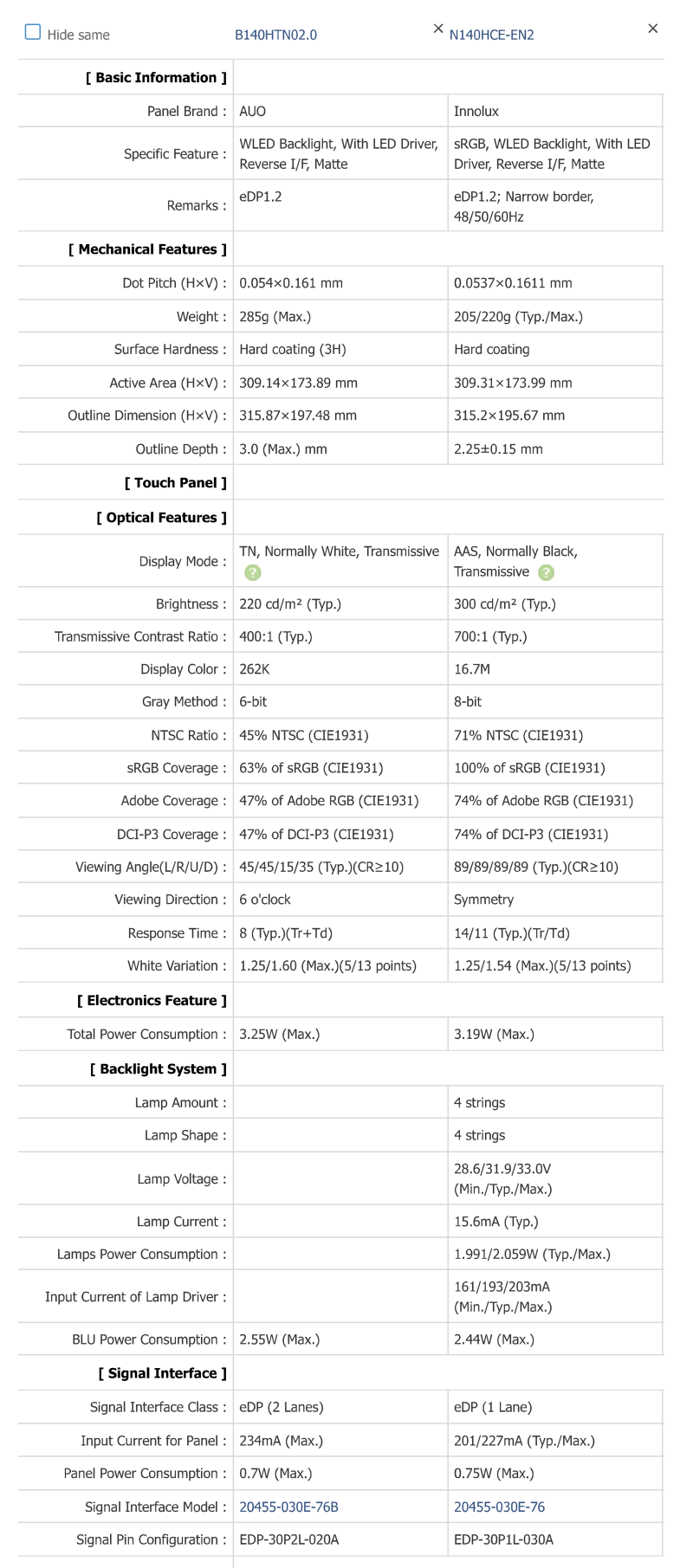
This works fine for GNU GCC / Clang / Visual C++ compilers.</p>

<p>Here is what you have to set for using clang as a cross compiler for Arm platform:</p>

<div class="bogus-wrapper"><notextile><figure class="code"> <div class="CodeRay">
  <div class="code"><pre>
set(CMAKE_SYSTEM_NAME Linux)
set(CMAKE_SYSTEM_PROCESSOR arm)

set(triple arm-linux-gnueabihf)

set(CMAKE_C_COMPILER clang)
set(CMAKE_C_COMPILER_TARGET ${triple})
set(CMAKE_CXX_COMPILER clang++)
set(CMAKE_CXX_COMPILER_TARGET ${triple})
</pre></div>
</div>
 </figure></notextile></div>

<p>There is nothing about <code>CMAKE_&lt;LANG&gt;_FLAGS_&lt;CONFIG&gt;</code>, because it is assumed we are using the defaults. If one needs to add something
special to <code>CMAKE_&lt;LANG&gt;_FLAGS_&lt;CONFIG&gt;</code> variable, you are supposed to use the <code>CMAKE_&lt;LANG&gt;_FLAGS_&lt;CONFIG&gt;_INIT</code> variables.</p>

<h2 id="android-ndk-toolchain">Android NDK Toolchain</h2>

<p>The Android NDK CMake toolchain wants to have for Release build type debugging information enabled, and the <code>-O2</code> compilation flag, 
while the default CMake Release build type is using <code>-O3</code>. Basically having the default CMake <code>RelWithDebInfo</code> build type.</p>

<p>In the NDK19 we can see in the <a href="https://android.googlesource.com/platform/ndk/+/refs/tags/ndk-r19b/build/cmake/android.toolchain.cmake">android.toolchain.cmake</a> the following:</p>

<div class="bogus-wrapper"><notextile><figure class="code"> <div class="CodeRay">
  <div class="code"><pre>
# Debug and release flags.
list(APPEND ANDROID_COMPILER_FLAGS_DEBUG -O0)
if(ANDROID_ABI MATCHES &quot;^armeabi&quot; AND ANDROID_ARM_MODE STREQUAL thumb)
  list(APPEND ANDROID_COMPILER_FLAGS_RELEASE -Oz)
else()
  list(APPEND ANDROID_COMPILER_FLAGS_RELEASE -O2)
endif()
list(APPEND ANDROID_COMPILER_FLAGS_RELEASE -DNDEBUG)
if(ANDROID_TOOLCHAIN STREQUAL clang)
  list(APPEND ANDROID_COMPILER_FLAGS_DEBUG -fno-limit-debug-info)
endif()
</pre></div>
</div>
 </figure></notextile></div>

<p>Which is then followed by (edited a bit for brevity):</p>

<div class="bogus-wrapper"><notextile><figure class="code"> <div class="CodeRay">
  <div class="code"><pre>
# Set or retrieve the cached flags.
# This is necessary in case the user sets/changes flags in subsequent
# configures. If we included the Android flags in here, they would get
# overwritten.
set(CMAKE_C_FLAGS &quot;&quot;
  CACHE STRING &quot;Flags used by the compiler during all build types.&quot;)
set(CMAKE_CXX_FLAGS &quot;&quot;
  CACHE STRING &quot;Flags used by the compiler during all build types.&quot;)
set(CMAKE_C_FLAGS_DEBUG &quot;&quot;
  CACHE STRING &quot;Flags used by the compiler during debug builds.&quot;)
set(CMAKE_CXX_FLAGS_DEBUG &quot;&quot;
  CACHE STRING &quot;Flags used by the compiler during debug builds.&quot;)
set(CMAKE_C_FLAGS_RELEASE &quot;&quot;
  CACHE STRING &quot;Flags used by the compiler during release builds.&quot;)
set(CMAKE_CXX_FLAGS_RELEASE &quot;&quot;
  CACHE STRING &quot;Flags used by the compiler during release builds.&quot;)

set(CMAKE_C_FLAGS             &quot;${ANDROID_COMPILER_FLAGS} ${CMAKE_C_FLAGS}&quot;)
set(CMAKE_CXX_FLAGS           &quot;${ANDROID_COMPILER_FLAGS} ${ANDROID_COMPILER_FLAGS_CXX} ${CMAKE_CXX_FLAGS}&quot;)
set(CMAKE_C_FLAGS_DEBUG       &quot;${ANDROID_COMPILER_FLAGS_DEBUG} ${CMAKE_C_FLAGS_DEBUG}&quot;)
set(CMAKE_CXX_FLAGS_DEBUG     &quot;${ANDROID_COMPILER_FLAGS_DEBUG} ${CMAKE_CXX_FLAGS_DEBUG}&quot;)
set(CMAKE_C_FLAGS_RELEASE     &quot;${ANDROID_COMPILER_FLAGS_RELEASE} ${CMAKE_C_FLAGS_RELEASE}&quot;)
set(CMAKE_CXX_FLAGS_RELEASE   &quot;${ANDROID_COMPILER_FLAGS_RELEASE} ${CMAKE_CXX_FLAGS_RELEASE}&quot;)
</pre></div>
</div>
 </figure></notextile></div>

<p>The comment in the above code shows some problems one might have while editing <code>CMAKE_&lt;LANG&gt;_FLAGS_&lt;CONFIG&gt;</code> variables.</p>

<h2 id="static-linking-to-crt-with-visual-c">Static linking to CRT with Visual C++</h2>

<p>On Windows CMake has selected dynamic linking to the CRT for its build types, namely the <code>/MD</code> compiler flag.</p>

<p>But what if we want to link statically to the CRT with the <code>/MT</code> compiler flag, thus avoiding the need of 
deploying the CRT runtime on older Windows versions?</p>

<p>Here is what Google Test is doing in its  <code>googletest/cmake/internal_utils.cmake</code>:</p>

<div class="bogus-wrapper"><notextile><figure class="code"> <div class="CodeRay">
  <div class="code"><pre>
# Tweaks CMake's default compiler/linker settings to suit Google Test's needs.
#
# This must be a macro(), as inside a function string() can only
# update variables in the function scope.
macro(fix_default_compiler_settings_)
  if (MSVC)
    # For MSVC, CMake sets certain flags to defaults we want to override.
    # This replacement code is taken from sample in the CMake Wiki at
    # http://www.cmake.org/Wiki/CMake_FAQ#Dynamic_Replace.
    foreach (flag_var
             CMAKE_CXX_FLAGS CMAKE_CXX_FLAGS_DEBUG CMAKE_CXX_FLAGS_RELEASE
             CMAKE_CXX_FLAGS_MINSIZEREL CMAKE_CXX_FLAGS_RELWITHDEBINFO)
      if (NOT BUILD_SHARED_LIBS AND NOT gtest_force_shared_crt)
        # When Google Test is built as a shared library, it should also use
        # shared runtime libraries.  Otherwise, it may end up with multiple
        # copies of runtime library data in different modules, resulting in
        # hard-to-find crashes. When it is built as a static library, it is
        # preferable to use CRT as static libraries, as we don't have to rely
        # on CRT DLLs being available. CMake always defaults to using shared
        # CRT libraries, so we override that default here.
        string(REPLACE &quot;/MD&quot; &quot;-MT&quot; ${flag_var} &quot;${${flag_var}}&quot;)
      endif()

      # We prefer more strict warning checking for building Google Test.
      # Replaces /W3 with /W4 in defaults.
      string(REPLACE &quot;/W3&quot; &quot;/W4&quot; ${flag_var} &quot;${${flag_var}}&quot;)
    endforeach()
  endif()
endmacro()
</pre></div>
</div>
 </figure></notextile></div>

<p>This means that you need to call this macro in your CMake code, and that it will affect 
the compilation of all subsequent targets.</p>

<p>We can avoid this by having a toolchain file:</p>

<div class="bogus-wrapper"><notextile><figure class="code"> <div class="CodeRay">
  <div class="code"><pre>
include_guard(GLOBAL)

include(CMakeInitializeConfigs)

function(cmake_initialize_per_config_variable _PREFIX _DOCSTRING)
  if (_PREFIX MATCHES &quot;CMAKE_(C|CXX)_FLAGS&quot;)
    string(REPLACE &quot;/W3&quot; &quot;/W4&quot; ${_PREFIX}_INIT &quot;${${_PREFIX}_INIT}&quot;)
    
    foreach (config
      ${_PREFIX}_DEBUG_INIT
      ${_PREFIX}_RELEASE_INIT
      ${_PREFIX}_RELWITHDEBINFO_INIT
      ${_PREFIX}_MINSIZEREL_INIT)
      
      string(REPLACE &quot;/MD&quot; &quot;/MT&quot; ${config} &quot;${${config}}&quot;)
    endforeach()
    endif()
    
  _cmake_initialize_per_config_variable(${ARGV})
endfunction()
</pre></div>
</div>
 </figure></notextile></div>

<p>This unfortunately only works starting with CMake version <strong>3.11</strong>, released in March 2018!</p>

<p>CMake 3.11 has gathered the generation of all config variable generation in one function. 
This is an internal function, and it’s functionality has not been documented in the <a href="https://cmake.org/cmake/help/latest/release/3.11.html">3.11 release notes</a>. 
We have the variable <a href="https://cmake.org/cmake/help/latest/variable/CMAKE_NOT_USING_CONFIG_FLAGS.html">CMAKE_NOT_USING_CONFIG_FLAGS</a> 
documented, variable which is used in the <code>cmake_initialize_per_config_variable</code> function.</p>

<p><code>cmake_initialize_per_config_variable</code> will be called at the point of generating the <code>CMAKE_&lt;LANG&gt;_FLAGS_&lt;CONFIG&gt;</code>, which is done after the toolchain code has been 
processed.</p>

<h2 id="cmake-versions-lower-than-311">CMake versions lower than 3.11</h2>

<p>The <code>CMAKE_&lt;LANG&gt;_FLAGS_&lt;CONFIG&gt;_INIT</code> variables are defined in different places, for Clang / GCC you have them in <code>Modules/Compiler/GNU.cxx</code>, for Visual C++ they 
are in <code>Modules/Platform/Windows-MSVC.cmake</code>. They are also defined with <code>string(APPEND</code>, which means that they will overpower your toolchain versions.</p>

<p>I am mentioning this because you might get something like this working for GNU like compilers for CMake versions lower than 3.11:</p>

<div class="bogus-wrapper"><notextile><figure class="code"> <div class="CodeRay">
  <div class="code"><pre>
include(Compiler/GNU)

foreach(lang C CXX ASM)
  # Make sure that the CMAKE_&lt;LANG&gt;_FLAGS_RELEASE_INIT has been generated by CMake
  __compiler_gnu(${lang})
  
  string(REPLACE &quot;-O3&quot; &quot;-O2 -g&quot; CMAKE_${lang}_FLAGS_RELEASE_INIT &quot;${CMAKE_${lang}_FLAGS_RELEASE_INIT}&quot;)
endforeach()

# Ignore CMake's own calls later after toolchain has been processed
macro(__compiler_gnu lang)
endmacro()
</pre></div>
</div>
 </figure></notextile></div>

<p>But this will partially work for Visual C++. Compiler feature detection won’t be working, etc. :pensive:</p>

<p>With <code>cmake_initialize_per_config_variable</code> you can replace / modify the <code>CMAKE_&lt;LANG&gt;_FLAGS_&lt;CONFIG&gt;_INIT</code> values at will.</p>

<h2 id="android-ndk-toolchain-patch">Android NDK toolchain patch</h2>

<p>Armed with this information, I decided to hack the Android NDK toolchain. Below you have the patch:</p>

<div class="bogus-wrapper"><notextile><figure class="code"> <div class="CodeRay">
  <div class="code"><pre>

<span class="line comment">diff -Naur cmake/android.toolchain.cmake cmake-3.11/android.toolchain.cmake</span>
<span class="line head"><span class="head">--- </span><span class="filename">cmake/android.toolchain.cmake</span>    2019-02-21 21:12:32.303346658 +0100</span>
<span class="line head"><span class="head">+++ </span><span class="filename">cmake-3.11/android.toolchain.cmake</span>    2019-02-21 21:41:46.985539190 +0100</span>
<span class="line change"><span class="change">@@</span> -35,7 +35,9 <span class="change">@@</span></span>
 # ANDROID_DISABLE_FORMAT_STRING_CHECKS
 # ANDROID_CCACHE
 
<span class="line delete"><span class="delete">-</span>cmake_minimum_required(VERSION 3.6.0)</span>
<span class="line insert"><span class="insert">+</span>cmake_minimum_required(VERSION 3.11)</span>
<span class="line insert"><span class="insert">+</span></span>
<span class="line insert"><span class="insert">+</span>include_guard(GLOBAL)</span>
 
 # Inhibit all of CMake's own NDK handling code.
 set(CMAKE_SYSTEM_VERSION 1)
<span class="line change"><span class="change">@@</span> -578,48 +580,6 <span class="change">@@</span></span>
 endif()
 
 
<span class="line delete"><span class="delete">-</span># Set or retrieve the cached flags.</span>
<span class="line delete"><span class="delete">-</span># This is necessary in case the user sets/changes flags in subsequent</span>
<span class="line delete"><span class="delete">-</span># configures. If we included the Android flags in here, they would get</span>
<span class="line delete"><span class="delete">-</span># overwritten.</span>
<span class="line delete"><span class="delete">-</span>set(CMAKE_C_FLAGS &quot;&quot;</span>
<span class="line delete"><span class="delete">-</span>  CACHE STRING &quot;Flags used by the compiler during all build types.&quot;)</span>
<span class="line delete"><span class="delete">-</span>set(CMAKE_CXX_FLAGS &quot;&quot;</span>
<span class="line delete"><span class="delete">-</span>  CACHE STRING &quot;Flags used by the compiler during all build types.&quot;)</span>
<span class="line delete"><span class="delete">-</span>set(CMAKE_ASM_FLAGS &quot;&quot;</span>
<span class="line delete"><span class="delete">-</span>  CACHE STRING &quot;Flags used by the compiler during all build types.&quot;)</span>
<span class="line delete"><span class="delete">-</span>set(CMAKE_C_FLAGS_DEBUG &quot;&quot;</span>
<span class="line delete"><span class="delete">-</span>  CACHE STRING &quot;Flags used by the compiler during debug builds.&quot;)</span>
<span class="line delete"><span class="delete">-</span>set(CMAKE_CXX_FLAGS_DEBUG &quot;&quot;</span>
<span class="line delete"><span class="delete">-</span>  CACHE STRING &quot;Flags used by the compiler during debug builds.&quot;)</span>
<span class="line delete"><span class="delete">-</span>set(CMAKE_ASM_FLAGS_DEBUG &quot;&quot;</span>
<span class="line delete"><span class="delete">-</span>  CACHE STRING &quot;Flags used by the compiler during debug builds.&quot;)</span>
<span class="line delete"><span class="delete">-</span>set(CMAKE_C_FLAGS_RELEASE &quot;&quot;</span>
<span class="line delete"><span class="delete">-</span>  CACHE STRING &quot;Flags used by the compiler during release builds.&quot;)</span>
<span class="line delete"><span class="delete">-</span>set(CMAKE_CXX_FLAGS_RELEASE &quot;&quot;</span>
<span class="line delete"><span class="delete">-</span>  CACHE STRING &quot;Flags used by the compiler during release builds.&quot;)</span>
<span class="line delete"><span class="delete">-</span>set(CMAKE_ASM_FLAGS_RELEASE &quot;&quot;</span>
<span class="line delete"><span class="delete">-</span>  CACHE STRING &quot;Flags used by the compiler during release builds.&quot;)</span>
<span class="line delete"><span class="delete">-</span>set(CMAKE_MODULE_LINKER_FLAGS &quot;&quot;</span>
<span class="line delete"><span class="delete">-</span>  CACHE STRING &quot;Flags used by the linker during the creation of modules.&quot;)</span>
<span class="line delete"><span class="delete">-</span>set(CMAKE_SHARED_LINKER_FLAGS &quot;&quot;</span>
<span class="line delete"><span class="delete">-</span>  CACHE STRING &quot;Flags used by the linker during the creation of dll's.&quot;)</span>
<span class="line delete"><span class="delete">-</span>set(CMAKE_EXE_LINKER_FLAGS &quot;&quot;</span>
<span class="line delete"><span class="delete">-</span>  CACHE STRING &quot;Flags used by the linker.&quot;)</span>
<span class="line delete"><span class="delete">-</span></span>
<span class="line delete"><span class="delete">-</span>set(CMAKE_C_FLAGS             &quot;${ANDROID_COMPILER_FLAGS} ${CMAKE_C_FLAGS}&quot;)</span>
<span class="line delete"><span class="delete">-</span>set(CMAKE_CXX_FLAGS           &quot;${ANDROID_COMPILER_FLAGS} ${ANDROID_COMPILER_FLAGS_CXX} ${CMAKE_CXX_FLAGS}&quot;)</span>
<span class="line delete"><span class="delete">-</span>set(CMAKE_ASM_FLAGS           &quot;${ANDROID_COMPILER_FLAGS} ${CMAKE_ASM_FLAGS}&quot;)</span>
<span class="line delete"><span class="delete">-</span>set(CMAKE_C_FLAGS_DEBUG       &quot;${ANDROID_COMPILER_FLAGS_DEBUG} ${CMAKE_C_FLAGS_DEBUG}&quot;)</span>
<span class="line delete"><span class="delete">-</span>set(CMAKE_CXX_FLAGS_DEBUG     &quot;${ANDROID_COMPILER_FLAGS_DEBUG} ${CMAKE_CXX_FLAGS_DEBUG}&quot;)</span>
<span class="line delete"><span class="delete">-</span>set(CMAKE_ASM_FLAGS_DEBUG     &quot;${ANDROID_COMPILER_FLAGS_DEBUG} ${CMAKE_ASM_FLAGS_DEBUG}&quot;)</span>
<span class="line delete"><span class="delete">-</span>set(CMAKE_C_FLAGS_RELEASE     &quot;${ANDROID_COMPILER_FLAGS_RELEASE} ${CMAKE_C_FLAGS_RELEASE}&quot;)</span>
<span class="line delete"><span class="delete">-</span>set(CMAKE_CXX_FLAGS_RELEASE   &quot;${ANDROID_COMPILER_FLAGS_RELEASE} ${CMAKE_CXX_FLAGS_RELEASE}&quot;)</span>
<span class="line delete"><span class="delete">-</span>set(CMAKE_ASM_FLAGS_RELEASE   &quot;${ANDROID_COMPILER_FLAGS_RELEASE} ${CMAKE_ASM_FLAGS_RELEASE}&quot;)</span>
<span class="line delete"><span class="delete">-</span>set(CMAKE_SHARED_LINKER_FLAGS &quot;${ANDROID_LINKER_FLAGS} ${CMAKE_SHARED_LINKER_FLAGS}&quot;)</span>
<span class="line delete"><span class="delete">-</span>set(CMAKE_MODULE_LINKER_FLAGS &quot;${ANDROID_LINKER_FLAGS} ${CMAKE_MODULE_LINKER_FLAGS}&quot;)</span>
<span class="line delete"><span class="delete">-</span>set(CMAKE_EXE_LINKER_FLAGS    &quot;${ANDROID_LINKER_FLAGS} ${ANDROID_LINKER_FLAGS_EXE} ${CMAKE_EXE_LINKER_FLAGS}&quot;)</span>
<span class="line delete"><span class="delete">-</span></span>
 # Compatibility for read-only variables.
 # Read-only variables for compatibility with the other toolchain file.
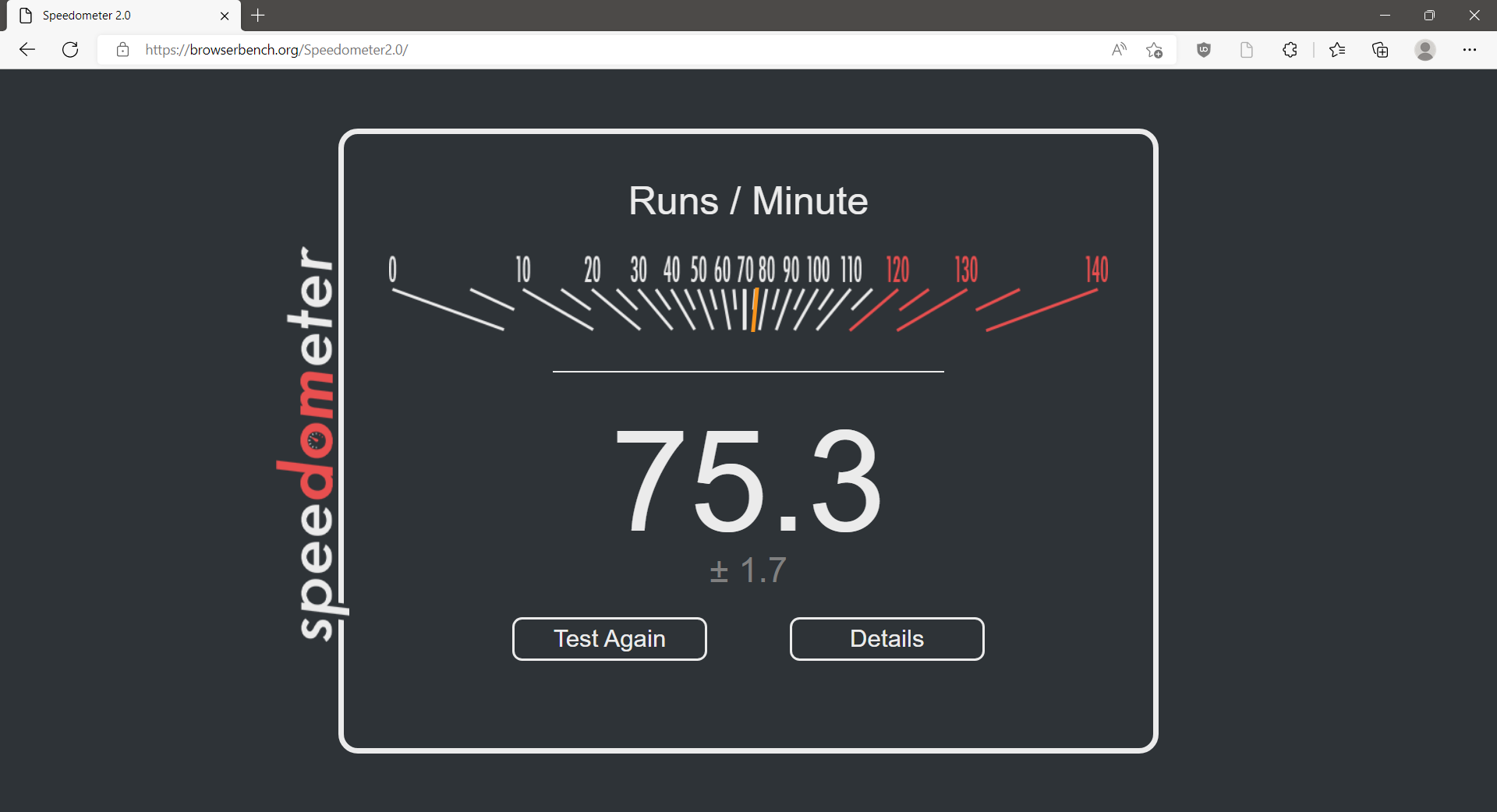
 # We'll keep these around for the existing projects that still use them.
<span class="line change"><span class="change">@@</span> -686,3 +646,34 <span class="change">@@</span></span>
     set(CMAKE_ANDROID_ARM_MODE ${ANDROID_ARM_MODE})
   endif()
 endif()
<span class="line insert"><span class="insert">+</span></span>
<span class="line insert"><span class="insert">+</span>include(CMakeInitializeConfigs)</span>
<span class="line insert"><span class="insert">+</span></span>
<span class="line insert"><span class="insert">+</span>function(cmake_initialize_per_config_variable _PREFIX _DOCSTRING)</span>
<span class="line insert"><span class="insert">+</span></span>
<span class="line insert"><span class="insert">+</span>  if (_PREFIX MATCHES &quot;CMAKE_(C|CXX|ASM)_FLAGS&quot;)</span>
<span class="line insert"><span class="insert">+</span>    set(CMAKE_${CMAKE_MATCH_1}_FLAGS_INIT &quot;${ANDROID_COMPILER_FLAGS}&quot;)</span>
<span class="line insert"><span class="insert">+</span></span>
<span class="line insert"><span class="insert">+</span>    foreach (config DEBUG RELEASE)</span>
<span class="line insert"><span class="insert">+</span>      set(CMAKE_${CMAKE_MATCH_1}_FLAGS_${config}_INIT &quot;${ANDROID_COMPILER_FLAGS_${config}}&quot;)</span>
<span class="line insert"><span class="insert">+</span>    endforeach()</span>
<span class="line insert"><span class="insert">+</span></span>
<span class="line insert"><span class="insert">+</span>    # Append the ANDROID_COMPILER_FLAGS_CXX flags</span>
<span class="line insert"><span class="insert">+</span>    if (DEFINED ANDROID_COMPILER_FLAGS_${CMAKE_MATCH_1})</span>
<span class="line insert"><span class="insert">+</span>      string(APPEND CMAKE_${CMAKE_MATCH_1}_FLAGS_INIT &quot; ${ANDROID_COMPILER_FLAGS_${CMAKE_MATCH_1}}&quot;)</span>
<span class="line insert"><span class="insert">+</span>    endif()</span>
<span class="line insert"><span class="insert">+</span>  endif()</span>
<span class="line insert"><span class="insert">+</span></span>
<span class="line insert"><span class="insert">+</span>  if (_PREFIX MATCHES &quot;CMAKE_(SHARED|MODULE|EXE)_LINKER_FLAGS&quot;)</span>
<span class="line insert"><span class="insert">+</span>    foreach (config SHARED MODULE EXE)</span>
<span class="line insert"><span class="insert">+</span>      set(CMAKE_${config}_LINKER_FLAGS_INIT &quot;${ANDROID_LINKER_FLAGS}&quot;)</span>
<span class="line insert"><span class="insert">+</span></span>
<span class="line insert"><span class="insert">+</span>      # Append the ANDROID_LINKER_FLAGS_EXE flags</span>
<span class="line insert"><span class="insert">+</span>      if (DEFINED ANDROID_LINKER_FLAGS_${config})</span>
<span class="line insert"><span class="insert">+</span>        string(APPEND CMAKE_${config}_LINKER_FLAGS_INIT &quot; ${ANDROID_LINKER_FLAGS_${config}}&quot;)</span>
<span class="line insert"><span class="insert">+</span>      endif()</span>
<span class="line insert"><span class="insert">+</span>    endforeach()</span>
<span class="line insert"><span class="insert">+</span>  endif()</span>
<span class="line insert"><span class="insert">+</span></span>
<span class="line insert"><span class="insert">+</span>  _cmake_initialize_per_config_variable(${ARGV})</span>
<span class="line insert"><span class="insert">+</span>endfunction()</span>

</pre></div>
</div>
 </figure></notextile></div>

<p>The new code involves a bit more time to figure out what it does, but you have the benefit of having
in the <code>CMakeCache.txt</code> the <code>CMAKE_&lt;LANG&gt;_FLAGS_&lt;CONFIG&gt;</code> values, as opposed to having empty values as 
you get with the default toolchain.</p>

<h2 id="roundup">Roundup</h2>

<p>As a conclusion to this article is that you should never touch <code>CMAKE_&lt;LANG&gt;_FLAGS_&lt;CONFIG&gt;</code> variables directly. 
All the compiler build flags should be set in a toolchain, even if you don’t do cross compiling.</p>

<p>This way you can have a consistent build, with the same compiler flags used for all targets / subprojects!</p>
]]></content>
  </entry>
  
  <entry>
    <title type="html"><![CDATA[A Better QNX CMake Toolchain File]]></title>
    <link href="https://cristianadam.eu/20181202/a-better-qnx-cmake-toolchain-file/"/>
    <updated>2018-12-02T01:07:24+01:00</updated>
    <id>https://cristianadam.eu/20181202/a-better-qnx-cmake-toolchain-file</id>
    <content type="html"><![CDATA[<p><img src="https://cristianadam.eu/assets/images/better-qnx-cmake-toolchain/qnx-cmake-love.png" class="noborder" /></p>

<p>At the end of October 2018 on the Qt development mailing list it was <a href="https://lists.qt-project.org/pipermail/development/2018-October/034023.html">announced</a> 
that CMake was chosen as the build system (generator) for building Qt6. That also meant that The Qt Company will gradually stop 
investing in their in house Qbs build system.</p>

<p>I personally think is a good idea to have major C++ projects like Boost (<a href="https://lists.boost.org/boost-interest/2017/07/0162.php">July 2017 switch announcement!</a> ), 
LLVM/Clang, and now Qt to use CMake as their build system (generator). We C++ developers should work together in having a common build system.</p>

<p>There was a bit of email traffic on this topic. There was some skepticism of CMake being able to support specialized operating systems 
like QNX, so I pointed to an October 2017 blog entry of Doug Schaefer named <a href="http://cdtdoug.ca/2017/10/06/qnx-cmake-toolchain-file.html">QNX CMake Toolchain File</a>.
There Doug Schaefer presents us with a minimal CMake Toolchain File.</p>

<p>Since I am lucky(:sweat_smile:) to have a QNX 7.0 license I tried to compile and run the recently released CMake 3.13.0 for the QNX 7.0 x86_64 target!</p>

<!-- more-->

<h2 id="basic-cmake-compilation">Basic CMake Compilation</h2>

<p>The toolchain looks like this:</p>

<div class="bogus-wrapper"><notextile><figure class="code"> <div class="CodeRay">
  <div class="code"><pre>
set(CMAKE_SYSTEM_NAME QNX)

set(arch gcc_ntox86_64)
set(ntoarch x86_64)
set(QNX_PROCESSOR x86_64)

set(CMAKE_C_COMPILER qcc)
set(CMAKE_C_COMPILER_TARGET ${arch})

set(CMAKE_CXX_COMPILER qcc -lang-c++)
set(CMAKE_CXX_COMPILER_TARGET ${arch})

set(CMAKE_ASM_COMPILER qcc -V${arch})
set(CMAKE_ASM_DEFINE_FLAG &quot;-Wa,--defsym,&quot;)

set(CMAKE_RANLIB $ENV{QNX_HOST}/usr/bin/nto${ntoarch}-ranlib
    CACHE PATH &quot;QNX ranlib Program&quot; FORCE)
set(CMAKE_AR $ENV{QNX_HOST}/usr/bin/nto${ntoarch}-ar
    CACHE PATH &quot;QNX qr Program&quot; FORCE)
</pre></div>
</div>
 </figure></notextile></div>

<p>The build script looks like this:</p>

<div class="bogus-wrapper"><notextile><figure class="code"> <div class="CodeRay">
  <div class="code"><pre>
#!/bin/bash
source $HOME/qnx700/qnxsdp-env.sh

cmake -B builddir -S cmake-3.13.0 -G Ninja \
    -DCMAKE_BUILD_TYPE=Release \
    -DCMAKE_TOOLCHAIN_FILE=`pwd`/qnx7.cmake \
    -DCMAKE_INSTALL_PREFIX=`pwd`/installdir

cmake --build builddir --target install
</pre></div>
</div>
 </figure></notextile></div>

<p>Notice how I am using CMake 3.13.x’s <code>-S</code> and <code>-B</code> parameters! No more <code>mkdir builddir &amp;&amp; cd builddir</code> commands anymore! Yeah! :metal:</p>

<p>The configuration step had some problems because it uses <code>try_run</code> and I was cross-compiling. Running the script a second time worked out fine.</p>

<p>The failed CMake configuration was due to:</p>

<div class="bogus-wrapper"><notextile><figure class="code"> <div class="CodeRay">
  <div class="code"><pre>
CMake Error: TRY_RUN() invoked in cross-compiling mode, please set the following cache variables appropriately:
   KWSYS_LFS_WORKS (advanced)
   KWSYS_LFS_WORKS__TRYRUN_OUTPUT (advanced)

CMake Error: TRY_RUN() invoked in cross-compiling mode, please set the following cache variables appropriately:
   HAVE_POLL_FINE_EXITCODE (advanced)
   HAVE_POLL_FINE_EXITCODE__TRYRUN_OUTPUT (advanced)

 CMake Error at CMakeLists.txt:2 (project):
  The Ninja generator does not support Fortran using Ninja version

    1.8.2

  due to lack of required features.  Kitware has implemented the required
  features but as of this version of CMake they have not been integrated to
  upstream ninja.  Pending integration, Kitware maintains a branch at:

    https://github.com/Kitware/ninja/tree/features-for-fortran#readme

  with the required features.  One may build ninja from that branch to get
  support for Fortran.

CMake Error: CMAKE_Fortran_COMPILER not set, after EnableLanguage
</pre></div>
</div>
 </figure></notextile></div>

<p>The compilation fails at some point because <code>libuv</code> doesn’t have QNX support. The following patch 
gets things working!</p>

<div class="bogus-wrapper"><notextile><figure class="code"> <div class="CodeRay">
  <div class="code"><pre>
<span class="line comment">diff --git a/Utilities/cmlibuv/CMakeLists.txt b/Utilities/cmlibuv/CMakeLists.txt</span>
<span class="line comment">index a503041be..364a1e75e 100644</span>
<span class="line head"><span class="head">--- </span><span class="filename">a/Utilities/cmlibuv/CMakeLists.txt</span></span>
<span class="line head"><span class="head">+++ </span><span class="filename">b/Utilities/cmlibuv/CMakeLists.txt</span></span>
<span class="change"><span class="change">@@</span> -135,6 +135,23 <span class="change">@@</span></span> if(CMAKE_SYSTEM_NAME STREQUAL &quot;AIX&quot;)
     )
 endif()
 
<span class="line insert"><span class="insert">+</span>if(CMAKE_SYSTEM_NAME STREQUAL &quot;QNX&quot;)</span>
<span class="line insert"><span class="insert">+</span>  list(APPEND uv_libraries</span>
<span class="line insert"><span class="insert">+</span>    )</span>
<span class="line insert"><span class="insert">+</span>  list(APPEND uv_headers</span>
<span class="line insert"><span class="insert">+</span>    include/uv-posix.h</span>
<span class="line insert"><span class="insert">+</span>    )</span>
<span class="line insert"><span class="insert">+</span>  list(APPEND uv_defines</span>
<span class="line insert"><span class="insert">+</span>    )</span>
<span class="line insert"><span class="insert">+</span>  list(APPEND uv_sources</span>
<span class="line insert"><span class="insert">+</span>    src/unix/bsd-ifaddrs.c</span>
<span class="line insert"><span class="insert">+</span>    src/unix/no-fsevents.c</span>
<span class="line insert"><span class="insert">+</span>    src/unix/no-proctitle.c</span>
<span class="line insert"><span class="insert">+</span>    src/unix/posix-hrtime.c</span>
<span class="line insert"><span class="insert">+</span>    src/unix/posix-poll.c</span>
<span class="line insert"><span class="insert">+</span>    )</span>
<span class="line insert"><span class="insert">+</span>endif()</span>
<span class="line insert"><span class="insert">+</span></span>
 if(CMAKE_SYSTEM_NAME MATCHES &quot;CYGWIN&quot;)
   list(APPEND uv_libraries
     )
<span class="line comment">diff --git a/Utilities/cmlibuv/include/uv-unix.h b/Utilities/cmlibuv/include/uv-unix.h</span>
<span class="line comment">index 455674d1a..10389f474 100644</span>
<span class="line head"><span class="head">--- </span><span class="filename">a/Utilities/cmlibuv/include/uv-unix.h</span></span>
<span class="line head"><span class="head">+++ </span><span class="filename">b/Utilities/cmlibuv/include/uv-unix.h</span></span>
<span class="line change"><span class="change">@@</span> -66,6 +66,8 <span class="change">@@</span></span>
 <span class="preprocessor"># include</span> <span class="include">&quot;uv-bsd.h&quot;</span>
 <span class="preprocessor">#elif</span> defined(__CYGWIN__) || defined(__MSYS__)
 <span class="preprocessor"># include</span> <span class="include">&quot;uv-posix.h&quot;</span>
<span class="line insert"><span class="insert">+</span><span class="preprocessor">#elif</span> defined(__QNXNTO__)</span>
<span class="line insert"><span class="insert">+</span><span class="preprocessor"># include</span> <span class="include">&quot;uv-posix.h&quot;</span></span>
 <span class="preprocessor">#endif</span>
 
 <span class="preprocessor">#ifndef</span> PTHREAD_BARRIER_SERIAL_THREAD

</pre></div>
</div>
 </figure></notextile></div>

<p>cmake, cpack, and ctest compiled and installed just fine! So… we’re done, right? :smile:</p>

<h2 id="cmake-gui-building">CMake-GUI Building</h2>

<p>What happens if we want to build cmake-gui? CMake is shipping cmake-gui for Windows/Mac/Linux as a GUI application statically linked to Qt.</p>

<p>So I went and compiled Qt 5.11.2 statically for QNX x86_64 with this script:</p>

<div class="bogus-wrapper"><notextile><figure class="code"> <div class="CodeRay">
  <div class="code"><pre>
#!/bin/bash
source $HOME/qnx700/qnxsdp-env.sh
../qt-everywhere-src-5.11.2/configure \
  -xplatform qnx-x86-64-qcc \
  -release \
  -static \
  -no-fontconfig \
  -no-icu \
  --freetype=qt \
  -ccache \
  -nomake examples \
  -nomake tests \
  -skip qtwebengine \
  -prefix /opt/qt5 \
  -opensource
</pre></div>
</div>
 </figure></notextile></div>

<p>The magic part above is the <code>-xplatform qnx-x86-64-qcc</code>. I don’t build icu, fontconfig, because the QNX 7.0 VMware image doesn’t provide them, 
and I felt that it defeated my goal to deploy *.so files, hack <code>LD_LIBRARY_PATH</code>, and so on. I just wanted to run <code>./cmake-gui</code>.</p>

<p>The toolchain does have libicu, which is quite a monster (31.4M!):</p>

<div class="bogus-wrapper"><notextile><figure class="code"> <div class="CodeRay">
  <div class="code"><pre>
$ du -h /home/cadam/qnx700/target/qnx7/x86_64/usr/lib/libicu*
0       /home/cadam/qnx700/target/qnx7/x86_64/usr/lib/libicudata.so
0       /home/cadam/qnx700/target/qnx7/x86_64/usr/lib/libicudata.so.58
26M     /home/cadam/qnx700/target/qnx7/x86_64/usr/lib/libicudata.so.58.1
0       /home/cadam/qnx700/target/qnx7/x86_64/usr/lib/libicui18n.so
0       /home/cadam/qnx700/target/qnx7/x86_64/usr/lib/libicui18n.so.58
3.3M    /home/cadam/qnx700/target/qnx7/x86_64/usr/lib/libicui18n.so.58.1
0       /home/cadam/qnx700/target/qnx7/x86_64/usr/lib/libicuuc.so
0       /home/cadam/qnx700/target/qnx7/x86_64/usr/lib/libicuuc.so.58
2.1M    /home/cadam/qnx700/target/qnx7/x86_64/usr/lib/libicuuc.so.58.1
</pre></div>
</div>
 </figure></notextile></div>

<p>My CMake build script would change to:</p>

<div class="bogus-wrapper"><notextile><figure class="code"> <div class="CodeRay">
  <div class="code"><pre>
#!/bin/bash
source $HOME/qnx700/qnxsdp-env.sh

cmake -B builddir -S cmake-3.13.0 -G Ninja \
    -DCMAKE_BUILD_TYPE=Release \
    -DCMAKE_TOOLCHAIN_FILE=`pwd`/qnx7.cmake \
    -DCMAKE_INSTALL_PREFIX=`pwd`/installdir \
    -DBUILD_QtDialog=ON \
    -DCMAKE_PREFIX_PATH=`pwd`/qt5/lib/cmake

cmake --build builddir --target install
</pre></div>
</div>
 </figure></notextile></div>

<p>Unfortunately CMake configure step stops with the following error:</p>

<div class="bogus-wrapper"><notextile><figure class="code"> <div class="CodeRay">
  <div class="code"><pre>

CMake Error in Source/QtDialog/CMakeLists.txt:
  No known features for CXX compiler

  &quot;QCC&quot;

  version 5.4.0.

</pre></div>
</div>
 </figure></notextile></div>

<p>As it turns out I hit <a href="https://bugreports.qt.io/browse/QTBUG-54666">QTBUG-54666: CMake fails to configure Android build</a>!</p>

<p>The CMake package files that Qt provides require some C++ compiler features to be present.</p>

<p>So what did CMake detect using our QNX toolchain? Let’s just take a peak!</p>

<div class="bogus-wrapper"><notextile><figure class="code"> <div class="CodeRay">
  <div class="code"><pre>
$ cat ./builddir/CMakeFiles/3.13.0/CMakeCXXCompiler.cmake | grep -i compile_features
set(CMAKE_CXX_COMPILE_FEATURES &quot;&quot;)
set(CMAKE_CXX98_COMPILE_FEATURES &quot;&quot;)
set(CMAKE_CXX11_COMPILE_FEATURES &quot;&quot;)
set(CMAKE_CXX14_COMPILE_FEATURES &quot;&quot;)
set(CMAKE_CXX17_COMPILE_FEATURES &quot;&quot;)
set(CMAKE_CXX20_COMPILE_FEATURES &quot;&quot;)
</pre></div>
</div>
 </figure></notextile></div>

<p>The above bug report has some workarounds for this problem, but what if we fixed this? QNX has QCC as a compiler wrapper around GCC, so what if I used GCC directly?</p>

<p>I came up with this small QNX toolchain:</p>

<div class="bogus-wrapper"><notextile><figure class="code"> <div class="CodeRay">
  <div class="code"><pre>
set(CMAKE_SYSTEM_NAME QNX)

set(arch ntox86_64)
set(QNX_PROCESSOR x86_64)

set(CMAKE_C_COMPILER $ENV{QNX_HOST}/usr/bin/${arch}-gcc)
set(CMAKE_C_COMPILER_TARGET ${arch})

set(CMAKE_CXX_COMPILER $ENV{QNX_HOST}/usr/bin/${arch}-g++)
set(CMAKE_CXX_COMPILER_TARGET ${arch})
</pre></div>
</div>
 </figure></notextile></div>

<p>Now I was able to compile, but not to link. Oh no! :scream:</p>

<h2 id="cmake-gui-linking-and-deployment">CMake-GUI Linking and Deployment</h2>

<p>I had a look at what CMake was doing for Windows and came up with similar approach for QNX.</p>

<p>I needed to apply the following patch:</p>

<div class="bogus-wrapper"><notextile><figure class="code"> <div class="CodeRay">
  <div class="code"><pre>
<span class="line comment">diff -Naur cmake-3.13.0-vanilla/Source/QtDialog/CMakeLists.txt cmake-3.13.0/Source/QtDialog/CMakeLists.txt</span>
<span class="line head"><span class="head">--- </span><span class="filename">cmake-3.13.0-vanilla/Source/QtDialog/CMakeLists.txt</span>    2018-11-20 15:49:09.000000000 +0100</span>
<span class="line head"><span class="head">+++ </span><span class="filename">cmake-3.13.0/Source/QtDialog/CMakeLists.txt</span>    2018-12-01 01:27:01.203767827 +0100</span>
<span class="line change"><span class="change">@@</span> -39,6 +39,12 <span class="change">@@</span></span>
       PROPERTY COMPILE_DEFINITIONS USE_QWindowsIntegrationPlugin)
   endif()
 
<span class="line insert"><span class="insert">+</span>  if(CMake_QT_STATIC_QQnxIntegrationPlugin_LIBRARIES)</span>
<span class="line insert"><span class="insert">+</span>    list(APPEND CMake_QT_LIBRARIES ${CMake_QT_STATIC_QQnxIntegrationPlugin_LIBRARIES})</span>
<span class="line insert"><span class="insert">+</span>    set_property(SOURCE CMakeSetup.cxx</span>
<span class="line insert"><span class="insert">+</span>      PROPERTY COMPILE_DEFINITIONS USE_QQnxIntegrationPlugin)</span>
<span class="line insert"><span class="insert">+</span>  endif()</span>
<span class="line insert"><span class="insert">+</span></span>
   # We need to install platform plugin and add qt.conf for Qt5 on Mac and Windows.
   # FIXME: This should be part of Qt5 CMake scripts, but unfortunately
   # Qt5 support is missing there.
<span class="line comment">diff -Naur cmake-3.13.0-vanilla/Source/QtDialog/CMakeSetup.cxx cmake-3.13.0/Source/QtDialog/CMakeSetup.cxx</span>
<span class="line head"><span class="head">--- </span><span class="filename">cmake-3.13.0-vanilla/Source/QtDialog/CMakeSetup.cxx</span>    2018-11-20 15:49:09.000000000 +0100</span>
<span class="line head"><span class="head">+++ </span><span class="filename">cmake-3.13.0/Source/QtDialog/CMakeSetup.cxx</span>    2018-12-01 14:28:09.902659579 +0100</span>
<span class="line change"><span class="change">@@</span> -49,6 +49,11 <span class="change">@@</span></span>
 Q_IMPORT_PLUGIN(QWindowsIntegrationPlugin);
 <span class="preprocessor">#endif</span>
 
<span class="line insert"><span class="insert">+</span><span class="preprocessor">#if</span> defined(USE_QQnxIntegrationPlugin)</span>
<span class="line insert"><span class="insert">+</span>Q_IMPORT_PLUGIN(QQnxIntegrationPlugin);</span>
<span class="line insert"><span class="insert">+</span><span class="preprocessor">#endif</span></span>
<span class="line insert"><span class="insert">+</span></span>
 <span class="predefined-type">int</span> main(<span class="predefined-type">int</span> argc, <span class="predefined-type">char</span>** argv)
 {
   cmsys::Encoding::CommandLineArguments encoding_args =

</pre></div>
</div>
 </figure></notextile></div>

<p>Now the build script looks like this:</p>

<div class="bogus-wrapper"><notextile><figure class="code"> <div class="CodeRay">
  <div class="code"><pre>
#!/bin/bash
source $HOME/qnx700/qnxsdp-env.sh

# CMake ; separated list
LIBS=&quot;`pwd`/qt5/plugins/platforms/libqqnx.a;&quot;
LIBS+=&quot;`pwd`/qt5/lib/libQt5EglSupport.a;&quot;
LIBS+=&quot;`pwd`/qt5/lib/libQt5EventDispatcherSupport.a;&quot;
LIBS+=&quot;`pwd`/qt5/lib/libQt5FontDatabaseSupport.a;&quot;
LIBS+=&quot;`pwd`/qt5/lib/libQt5Core.a;&quot;
LIBS+=&quot;`pwd`/qt5/lib/libQt5Gui.a;&quot;
LIBS+=&quot;`pwd`/qt5/lib/libqtharfbuzz.a;&quot;
LIBS+=&quot;`pwd`/qt5/lib/libqtpcre2.a;&quot;
LIBS+=&quot;`pwd`/qt5/lib/libqtfreetype.a;&quot;
LIBS+=&quot;-lpng16;-lz;-lslog2;&quot;
LIBS+=&quot;-lscreen;-lpps;-lEGL;-lGLESv2&quot;

cmake -B builddir -S cmake-3.13.0 -G Ninja \
    -DCMAKE_BUILD_TYPE=Release \
    -DCMAKE_TOOLCHAIN_FILE=`pwd`/qnx7_gcc.cmake \
    -DCMAKE_INSTALL_PREFIX=`pwd`/installdir \
    -DBUILD_QtDialog=ON \
    -DCMake_QT_STATIC_QQnxIntegrationPlugin_LIBRARIES=&quot;$LIBS&quot; \
    -DCMAKE_PREFIX_PATH=`pwd`/qt5/lib/cmake
    
cmake --build builddir --target install
</pre></div>
</div>
 </figure></notextile></div>

<p>That looks pretty scary! That’s because Qt’s CMake files do not track dependencies when built in static mode.</p>

<p>This is being tracked and hopefully soon fixed, as seen here: <a href="https://bugreports.qt.io/browse/QTBUG-38913">QTBUG-38913: Can’t link against static Qt5 (missing usage requirements for static libs wrt harfbuzz/glib/others)</a>.</p>

<p>Until Qt fixes their CMake files, we could just do the following:</p>

<div class="bogus-wrapper"><notextile><figure class="code"> <div class="CodeRay">
  <div class="code"><pre>
<span class="line comment">diff -Naur qt5-vanilla/lib/cmake/Qt5Core/Qt5CoreConfig.cmake qt5/lib/cmake/Qt5Core/Qt5CoreConfig.cmake</span>
<span class="line head"><span class="head">--- </span><span class="filename">qt5-vanilla/lib/cmake/Qt5Core/Qt5CoreConfig.cmake   2018-12-01 12:37:49.000000000 +0100</span></span>
<span class="line head"><span class="head">+++ </span><span class="filename">qt5/lib/cmake/Qt5Core/Qt5CoreConfig.cmake   2018-12-01 22:11:51.552732104 +0100</span></span>
<span class="line change"><span class="change">@@</span> -111,8 +111,16 <span class="change">@@</span></span>
     list(REMOVE_DUPLICATES Qt5Core_COMPILE_DEFINITIONS)
     list(REMOVE_DUPLICATES Qt5Core_EXECUTABLE_COMPILE_FLAGS)
 
<span class="line delete"><span class="delete">-</span>    set(_Qt5Core_LIB_DEPENDENCIES &quot;&quot;)</span>
<span class="line delete"><span class="delete">-</span></span>
<span class="line insert"><span class="insert">+</span>    set(_Qt5Core_LIB_DEPENDENCIES</span>
<span class="line insert"><span class="insert">+</span>        ${_qt5Core_install_prefix}/lib/libQt5EglSupport.a</span>
<span class="line insert"><span class="insert">+</span>        ${_qt5Core_install_prefix}/lib/libQt5EventDispatcherSupport.a</span>
<span class="line insert"><span class="insert">+</span>        ${_qt5Core_install_prefix}/lib/libQt5FontDatabaseSupport.a</span>
<span class="line insert"><span class="insert">+</span>        ${_qt5Core_install_prefix}/lib/libqtharfbuzz.a</span>
<span class="line insert"><span class="insert">+</span>        ${_qt5Core_install_prefix}/lib/libqtpcre2.a</span>
<span class="line insert"><span class="insert">+</span>        ${_qt5Core_install_prefix}/lib/libqtfreetype.a</span>
<span class="line insert"><span class="insert">+</span>        -lpng16 -lz -lslog2</span>
<span class="line insert"><span class="insert">+</span>        -lscreen -lpps -lEGL -lGLESv2</span>
<span class="line insert"><span class="insert">+</span>    )</span>
 
     add_library(Qt5::Core STATIC IMPORTED)
     set_property(TARGET Qt5::Core PROPERTY IMPORTED_LINK_INTERFACE_LANGUAGES CXX)
</pre></div>
</div>
 </figure></notextile></div>

<p>Now the build script looks like this:</p>

<div class="bogus-wrapper"><notextile><figure class="code"> <div class="CodeRay">
  <div class="code"><pre>
#!/bin/bash
source $HOME/qnx700/qnxsdp-env.sh

LIBS=&quot;`pwd`/qt5/plugins/platforms/libqqnx.a&quot;

cmake -B builddir -S cmake-3.13.0 -G Ninja \
    -DCMAKE_BUILD_TYPE=Release \
    -DCMAKE_TOOLCHAIN_FILE=`pwd`/qnx7_gcc.cmake \
    -DCMAKE_INSTALL_PREFIX=`pwd`/installdir \
    -DBUILD_QtDialog=ON \
    -DCMake_QT_STATIC_QQnxIntegrationPlugin_LIBRARIES=&quot;$LIBS&quot; \
    -DCMAKE_PREFIX_PATH=`pwd`/qt5/lib/cmake
    
cmake --build builddir --target install
</pre></div>
</div>
 </figure></notextile></div>

<p>That’s more like it!</p>

<p>cmake-gui builds and links fine now. In order to run it on the VM, I need to have sftp / ssh access. This is done by running <code>vi /etc/ssh/sshd_config</code> 
and change <code># PermitRootLogin no</code> to <code>PermitRootLogin yes</code>.</p>

<p>After deployment and running <code>/etc/graphics-startup.sh</code> I was able to run <code>/root/installdir/bin/cmake-gui</code>, but then got these nice warnings:</p>

<div class="bogus-wrapper"><notextile><figure class="code"> <div class="CodeRay">
  <div class="code"><pre>
QFontDatabase: Cannot find font directory /opt/qt5/lib/fonts.
Note that Qt no longer ships fonts. Deploy some (from http://dejavu-fonts.org for example) or switch to fontconfig.
</pre></div>
</div>
 </figure></notextile></div>

<p>This can be fixed in two ways, either set <code>QT_QPA_FONTDIR</code> environment variable to <code>/usr/share/fonts</code>, or create a symlink like:</p>

<div class="bogus-wrapper"><notextile><figure class="code"> <div class="CodeRay">
  <div class="code"><pre>
# mkdir -p /opt/qt5/lib
# ln -s /usr/share/fonts /opt/qt5/lib/fonts
</pre></div>
</div>
 </figure></notextile></div>

<p>And now I can present this beautiful screenshot:
<img src="https://cristianadam.eu/assets/images/better-qnx-cmake-toolchain/cmake-gui-qnx-vm.png" class="noborder" /></p>

<h2 id="let-me-see-you-stripped">Let me see you stripped!</h2>

<p>CMake when it uses GCC/Clang it builds binaries unstripped, with debug information. Let’s see how big the above resulted binaries are:</p>

<div class="bogus-wrapper"><notextile><figure class="code"> <div class="CodeRay">
  <div class="code"><pre>
$ du -ah installdir/bin/
8.0M    installdir/bin/cmake
26M     installdir/bin/cmake-gui
8.2M    installdir/bin/cpack
9.2M    installdir/bin/ctest
52M     installdir/bin/
</pre></div>
</div>
 </figure></notextile></div>

<p>CMake does have in the <code>CMakeCache.txt</code> an entry called <code>CMAKE_STRIP</code>, which is the case of the original QNX toolchain is set to <code>/usr/bin/strip</code>, because 
CMake’s <code>share/cmake-3.13/Modules/CMakeFindBinUtils.cmake</code> has a bug for QNX, it can’t determine the <code>${_CMAKE_TOOLCHAIN_PREFIX}</code> variable!</p>

<p>This is the reason why the original QNX toolchain had entries to <code>ar</code> and <code>ranlib</code> utilities.</p>

<p>My toolchain simply works, because the GNU GCC detection mechanism of <code>${_CMAKE_TOOLCHAIN_PREFIX}</code> still applies!</p>

<p>But how can we use <code>CMAKE_STRIP</code>? Well, CMake has an <strong>undocumented target</strong> named <code>install/strip</code>!</p>

<p>The build script looks like this now:</p>

<div class="bogus-wrapper"><notextile><figure class="code"> <div class="CodeRay">
  <div class="code"><pre>
#!/bin/bash
source $HOME/qnx700/qnxsdp-env.sh

LIBS=&quot;`pwd`/qt5/plugins/platforms/libqqnx.a&quot;

cmake -B builddir -S cmake-3.13.0 -G Ninja \
    -DCMAKE_BUILD_TYPE=Release \
    -DCMAKE_TOOLCHAIN_FILE=`pwd`/qnx7_gcc.cmake \
    -DCMAKE_INSTALL_PREFIX=`pwd`/installdir \
    -DBUILD_QtDialog=ON \
    -DCMake_QT_STATIC_QQnxIntegrationPlugin_LIBRARIES=&quot;$LIBS&quot; \
    -DCMAKE_PREFIX_PATH=`pwd`/qt5/lib/cmake
    
cmake --build builddir --target install/strip
</pre></div>
</div>
 </figure></notextile></div>

<p>How big are the binaries now?</p>

<div class="bogus-wrapper"><notextile><figure class="code"> <div class="CodeRay">
  <div class="code"><pre>
$ du -ah installdir/bin
6.7M    installdir/bin/cmake
23M     installdir/bin/cmake-gui
7.0M    installdir/bin/cpack
7.9M    installdir/bin/ctest
44M     installdir/bin
</pre></div>
</div>
 </figure></notextile></div>

<p>That’s like <strong>~15%</strong> binary size decrease!</p>

<h2 id="interprocedural-optimization-ipo">Interprocedural optimization (IPO)</h2>

<p>CMake starting with version 3.9 has support for <a href="https://cmake.org/cmake/help/v3.9/module/CheckIPOSupported.html">Interprocedural optimization (IPO)</a>
for GCC and Clang compilers.</p>

<p>If we have a look at <code>share/cmake-3.13/Modules/Compiler/QCC.cmake</code> we could find:</p>

<div class="bogus-wrapper"><notextile><figure class="code"> <div class="CodeRay">
  <div class="code"><pre>
  set(_CMAKE_${lang}_IPO_SUPPORTED_BY_CMAKE NO)
  set(_CMAKE_${lang}_IPO_MAY_BE_SUPPORTED_BY_COMPILER NO)
</pre></div>
</div>
 </figure></notextile></div>

<p>The original QNX toolchain is not use for us. But my toolchain is GCC based, which should just work.</p>

<p>CMake 3.13.0 source code doesn’t have support for building with IPO, but applying the following patch enables it:</p>

<div class="bogus-wrapper"><notextile><figure class="code"> <div class="CodeRay">
  <div class="code"><pre>
<span class="line comment">diff -Naur cmake-3.13.0-vanilla/CMakeLists.txt cmake-3.13.0/CMakeLists.txt</span>
<span class="line head"><span class="head">--- </span><span class="filename">cmake-3.13.0-vanilla/CMakeLists.txt</span>    2018-11-20 15:49:09.000000000 +0100</span>
<span class="line head"><span class="head">+++ </span><span class="filename">cmake-3.13.0/CMakeLists.txt</span>    2018-11-24 22:53:52.323711946 +0100</span>
<span class="line change"><span class="change">@@</span> -117,6 +117,19 <span class="change">@@</span></span>
   &quot;Build CMake Developer Reference&quot; OFF)
 mark_as_advanced(CMake_BUILD_DEVELOPER_REFERENCE)
 
<span class="line insert"><span class="insert">+</span># option to build using interprocedural optimizations (IPO/LTO)</span>
<span class="line insert"><span class="insert">+</span>if (NOT CMAKE_VERSION VERSION_LESS 3.12.2)</span>
<span class="line insert"><span class="insert">+</span>  option(CMake_BUILD_LTO &quot;Compile CMake with link-time optimization if supported&quot; OFF)</span>
<span class="line insert"><span class="insert">+</span>  if(CMake_BUILD_LTO)</span>
<span class="line insert"><span class="insert">+</span>    cmake_policy(SET CMP0069 NEW)</span>
<span class="line insert"><span class="insert">+</span>    include(CheckIPOSupported)</span>
<span class="line insert"><span class="insert">+</span>    check_ipo_supported(RESULT HAVE_IPO)</span>
<span class="line insert"><span class="insert">+</span>    if(HAVE_IPO)</span>
<span class="line insert"><span class="insert">+</span>      set(CMAKE_INTERPROCEDURAL_OPTIMIZATION TRUE)</span>
<span class="line insert"><span class="insert">+</span>    endif()</span>
<span class="line insert"><span class="insert">+</span>  endif()</span>
<span class="line insert"><span class="insert">+</span>endif()</span>
<span class="line insert"><span class="insert">+</span></span>
 #-----------------------------------------------------------------------
 # a macro to deal with system libraries, implemented as a macro
 # simply to improve readability of the main script
<span class="line comment">diff -Naur cmake-3.13.0-vanilla/Source/kwsys/CMakeLists.txt cmake-3.13.0/Source/kwsys/CMakeLists.txt</span>
<span class="line head"><span class="head">--- </span><span class="filename">cmake-3.13.0-vanilla/Source/kwsys/CMakeLists.txt</span>    2018-11-20 15:49:09.000000000 +0100</span>
<span class="line head"><span class="head">+++ </span><span class="filename">cmake-3.13.0/Source/kwsys/CMakeLists.txt</span>    2018-11-24 22:53:26.555712768 +0100</span>
<span class="line change"><span class="change">@@</span> -90,6 +90,7 <span class="change">@@</span></span>
     CMP0048 # CMake 3.0, Let the project command manage version variables.
     CMP0056 # CMake 3.2, Honor link flags in try_compile() source-file signature.
     CMP0063 # CMake 3.3, Honor visibility properties for all target types.
<span class="line insert"><span class="insert">+</span>    CMP0069 # CMake 3.9, INTERPROCEDURAL_OPTIMIZATION is enforced when enabled.</span>
     )
   IF(POLICY ${p})
     CMAKE_POLICY(SET ${p} NEW)
<span class="line comment">diff -Naur cmake-3.13.0-vanilla/Utilities/cmcurl/CMakeLists.txt cmake-3.13.0/Utilities/cmcurl/CMakeLists.txt</span>
<span class="line head"><span class="head">--- </span><span class="filename">cmake-3.13.0-vanilla/Utilities/cmcurl/CMakeLists.txt</span>    2018-11-20 15:49:11.000000000 +0100</span>
<span class="line head"><span class="head">+++ </span><span class="filename">cmake-3.13.0/Utilities/cmcurl/CMakeLists.txt</span>    2018-11-24 22:57:54.247704229 +0100</span>
<span class="line change"><span class="change">@@</span> -132,6 +132,8 <span class="change">@@</span></span>
 
 project(CURL C)
 
<span class="line insert"><span class="insert">+</span>cmake_policy(SET CMP0069 NEW)</span>
<span class="line insert"><span class="insert">+</span></span>
 if(0) # This code not needed for building within CMake.
 message(WARNING &quot;the curl cmake build system is poorly maintained. Be aware&quot;)
 endif()
</pre></div>
</div>
 </figure></notextile></div>

<p>Now the build script looks like this:</p>

<div class="bogus-wrapper"><notextile><figure class="code"> <div class="CodeRay">
  <div class="code"><pre>
#!/bin/bash
source $HOME/qnx700/qnxsdp-env.sh

LIBS=&quot;`pwd`/qt5/plugins/platforms/libqqnx.a&quot;

cmake -B builddir -S cmake-3.13.0 -G Ninja \
    -DCMAKE_BUILD_TYPE=Release \
    -DCMAKE_TOOLCHAIN_FILE=`pwd`/qnx7_gcc.cmake \
    -DCMAKE_INSTALL_PREFIX=`pwd`/installdir \
    -DBUILD_QtDialog=ON \
    -DCMake_QT_STATIC_QQnxIntegrationPlugin_LIBRARIES=&quot;$LIBS&quot; \
    -DCMAKE_PREFIX_PATH=`pwd`/qt5/lib/cmake \
    -DCMake_BUILD_LTO=ON
    
cmake --build builddir --target install/strip
</pre></div>
</div>
 </figure></notextile></div>

<p>The binary sizes are:</p>

<div class="bogus-wrapper"><notextile><figure class="code"> <div class="CodeRay">
  <div class="code"><pre>
$ du -ah installdir/bin/
5.5M    installdir/bin/cmake
21M     installdir/bin/cmake-gui
5.3M    installdir/bin/cpack
6.2M    installdir/bin/ctest
37M     installdir/bin/
</pre></div>
</div>
 </figure></notextile></div>

<p>That’s like <strong>~16%</strong> binary size decrease!</p>

<h2 id="fancy-debug-build-flags">Fancy Debug Build Flags</h2>

<p>In the article <a href="http://www.productive-cpp.com/improving-cpp-builds-with-split-dwarf/">Improving C++ Builds with Split DWARF</a> we learn about <code>-gsplit-dwarf</code> compilation flag which speeds up compilation times in Debug mode.</p>

<p>Unfortunately QCC compiler wrapper doesn’t forward this flag to GCC :disappointed:, fortunately my toolchain file makes this possible, since we’re using directly the GCC compiler!</p>

<p>Let’s build a normal Debug build with this script:</p>

<div class="bogus-wrapper"><notextile><figure class="code"> <div class="CodeRay">
  <div class="code"><pre>
#!/bin/bash
source $HOME/qnx700/qnxsdp-env.sh

LIBS=&quot;`pwd`/qt5/plugins/platforms/libqqnx.a&quot;

cmake -B builddir -S cmake-3.13.0 -G Ninja \
    -DCMAKE_BUILD_TYPE=Debug \
    -DCMAKE_TOOLCHAIN_FILE=`pwd`/qnx7_gcc.cmake \
    -DCMAKE_INSTALL_PREFIX=`pwd`/installdir \
    -DBUILD_QtDialog=ON \
    -DCMake_QT_STATIC_QQnxIntegrationPlugin_LIBRARIES=&quot;$LIBS&quot; \
    -DCMAKE_PREFIX_PATH=`pwd`/qt5/lib/cmake
    
cmake --build builddir --target install
</pre></div>
</div>
 </figure></notextile></div>

<p>The <code>builddir</code> and <code>installdir</code> sizes were:</p>

<div class="bogus-wrapper"><notextile><figure class="code"> <div class="CodeRay">
  <div class="code"><pre>
$ du -sh builddir
2.6G    builddir
$ du -sh installdir
686M    installdir
</pre></div>
</div>
 </figure></notextile></div>

<p>Now let’s enable all the fancy debug build flags:</p>

<div class="bogus-wrapper"><notextile><figure class="code"> <div class="CodeRay">
  <div class="code"><pre>
#!/bin/bash
source $HOME/qnx700/qnxsdp-env.sh

export CFLAGS=&quot;-gsplit-dwarf -fuse-ld=gold&quot;
export CXXFLAGS=$CFLAGS
export LDFLAGS=-Wl,--gdb-index

LIBS=&quot;`pwd`/qt5/plugins/platforms/libqqnx.a&quot;

cmake -B builddir -S cmake-3.13.0 -G Ninja \
    -DCMAKE_BUILD_TYPE=Debug \
    -DCMAKE_TOOLCHAIN_FILE=`pwd`/qnx7_gcc.cmake \
    -DCMAKE_INSTALL_PREFIX=`pwd`/installdir \
    -DBUILD_QtDialog=ON \
    -DCMake_QT_STATIC_QQnxIntegrationPlugin_LIBRARIES=&quot;$LIBS&quot; \
    -DCMAKE_PREFIX_PATH=`pwd`/qt5/lib/cmake
    
cmake --build builddir --target install
</pre></div>
</div>
 </figure></notextile></div>

<p>I searched after the presence of <code>dwo</code> files. This works starting with QNX 7.0!</p>

<p>The <code>builddir</code> and <code>installdir</code> sizes have become:</p>

<div class="bogus-wrapper"><notextile><figure class="code"> <div class="CodeRay">
  <div class="code"><pre>
$ find builddir -type f -name &quot;*.dwo&quot; | wc
    826     826   62932
$ du -sh builddir
1.3G    builddir
$ du -sh installdir
187M    installdir
</pre></div>
</div>
 </figure></notextile></div>

<p>That’s like <strong>50%</strong> size reduction for <code>builddir</code>, and <strong>72%</strong> size reduction for <code>installdir</code>!</p>

<h2 id="need-for-speed">Need for speed</h2>

<p>Remember how QCC is a wrapper for GCC, when coupled with <code>ccache</code> you should make sure that you have direct hits and not preprocessed ones!</p>

<p>This can lead to 30% speed degradation, depending on your QNX toolchain and <code>ccache</code> usage.</p>

<p>This version of the build script enables <code>ccache</code>, and since we use GCC directly we should mostly get direct hits:</p>

<div class="bogus-wrapper"><notextile><figure class="code"> <div class="CodeRay">
  <div class="code"><pre>
#!/bin/bash
source $HOME/qnx700/qnxsdp-env.sh

LIBS=&quot;`pwd`/qt5/plugins/platforms/libqqnx.a&quot;

cmake -B builddir -S cmake-3.13.0 -G Ninja \
    -DCMAKE_BUILD_TYPE=Release \
    -DCMAKE_TOOLCHAIN_FILE=`pwd`/qnx7_gcc.cmake \
    -DCMAKE_INSTALL_PREFIX=`pwd`/installdir \
    -DCMAKE_CXX_COMPILER_LAUNCHER=ccache \
    -DCMAKE_C_COMPILER_LAUNCHER=ccache \
    -DBUILD_QtDialog=ON \
    -DCMake_QT_STATIC_QQnxIntegrationPlugin_LIBRARIES=&quot;$LIBS&quot; \
    -DCMAKE_PREFIX_PATH=`pwd`/qt5/lib/cmake
    
cmake --build builddir --target install/strip
</pre></div>
</div>
 </figure></notextile></div>

<p>The statistics were:</p>

<div class="bogus-wrapper"><notextile><figure class="code"> <div class="CodeRay">
  <div class="code"><pre>
$ ccache -s
cache directory                     /home/cadam/.ccache
primary config                      /home/cadam/.ccache/ccache.conf
secondary config      (readonly)    /etc/ccache.conf
stats zero time                     Sun Dec  2 00:05:30 2018
cache hit (direct)                   820
cache hit (preprocessed)               4
cache miss                             0
cache hit rate                    100.00 %
cleanups performed                     0
files in cache                     21883
cache size                         671.5 MB
max cache size                      50.0 GB
</pre></div>
</div>
 </figure></notextile></div>

<p>I don’t know why I had 4 preprocessed cache hits :smile:</p>

<h2 id="qt-creator-integration">Qt Creator Integration</h2>

<p>Qt Creator has had some problems with the QNX / CMake integration. For example these bugs:</p>

<ul>
  <li><a href="https://bugreports.qt.io/browse/QTCREATORBUG-20386">QTCREATORBUG-20386: QtCreator doesn’t not allow selection of the QNX C compiler (qcc)</a></li>
  <li><a href="https://bugreports.qt.io/browse/QTCREATORBUG-20392">QTCREATORBUG-20392: CMake: Qt Creator is unable to configure and build a project with CMAKE_TOOLCHAIN_FILE</a></li>
</ul>

<p>The good news is that with the GCC toolchain file these bugs are no longer reproduceable! :metal:</p>

<h2 id="devil-is-in-the-details">Devil is in the details</h2>

<p>If we have a closer look at what CMake compiler detection cmake file (<code>builddir/CMakeFiles/3.13.0/CMakeCXXCompiler.cmake</code>) contains for the 
<code>CMAKE_CXX_IMPLICIT_LINK_LIBRARIES</code>, we can see that there is a difference between the original QNX toolchain file and my own. It’s mainly about <code>libgcc.a</code>.</p>

<p>Luckily CMake can be configured to adjust to this, and my toolchain file is a bit more complicated :smile:</p>

<div class="bogus-wrapper"><notextile><figure class="code"> <div class="CodeRay">
  <div class="code"><pre>
set(CMAKE_SYSTEM_NAME QNX)

set(arch ntox86_64)
set(QNX_PROCESSOR x86_64)

set(CMAKE_C_COMPILER $ENV{QNX_HOST}/usr/bin/${arch}-gcc)
set(CMAKE_C_COMPILER_TARGET ${arch})

set(CMAKE_CXX_COMPILER $ENV{QNX_HOST}/usr/bin/${arch}-g++)
set(CMAKE_CXX_COMPILER_TARGET ${arch})

file(GLOB_RECURSE libgcc_a 
  &quot;$ENV{QNX_HOST}/usr/lib/gcc/${QNX_PROCESSOR}*/*/pic/libgcc.a&quot;)

set(CMAKE_C_STANDARD_LIBRARIES_INIT
  &quot;${libgcc_a} -lc -Bstatic -lcS ${libgcc_a}&quot;)
set(CMAKE_CXX_STANDARD_LIBRARIES_INIT
  &quot;-lc++ -lm ${CMAKE_C_STANDARD_LIBRARIES_INIT}&quot;)

set(CMAKE_EXE_LINKER_FLAGS_INIT &quot;-nodefaultlibs&quot;)
set(CMAKE_SHARED_LINKER_FLAGS_INIT &quot;-nodefaultlibs&quot;)
set(CMAKE_MODULE_LINKER_FLAGS_INIT &quot;-nodefaultlibs&quot;)
</pre></div>
</div>
 </figure></notextile></div>

<p>If you want an ARM 64 version, just change these two lines:</p>

<div class="bogus-wrapper"><notextile><figure class="code"> <div class="CodeRay">
  <div class="code"><pre>
set(arch ntoaarch64)
set(QNX_PROCESSOR aarch64)
</pre></div>
</div>
 </figure></notextile></div>

<p>I hope you have enjoyed this C++ compilation ride in the world of the exotic operating system that is QNX!</p>
]]></content>
  </entry>
  
  <entry>
    <title type="html"><![CDATA[Speeding up CMake]]></title>
    <link href="https://cristianadam.eu/20170709/speeding-up-cmake/"/>
    <updated>2017-07-09T16:11:16+02:00</updated>
    <id>https://cristianadam.eu/20170709/speeding-up-cmake</id>
    <content type="html"><![CDATA[<p><img src="https://cristianadam.eu/assets/images/speeding-up-cmake/cmake_speed.png" class="noborder" /></p>

<p>At the beginning of this year Bits’n’Bites wrote an article named <a href="http://www.bitsnbites.eu/faster-c-builds/">Faster C++ builds</a>,
in which it’s being described how you can accelerate building LLVM using ninja, using a cache etc.</p>

<p>The following excerpt caught my eye:</p>

<blockquote><p>For most developers, the time it takes to run CMake is not really an issue since you do it very seldom. However, you should be aware that for CI build slaves in particular, CMake can be a real bottleneck.
<br />
<br />For instance, when doing a clean re-build of LLVM with a warm CCache, CMake takes roughly 50% of the total build time!</p></blockquote>

<p>So I decided to build LLVM 4.0.0 (and clang) on my 2011 Core i7 Lenovo W510 laptop and see if I can reproduce his findings.</p>

<!-- more-->

<h2 id="ubuntu-1604-lts">Ubuntu 16.04 LTS</h2>

<p>First I tested on my <a href="https://neon.kde.org/">KDE Neon</a> Ubuntu 16.04 LTS Linux setup. Ubuntu 16.04 comes with GCC 5.4.0,
ninja 1.5.1. For cmake I used the upcoming version 3.9.0-rc4 from <a href="https://cmake.org/download/">cmake.org</a>.</p>

<p>Setting up LLVM 4.0.0 was done like this:</p>

<div class="bogus-wrapper"><notextile><figure class="code"> <div class="CodeRay">
  <div class="code"><pre>
$ tar xJf llvm-4.0.0.src.tar.xz
$ tar xJf cfe-4.0.0.src.tar.xz
$ mv cfe-4.0.0.src llvm-4.0.0.src/tools/clang
</pre></div>
</div>
 </figure></notextile></div>

<p>Then I configured CMake twice and built target <code>libclang</code>.</p>

<div class="bogus-wrapper"><notextile><figure class="code"> <div class="CodeRay">
  <div class="code"><pre>
$ mkdir llvm-4.0.0.build
$ cd llvm-4.0.0.build
$ cmake -E time cmake -GNinja ../llvm-4.0.0.src -DCMAKE_BUILD_TYPE=Release -DCMAKE_INSTALL_PREFIX=/home/cadam/llvm -DLLVM_TARGETS_TO_BUILD=X86
$ cmake -E time cmake --build . --target libclang
</pre></div>
</div>
 </figure></notextile></div>

<p>The results of <code>cmake -E time</code> commands were:</p>
<div class="bogus-wrapper"><notextile><figure class="code"> <div class="CodeRay">
  <div class="code"><pre>
Elapsed time: 14 s. (time), 0.016894 s. (clock)
Elapsed time: 6 s. (time), 0.00114 s. (clock)
Elapsed time: 2574 s. (time), 0.069965 s. (clock)
</pre></div>
</div>
 </figure></notextile></div>

<p>CMake time was <strong>0.54%</strong> from all build time.</p>

<p>Then I configured ccache:</p>

<div class="bogus-wrapper"><notextile><figure class="code"> <div class="CodeRay">
  <div class="code"><pre>
export PATH=/usr/lib/ccache:$PATH
</pre></div>
</div>
 </figure></notextile></div>

<p>And then ran the same procedure (cmake twice, libclang target build) three times. First time to cache all 
the object files (cold cache) and the second time to use them (warm cache). Third time was using <code>ld.gold</code> as linker.</p>

<p>ccache cold:</p>

<div class="bogus-wrapper"><notextile><figure class="code"> <div class="CodeRay">
  <div class="code"><pre>
Elapsed time: 16 s. (time), 0.015998 s. (clock)
Elapsed time: 6 s. (time), 0.001168 s. (clock)
Elapsed time: 2668 s. (time), 0.07373 s. (clock)
</pre></div>
</div>
 </figure></notextile></div>

<p>CMake time was <strong>0.59%</strong> from all build time.</p>

<p>ccache warm:</p>

<div class="bogus-wrapper"><notextile><figure class="code"> <div class="CodeRay">
  <div class="code"><pre>
Elapsed time: 12 s. (time), 0.015003 s. (clock)
Elapsed time: 6 s. (time), 0.001109 s. (clock)
Elapsed time: 43 s. (time), 0.069825 s. (clock)
</pre></div>
</div>
 </figure></notextile></div>

<p>CMake time was <strong>21.81%</strong> from all build time. Not quite 50%. As we can see that ccache reduced the CMake time by 25%.</p>

<p>I configured <code>ld.gold</code> like this:</p>

<div class="bogus-wrapper"><notextile><figure class="code"> <div class="CodeRay">
  <div class="code"><pre>
sudo ln -sf /usr/bin/x86_64-linux-gnu-ld.gold /usr/bin/ld
</pre></div>
</div>
 </figure></notextile></div>

<p>Then the build time of <code>libclang</code> target was:</p>
<div class="bogus-wrapper"><notextile><figure class="code"> <div class="CodeRay">
  <div class="code"><pre>
Elapsed time: 39 s. (time), 0.068965 s. (clock)
</pre></div>
</div>
 </figure></notextile></div>

<p>Thus having the CMake time talking <strong>23.52%</strong> from the all build time.</p>

<h2 id="ubuntu-1604-lts-on-windows-10">Ubuntu 16.04 LTS on Windows 10</h2>

<p>I tested the same setup on my Windows 10 in the Linux Bash Shell running Ubuntu 16.04 LTS.</p>

<p>Results of a normal build without ccache:</p>

<div class="bogus-wrapper"><notextile><figure class="code"> <div class="CodeRay">
  <div class="code"><pre>
Elapsed time: 84 s. (time), 0.03125 s. (clock)
Elapsed time: 35 s. (time), 0.015625 s. (clock)
Elapsed time: 3328 s. (time), 0.1875 s. (clock)
</pre></div>
</div>
 </figure></notextile></div>

<p>CMake time was <strong>2.46%</strong> from all build time. Compared to running natively cmake was 6x slower.</p>

<p>ccache cold:</p>

<div class="bogus-wrapper"><notextile><figure class="code"> <div class="CodeRay">
  <div class="code"><pre>
Elapsed time: 98 s. (time), 0.140625 s. (clock)
Elapsed time: 37 s. (time), 0 s. (clock)
Elapsed time: 3845 s. (time), 0.25 s. (clock)
</pre></div>
</div>
 </figure></notextile></div>

<p>CMake time was <strong>2.48%</strong> from all build time.</p>

<p>ccache warm:</p>

<div class="bogus-wrapper"><notextile><figure class="code"> <div class="CodeRay">
  <div class="code"><pre>
Elapsed time: 81 s. (time), 0.0625 s. (clock)
Elapsed time: 37 s. (time), 0.015625 s. (clock)
Elapsed time: 223 s. (time), 0.25 s. (clock)
</pre></div>
</div>
 </figure></notextile></div>

<p>CMake time was <strong>26.64%</strong> from all build time.</p>

<p>ccache warm with ld.gold</p>

<div class="bogus-wrapper"><notextile><figure class="code"> <div class="CodeRay">
  <div class="code"><pre>
Elapsed time: 79 s. (time), 0.015625 s. (clock)
Elapsed time: 37 s. (time), 0.015625 s. (clock)
Elapsed time: 213 s. (time), 0.296875 s. (clock)
</pre></div>
</div>
 </figure></notextile></div>

<p>CMake time was <strong>27.05%</strong> from all build time.</p>

<p>The fastest build on Linux Bash Shell was 5.72x slower than running natively.</p>

<h2 id="mingw-w64-gcc-540-on-windows-10">MinGW-w64 GCC 5.4.0 on Windows 10</h2>

<p>My next attempt was to use the same GCC version build natively for Windows. <a href="http://www.msys2.org/">MSys2</a> comes with GCC, ccache, ninja. Unfortunately llvm + clang was
not compilable. I didn’t try to investigate and fix the problem, instead decided to take the GCC 5.4.0 build from MinGW-w64 repo <a href="https://sourceforge.net/projects/mingw-w64/files/Toolchains%20targetting%20Win64/Personal%20Builds/mingw-builds/5.4.0/threads-posix/seh/x86_64-5.4.0-release-posix-seh-rt_v5-rev0.7z">x86_64-5.4.0-release-posix-seh</a></p>
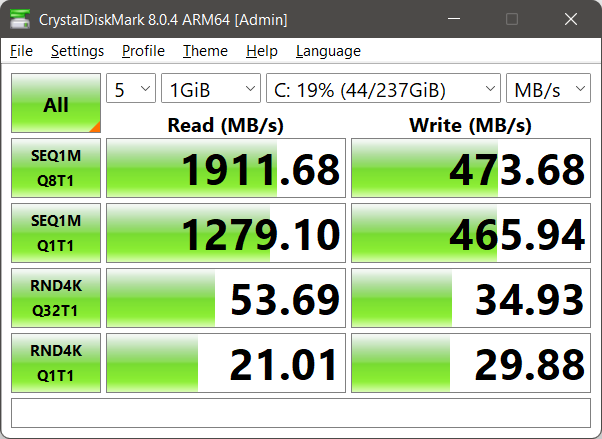
<p>My next problem was the fact that I didn’t have ccache anymore. I already knew that ccache is usable on Windows using MinGW and decided to build it.</p>
<p>The following picture describes my feelings after opening the ccache’s source archive:</p>

<p><img src="https://cristianadam.eu/assets/images/speeding-up-cmake/autotools.jpg" class="noborder" /></p>

<p>Instead of giving up I decided write a CMake port for ccache. A few hours later I got it working, code is on <a href="https://github.com/cristianadam/ccache-cmake">github</a>.</p>

<p>I was all set. Results of normal build without cache:</p>

<div class="bogus-wrapper"><notextile><figure class="code"> <div class="CodeRay">
  <div class="code"><pre>
Elapsed time: 44 s. (time), 44.408 s. (clock)
Elapsed time: 22 s. (time), 22.126 s. (clock)
Elapsed time: 2671 s. (time), 2670.62 s. (clock)
</pre></div>
</div>
 </figure></notextile></div>

<p>CMake time was <strong>1.62%</strong> from all build time, and only 3.14x slower than running on Linux.</p>

<p>Setting up ccache was a bit troublesome. On Linux under <code>/usr/lib/ccache</code> the symbolic links for g++ work wonderful. On Windows when I tried using <code>mklink</code> I’ve got ccache complaining about some recursion.</p>

<p>I had to tell CMake to use ccache by using the <code>CMAKE_CXX_COMPILER_LAUNCHER</code> command line parameter.</p>

<p>ccache cold:</p>

<div class="bogus-wrapper"><notextile><figure class="code"> <div class="CodeRay">
  <div class="code"><pre>
Elapsed time: 44 s. (time), 43.901 s. (clock)
Elapsed time: 20 s. (time), 20.747 s. (clock)
Elapsed time: 3326 s. (time), 3325.93 s. (clock)
</pre></div>
</div>
 </figure></notextile></div>

<p>CMake time was <strong>1.30%</strong> from all build time.</p>

<p>ccache warm:</p>

<div class="bogus-wrapper"><notextile><figure class="code"> <div class="CodeRay">
  <div class="code"><pre>
Elapsed time: 43 s. (time), 43.284 s. (clock)
Elapsed time: 20 s. (time), 20.501 s. (clock)
Elapsed time: 99 s. (time), 99.036 s. (clock)
</pre></div>
</div>
 </figure></notextile></div>

<p>CMake time was <strong>30.28%</strong> from all build time. Also all the configure checks were not speed up, I think <code>CMAKE_CXX_COMPILER_LAUNCHER</code> is not taken into consideration in this case.</p>

<p>Setting up ld.gold was done like this:</p>

<div class="bogus-wrapper"><notextile><figure class="code"> <div class="CodeRay">
  <div class="code"><pre>
C:\mingw64\bin
$ copy ld.gold.exe ld.exe
Overwrite ld.exe? (Yes/No/All): y
        1 file(s) copied.
</pre></div>
</div>
 </figure></notextile></div>

<p>ccache and ld.gold:</p>

<div class="bogus-wrapper"><notextile><figure class="code"> <div class="CodeRay">
  <div class="code"><pre>
Elapsed time: 43 s. (time), 43.502 s. (clock)
Elapsed time: 20 s. (time), 20.501 s. (clock)
Elapsed time: 99 s. (time), 99.661 s. (clock)       
</pre></div>
</div>
 </figure></notextile></div>

<p>No difference, which makes me think that LLVM CMake code detects ld.gold if present on Windows and uses it automatically. Found out that CMakeCache.txt had the following
variables: <code>GOLD_EXECUTABLE</code> and <code>LLVM_TOOL_GOLD_BUILD</code> set to <code>ON</code>.</p>

<p>Renamed ld.gold.exe to something else, copied ld.bfd.exe as ld.exe and run the build again.</p>

<div class="bogus-wrapper"><notextile><figure class="code"> <div class="CodeRay">
  <div class="code"><pre>
Elapsed time: 44 s. (time), 44.112 s. (clock)
Elapsed time: 21 s. (time), 20.563 s. (clock)
Elapsed time: 101 s. (time), 101.145 s. (clock)
</pre></div>
</div>
 </figure></notextile></div>

<p>No idea why there was no more significant difference between ld.bfd.exe and ld.gold.exe.</p>

<p>The Windows native cached build was 2.78x slower than the Linux native build, and 2x faster than the Linux build running under Windows 10’s Linux Bash Shell.</p>

<h2 id="cmake-speedup">CMake Speedup</h2>

<p>Now I guess you are wondering about the promised CMake speedup, right?</p>

<p>You have noticed that the second CMake run is almost two times faster than the first one!</p>

<p>CMake for configure checks actually sets up a small project using the given generator (in my case ninja), it tries to compile the project, and based on the 
compilation result determines if some header, function or symbol is present on the system.</p>

<p>These checks are run sequential, not in parallel, and thus they can take some time.</p>

<p>At some point this year I’ve learned that one can override a CMake function / macro and the original function is accessible under the same name prefixed with an underscore.
Daniel Pfeiffer mentions this in his <a href="https://youtu.be/bsXLMQ6WgIk?t=504">C++Now 2017 Effective CMake talk</a>.</p>

<p>My thought was to override all the checks and cache them for further use.</p>

<p>CMake <code>-C command</code> pre-loads a script to populate the cache.</p>

<p>So I’ve come up with some code (get it from <a href="https://github.com/cristianadam/cmake-checks-cache">github</a> ) which can be used like this:</p>

<div class="bogus-wrapper"><notextile><figure class="code"> <div class="CodeRay">
  <div class="code"><pre>
cmake_minimum_required(VERSION 3.4.3)
set(CMAKE_MODULE_PATH ${CMAKE_SOURCE_DIR}/CMakeChecksCache)
add_subdirectory(llvm-4.0.0.src)
</pre></div>
</div>
 </figure></notextile></div>

<p>When CMake will do an <code>include(CheckIncludeFile)</code> it will get my version of <code>CheckIncludeFile.cmake</code> which will save all findings in <code>cmake_checks_cache.txt</code> file, 
or a different file name which you can set via <code>CMAKE_CHECKS_CACHE_FILE</code>.</p>

<p>Implementation has a few hacks due to bugs into CMake *.cmake files. For example <code>CheckSymbolExists.cmake</code> has an implementation macro named <code>_CHECK_SYMBOL_EXISTS</code>!
Also these macros do not have inclusion guards, which means that my override macro will always be redefined by the actual call of <code>include(Check...)</code>.</p>

<p>Usage is simple:</p>

<p>First create the CMake checks cache file.</p>

<div class="bogus-wrapper"><notextile><figure class="code"> <div class="CodeRay">
  <div class="code"><pre>
$ cmake -E time cmake -G &quot;Ninja&quot; .. -DCMAKE_BUILD_TYPE=Release -DCMAKE_INSTALL_PREFIX=/home/cadam/llvm -DLLVM_TARGETS_TO_BUILD=X86`
</pre></div>
</div>
 </figure></notextile></div>

<p>Notice that I used <code>..</code> instead of <code>../llvm-4.0.0.src</code>, because that’s where I put the three lines <code>CMakeLists.txt</code> file from above.</p>

<p>Then we just tell CMake to use the checks cache file :smile:</p>

<div class="bogus-wrapper"><notextile><figure class="code"> <div class="CodeRay">
  <div class="code"><pre>
$ cmake -E time cmake -C cmake_checks_cache.txt -G &quot;Ninja&quot; ../llvm-4.0.0.src -DCMAKE_BUILD_TYPE=Release -DCMAKE_INSTALL_PREFIX=/home/cadam/llvm -DLLVM_TARGETS_TO_BUILD=X86
</pre></div>
</div>
 </figure></notextile></div>

<p>LLVM and clang together have 115 configure checks which are no cached!</p>

<p>The results of the runs are now like this:</p>

<p>Ubuntu 16.04 LTS with warm ccache, ld.gold and cmake-checks-cache:</p>

<div class="bogus-wrapper"><notextile><figure class="code"> <div class="CodeRay">
  <div class="code"><pre>
Elapsed time: 7 s. (time), 0.001996 s. (clock)
Elapsed time: 6 s. (time), 0.001232 s. (clock)
Elapsed time: 40 s. (time), 0.067355 s. (clock)
</pre></div>
</div>
 </figure></notextile></div>

<p>CMake time is <strong>14.89%</strong> from all build time. This is down from <strong>23.52%</strong>!</p>

<p>Ubuntu 16.04 LTS on Windows 10 with warm ccache, ld.gold and cmake-checks-cache:</p>

<div class="bogus-wrapper"><notextile><figure class="code"> <div class="CodeRay">
  <div class="code"><pre>
Elapsed time: 44 s. (time), 0.046875 s. (clock)
Elapsed time: 36 s. (time), 0 s. (clock)
Elapsed time: 205 s. (time), 0.1875 s. (clock)
</pre></div>
</div>
 </figure></notextile></div>

<p>CMake time is <strong>17.67%</strong> from all build time. This is down from <strong>27.05%</strong>!</p>

<p>MinGW-w64 GCC 5.4.0 on Windows 10 with warm ccache, ld.gold and cmake-checks-cache:</p>

<div class="bogus-wrapper"><notextile><figure class="code"> <div class="CodeRay">
  <div class="code"><pre>
Elapsed time: 25 s. (time), 24.704 s. (clock)
Elapsed time: 21 s. (time), 20.469 s. (clock)
Elapsed time: 99 s. (time), 99.489 s. (clock)
</pre></div>
</div>
 </figure></notextile></div>

<p>CMake time is <strong>20.16%</strong> from all build time. This is down from <strong>30.28%</strong>!</p>

<p>You may be wondering why the second CMake run is still faster, that’s because CMake still does the initial compiler checks.
I had a look at what was needed to do to cache those values, and gave up :smile:</p>

<h2 id="conclusion">Conclusion</h2>

<p>If you are using a continuous integration build system (who doesn’t?), and using CMake, you might want to cache all those
checks which do not change very often!</p>
]]></content>
  </entry>
  
  <entry>
    <title type="html"><![CDATA[Qt Creator, Ubuntu, and VirtualBox]]></title>
    <link href="https://cristianadam.eu/20170321/qt-creator-ubuntu-virtualbox/"/>
    <updated>2017-03-21T22:57:08+01:00</updated>
    <id>https://cristianadam.eu/20170321/qt-creator-ubuntu-virtualbox</id>
    <content type="html"><![CDATA[<p>It is common for IT companies (at least in Germany, automotive field) to use Ubuntu Linux LTS 
in a VirtualBox on Windows or Mac hosts. This way the employee can use Microsoft Outlook / Office,
Microsoft Skype, Cisco Spark, or other proprietary collaboration tools, and at the same
time use the supplied virtual machine for development.</p>

<p>By default VirtualBox doesn’t configure any 3D acceleration or multi-core CPU for the guest. 
One needs to change these settings in order to have a more responsive desktop environment 
and to compile faster :smile: Also important not to forget about the installation of the VirtualBox 
Guest Additions.</p>

<p>Running <code>glxinfo</code> on a Ubuntu Linux 16.04 LTS in VirtualBox 5.1.18 gives back this information:</p>

<div class="bogus-wrapper"><notextile><figure class="code"> <div class="CodeRay">
  <div class="code"><pre>
OpenGL vendor string: Humper
OpenGL renderer string: Chromium
OpenGL version string: 2.1 Chromium 1.9
OpenGL shading language version string: 3.30 NVIDIA via Cg compiler
</pre></div>
</div>
 </figure></notextile></div>

<p>As it turns out this is not enough to run Qt Creator 4.2.1. Qt Creator simply displays
a black welcome screen on Ubuntu Linux 16.04 LTS, or simply crash on Ubuntu 14.04 / 12.04 LTS:</p>

<p><img src="https://cristianadam.eu/assets/images/qtcreator-virtualbox/qtcreator-virtualbox.png" /></p>

<p>If Qt Creator is run from command line, it will give out these messages (Ubuntu 16.04 LTS):</p>

<div class="bogus-wrapper"><notextile><figure class="code"> <div class="CodeRay">
  <div class="code"><pre>
QOpenGLFramebufferObject: Unsupported framebuffer format.
</pre></div>
</div>
 </figure></notextile></div>

<p>If you do a web search after “Qt Creator VirtualBox crash” you will find out how to fix
this problem – either disabling the welcome plug-in, or disable the 3D acceleration of
your VirtualBox.</p>

<p>Disabling the 3D acceleration means that the system will use a software OpenGL driver.</p>

<p>But then again why not simply use a software OpenGL driver just for Qt Creator and
not for the whole system?</p>

<!--more-->

<p>Qt Creator ships on Windows with a software OpenGL driver you can find it under
Qt Creator’s bin directory and it’s named <code>opengl32sw.dll</code>. If you rename the file
to <code>opengl32.dll</code> you will force Qt Creator to use the software OpenGL driver.</p>

<p>What about Linux? Unfortunately Qt Creator doesn’t ship the equivalent OpenGL driver,
so you will have to build it yourself, or download the precompiled binaries that
I will provide at the end of the article.</p>

<p>If you look at <a href="https://www.mesa3d.org/llvmpipe.html">Mesa 3D’s llvmpipe</a> page you will 
see how easy it is to build the software driver:</p>

<ul>
  <li>Install the prerequisites <code>sudo apt install g++ scons llvm-dev</code></li>
  <li>Get the source code <code>wget https://mesa.freedesktop.org/archive/mesa-17.0.2.tar.xz</code></li>
  <li>And compile with <code>scons build=release libgl-xlib</code></li>
</ul>

<p>This is true if you have all the prerequisites! If you don’t have them, then it’s a process
of compile, break on error, install missing package, and then try again.</p>

<p>After a few attempts I’ve managed to have this build script:</p>

<div class="bogus-wrapper"><notextile><figure class="code"> <div class="CodeRay">
  <div class="code"><pre>
#!/bin/bash

sudo apt-get install g++
sudo apt-get install llvm-dev
#for ubuntu 12.04
#sudo apt-get install llvm-3.4-dev
#sudo sudo ln -s /usr/bin/llvm-config-3.4 /usr/bin/llvm-config
sudo apt-get install scons
sudo apt-get install x11-xcb-dev
sudo apt-get install libx11-dev
sudo apt-get install libx11-xcb-dev
sudo apt-get install libxcb-xfixes-dev
sudo apt-get install libxcb-xfixes
sudo apt-get install libxfixes-dev
sudo apt-get install libxcb1-dev
sudo apt-get install libxext-dev
sudo apt-get install libxi-dev
sudo apt-get install libxrender-dev
sudo apt-get install libxcb-glx0-dev
sudo apt-get install libxdamage-dev
sudo apt-get install libxcb-glx-dev
sudo apt-get install libxcb-dri2-0-dev 
sudo apt-get install x11proto-gl-dev 
sudo apt-get install python-pip
sudo pip install Mako
sudo apt-get install flex
sudo apt-get install bison
sudo apt-get install zlib1g-dev

wget https://mesa.freedesktop.org/archive/mesa-17.0.2.tar.xz
tar xJf mesa-17.0.2.tar.xz
cd mesa-17.0.2/

scons build=release libgl-xlib -j 3

cd build/linux-x86_64/gallium/targets/libgl-xlib/
cp libGL.so.1 ~/qtcreator-4.2.1/lib/qtcreator/

</pre></div>
</div>
 </figure></notextile></div>

<h1 id="precompiled-binaries">Precompiled binaries</h1>

<ul>
  <li>
    <p><a href="https://cristianadam.eu/assets/qtcreator-virtualbox/ubuntu-16.04-mesa-17.0.2-libGL.tar.xz" class="download">Mesa 17.0.2 LLVMPipe for Ubuntu 16.04 x86_64 LTS</a></p>
  </li>
  <li>
    <p><a href="https://cristianadam.eu/assets/qtcreator-virtualbox/ubuntu-14.04-mesa-17.0.2-libGL.tar.xz" class="download">Mesa 17.0.2 LLVMPipe for Ubuntu 14.04 x86_64 LTS</a></p>
  </li>
  <li>
    <p><a href="https://cristianadam.eu/assets/qtcreator-virtualbox/ubuntu-12.04-mesa-17.0.2-libGL.tar.xz" class="download">Mesa 17.0.2 LLVMPipe for Ubuntu 12.04 x86_64 LTS</a></p>
  </li>
</ul>

<p>Simply unpack with <code>tar xJf ubuntu...tar.gz -C ~/qtcreator-4.2.1/lib/qtcreator/</code> and 
Qt Creator should pick the software OpenGL driver on the next start.</p>

<h1 id="ubuntu-1204">Ubuntu 12.04</h1>

<p>Ubuntu 12.04 is a bit dated and it requires a few workarounds in order to run Qt Creator 4.2.1</p>

<p>If you get the following error:</p>

<div class="bogus-wrapper"><notextile><figure class="code"> <div class="CodeRay">
  <div class="code"><pre>
./qtcreator: symbol lookup error: /home/cristian/qtcreator-4.2.1/lib/Qt/plugins/platformthemes/libqgtk3.so: undefined symbol: g_type_ensure
</pre></div>
</div>
 </figure></notextile></div>
<p>Simply delete the <code>libqgtk3.so</code> file. Qt Creator will then start.</p>

<p>The next runtime error will be, displayed as the reason for not being able to load many plugins:</p>
<div class="bogus-wrapper"><notextile><figure class="code"> <div class="CodeRay">
  <div class="code"><pre>
&quot;/usr/lib/x86_64-linux-gnu/libstdc++.so.6: version `GLIBCXX_3.4.18' not found&quot;
</pre></div>
</div>
 </figure></notextile></div>
<p>Which gets fixed by installing the following ppa and a reboot for good measure:</p>

<div class="bogus-wrapper"><notextile><figure class="code"> <div class="CodeRay">
  <div class="code"><pre>
sudo add-apt-repository ppa:ubuntu-toolchain-r/test
sudo apt-get update
sudo apt-get install libstdc++6-4.7-dev
</pre></div>
</div>
 </figure></notextile></div>

<h1 id="software-opengl-driver">Software OpenGL Driver</h1>

<p>You can use the Software OpenGL driver for other x86_64 programs, not only Qt Creator :smile:</p>
]]></content>
  </entry>
  
  <entry>
    <title type="html"><![CDATA[NullPointerException in C++]]></title>
    <link href="https://cristianadam.eu/20160914/nullpointerexception-in-c-plus-plus/"/>
    <updated>2016-09-14T20:27:54+02:00</updated>
    <id>https://cristianadam.eu/20160914/nullpointerexception-in-c-plus-plus</id>
    <content type="html"><![CDATA[<p>For those familiar with languages like Java, and C#, something like NullPointerException 
shouldn’t come as a surprise. But what about C++? C++ also has exceptions, right?</p>

<p>In C++ reading or writing at address zero is an access violation. By default an access 
violation will result in the immediate termination of the program. What else results
in immediate termination of the program? Division by zero! There is no ArithmeticException, only
a swift termination!</p>

<p>The OS’ SDK usually provides a way to catch such access violations and recover from them.
This way of catching access violations involves a C callback method and a bit of setup.</p>

<p>Wouldn’t be nice if the setup would be one line of code and the C callback function
would throw C++ exceptions behind the scenes?</p>

<p>But it does work like this. At least on Windows and Linux (I don’t have access to a macOS machine),
and only with a few select compilers.</p>

<p>Before going further into details I would like to present my test case: define functions which do:</p>

<ul>
  <li>Division by zero</li>
  <li>Reading from nullptr</li>
  <li>Writing at nullptr</li>
  <li>Write to an empy vector with the subscript operator []</li>
  <li>Read from an uninitialized shared_ptr</li>
</ul>

<p>Execute them ten times to make sure that this is not only one time “wonder”.  Every <code>try</code> block will 
have an instance of a RAII <code>Message</code> object to make sure that stack unwinding is taking place, and 
that we won’t have any resource leaks.</p>

<!-- more-->

<h2 id="test-code">Test code</h2>

<p>The test code is below:</p>

<div class="bogus-wrapper"><notextile><figure class="code"> <div class="CodeRay">
  <div class="code"><pre>
<span class="preprocessor">#include</span> <span class="include">&lt;iostream&gt;</span>
<span class="preprocessor">#include</span> <span class="include">&lt;sstream&gt;</span>
<span class="preprocessor">#include</span> <span class="include">&lt;vector&gt;</span>
<span class="preprocessor">#include</span> <span class="include">&lt;memory&gt;</span>
<span class="preprocessor">#include</span> <span class="include">&lt;map&gt;</span>
<span class="preprocessor">#include</span> <span class="include">&lt;functional&gt;</span>

<span class="preprocessor">#include</span> <span class="include">&lt;except/except.hpp&gt;</span>

<span class="keyword">struct</span> Message
{
    std::<span class="predefined-type">string</span> message;
    Message(<span class="directive">const</span> std::<span class="predefined-type">string</span>&amp; aMessage) : message(aMessage)
    {
        std::cout &lt;&lt; <span class="string"><span class="delimiter">&quot;</span><span class="content">Message: </span><span class="delimiter">&quot;</span></span> &lt;&lt; message &lt;&lt; std::endl;
    }
    
    ~Message()
    {
        std::cout &lt;&lt; <span class="string"><span class="delimiter">&quot;</span><span class="content">~Message: </span><span class="delimiter">&quot;</span></span> &lt;&lt; message &lt;&lt; std::endl;
    }
};

<span class="directive">void</span> readNullPointer()
{
    <span class="keyword">try</span>
    {
       Message msg(<span class="string"><span class="delimiter">&quot;</span><span class="content">read from nullptr</span><span class="delimiter">&quot;</span></span>);
       <span class="predefined-type">int</span>* p = <span class="predefined-constant">nullptr</span>;
       std::cout &lt;&lt; *p &lt;&lt; std::endl;
    }
    <span class="keyword">catch</span> (<span class="directive">const</span> std::exception&amp; ex)
    {
        std::cout &lt;&lt; ex.what() &lt;&lt; std::endl;
    }
}

<span class="directive">void</span> writeNullPointer()
{
   <span class="keyword">try</span>
   {
      Message msg(<span class="string"><span class="delimiter">&quot;</span><span class="content">write to nullptr</span><span class="delimiter">&quot;</span></span>);
      <span class="predefined-type">int</span>* p = <span class="predefined-constant">nullptr</span>;
      *p = <span class="integer">42</span>;
      std::cout &lt;&lt; *p &lt;&lt; std::endl;
   }
   <span class="keyword">catch</span> (<span class="directive">const</span> std::exception&amp; ex)
   {
       std::cout &lt;&lt; ex.what() &lt;&lt; std::endl;
   }
}

<span class="directive">void</span> divisionByZero()
{
   <span class="keyword">try</span>
   {
      Message msg(<span class="string"><span class="delimiter">&quot;</span><span class="content">division by zero</span><span class="delimiter">&quot;</span></span>);
      <span class="predefined-type">int</span> a = <span class="integer">42</span>;
      <span class="directive">volatile</span> <span class="predefined-type">int</span> b = <span class="integer">0</span>;
      std::cout &lt;&lt; a / b &lt;&lt; std::endl;
   }
   <span class="keyword">catch</span> (<span class="directive">const</span> std::exception&amp; ex)
   {
       std::cout &lt;&lt; ex.what() &lt;&lt; std::endl;
   }
}

<span class="directive">void</span> outOfBoundsVector()
{
    <span class="keyword">try</span>
    {
        Message(<span class="string"><span class="delimiter">&quot;</span><span class="content">out of bounds vector</span><span class="delimiter">&quot;</span></span>);
        std::vector&lt;<span class="predefined-type">int</span>&gt; v;
        v[<span class="integer">0</span>] = <span class="integer">42</span>;
        std::cout &lt;&lt; v[<span class="integer">0</span>] &lt;&lt; std::endl;
    }
    <span class="keyword">catch</span> (<span class="directive">const</span> std::exception&amp; ex)
    {
        std::cout &lt;&lt; ex.what() &lt;&lt; std::endl;
    }
}

<span class="directive">void</span> nullSharedPointer()
{
    <span class="keyword">try</span>
    {
        Message(<span class="string"><span class="delimiter">&quot;</span><span class="content">reading empty shared_ptr</span><span class="delimiter">&quot;</span></span>);
        std::shared_ptr&lt;<span class="predefined-type">int</span>&gt; sp = std::make_shared&lt;<span class="predefined-type">int</span>&gt;(<span class="integer">42</span>);
        std::shared_ptr&lt;<span class="predefined-type">int</span>&gt; sp2;
        sp.swap(sp2);
        
        std::cout &lt;&lt; *sp &lt;&lt; std::endl;
    }
    <span class="keyword">catch</span> (<span class="directive">const</span> std::exception&amp; ex)
    {
        std::cout &lt;&lt; ex.what() &lt;&lt; std::endl;
    }
}

std::vector&lt;std::function&lt;<span class="directive">void</span>()&gt;&gt; processArguments(<span class="predefined-type">int</span> argc, <span class="predefined-type">char</span>* argv[])
{
    std::vector&lt;std::<span class="predefined-type">string</span>&gt; arguments(argv, argv + argc);

    std::map&lt;std::<span class="predefined-type">string</span>, std::function&lt;<span class="directive">void</span>()&gt;&gt; functions
    {
        { <span class="string"><span class="delimiter">&quot;</span><span class="content">readNullPointer</span><span class="delimiter">&quot;</span></span>, readNullPointer },
        { <span class="string"><span class="delimiter">&quot;</span><span class="content">writeNullPointer</span><span class="delimiter">&quot;</span></span>, writeNullPointer },
        { <span class="string"><span class="delimiter">&quot;</span><span class="content">nullSharePointer</span><span class="delimiter">&quot;</span></span>, nullSharedPointer },
        { <span class="string"><span class="delimiter">&quot;</span><span class="content">outOfBoundsVector</span><span class="delimiter">&quot;</span></span>, outOfBoundsVector },
        { <span class="string"><span class="delimiter">&quot;</span><span class="content">divisionByZero</span><span class="delimiter">&quot;</span></span>, divisionByZero }
    };

    std::vector&lt;std::function&lt;<span class="directive">void</span>()&gt;&gt; callList;

    <span class="keyword">if</span> (arguments.size() == <span class="integer">1</span>)
    {
        std::ostringstream os;
        <span class="keyword">for</span> (<span class="directive">auto</span> pair : functions)
        {
            <span class="keyword">if</span> (os.str().size())
            {
                os &lt;&lt; <span class="string"><span class="delimiter">&quot;</span><span class="content">|</span><span class="delimiter">&quot;</span></span>;
            }
            os &lt;&lt; pair.first;
        }
        std::cout &lt;&lt; <span class="string"><span class="delimiter">&quot;</span><span class="content">Usage: </span><span class="delimiter">&quot;</span></span> &lt;&lt; arguments[<span class="integer">0</span>] &lt;&lt; <span class="string"><span class="delimiter">&quot;</span><span class="content"> [all][</span><span class="delimiter">&quot;</span></span> &lt;&lt; os.str() &lt;&lt; <span class="string"><span class="delimiter">&quot;</span><span class="content">]</span><span class="delimiter">&quot;</span></span> &lt;&lt; std::endl;
    }
    <span class="keyword">else</span> <span class="keyword">if</span> (arguments.size() == <span class="integer">2</span> &amp;&amp; arguments[<span class="integer">1</span>] == <span class="string"><span class="delimiter">&quot;</span><span class="content">all</span><span class="delimiter">&quot;</span></span>)
    {
        <span class="keyword">for</span> (<span class="directive">auto</span> pair : functions)
        {
            callList.push_back(pair.second);
        }
    }
    <span class="keyword">else</span>
    {
        <span class="keyword">for</span> (<span class="directive">auto</span> arg : arguments)
        {
            <span class="directive">auto</span> it = functions.find(arg);
            <span class="keyword">if</span> (it != functions.end())
            {
                callList.push_back(it-&gt;second);
            }
        }
    }

    <span class="keyword">return</span> callList;
}

<span class="directive">void</span> terminateHandler()
{
    <span class="keyword">if</span> (std::current_exception())
    {
        <span class="keyword">try</span>
        {
            <span class="keyword">throw</span>;
        }
        <span class="keyword">catch</span> (<span class="directive">const</span> std::exception&amp; ex)
        {
            std::cout &lt;&lt; <span class="string"><span class="delimiter">&quot;</span><span class="content">terminateHandler: </span><span class="delimiter">&quot;</span></span> &lt;&lt; ex.what() &lt;&lt; std::endl;
        }
        <span class="keyword">catch</span> (...)
        {
            std::cout &lt;&lt; <span class="string"><span class="delimiter">&quot;</span><span class="content">terminateHandler: Unknown exception!</span><span class="delimiter">&quot;</span></span> &lt;&lt; std::endl;
        }
    }
    <span class="keyword">else</span>
    {
        std::cout  &lt;&lt; <span class="string"><span class="delimiter">&quot;</span><span class="content">terminateHandler: called without an exception.</span><span class="delimiter">&quot;</span></span> &lt;&lt; std::endl;
    }
    std::abort();
}

<span class="predefined-type">int</span> main(<span class="predefined-type">int</span> argc, <span class="predefined-type">char</span>* argv[])
{
    except::register_for_os_exceptions();
    std::set_terminate(terminateHandler);
   
    <span class="directive">auto</span> callList = processArguments(argc, argv);
    <span class="keyword">for</span> (<span class="predefined-type">int</span> i = <span class="integer">0</span>; i &lt; <span class="integer">10</span> &amp;&amp; callList.size(); ++i)
    {
        std::cout &lt;&lt; i &lt;&lt; <span class="string"><span class="delimiter">&quot;</span><span class="content">------------------------------------</span><span class="delimiter">&quot;</span></span> &lt;&lt; std::endl;
        <span class="keyword">for</span> (<span class="directive">auto</span> func : callList)
        {
            func();
        }
        std::cout &lt;&lt; <span class="string"><span class="delimiter">&quot;</span><span class="content">------------------------------------</span><span class="delimiter">&quot;</span></span> &lt;&lt; i &lt;&lt; std::endl;
    }
}
</pre></div>
</div>
 </figure></notextile></div>

<p>The output of the program should be like this:</p>
<div class="bogus-wrapper"><notextile><figure class="code"> <div class="CodeRay">
  <div class="code"><pre>
0------------------------------------
Message: division by zero
~Message: division by zero
OS exception: division by zero!
Message: reading empty shared_ptr
~Message: reading empty shared_ptr
OS exception: null pointer!
Message: out of bounds vector
~Message: out of bounds vector
OS exception: null pointer!
Message: read from nullptr
~Message: read from nullptr
OS exception: null pointer!
Message: write to nullptr
~Message: write to nullptr
OS exception: null pointer!
------------------------------------0
</pre></div>
</div>
 </figure></notextile></div>

<p>For brevity I displayed only the first block.</p>

<p>How should <code>except::register_for_os_exceptions()</code> look like? Can it be done in a cross-platform way,
or only with platform specific code?</p>

<h2 id="stdsignal">std::signal</h2>

<p><code>std::signal</code> is part of the C library and subsequently also from C++ library. The <a href="http://en.cppreference.com/w/cpp/utility/program/signal">cppreference.com</a>
page has some information about this, but the example they provide doesn’t actually help with my 
task at hand.</p>

<p><code>std::signal</code> should not be used in multi threading programs and it doesn’t provide additional
information about the error. For example for the <code>SIGSEGV</code> signal we cannot get the address at which 
the access violation has occurred.</p>

<p>This is what Rosetta Code has chosen for their <a href="https://rosettacode.org/wiki/Detect_division_by_zero#C.2B.2B">C++ division by zero sample</a>.</p>

<p>From the tests I have made I can say that the signal handling and recovery is not cross platform.
It is at most one shot and only Visual C++ generates code that recovers.</p>

<p>Implementation of <code>except::register_for_os_exceptions()</code> looks like this:</p>

<div class="bogus-wrapper"><notextile><figure class="code"> <div class="CodeRay">
  <div class="code"><pre>
<span class="directive">const</span> <span class="predefined-type">char</span>* signalDescription(<span class="predefined-type">int</span> sgn)
{
    <span class="keyword">switch</span>(sgn)
    {
        <span class="keyword">case</span> SIGABRT: <span class="keyword">return</span> <span class="string"><span class="delimiter">&quot;</span><span class="content">SIGABRT</span><span class="delimiter">&quot;</span></span>;
        <span class="keyword">case</span> SIGFPE:  <span class="keyword">return</span> <span class="string"><span class="delimiter">&quot;</span><span class="content">SIGFPE</span><span class="delimiter">&quot;</span></span>;
        <span class="keyword">case</span> SIGILL:  <span class="keyword">return</span> <span class="string"><span class="delimiter">&quot;</span><span class="content">SIGILL</span><span class="delimiter">&quot;</span></span>;
        <span class="keyword">case</span> SIGINT:  <span class="keyword">return</span> <span class="string"><span class="delimiter">&quot;</span><span class="content">SIGINT</span><span class="delimiter">&quot;</span></span>;
        <span class="keyword">case</span> SIGSEGV: <span class="keyword">return</span> <span class="string"><span class="delimiter">&quot;</span><span class="content">SIGSEGV</span><span class="delimiter">&quot;</span></span>;
        <span class="keyword">case</span> SIGTERM: <span class="keyword">return</span> <span class="string"><span class="delimiter">&quot;</span><span class="content">SIGTERM</span><span class="delimiter">&quot;</span></span>;
        <span class="keyword">default</span>:      <span class="keyword">return</span> <span class="string"><span class="delimiter">&quot;</span><span class="content">UNKNOWN</span><span class="delimiter">&quot;</span></span>;
    }
}

<span class="directive">void</span> signalHandler(<span class="predefined-type">int</span> sgn)
{
    std::ostringstream os;
    os &lt;&lt; <span class="string"><span class="delimiter">&quot;</span><span class="content">Signal caught: </span><span class="delimiter">&quot;</span></span> &lt;&lt; signalDescription(sgn) &lt;&lt; <span class="string"><span class="delimiter">&quot;</span><span class="content">(</span><span class="delimiter">&quot;</span></span> &lt;&lt; sgn &lt;&lt; <span class="string"><span class="delimiter">&quot;</span><span class="content">)</span><span class="delimiter">&quot;</span></span>;

    signal(sgn, signalHandler);

    <span class="keyword">throw</span> std::runtime_error(os.str().c_str());
}

<span class="directive">void</span> register_for_os_exceptions()
{
    signal(SIGABRT, signalHandler);
    signal(SIGFPE, signalHandler);
    signal(SIGILL, signalHandler);
    signal(SIGINT, signalHandler);
    signal(SIGSEGV, signalHandler);
    signal(SIGTERM, signalHandler);
}
</pre></div>
</div>
 </figure></notextile></div>

<p>In the next part I would name std::signal as POSIX_SIGNAL.</p>

<h2 id="windows-structured-exception-handling-seh">Windows’ Structured Exception Handling (SEH)</h2>

<p>Wikipedia describes <a href="https://en.wikipedia.org/wiki/Microsoft-specific_exception_handling_mechanisms">Structured Exception Handling</a> like this:</p>

<blockquote><p>Microsoft Structured Exception Handling is the native exception handling mechanism for Windows and a forerunner technology to Vectored Exception Handling (VEH). It features the finally mechanism not present in standard С++ exceptions (but present in most imperative languages introduced later). SEH is set up and handled separately for each thread of execution.
<br />
<br />The Microsoft implementation of SEH is based on a patent licensed from Borland, U.S. Patent 5,628,016. Open-source operating systems have resisted adopting a SEH-based mechanism due to this patent.
<br />
<br />Microsoft supports SEH as a programming technique at the compiler level only. MS Visual C++ compiler features three non-standard keywords: __try, __except and __finally — for this purpose.</p></blockquote>

<p>Those <code>__try</code>, <code>__except</code>, <code>__finally</code> keywords look very scary. Luckily we don’t need to worry
about them. Microsoft provided the function <a href="https://msdn.microsoft.com/en-us/library/5z4bw5h5.aspx">set_se_translator()</a>
which handles the C structured exceptions as C++ typed exceptions.</p>

<p>Implementation of <code>except::register_for_os_exceptions()</code> looks like this:</p>

<div class="bogus-wrapper"><notextile><figure class="code"> <div class="CodeRay">
  <div class="code"><pre>
<span class="directive">const</span> <span class="predefined-type">char</span>* seDescription(<span class="directive">const</span> <span class="predefined-type">unsigned</span> <span class="predefined-type">int</span>&amp; code)
{
    <span class="keyword">switch</span> (code)
    {
        <span class="keyword">case</span> EXCEPTION_ACCESS_VIOLATION:         <span class="keyword">return</span> <span class="string"><span class="delimiter">&quot;</span><span class="content">EXCEPTION_ACCESS_VIOLATION</span><span class="delimiter">&quot;</span></span>;
        <span class="keyword">case</span> EXCEPTION_ARRAY_BOUNDS_EXCEEDED:    <span class="keyword">return</span> <span class="string"><span class="delimiter">&quot;</span><span class="content">EXCEPTION_ARRAY_BOUNDS_EXCEEDED</span><span class="delimiter">&quot;</span></span>;
        <span class="keyword">case</span> EXCEPTION_BREAKPOINT:               <span class="keyword">return</span> <span class="string"><span class="delimiter">&quot;</span><span class="content">EXCEPTION_BREAKPOINT</span><span class="delimiter">&quot;</span></span>;
        <span class="keyword">case</span> EXCEPTION_DATATYPE_MISALIGNMENT:    <span class="keyword">return</span> <span class="string"><span class="delimiter">&quot;</span><span class="content">EXCEPTION_DATATYPE_MISALIGNMENT</span><span class="delimiter">&quot;</span></span>;
        <span class="keyword">case</span> EXCEPTION_FLT_DENORMAL_OPERAND:     <span class="keyword">return</span> <span class="string"><span class="delimiter">&quot;</span><span class="content">EXCEPTION_FLT_DENORMAL_OPERAND</span><span class="delimiter">&quot;</span></span>;
        <span class="keyword">case</span> EXCEPTION_FLT_DIVIDE_BY_ZERO:       <span class="keyword">return</span> <span class="string"><span class="delimiter">&quot;</span><span class="content">EXCEPTION_FLT_DIVIDE_BY_ZERO</span><span class="delimiter">&quot;</span></span>;
        <span class="keyword">case</span> EXCEPTION_FLT_INEXACT_RESULT:       <span class="keyword">return</span> <span class="string"><span class="delimiter">&quot;</span><span class="content">EXCEPTION_FLT_INEXACT_RESULT</span><span class="delimiter">&quot;</span></span>;
        <span class="keyword">case</span> EXCEPTION_FLT_INVALID_OPERATION:    <span class="keyword">return</span> <span class="string"><span class="delimiter">&quot;</span><span class="content">EXCEPTION_FLT_INVALID_OPERATION</span><span class="delimiter">&quot;</span></span>;
        <span class="keyword">case</span> EXCEPTION_FLT_OVERFLOW:             <span class="keyword">return</span> <span class="string"><span class="delimiter">&quot;</span><span class="content">EXCEPTION_FLT_OVERFLOW</span><span class="delimiter">&quot;</span></span>;
        <span class="keyword">case</span> EXCEPTION_FLT_STACK_CHECK:          <span class="keyword">return</span> <span class="string"><span class="delimiter">&quot;</span><span class="content">EXCEPTION_FLT_STACK_CHECK</span><span class="delimiter">&quot;</span></span>;
        <span class="keyword">case</span> EXCEPTION_FLT_UNDERFLOW:            <span class="keyword">return</span> <span class="string"><span class="delimiter">&quot;</span><span class="content">EXCEPTION_FLT_UNDERFLOW</span><span class="delimiter">&quot;</span></span>;
        <span class="keyword">case</span> EXCEPTION_ILLEGAL_INSTRUCTION:      <span class="keyword">return</span> <span class="string"><span class="delimiter">&quot;</span><span class="content">EXCEPTION_ILLEGAL_INSTRUCTION</span><span class="delimiter">&quot;</span></span>;
        <span class="keyword">case</span> EXCEPTION_IN_PAGE_ERROR:            <span class="keyword">return</span> <span class="string"><span class="delimiter">&quot;</span><span class="content">EXCEPTION_IN_PAGE_ERROR</span><span class="delimiter">&quot;</span></span>;
        <span class="keyword">case</span> EXCEPTION_INT_DIVIDE_BY_ZERO:       <span class="keyword">return</span> <span class="string"><span class="delimiter">&quot;</span><span class="content">EXCEPTION_INT_DIVIDE_BY_ZERO</span><span class="delimiter">&quot;</span></span>;
        <span class="keyword">case</span> EXCEPTION_INT_OVERFLOW:             <span class="keyword">return</span> <span class="string"><span class="delimiter">&quot;</span><span class="content">EXCEPTION_INT_OVERFLOW</span><span class="delimiter">&quot;</span></span>;
        <span class="keyword">case</span> EXCEPTION_INVALID_DISPOSITION:      <span class="keyword">return</span> <span class="string"><span class="delimiter">&quot;</span><span class="content">EXCEPTION_INVALID_DISPOSITION</span><span class="delimiter">&quot;</span></span>;
        <span class="keyword">case</span> EXCEPTION_NONCONTINUABLE_EXCEPTION: <span class="keyword">return</span> <span class="string"><span class="delimiter">&quot;</span><span class="content">EXCEPTION_NONCONTINUABLE_EXCEPTION</span><span class="delimiter">&quot;</span></span>;
        <span class="keyword">case</span> EXCEPTION_PRIV_INSTRUCTION:         <span class="keyword">return</span> <span class="string"><span class="delimiter">&quot;</span><span class="content">EXCEPTION_PRIV_INSTRUCTION</span><span class="delimiter">&quot;</span></span>;
        <span class="keyword">case</span> EXCEPTION_SINGLE_STEP:              <span class="keyword">return</span> <span class="string"><span class="delimiter">&quot;</span><span class="content">EXCEPTION_SINGLE_STEP</span><span class="delimiter">&quot;</span></span>;
        <span class="keyword">case</span> EXCEPTION_STACK_OVERFLOW:           <span class="keyword">return</span> <span class="string"><span class="delimiter">&quot;</span><span class="content">EXCEPTION_STACK_OVERFLOW</span><span class="delimiter">&quot;</span></span>;
        <span class="keyword">default</span>:                                 <span class="keyword">return</span> <span class="string"><span class="delimiter">&quot;</span><span class="content">UNKNOWN EXCEPTION</span><span class="delimiter">&quot;</span></span>;
    }
}

<span class="directive">void</span> seTranslator(<span class="predefined-type">unsigned</span> <span class="predefined-type">int</span> code, <span class="keyword">struct</span> _EXCEPTION_POINTERS* ep)
{
    <span class="keyword">if</span> (code == EXCEPTION_ACCESS_VIOLATION || code == EXCEPTION_IN_PAGE_ERROR)
    {
        <span class="keyword">if</span> (ep-&gt;ExceptionRecord-&gt;ExceptionInformation[<span class="integer">1</span>] == <span class="integer">0</span>)
        {
            <span class="keyword">throw</span> null_pointer_exception();
        }
    }
    <span class="keyword">else</span> <span class="keyword">if</span> (code == EXCEPTION_FLT_DIVIDE_BY_ZERO ||
             code == EXCEPTION_INT_DIVIDE_BY_ZERO)
    {
        <span class="keyword">throw</span> division_by_zero_exception();
    }

    std::ostringstream os;
    os &lt;&lt; <span class="string"><span class="delimiter">&quot;</span><span class="content">Structured exception caught: </span><span class="delimiter">&quot;</span></span> &lt;&lt; seDescription(code);

    <span class="keyword">throw</span> std::runtime_error(os.str().c_str());
}

<span class="directive">void</span> register_for_os_exceptions()
{
    _set_se_translator(seTranslator);
}
</pre></div>
</div>
 </figure></notextile></div>

<p>As you can see now we can have <code>null_pointer_exception</code> and <code>division_by_zero_exception</code> because
SEH provides enough information.</p>

<p>The above code only works when the compiler parameter <a href="https://msdn.microsoft.com/en-us/library/1deeycx5.aspx">/EHa</a>
is set.</p>

<p>MSDN says about <code>/EHa</code> the following:</p>

<blockquote><p>The exception-handling model that catches both asynchronous (structured) and synchronous (C++) exceptions.
<br />
<br />The /EHa compiler option is used to support asynchronous structured exception handling (SEH) with the native C++ catch(...) clause.
<br />
<br />If you use /EHa, the image may be larger and might perform less well because the compiler does not optimize a try block as aggressively. It also leaves in exception filters that automatically call the destructors of all local objects even if the compiler does not see any code that can throw a C++ exception. This enables safe stack unwinding for asynchronous exceptions as well as for C++ exceptions.</p></blockquote>

<p>Visual C++ obviously has support for SEH exceptions. But what about the <code>clang-cl</code> drop in replacement?</p>

<p>Clang 4.0 documentation states the <a href="http://clang.llvm.org/docs/MSVCCompatibility.html">following</a> about SEH:</p>
<blockquote><p>Asynchronous Exceptions (SEH): Partial. Structured exceptions (__try / __except / __finally) mostly work on x86 and x64. LLVM does not model asynchronous exceptions, so it is currently impossible to catch an asynchronous exception generated in the same frame as the catching __try.</p></blockquote>

<p>What about GCC on Windows (MinGW)? GCC has a <a href="https://gcc.gnu.org/wiki/WindowsGCCImprovements">Wiki page</a>
which states:</p>
<blockquote><p>Unfortunately, GCC does not support SEH yet. Casper Hornstrup had created an initial implementation, but it was never merged into mainline GCC. Some people have expressed concerns over a Borland patent on SEH, but Borland seems to dismiss these concerns as balderdash.</p></blockquote>

<p>In practice MinGW GCC 6.1.0 has the <code>&lt;eh.h&gt;</code> header, but the linker gives an error: 
<code>undefined reference to '__imp__Z18_set_se_translatorPFvjP19_EXCEPTION_POINTERSE'</code>.</p>

<p>But what about Clang with Microsoft CodeGen which is available since <a href="https://blogs.msdn.microsoft.com/vcblog/2015/12/04/clang-with-microsoft-codegen-in-vs-2015-update-1/">Visual C++ 2015 Update 1</a>?
Compilation gives an error: <code>error : Element &lt;ExceptionHandling&gt; has an invalid value of "Async"</code>.</p>

<h2 id="posixs-sigaction">POSIX’s sigaction</h2>

<p>POSIX had an update to <code>std::signal</code> which works in multi-threaded environment and it provides
information about error cases, this update is <a href="http://pubs.opengroup.org/onlinepubs/9699919799/functions/sigaction.html">sigaction</a>.</p>

<p>Implementation of <code>except::register_for_os_exceptions()</code> looks like this:</p>

<div class="bogus-wrapper"><notextile><figure class="code"> <div class="CodeRay">
  <div class="code"><pre>
<span class="directive">const</span> <span class="predefined-type">char</span>* signalDescription(<span class="predefined-type">int</span> sgn)
{
    <span class="keyword">switch</span>(sgn)
    {
        <span class="keyword">case</span> SIGABRT: <span class="keyword">return</span> <span class="string"><span class="delimiter">&quot;</span><span class="content">SIGABRT</span><span class="delimiter">&quot;</span></span>;
        <span class="keyword">case</span> SIGFPE:  <span class="keyword">return</span> <span class="string"><span class="delimiter">&quot;</span><span class="content">SIGFPE</span><span class="delimiter">&quot;</span></span>;
        <span class="keyword">case</span> SIGILL:  <span class="keyword">return</span> <span class="string"><span class="delimiter">&quot;</span><span class="content">SIGILL</span><span class="delimiter">&quot;</span></span>;
        <span class="keyword">case</span> SIGINT:  <span class="keyword">return</span> <span class="string"><span class="delimiter">&quot;</span><span class="content">SIGINT</span><span class="delimiter">&quot;</span></span>;
        <span class="keyword">case</span> SIGSEGV: <span class="keyword">return</span> <span class="string"><span class="delimiter">&quot;</span><span class="content">SIGSEGV</span><span class="delimiter">&quot;</span></span>;
        <span class="keyword">case</span> SIGTERM: <span class="keyword">return</span> <span class="string"><span class="delimiter">&quot;</span><span class="content">SIGTERM</span><span class="delimiter">&quot;</span></span>;
        <span class="keyword">default</span>:      <span class="keyword">return</span> <span class="string"><span class="delimiter">&quot;</span><span class="content">UNKNOWN</span><span class="delimiter">&quot;</span></span>;
    }
}

<span class="directive">void</span> signalHandler(<span class="predefined-type">int</span> sgn, siginfo_t *info, <span class="directive">void</span> *)
{
    <span class="keyword">if</span> (sgn == SIGSEGV &amp;&amp; info-&gt;si_addr == <span class="integer">0</span>)
    {
        <span class="keyword">throw</span> null_pointer_exception();
    }

    <span class="keyword">if</span> (sgn == SIGFPE &amp;&amp; (info-&gt;si_code == FPE_INTDIV || info-&gt;si_code == FPE_FLTDIV))
    {
        <span class="keyword">throw</span> division_by_zero_exception();
    }

    std::ostringstream os;
    os &lt;&lt; <span class="string"><span class="delimiter">&quot;</span><span class="content">Signal caught: </span><span class="delimiter">&quot;</span></span> &lt;&lt; signalDescription(sgn) &lt;&lt; <span class="string"><span class="delimiter">&quot;</span><span class="content">(</span><span class="delimiter">&quot;</span></span> &lt;&lt; sgn &lt;&lt; <span class="string"><span class="delimiter">&quot;</span><span class="content">)</span><span class="delimiter">&quot;</span></span>;

    <span class="keyword">throw</span> std::runtime_error(os.str().c_str());
}

<span class="directive">void</span> register_for_os_exceptions()
{
    <span class="keyword">struct</span> sigaction act;

    act.sa_sigaction = signalHandler;
    sigemptyset(&amp;act.sa_mask);
    act.sa_flags = SA_SIGINFO | SA_NODEFER;

    sigaction(SIGABRT, &amp;act, <span class="predefined-constant">NULL</span>);
    sigaction(SIGFPE, &amp;act, <span class="predefined-constant">NULL</span>);
    sigaction(SIGILL, &amp;act, <span class="predefined-constant">NULL</span>);
    sigaction(SIGINT, &amp;act, <span class="predefined-constant">NULL</span>);
    sigaction(SIGSEGV, &amp;act, <span class="predefined-constant">NULL</span>);
    sigaction(SIGTERM, &amp;act, <span class="predefined-constant">NULL</span>);
}
</pre></div>
</div>
 </figure></notextile></div>

<p>The above code works with the compiler flag <code>-fnon-call-exceptions</code>.</p>

<h2 id="testing">Testing</h2>

<p>I have put the code on <a href="https://github.com/cristianadam/except">github</a> and I have tested on two
machines: Lenovo W510 i7 laptop and a Raspberry Pi 2. For both machines I tested Windows 10, and Linux 
operating systems.</p>

<p>For Lenovo W510 i7:</p>

<ul>
  <li>Windows 10 Visual C++ 2015 Update 3 SEH and POSIX_SIGNAL</li>
  <li>Windows 10 Visual C++ Clang 3.8 with Microsoft CodeGen SEH</li>
  <li>Windows 10 MSYS2 GCC 6.1.0, Clang 3.8.0  POSIX_SIGNAL</li>
  <li>Windows 10 Cygwin GCC 5.3.0, Clang 3.7.1 POSIX_SIGNAL and POSIX_SIGACTION</li>
  <li>Windows 10 Clang 3.9.0 with clang-cl SEH and POSIX_SIGNAL</li>
  <li>Windows 10 Ubuntu Bash (14.04) for Windows GCC 4.8.4 and Clang 3.5.0 POSIX_SIGNAL and POSIX_SIGACTION</li>
  <li>Windows 10 Ubuntu 14.04 in VirtualBox GCC 4.8.4 and Clang 3.5.0 POSIX_SIGNAL and POSIX_SIGACTION</li>
  <li>Kubuntu 16.04 GCC 5.4.0 and Clang 3.8.0 POSIX_SIGNAL and POSIX_SIGACTION</li>
</ul>

<p>For Raspberry Pi 2:</p>

<ul>
  <li>Raspbian Jessie GCC 4.9.2 and Clang 3.5.0 POSIX_SIGNAL and POSIX_SIGACTION</li>
  <li>Windows 10 IoT Visual C++ 2015 Update 3 SEH and POSIX_SIGNAL</li>
</ul>

<p>In the reports below I have combined “readNullPointer” with “nullSharePointer” and “writeNullPointer” with “outOfBoundsVector”.</p>

<h2 id="windows-10">Windows 10</h2>

<table>
  <thead>
    <tr>
      <th><strong>Compiler</strong></th>
      <th><strong>Read nullptr</strong></th>
      <th><strong>Write nullptr</strong></th>
      <th><strong>/ Zero</strong></th>
    </tr>
  </thead>
  <tbody>
    <tr>
      <td>Visual C++ 2015 Update 3 SEH</td>
      <td><strong>YES</strong></td>
      <td><strong>YES</strong></td>
      <td><strong>YES</strong></td>
    </tr>
    <tr>
      <td>Visual C++ 2015 Update 3 POSIX_SIGNAL</td>
      <td><strong>YES</strong></td>
      <td><strong>YES</strong></td>
      <td>x</td>
    </tr>
    <tr>
      <td>Visual C++ Clang 3.8 with Microsoft CodeGen SEH</td>
      <td>x</td>
      <td>x</td>
      <td>x</td>
    </tr>
    <tr>
      <td>MSYS2 GCC 6.1.0, POSIX_SIGNAL</td>
      <td>x</td>
      <td>x</td>
      <td>x</td>
    </tr>
    <tr>
      <td>MSYS2 Clang 3.8.0  POSIX_SIGNAL</td>
      <td>x</td>
      <td>x</td>
      <td>x</td>
    </tr>
    <tr>
      <td>Cygwin GCC 5.3.0, POSIX_SIGNAL</td>
      <td>x</td>
      <td>x</td>
      <td>x</td>
    </tr>
    <tr>
      <td>Cygwin GCC 5.3.0, POSIX_SIGACTION</td>
      <td>x</td>
      <td>x</td>
      <td>x</td>
    </tr>
    <tr>
      <td>Cygwin Clang 3.7.1 POSIX_SIGNAL</td>
      <td>x</td>
      <td>x</td>
      <td>x</td>
    </tr>
    <tr>
      <td>Cygwin Clang 3.7.1 POSIX_SIGACTION</td>
      <td>x</td>
      <td>x</td>
      <td>x</td>
    </tr>
    <tr>
      <td>Clang 3.9.0 with clang-cl SEH</td>
      <td>x</td>
      <td>x</td>
      <td>x</td>
    </tr>
    <tr>
      <td>Clang 3.9.0 with clang-cl POSIX_SIGNAL</td>
      <td>x</td>
      <td>x</td>
      <td>x</td>
    </tr>
    <tr>
      <td>Bash for Windows 10 GCC 4.8.4 POSIX_SIGNAL</td>
      <td>x</td>
      <td>x</td>
      <td>x</td>
    </tr>
    <tr>
      <td>Bash for Windows 10 GCC 4.8.4 POSIX_SIGACTION</td>
      <td><strong>YES</strong></td>
      <td><strong>YES</strong></td>
      <td>x</td>
    </tr>
    <tr>
      <td>Bash for Windows 10 Clang 3.5.0 POSIX_SIGNAL</td>
      <td>x</td>
      <td>x</td>
      <td>x</td>
    </tr>
    <tr>
      <td>Bash for Windows 10 Clang 3.5.0 POSIX_SIGACTION</td>
      <td>x</td>
      <td>x</td>
      <td>x</td>
    </tr>
    <tr>
      <td>Ubuntu 14.04 in VirtualBox GCC 4.8.4 POSIX_SIGNAL</td>
      <td>x</td>
      <td>x</td>
      <td>x</td>
    </tr>
    <tr>
      <td>Ubuntu 14.04 in VirtualBox GCC 4.8.4 POSIX_SIGACTION</td>
      <td><strong>YES</strong></td>
      <td><strong>YES</strong></td>
      <td><strong>YES</strong></td>
    </tr>
    <tr>
      <td>Ubuntu 14.04 in VirtualBox Clang 3.5.0 POSIX_SIGNAL</td>
      <td>x</td>
      <td>x</td>
      <td>x</td>
    </tr>
    <tr>
      <td>Ubuntu 14.04 in VirtualBox Clang 3.5.0 POSIX_SIGACTION</td>
      <td>x</td>
      <td>x</td>
      <td>x</td>
    </tr>
  </tbody>
</table>

<p>Visual C++ 2015 generates for POSIX_SIGNAL’s division by zero something else as it does for SEH. I might have found a compiler bug.</p>

<p>For Bash for Windows 10 and Ubuntu 14.04 in Virtual Box we have the same binary generated by GCC for POSIX SIGACTION.
But on Bash for Windows 10 division by zero behaves like the binary which Visual C++ 2015 generates for POSIX_SIGNAL.
It could be just a coincidence, or it may be the fact that Microsoft has reused their POSIX_SIGNAL implementation :smile:</p>

<p>Clang has a weird behavior for readNullPointer, it actually executes <code>std::cout &lt;&lt; *p &lt;&lt; std::endl</code> code 
(notice that 0, which on different platforms has different values):</p>

<div class="bogus-wrapper"><notextile><figure class="code"> <div class="CodeRay">
  <div class="code"><pre>
0------------------------------------
Message: read from nullptr
0
~Message: read from nullptr
------------------------------------0 
</pre></div>
</div>
 </figure></notextile></div>

<h2 id="kubuntu-1604">Kubuntu 16.04</h2>

<table>
  <thead>
    <tr>
      <th><strong>Compiler</strong></th>
      <th><strong>Read nullptr</strong></th>
      <th><strong>Write nullptr</strong></th>
      <th><strong>/ Zero</strong></th>
    </tr>
  </thead>
  <tbody>
    <tr>
      <td>GCC 5.4.0 POSIX_SIGNAL</td>
      <td>x</td>
      <td>x</td>
      <td>x</td>
    </tr>
    <tr>
      <td>GCC 5.4.0 POSIX_SIGACTION</td>
      <td><strong>YES</strong></td>
      <td><strong>YES</strong></td>
      <td><strong>YES</strong></td>
    </tr>
    <tr>
      <td>Clang 3.8.0 POSIX_SIGNAL</td>
      <td>x</td>
      <td>x</td>
      <td>x</td>
    </tr>
    <tr>
      <td>Clang 3.8.0 POSIX_SIGACTION</td>
      <td>x</td>
      <td>x</td>
      <td>x</td>
    </tr>
  </tbody>
</table>

<p>By now I know that POSIX_SIGNAL is platform dependent, but I have no idea how to implement it to work with GCC on Linux.</p>

<h2 id="raspberry-pi-windows-10-iot">Raspberry Pi Windows 10 IoT</h2>

<table>
  <thead>
    <tr>
      <th><strong>Compiler</strong></th>
      <th><strong>Read nullptr</strong></th>
      <th><strong>Write nullptr</strong></th>
      <th><strong>/ Zero</strong></th>
    </tr>
  </thead>
  <tbody>
    <tr>
      <td>Visual C++ 2015 Update 3 SEH</td>
      <td><strong>YES</strong></td>
      <td><strong>YES</strong></td>
      <td>x</td>
    </tr>
    <tr>
      <td>Visual C++ 2015 Update 3 POSIX_SIGNAL</td>
      <td><strong>YES</strong></td>
      <td><strong>YES</strong></td>
      <td>x</td>
    </tr>
  </tbody>
</table>

<p>The difference between Visual C++ x64 and ARM is that for SEH division by zero generates on ARM:</p>

<div class="bogus-wrapper"><notextile><figure class="code"> <div class="CodeRay">
  <div class="code"><pre>
0------------------------------------
Message: division by zero
OS exception: division by zero!
------------------------------------0
</pre></div>
</div>
 </figure></notextile></div>

<p>The destructor is not being called! I might have found another compiler bug.</p>

<h2 id="raspberry-pi-rasbpian">Raspberry Pi Rasbpian</h2>

<table>
  <thead>
    <tr>
      <th><strong>Compiler</strong></th>
      <th><strong>Read nullptr</strong></th>
      <th><strong>Write nullptr</strong></th>
      <th><strong>/ Zero</strong></th>
    </tr>
  </thead>
  <tbody>
    <tr>
      <td>GCC 4.9.2 POSIX_SIGNAL</td>
      <td>x</td>
      <td>x</td>
      <td>x</td>
    </tr>
    <tr>
      <td>GCC 4.9.2 POSIX_SIGACTION</td>
      <td>x</td>
      <td>x</td>
      <td>x</td>
    </tr>
    <tr>
      <td>Clang 3.5.0 POSIX_SIGNAL</td>
      <td>x</td>
      <td>x</td>
      <td>x</td>
    </tr>
    <tr>
      <td>Clang 3.5.0 POSIX_SIGACTION</td>
      <td>x</td>
      <td>x</td>
      <td>x</td>
    </tr>
  </tbody>
</table>

<p>GCC on ARM doesn’t work with POSIX_SIGACTION as it does on Desktop. Could be another compiler bug.</p>

<p>Microsoft can generate for ARM code which works almost as on x64, I don’t see why GCC shouldn’t do the same.</p>

<p>You can find all the output of all programs on <a href="https://github.com/cristianadam/except/tree/master/results">github</a>.</p>

<h2 id="performance">Performance</h2>

<p>We all know that exceptions are not loved by C++ developers. But nowadays with the advent of 
<a href="https://mortoray.com/2013/09/12/the-true-cost-of-zero-cost-exceptions/">Zero Cost Exceptions</a> there 
should not be a speed penalty for using them (in error cases only).</p>

<p><code>If</code> statements <a href="http://ithare.com/infographics-operation-costs-in-cpu-clock-cycles/">have a cost</a>, 
considerably smaller than the cost of throwing an exception. But if you have a lot of them at some 
point the cost of all those ifs will be bigger than the cost of occasionally throwing an exception.</p>

<p>You can try out this <a href="https://github.com/cristianadam/exceptions_benchmark">benchmark</a> (forked from Bogdan Vatră’s repository) 
to find out at which point exceptions are faster than return codes :smile:</p>

<p>The benchmark doesn’t use <code>except</code>, but the performance with a <code>division_by_zero_exception</code> should be in the same ballpark.</p>

<div class="bogus-wrapper"><notextile><figure class="code"> <div class="CodeRay">
  <div class="code"><pre>
<span class="preprocessor">#include</span> <span class="include">&lt;chrono&gt;</span>
<span class="preprocessor">#include</span> <span class="include">&lt;exception&gt;</span>
<span class="preprocessor">#include</span> <span class="include">&lt;iostream&gt;</span>

<span class="directive">using</span> <span class="keyword">namespace</span> std;

<span class="directive">static</span> uint32_t checkPoint = <span class="integer">100</span>;
<span class="directive">static</span> <span class="directive">const</span> uint32_t testCount = <span class="integer">1000000000</span>l;

uint64_t toInt(uint64_t value, <span class="predefined-type">bool</span>&amp; valid) <span class="directive">noexcept</span>
{
    valid = <span class="predefined-constant">true</span>;
    <span class="keyword">if</span> (value % checkPoint == <span class="integer">0</span>)
        valid = <span class="predefined-constant">false</span>;

    <span class="keyword">if</span> (!valid)
        <span class="keyword">return</span> value;

    <span class="keyword">return</span> ++value;
}

uint64_t toInt(uint64_t value)
{
    <span class="keyword">if</span> (value % checkPoint == <span class="integer">0</span>)
        <span class="keyword">throw</span> std::invalid_argument(<span class="string"><span class="delimiter">&quot;</span><span class="content">bla bla</span><span class="delimiter">&quot;</span></span>);
    <span class="keyword">return</span> ++value;
}

<span class="predefined-type">int</span> main()
{
    cout &lt;&lt; <span class="string"><span class="delimiter">&quot;</span><span class="content">Benchmarking exceptions, doing </span><span class="delimiter">&quot;</span></span> &lt;&lt; testCount &lt;&lt; <span class="string"><span class="delimiter">&quot;</span><span class="content"> function calls</span><span class="delimiter">&quot;</span></span> &lt;&lt; endl;
    <span class="keyword">while</span> (checkPoint &lt; testCount) {
        cout &lt;&lt; <span class="string"><span class="delimiter">&quot;</span><span class="content">Throw an error every </span><span class="delimiter">&quot;</span></span> &lt;&lt; checkPoint &lt;&lt; <span class="string"><span class="delimiter">&quot;</span><span class="content"> calls</span><span class="delimiter">&quot;</span></span> &lt;&lt; endl;
        <span class="directive">auto</span> startError = chrono::high_resolution_clock::now();
        <span class="keyword">for</span> (uint64_t test = <span class="integer">0</span>; test &lt; testCount;) {
            <span class="predefined-type">bool</span> valid;
            test = toInt(test, valid);
            <span class="keyword">if</span> (!valid)
                ++test;
        }
        <span class="directive">auto</span> stopError = chrono::high_resolution_clock::now();

        <span class="directive">auto</span> startThrow = chrono::high_resolution_clock::now();
        <span class="keyword">for</span> (uint64_t test = <span class="integer">0</span>; test &lt; testCount;) {
            <span class="keyword">try</span> {
                test = toInt(test);
            } <span class="keyword">catch</span> (...) {
                ++test;
            }
        }
        <span class="directive">auto</span> stopThrow = chrono::high_resolution_clock::now();
        <span class="directive">auto</span> errorTicks = (stopError - startError).count();
        <span class="directive">auto</span> throwTicks = (stopThrow - startThrow).count();

        cout &lt;&lt; <span class="string"><span class="delimiter">&quot;</span><span class="content">Error ticks </span><span class="delimiter">&quot;</span></span> &lt;&lt; errorTicks &lt;&lt; endl &lt;&lt; <span class="string"><span class="delimiter">&quot;</span><span class="content">Throw ticks </span><span class="delimiter">&quot;</span></span> &lt;&lt; throwTicks &lt;&lt; endl;
        <span class="keyword">if</span> (errorTicks &gt; throwTicks) {
            <span class="directive">auto</span> ratio = <span class="predefined-type">double</span>(errorTicks)/<span class="predefined-type">double</span>(throwTicks) ;
            cout &lt;&lt; <span class="string"><span class="delimiter">&quot;</span><span class="content">Throw is x</span><span class="delimiter">&quot;</span></span> &lt;&lt;  ratio &lt;&lt; <span class="string"><span class="delimiter">&quot;</span><span class="content"> times (</span><span class="delimiter">&quot;</span></span> &lt;&lt; (ratio -<span class="integer">1</span>) * <span class="integer">100</span> &lt;&lt; <span class="string"><span class="delimiter">&quot;</span><span class="content">%) faster</span><span class="delimiter">&quot;</span></span> &lt;&lt; endl;
        } <span class="keyword">else</span> {
            <span class="directive">auto</span> ratio = <span class="predefined-type">double</span>(throwTicks)/<span class="predefined-type">double</span>(errorTicks);
            cout &lt;&lt; <span class="string"><span class="delimiter">&quot;</span><span class="content">Error is x</span><span class="delimiter">&quot;</span></span> &lt;&lt;  ratio &lt;&lt; <span class="string"><span class="delimiter">&quot;</span><span class="content"> times (</span><span class="delimiter">&quot;</span></span> &lt;&lt; (ratio -<span class="integer">1</span>) * <span class="integer">100</span> &lt;&lt; <span class="string"><span class="delimiter">&quot;</span><span class="content">%) faster</span><span class="delimiter">&quot;</span></span> &lt;&lt; endl;
        }
        cout &lt;&lt; <span class="string"><span class="delimiter">&quot;</span><span class="content">-------------------------------</span><span class="delimiter">&quot;</span></span> &lt;&lt; endl;
        checkPoint *= <span class="integer">10</span>;
    }
    <span class="keyword">return</span> <span class="integer">0</span>;
} 
</pre></div>
</div>
 </figure></notextile></div>

<p>Binary compiled with Visual C++ 2015 Update 3 x64 performed on my Lenovo W510 i7 like this:</p>

<div class="bogus-wrapper"><notextile><figure class="code"> <div class="CodeRay">
  <div class="code"><pre>
Benchmarking exceptions, doing 1000000000 function calls
Throw an error every 100 calls
Error ticks 12923327818
Throw ticks 32912109611
Error is x2.54672 times (154.672%) faster
-------------------------------
Throw an error every 1000 calls
Error ticks 12709068503
Throw ticks 9856135615
Throw is x1.28946 times (28.9458%) faster
-------------------------------
Throw an error every 10000 calls
Error ticks 12406945748
Throw ticks 8314639531
Throw is x1.49218 times (49.2181%) faster
-------------------------------
Throw an error every 100000 calls
Error ticks 12133724149
Throw ticks 7524532681
Throw is x1.61256 times (61.2555%) faster
-------------------------------
Throw an error every 1000000 calls
Error ticks 11891683998
Throw ticks 7277094208
Throw is x1.63413 times (63.4125%) faster
-------------------------------
Throw an error every 10000000 calls
Error ticks 11875875947
Throw ticks 7263120632
Throw is x1.63509 times (63.5093%) faster
-------------------------------
Throw an error every 100000000 calls
Error ticks 11922168230
Throw ticks 7265200344
Throw is x1.641 times (64.0996%) faster
-------------------------------
</pre></div>
</div>
 </figure></notextile></div>

<h2 id="conclusion">Conclusion</h2>

<p>As you can see it is possible to handle OS exceptions is a cross platform way with the help of a 
<a href="https://github.com/cristianadam/except">very small library</a>. It works on Windows with Visual C++ (x64, ARM) and on Linux with GCC (x64).</p>
]]></content>
  </entry>
  
  <entry>
    <title type="html"><![CDATA[C++ I/O Benchmark]]></title>
    <link href="https://cristianadam.eu/20160410/c-plus-plus-i-slash-o-benchmark/"/>
    <updated>2016-04-10T23:31:52+02:00</updated>
    <id>https://cristianadam.eu/20160410/c-plus-plus-i-slash-o-benchmark</id>
    <content type="html"><![CDATA[<p>In this post I will talk about copying files. I will read one file in chunks
of 1MB and write it to another file.</p>

<p>C++ provides three cross platform APIs for I/O (input/output):</p>

<ol>
  <li>C FILE API (fopen, fread, fwrite)</li>
  <li>C++ API (std::ifstream, std::ofstream)</li>
  <li>POSIX API (open, read, write)</li>
</ol>

<p>The POSIX API requires a bit of #ifdef-ing to get it working cross platform,
but it’s not that scary.</p>

<p>Reading and writing 1 MB of data should work more or less as fast for
all APIs, right?</p>

<p>I have run the benchmark on my SSD powered Lenovo Core i7 laptop running
Windows 10 and Kubuntu 15.10, and on a SSD powered Raspberry PI2 running
the latest Raspbian.</p>

<p>The code for the benchmark is below:</p>

<!-- more-->

<h2 id="code">Code</h2>

<div class="bogus-wrapper"><notextile><figure class="code"> <div class="CodeRay">
  <div class="code"><pre>
<span class="preprocessor">#include</span> <span class="include">&lt;stdio.h&gt;</span>
<span class="preprocessor">#include</span> <span class="include">&lt;fcntl.h&gt;</span>

<span class="preprocessor">#if</span> defined(__unix__) || defined (__CYGWIN__)
    <span class="preprocessor">#include</span> <span class="include">&lt;unistd.h&gt;</span>
<span class="preprocessor">#else</span>
    <span class="preprocessor">#include</span> <span class="include">&lt;io.h&gt;</span>
<span class="preprocessor">#endif</span>

<span class="preprocessor">#ifndef</span> O_BINARY
    <span class="preprocessor">#define</span> O_BINARY <span class="integer">0</span>
<span class="preprocessor">#endif</span>

<span class="preprocessor">#include</span> <span class="include">&lt;chrono&gt;</span>
<span class="preprocessor">#include</span> <span class="include">&lt;iostream&gt;</span>
<span class="preprocessor">#include</span> <span class="include">&lt;functional&gt;</span>
<span class="preprocessor">#include</span> <span class="include">&lt;fstream&gt;</span>
<span class="preprocessor">#include</span> <span class="include">&lt;map&gt;</span>
<span class="preprocessor">#include</span> <span class="include">&lt;string&gt;</span>
<span class="preprocessor">#include</span> <span class="include">&lt;vector&gt;</span>
 
<span class="directive">using</span> <span class="keyword">namespace</span> std::chrono;

<span class="keyword">struct</span> measure
{
    <span class="keyword">template</span>&lt;<span class="keyword">typename</span> F, <span class="keyword">typename</span> ...Args&gt;
    <span class="directive">static</span> std::chrono::milliseconds::rep ms(F func, Args&amp;&amp;... args)
    {
        <span class="directive">auto</span> start = system_clock::now();
        func(std::forward&lt;Args&gt;(args)...);
        <span class="directive">auto</span> stop = system_clock::now();
        
        <span class="keyword">return</span> duration_cast&lt;milliseconds&gt;(stop - start).count();
    }
};
 
<span class="directive">void</span> testCFileIO(<span class="directive">const</span> <span class="predefined-type">char</span>* inFile, <span class="directive">const</span> <span class="predefined-type">char</span>* outFile, std::vector&lt;<span class="predefined-type">char</span>&gt;&amp; inBuffer)
{
    FILE* in = ::fopen(inFile, <span class="string"><span class="delimiter">&quot;</span><span class="content">rb</span><span class="delimiter">&quot;</span></span>);
    <span class="keyword">if</span> (!in)
    {
        std::cout &lt;&lt; <span class="string"><span class="delimiter">&quot;</span><span class="content">Can't open input file: </span><span class="delimiter">&quot;</span></span> &lt;&lt; inFile &lt;&lt; std::endl;
        <span class="keyword">return</span>;
    }
 
    FILE* out = ::fopen(outFile, <span class="string"><span class="delimiter">&quot;</span><span class="content">wb</span><span class="delimiter">&quot;</span></span>); 
    <span class="keyword">if</span> (!out)
    {
        std::cout &lt;&lt; <span class="string"><span class="delimiter">&quot;</span><span class="content">Can't open output file: </span><span class="delimiter">&quot;</span></span> &lt;&lt; outFile &lt;&lt; std::endl;
        <span class="keyword">return</span>;
    }
 
    fseek(in, <span class="integer">0</span>, SEEK_END);
    size_t inFileSize = ::ftell(in);
    fseek(in, <span class="integer">0</span>, SEEK_SET);
   
    <span class="keyword">for</span> (size_t bytesLeft = inFileSize, chunk = inBuffer.size(); bytesLeft &gt; <span class="integer">0</span>; bytesLeft -= chunk)
    {
        <span class="keyword">if</span> (bytesLeft &lt; chunk)
        {
            chunk = bytesLeft;
        }
        
        ::fread(&amp;inBuffer[<span class="integer">0</span>], <span class="integer">1</span>, chunk, in);
        ::fwrite(&amp;inBuffer[<span class="integer">0</span>], <span class="integer">1</span>, chunk, out);
    }
  
    ::fclose(out);
    ::fclose(in);
}

<span class="directive">void</span> testCppIO(<span class="directive">const</span> <span class="predefined-type">char</span>* inFile, <span class="directive">const</span> <span class="predefined-type">char</span>* outFile, std::vector&lt;<span class="predefined-type">char</span>&gt;&amp; inBuffer)
{
    std::ifstream in(inFile, std::ifstream::binary);
    <span class="keyword">if</span> (!in.is_open())
    {
        std::cout &lt;&lt; <span class="string"><span class="delimiter">&quot;</span><span class="content">Can't open input file: </span><span class="delimiter">&quot;</span></span> &lt;&lt; inFile &lt;&lt; std::endl;
        <span class="keyword">return</span>;
    }
 
    std::ofstream out(outFile, std::ofstream::binary);
    <span class="keyword">if</span> (!out.is_open())
    {
        std::cout &lt;&lt; <span class="string"><span class="delimiter">&quot;</span><span class="content">Can't open output file: </span><span class="delimiter">&quot;</span></span> &lt;&lt; outFile &lt;&lt; std::endl;
        <span class="keyword">return</span>;
    }
 
    in.seekg(<span class="integer">0</span>, std::ifstream::end);
    size_t inFileSize = in.tellg();
    in.seekg(<span class="integer">0</span>, std::ifstream::beg);
   
    <span class="keyword">for</span> (size_t bytesLeft = inFileSize, chunk = inBuffer.size(); bytesLeft &gt; <span class="integer">0</span>; bytesLeft -= chunk)
    {
        <span class="keyword">if</span> (bytesLeft &lt; chunk)
        {
            chunk = bytesLeft;
        }
        
        in.read(&amp;inBuffer[<span class="integer">0</span>], chunk);
        out.write(&amp;inBuffer[<span class="integer">0</span>], chunk);
    }
}
  
<span class="directive">void</span> testPosixIO(<span class="directive">const</span> <span class="predefined-type">char</span>* inFile, <span class="directive">const</span> <span class="predefined-type">char</span>* outFile, std::vector&lt;<span class="predefined-type">char</span>&gt;&amp; inBuffer)
{
    <span class="predefined-type">int</span> in = ::open(inFile, O_RDONLY | O_BINARY);
    <span class="keyword">if</span> (in &lt; <span class="integer">0</span>)
    {
        std::cout &lt;&lt; <span class="string"><span class="delimiter">&quot;</span><span class="content">Can't open input file: </span><span class="delimiter">&quot;</span></span> &lt;&lt; inFile &lt;&lt; std::endl;
        <span class="keyword">return</span>;
    }

    <span class="predefined-type">int</span> out = ::open(outFile, O_CREAT | O_WRONLY | O_BINARY, <span class="octal">0666</span>);
    <span class="keyword">if</span> (out &lt; <span class="integer">0</span>)
    {
        std::cout &lt;&lt; <span class="string"><span class="delimiter">&quot;</span><span class="content">Can't open output file: </span><span class="delimiter">&quot;</span></span> &lt;&lt; outFile &lt;&lt; std::endl;
        <span class="keyword">return</span>;
    }
 
    size_t inFileSize = ::lseek(in, <span class="integer">0</span>, SEEK_END);
    ::lseek(in, <span class="integer">0</span>, SEEK_SET);
   
    <span class="keyword">for</span> (size_t bytesLeft = inFileSize, chunk = inBuffer.size(); bytesLeft &gt; <span class="integer">0</span>; bytesLeft -= chunk)
    {
        <span class="keyword">if</span> (bytesLeft &lt; chunk)
        {
            chunk = bytesLeft;
        }

        ::read(in, &amp;inBuffer[<span class="integer">0</span>], chunk);
        ::write(out, &amp;inBuffer[<span class="integer">0</span>], chunk);
    }

    ::close(out);
    ::close(in);
}
 
<span class="predefined-type">int</span> main(<span class="predefined-type">int</span> argc, <span class="predefined-type">char</span>* argv[])
{
    std::vector&lt;std::<span class="predefined-type">string</span>&gt; args(argv, argv + argc);
    <span class="keyword">if</span> (args.size() != <span class="integer">4</span>)
    {
        std::cout &lt;&lt; <span class="string"><span class="delimiter">&quot;</span><span class="content">Usage: </span><span class="delimiter">&quot;</span></span> &lt;&lt; args[<span class="integer">0</span>] &lt;&lt; <span class="string"><span class="delimiter">&quot;</span><span class="content"> copy_method (c, posix, c++) in_file number_of_times</span><span class="delimiter">&quot;</span></span> &lt;&lt; std::endl;
        <span class="keyword">return</span> <span class="integer">1</span>;
    }

    <span class="keyword">typedef</span> std::map&lt;std::<span class="predefined-type">string</span>, std::function&lt;<span class="directive">void</span> (<span class="directive">const</span> <span class="predefined-type">char</span>*, <span class="directive">const</span> <span class="predefined-type">char</span>*, std::vector&lt;<span class="predefined-type">char</span>&gt;&amp;)&gt;&gt; FuncMap;
    FuncMap funcMap { {<span class="string"><span class="delimiter">&quot;</span><span class="content">c</span><span class="delimiter">&quot;</span></span>, testCFileIO}, {<span class="string"><span class="delimiter">&quot;</span><span class="content">posix</span><span class="delimiter">&quot;</span></span>, testPosixIO}, {<span class="string"><span class="delimiter">&quot;</span><span class="content">c++</span><span class="delimiter">&quot;</span></span>, testCppIO}};

    <span class="directive">auto</span> it = funcMap.find(args[<span class="integer">1</span>]);
    <span class="keyword">if</span> (it != funcMap.end())
    {       
        std::vector&lt;<span class="predefined-type">char</span>&gt; inBuffer(<span class="integer">1024</span> * <span class="integer">1024</span>);
        
        <span class="directive">auto</span> dest = args[<span class="integer">2</span>] + <span class="string"><span class="delimiter">&quot;</span><span class="content">.copy</span><span class="delimiter">&quot;</span></span>;
        <span class="directive">const</span> <span class="directive">auto</span> times = std::stoul(args[<span class="integer">3</span>]);
        
        milliseconds::rep total = <span class="integer">0</span>;
        <span class="keyword">for</span> (<span class="predefined-type">unsigned</span> <span class="predefined-type">int</span> i = <span class="integer">0</span>; i &lt; times; ++i)
        {
            total += measure::ms(it-&gt;second, args[<span class="integer">2</span>].c_str(), dest.c_str(), inBuffer);
            ::unlink(dest.c_str());
        }
        std::cout &lt;&lt; <span class="string"><span class="delimiter">&quot;</span><span class="content">Average </span><span class="delimiter">&quot;</span></span> &lt;&lt; args[<span class="integer">1</span>] &lt;&lt; <span class="string"><span class="delimiter">&quot;</span><span class="content"> I/O took: </span><span class="delimiter">&quot;</span></span> &lt;&lt; total / <span class="predefined-type">double</span>(times) &lt;&lt; <span class="string"><span class="delimiter">&quot;</span><span class="content">ms</span><span class="delimiter">&quot;</span></span> &lt;&lt; std::endl;
    }
    <span class="keyword">else</span>
    {
        std::cout &lt;&lt; <span class="string"><span class="delimiter">&quot;</span><span class="content">Not supported copy method: </span><span class="delimiter">&quot;</span></span> &lt;&lt; args[<span class="integer">1</span>] &lt;&lt; std::endl;
    }    
}
</pre></div>
</div>
 </figure></notextile></div>

<p>I have used Boost 1.60 zip package file (125 MB) as the file to copy around.</p>

<p>My test script looks like this:</p>

<div class="bogus-wrapper"><notextile><figure class="code"> <div class="CodeRay">
  <div class="code"><pre>
@echo off
test_io.exe c boost_1_60_0.zip 10 &gt; nul
test_io.exe c boost_1_60_0.zip 100
test_io.exe posix boost_1_60_0.zip 10 &gt; nul
test_io.exe posix boost_1_60_0.zip 100
test_io.exe c++ boost_1_60_0.zip 10 &gt; nul
test_io.exe c++ boost_1_60_0.zip 100
</pre></div>
</div>
 </figure></notextile></div>

<p>For the Linux variant just replace <code>@echo off</code> with <code>/bin/bash</code>, <code>&gt; nul</code> with <code>/dev/null</code> and
the line endings :smile:</p>

<h2 id="windows-10">Windows 10</h2>

<p>I have tested Visual C++ 2013 32 and 64 bit, Clang 3.7.1 with Visual C++ 2013 32 and 64 bit,
MinGW 4.9.2 32 bit from Qt 5.6 distribution, MinGW 5.3.0 64 bit from Nuwen, Cygwin GCC 5.3.0 64 bit,
and Cygwin Clang 3.7.1 64 bit.</p>

<p>Visual C++ and Clang compilation line was <code>cl /O2 /EHsc test_io.cpp</code>, for MinGW I had
<code>g++ -O2 test_io.cpp -o test_io -std=c++11</code>, and for Cygwin Clang 
<code>clang -O2 test_io.cpp -o test_io -std=c++11 -lstdc++</code>.</p>

<p>I have also disabled the real time protection from Windows Defender.</p>

<p>The results are below:</p>

<table>
  <thead>
    <tr>
      <th><strong>Compiler</strong></th>
      <th><strong>C FILE</strong></th>
      <th><strong>POSIX</strong></th>
      <th><strong>C++</strong></th>
    </tr>
  </thead>
  <tbody>
    <tr>
      <td>Visual C++ 2013 32</td>
      <td>111.8 ms</td>
      <td>111.8 ms</td>
      <td>320.91 ms</td>
    </tr>
    <tr>
      <td>Visual C++ 2013 64</td>
      <td>111.44 ms</td>
      <td>109.74 ms</td>
      <td>309.27 ms</td>
    </tr>
    <tr>
      <td>Visual C++ 2015 32</td>
      <td>107.22 ms</td>
      <td>107.47 ms</td>
      <td>315.7 ms</td>
    </tr>
    <tr>
      <td>Visual C++ 2015 64</td>
      <td>109.57 ms</td>
      <td>106.87 ms</td>
      <td>305.6 ms</td>
    </tr>
    <tr>
      <td>Clang 3.7.1 32</td>
      <td>101.43 ms</td>
      <td>101.38 ms</td>
      <td>446.26 ms</td>
    </tr>
    <tr>
      <td>Clang 3.7.1 64</td>
      <td>101.71 ms</td>
      <td>99.5 ms</td>
      <td>460.8 ms</td>
    </tr>
    <tr>
      <td>MinGW 4.9.2 32</td>
      <td>104.7 ms</td>
      <td>108.78 ms</td>
      <td>110.67 ms</td>
    </tr>
    <tr>
      <td>MinGW 5.3.0 Nuwen</td>
      <td>110.34 ms</td>
      <td>107.48 ms</td>
      <td>110.83 ms</td>
    </tr>
    <tr>
      <td>Cygwin GCC 5.3.0 64</td>
      <td>124.91 ms</td>
      <td>108.36 ms</td>
      <td>181.32 ms</td>
    </tr>
    <tr>
      <td>Cygwin Clang 3.7.1 64</td>
      <td>121.74 ms</td>
      <td>105.91 ms</td>
      <td>181.65 ms</td>
    </tr>
  </tbody>
</table>

<p>Surprisingly only MinGW GCC provides the same performance for all three APIs.</p>

<p>Visual C++ and Clang using Visual C++’s CRT library has a <strong>2.87x</strong>, respectively a <strong>4.39x</strong>
slower C++ API than C or POSIX API !!!</p>

<p>On Cygwin the C and C++ APIs are slower than the POSIX API.</p>

<p>It is very interesting to know why GCC’s <code>libstdc++</code> behaves on Cygwin slower than on MinGW!</p>

<h2 id="kubuntu-1510">Kubuntu 15.10</h2>

<p>I have booted my Linux distribution and ran the same test there, results below:</p>

<table>
  <thead>
    <tr>
      <th><strong>Compiler</strong></th>
      <th><strong>C FILE</strong></th>
      <th><strong>POSIX</strong></th>
      <th><strong>C++</strong></th>
    </tr>
  </thead>
  <tbody>
    <tr>
      <td>GCC 5.2.1 64</td>
      <td>109.17 ms</td>
      <td>105.85 ms</td>
      <td>107.23ms</td>
    </tr>
    <tr>
      <td>Clang 3.6.2 64</td>
      <td>110.26 ms</td>
      <td>105.72 ms</td>
      <td>107.71 ms</td>
    </tr>
  </tbody>
</table>

<p>Nothing to see here but consistency! :smile:</p>

<h2 id="raspberry-pi2">Raspberry PI2</h2>

<p>Thanks to this test I have finally managed set up my Raspberry PI2 :smile:</p>

<p>I had a bit of fun making the USB SSD hard drive to work with Raspberry PI2, increasing
partition size, and so on.</p>

<p>The results of the test a below:</p>

<table>
  <thead>
    <tr>
      <th><strong>Compiler</strong></th>
      <th><strong>C FILE</strong></th>
      <th><strong>POSIX</strong></th>
      <th><strong>C++</strong></th>
    </tr>
  </thead>
  <tbody>
    <tr>
      <td>GCC 4.9.2</td>
      <td>1277.07 ms</td>
      <td>1239.34 ms</td>
      <td>1238.49 ms</td>
    </tr>
    <tr>
      <td>Clang 3.5.0</td>
      <td>1282.46 ms</td>
      <td>1262.77 ms</td>
      <td>1284.25 ms</td>
    </tr>
  </tbody>
</table>

<p>The C++ API for GCC was the fastest! :sunglasses:</p>

<p>Interesting to see that Raspberry PI2 was ~12 times slower than my Core i7 laptop.</p>

<h2 id="conclusion">Conclusion</h2>

<p>The POSIX API provides the best results on all platforms tested!</p>
]]></content>
  </entry>
  
  <entry>
    <title type="html"><![CDATA[Introducing C++ experimental io2d]]></title>
    <link href="https://cristianadam.eu/20160228/introducing-c-plus-plus-experimental-io2d/"/>
    <updated>2016-02-28T18:53:09+01:00</updated>
    <id>https://cristianadam.eu/20160228/introducing-c-plus-plus-experimental-io2d</id>
    <content type="html"><![CDATA[<p>In this post I will be talking about <a href="http://open-std.org/JTC1/SC22/WG21/docs/papers/2016/p0267r0.pdf">P0267R0: A Proposal to Add 2D Graphics Rendering and Display to C++</a>.
This proposal will be <a href="https://isocpp.org/blog/2016/02/2016-02-pre-jacksonville-mailing-available">discussed</a> next week at the next ISO C++ Standardization meeting in Jacksonville.</p>

<p>P0267R0 comes out of C++’s <em>SG13 HMI: Development of new proposals in selected human-machine interaction such as low-level graphics/pointing I/O primitives.</em></p>

<p>SG13 was created by Herb Sutter after the <a href="https://www.youtube.com/watch?v=g2aDll3QvJY">One C++</a> keynote talk he gave at GoingNative 2013.</p>

<!--more-->

<h2 id="personal-history">Personal history</h2>

<p>I started programming twenty years ago in high school. Back then I didn’t even have my own computer :smile:
Below you have the cover of the book that was used to teach us Turbo Pascal:</p>

<p><img src="https://cristianadam.eu/assets/images/introducing-c-plus-plus-experimental-io2d/limbajul-turbo-pascal.jpg" class="noborder" /></p>

<p>Please notice the graphics on the book’s cover. That drawing was presented as an example in the book by the means
of <a href="https://en.wikipedia.org/wiki/Borland_Graphics_Interface">Borland Graphics Interface (BGI)</a>.</p>

<p>A couple of years ago I had to port a car navigation engine to an Unix-like operating system. The target computer 
had support for OpenGL ES, the navigation engine could display images on the map, but none of them came with
a 2D graphics engine.</p>

<p>I ended up porting <a href="http://cairographics.org/">Cairo Graphics</a> just to render some text into PNG images, and to rotate
a car image on the map.</p>

<h2 id="n3888">N3888</h2>

<p>SG13 also used Cairo Graphics as base for their first <a href="http://www.open-std.org/jtc1/sc22/wg21/docs/papers/2014/n3888.pdf">proposal - N3888</a>.
In the meantime the proposal matured as P0267R0, and the API has changed a bit.</p>

<h2 id="fork">Fork</h2>

<p>The <a href="https://github.com/mikebmcl/N3888_RefImpl/">reference implementation</a> has been done by <a href="https://mvp.microsoft.com/en-us/PublicProfile/4031641?fullName=michael%20b%20mclaughlin">Michael B. McLaughlin - MVP Microsoft</a>.</p>

<p>The implementation has Visual C++ project files with pre-compiled binaries for Windows, and autotools support for Linux. This is due to the fact that
Cairo Graphics comes from Linux world and they provide a makefile to compile on Windows. Michael McLaughlin has <a href="https://github.com/mikebmcl/N3888_RefImpl/blob/N4073-successor/N3888_RefImpl/src/win32/DLL%20build%20instructions.txt">documented</a>
his work to build Cairo Graphics for Windows. Shiver.</p>

<p>Luckily there is a tool for cross platform C++ project building – <a href="https://cmake.org/">CMake</a>! This week I added CMake support for the reference implementation,
see my fork at github: <a href="https://github.com/cristianadam/io2d">https://github.com/cristianadam/io2d</a>.</p>

<h2 id="hello-world">Hello World</h2>

<p>As it turns out the application code Michael B. McLaughlin used to test the implementation doesn’t compile out of the box. So I decided
to write a simple “Hello World” application.</p>

<p>I had a look at the <a href="http://cairographics.org/FAQ/#minimal_C_program">minimal C program using Cairo</a> and decided to do the
same with io2d. In the example the “Hello World” string is being rendered with a blue brush and saved as a <a href="https://en.wikipedia.org/wiki/Portable_Network_Graphics">PNG</a> 
graphics file.</p>

<p>io2d doesn’t have support for PNG graphics files, or other graphics file format for that matter. So I had to come up with something 
easy. I choose the <a href="https://en.wikipedia.org/wiki/Truevision_TGA">TGA</a> file format, because one just has to write a 18 bytes header and then dump the raw image bytes.
And no, <a href="https://en.wikipedia.org/wiki/BMP_file_format">BMP</a> file format is not easy :smile:</p>

<div class="bogus-wrapper"><notextile><figure class="code"> <div class="CodeRay">
  <div class="code"><pre>
<span class="preprocessor">#include</span> <span class="include">&lt;io2d.h&gt;</span>

<span class="preprocessor">#include</span> <span class="include">&lt;fstream&gt;</span>
<span class="preprocessor">#include</span> <span class="include">&quot;tga_header.h&quot;</span>

<span class="keyword">namespace</span> io2d = std::experimental::io2d;

<span class="directive">void</span> save_surface_to_tga_file(io2d::image_surface&amp; surface,
                              std::<span class="predefined-type">string</span> <span class="directive">const</span>&amp; fileName)
{
    tga::header tga_header;
    tga_header.image_type = tga::image_type::true_color;
    tga_header.image_spec.width = surface.width();
    tga_header.image_spec.height = surface.height();
    tga_header.image_spec.depth = <span class="integer">32</span>;
    tga_header.image_spec.descriptor.top = <span class="integer">1</span>;

    std::ofstream ofs(fileName, std::ofstream::binary);
    ofs.write(<span class="keyword">reinterpret_cast</span>&lt;<span class="directive">const</span> <span class="predefined-type">char</span>*&gt;(&amp;tga_header), <span class="keyword">sizeof</span>(tga_header));

    <span class="directive">auto</span> bytes = surface.data();
    ofs.write(<span class="keyword">reinterpret_cast</span>&lt;<span class="directive">const</span> <span class="predefined-type">char</span>*&gt;(&amp;bytes[<span class="integer">0</span>]), bytes.size());
}

<span class="predefined-type">int</span> main ()
{
    io2d::image_surface image(io2d::format::argb32, <span class="integer">240</span>, <span class="integer">80</span>);

    io2d::simple_font_face consolas(<span class="string"><span class="delimiter">&quot;</span><span class="content">Consolas</span><span class="delimiter">&quot;</span></span>, io2d::font_slant::normal,
                                    io2d::font_weight::bold);
    image.font_face(consolas);
    image.font_size(<span class="integer">3</span><span class="float">2</span><span class="float">.0</span>);

    io2d::brush cyan(io2d::rgba_color::cyan());
    image.brush(cyan);

    image.render_text(<span class="string"><span class="delimiter">&quot;</span><span class="content">Hello World</span><span class="delimiter">&quot;</span></span>, {<span class="integer">2</span><span class="float">0</span><span class="float">.0</span>, <span class="integer">5</span><span class="float">0</span><span class="float">.0</span>});

    save_surface_to_tga_file(image, <span class="string"><span class="delimiter">&quot;</span><span class="content">hello.tga</span><span class="delimiter">&quot;</span></span>);
}
</pre></div>
</div>
 </figure></notextile></div>

<p>The code used to save the TGA file is bigger than the code used to render the image :smile:</p>

<p><code>tga_header.h</code> contains the code found at this <a href="http://stackoverflow.com/questions/14025735/problems-displaying-targa-tga">StackOverflow question</a>.
Thank you <a href="http://stackoverflow.com/users/1837688/brandon">Brandon</a>!</p>

<p>The <code>CMakeLists.txt</code> file looks like this:</p>

<div class="bogus-wrapper"><notextile><figure class="code"> <div class="CodeRay">
  <div class="code"><pre>
cmake_minimum_required(VERSION 2.8.12)

project(hello CXX)

add_executable(hello hello.cpp)

target_link_libraries(hello ${IO2D_LIBRARY})
target_include_directories(hello PRIVATE ${IO2D_INCLUDE_DIR})

if (WIN32)
    target_compile_definitions(hello PRIVATE
        CAIRO_WIN32_STATIC_BUILD _WIN32_WINNT=0x0600)
endif()
</pre></div>
</div>
 </figure></notextile></div>

<p>After running <code>hello.exe</code> I ended up with <code>hello.tga</code> which looks like
this when opened with <a href="https://www.gimp.org/">The GIMP</a>:</p>

<p><img src="https://cristianadam.eu/assets/images/introducing-c-plus-plus-experimental-io2d/hello.png" class="noborder" /></p>

<p>It worked! :tada:</p>

<h2 id="c17">C++17?</h2>

<p>From Michael Wong’s blog post: <a href="http://wongmichael.com/2016/02/28/c17-content-predictionpre-jacksonville-and-post-kona-report/">C++17 content (a prediction)</a>
we can see that <em>Graphics TS</em> is not meant to be included in C++17 :disappointed:</p>

<p>I really do hope that SG13’s <em>Graphics TS</em> will be part of C++ sooner than later, because graphics programming is so much fun!</p>
]]></content>
  </entry>
  
  <entry>
    <title type="html"><![CDATA[Speeding up libclang on Windows]]></title>
    <link href="https://cristianadam.eu/20160104/speeding-up-libclang-on-windows/"/>
    <updated>2016-01-04T19:03:04+01:00</updated>
    <id>https://cristianadam.eu/20160104/speeding-up-libclang-on-windows</id>
    <content type="html"><![CDATA[<p><img src="https://cristianadam.eu/assets/images/speeding-up-libclang/clang_speedup.png" class="noborder" /></p>

<p>In this article I will tackle libclang’s speed on Windows, in particular Qt Creator’s clang code model.</p>

<p>Qt Creator 3.6.0 fixed the following bug: <a href="https://bugreports.qt.io/browse/QTCREATORBUG-15365">QTCREATORBUG-15365: Clang Model: code completion speed regression</a>.
The bug report contains information on how to enable Qt Creator’s clang code model statistics. This is done
by setting this environment variable: <code>QT_LOGGING_RULES=qtc.clangbackend.timers=true</code>.</p>

<p>On Windows Qt Creator will output this information in Windows debugger output. I use <a href="https://technet.microsoft.com/en-us/sysinternals/debugview.aspx">DebugView</a>
to view this information.</p>

<p>libclang is used by Qt Creator to provide code completion support. The clang code model is still experimental and not 100% feature equivalent with
the Qt Creator built-in code model.</p>

<p>By using the clang code model it means that Qt Creator uses a real C++ compiler to parse the source code you are editing. It also means
that if you are having a big source file, with lots of includes, it will take some time to do so.</p>

<p>Qt Creator will cache this information in a form of a pch file under <code>%temp%/qtc-clang-[some letters]/preamble-[some numbers].pch</code> file. The complete
compilation is done only once. The subsequent code completion commands are fast.</p>

<p>I have picked <a href="https://www.lyx.org/">Lyx – The Document Processor</a> as a test project for Qt Creator. Lyx uses Boost and Qt5 and on my Intel(R) Core (TM) i7 CPU
M 620 @ 2.67 GHz Windows 10 powered laptop it takes, for <code>Text3.cpp</code>, approximately <strong>10 seconds</strong> to “compile”.</p>

<p>Even though my laptop has multiple cores, libclang will use only one core to compile <code>Text3.cpp</code>. What can we do about it? It would be nice if
libclang could use the GPU :smile:</p>

<p>Qt Creator 3.6.0 ships with libclang 3.6.2, and for Windows it ships a Visual C++ 2013 32 bit build, unlike Linux where 64 bit is the norm.</p>

<p>I will take clang 3.6.2 and compile it Visual C++ 2013, Visual C++ 2015, Clang 3.7.0 and Mingw-w64 GCC 5.3.0. I have managed to get libclang to 
compile <code>Text3.cpp</code> in approximatively <strong>6 seconds</strong>. Which C++ compiler was able to this?</p>

<!--more-->

<h2 id="setup">Setup</h2>

<p>I have used the <a href="http://www.lyx.org/HowToUseGIT">git</a> version of Lyx with both <a href="http://download.qt.io/official_releases/qt/5.5/5.5.1/qt-opensource-windows-x86-msvc2013-5.5.1.exe">Qt 5.5.1 for Windows 32-bit (VS 2013, 804 MB)</a>
 and <a href="http://download.qt.io/official_releases/qt/5.5/5.5.1/qt-opensource-windows-x86-mingw492-5.5.1.exe">Qt 5.5.1 for Windows 32-bit (MinGW 4.9.2, 1.0 GB)</a>. Further
 on I will name these two as Visual C++ kit and MinGW kit.</p>

<p>The CMake configuration line for Visual C++ 2013 was:</p>
<div class="bogus-wrapper"><notextile><figure class="code"> <div class="CodeRay">
  <div class="code"><pre>
-DLYX_DEPENDENCIES_DOWNLOAD=1 -DLYX_USE_QT=QT5 -DCMAKE_PREFIX_PATH=c:\Qt\Qt5.5.1\5.5\msvc2013\lib\cmake\
</pre></div>
</div>
 </figure></notextile></div>

<p>The CMake configuration line for MinGW 4.9.2 was:</p>
<div class="bogus-wrapper"><notextile><figure class="code"> <div class="CodeRay">
  <div class="code"><pre>
-DLYX_DEPENDENCIES_DOWNLOAD=1 -DLYX_USE_QT=QT5 -DCMAKE_PREFIX_PATH=c:\Qt\Qt5.5.1-gcc\5.5\mingw492_32\lib\cmake\
</pre></div>
</div>
 </figure></notextile></div>

<p>The test was to open <code>Text3.cpp</code>, navigate to the end and wait for <code>qtc.clangbackend.timers: ClangIpcServer::registerTranslationUnitsForEditor</code> to show up in DebugView.
Then close the document and open it again. I have done this 10 times, to have a better mean (average) value.</p>

<p>To find out how many header <code>Text3.cpp</code> was including I went to Qt Creator’s menu: “Tools -&gt; C++ -&gt; Inspect C++ Code Model… (Ctrl+Shift+F12)”
and found out that for Visual C++ it was including <strong>776 documents</strong>, and for MinGW 4.9.2 <strong>828 documents</strong>!</p>

<p>I will compile <code>libclang.dll</code> with various C++ compilers and see how it works with both Visual C++ 2013 kit and  MinGW 4.9.2 kit in Qt Creator.</p>

<h2 id="visual-c-2013-32-bit">Visual C++ 2013 32 bit</h2>

<p>Qt Creator shipps with libclang.dll compiled with Visual C++ 2013 32 bit. The mean value
for <code>registerTranslationUnitsForEditor</code> was <strong>9533.13</strong>. Let’s say it’s almost 10 seconds :smile:</p>

<p>By switching to MinGW 4.9.2 the mean value for <code>registerTranslationUnitsForEditor</code> was <strong>8248.3 ms</strong>. By simply switching to MinGW I gained a 13.4% speed
increase.</p>

<p>We got this speed up because the MinGW include headers are IMO <em>easier</em> to parse / simpler than the Visual C++ ones.</p>

<p>When going to the “Inspect C++ Code Model…” dialog Qt Creator will generate a <code>%temp%/qtc-codemodelinspection_[some numbers].txt</code> file. For Visual C++ 2013
this file was 13.2 MB in size, while for MinGW 4.9.2 it was 10.2 MB in size.</p>

<p>The <em>preamble_[some numbers].pch</em> file (generated by libclang) was bigger for MinGW 4.9.2 – 26.5 MB in size, while for Visual C++ 2013 it was 24.7 MB in size.</p>

<h2 id="compiling-qt-creator">Compiling Qt Creator</h2>

<p>It is known that 64 bit performs faster than 32 bit, right? Therefore let’s compile libclang and Qt Creator for 64 bit.</p>

<p>Compiling Qt Creator for 64 bit requires <a href="http://download.qt.io/official_releases/qt/5.5/5.5.1/qt-opensource-windows-x86-msvc2013_64-5.5.1.exe">Qt 5.5.1 for Windows 64-bit (VS 2013, 823 MB)</a>
to be installed before (I have installed it under C:\Qt\Qt5.5.1-x64).</p>

<p>Download <a href="http://download.qt.io/official_releases/qtcreator/3.6/3.6.0/qt-creator-opensource-src-3.6.0.zip">qt-creator-opensource-src-3.6.0.zip</a> and unpack it somewhere. Then run the following
commands from the Visual C++ 2013 64bit Tools Command Prompt:</p>

<div class="bogus-wrapper"><notextile><figure class="code"> <div class="CodeRay">
  <div class="code"><pre>
$ mkdir qt-creator-build
$ cd qt-creator-build
$ set LLVM_INSTALL_DIR=c:\llvm
$ set PATH=C:\Qt\Qt5.5.1-x64\5.5\msvc2013_64\bin;%PATH%
$ qmake ..\qt-creator-opensource-src-3.6.0\qtcreator.pro CONFIG+=release -r -spec win32-msvc2013
$ set PATH=c:\Qt\Qt5.5.1-x64\Tools\QtCreator\bin\;%PATH%
$ cmake -E time jom
</pre></div>
</div>
 </figure></notextile></div>

<p><strong>Note</strong> the <code>set LLVM_INSTALL_DIR=c:\llvm</code> command, which means that you have to compile and install clang to <code>c:\llvm</code> fist. Before compiling
Qt Creator please compile clang (the next paragraph) and instead of <code>cmake -E time ninja libclang</code> do a full <code>cmake -E time ninja</code> build.</p>

<p>A full clang build with Visual C++ 2013 64 bit took on my machine <strong>39m:43s</strong>. Qt Creator 64 bit was build in <strong>22m:51s</strong>.</p>

<p>To run my Qt Creator build, I have created a batch file (run.cmd) containing:</p>

<div class="bogus-wrapper"><notextile><figure class="code"> <div class="CodeRay">
  <div class="code"><pre>
@echo off
set PATH=C:\Qt\Qt5.5.1-x64\5.5\msvc2013_64\bin;%PATH%
set PATH=c:\Qt\Qt5.5.1-x64\Tools\QtCreator\bin\;%PATH%
set QT_LOGGING_RULES=qtc.clangbackend.timers=true
qtcreator
</pre></div>
</div>
 </figure></notextile></div>

<h2 id="compiling-libclang">Compiling libclang</h2>

<p>Download <a href="http://llvm.org/releases/3.6.2/llvm-3.6.2.src.tar.xz">llvm-3.6.2.src.tar.xz</a> and 
<a href="http://llvm.org/releases/3.6.2/cfe-3.6.2.src.tar.xz">cfe-3.6.2.src.tar.xz (clang)</a> and unpack them somewhere. I have used a Cygwin box for the following commands:</p>

<div class="bogus-wrapper"><notextile><figure class="code"> <div class="CodeRay">
  <div class="code"><pre>
$ tar xJf llvm-3.6.2.src.tar.xz
$ tar xJf cfe-3.6.2.src.tar.xz
$ mv cfe-3.6.2.src llvm-3.6.2.src/tools/clang
</pre></div>
</div>
 </figure></notextile></div>

<p>One could do without Cygwin by using e.g. 7-zip, but I find Cywgin more convenient.</p>

<p>To configure and compile clang one only needs to issue the following commands (under Visual C++ Tools Command Prompt)</p>

<div class="bogus-wrapper"><notextile><figure class="code"> <div class="CodeRay">
  <div class="code"><pre>
$ mkdir llvm-3.6.2-build
$ cd llvm-3.6.2-build
$ cmake -G &quot;Ninja&quot; ..\llvm-3.6.2.src\ -DCMAKE_BUILD_TYPE=Release -DCMAKE_INSTALL_PREFIX=c:\llvm -DLLVM_TARGETS_TO_BUILD=X86
$ cmake -E time ninja libclang
</pre></div>
</div>
 </figure></notextile></div>

<p><code>cmake -E time</code> is very practical on Windows to time various operations since the Windows command prompt lacks the equivalent of <code>time</code> from Unix/Linux.</p>

<p><code>libclang.dll</code> will be placed under <code>llvm-3.6.2-build/bin</code> directory.</p>

<p>Since <code>libclang.dll</code> provides a C API interface we can simply swap it without having to recompile Qt Creator.</p>

<h2 id="visual-c-2013-64-bit">Visual C++ 2013 64 bit</h2>

<p>I have opened up a Visual C++ 2013 64 bit Tools Command Prompt and issued the two cmake commands in a specific build directory. The build took <strong>24m:26s</strong>.
The resulted libclang was <strong>10.1 MB</strong>.</p>

<p>The mean value for <code>registerTranslationUnitsForEditor</code> for the Visual C++ kit was <strong>9371.5 ms</strong>, and for the MinGW kit was <strong>8434.6 ms</strong>.</p>

<p>Compared with Visual C++ 2013 32 bit the value for Visual C++ was better while the value for MinGW was worse.</p>

<h2 id="visual-c-2015-32-bit">Visual C++ 2015 32 bit</h2>

<p>Visual C++ 2015 has implemented some C++17 features and the source code for clang 3.6.2 needs to be patched
(info taken from <a href="http://llvm.org/viewvc/llvm-project?view=revision&amp;revision=237863">r237863</a>):</p>

<div class="bogus-wrapper"><notextile><figure class="code"> <div class="CodeRay">
  <div class="code"><pre>
<span class="line comment">diff -Naur llvm-3.6.2.src/tools/clang/lib/Serialization/ASTWriter.cpp llvm-3.6.2.src-vs2015/tools/clang/lib/Serialization/ASTWriter.cpp</span>
<span class="line head"><span class="head">--- </span><span class="filename">llvm-3.6.2.src/tools/clang/lib/Serialization/ASTWriter.cpp</span>    2014-12-27 23:14:15.000000000 +0100</span>
<span class="line head"><span class="head">+++ </span><span class="filename">llvm-3.6.2.src-vs2015/tools/clang/lib/Serialization/ASTWriter.cpp</span>    2016-01-03 18:29:02.395326500 +0100</span>
<span class="line change"><span class="change">@@</span> -60,14 +60,14 <span class="change">@@</span></span>
 <span class="directive">using</span> <span class="keyword">namespace</span> clang::serialization;
 
 <span class="keyword">template</span> &lt;<span class="keyword">typename</span> T, <span class="keyword">typename</span> Allocator&gt;
<span class="line delete"><span class="delete">-</span><span class="directive">static</span> StringRef <span class="eyecatcher">data</span>(<span class="directive">const</span> std::vector&lt;T, Allocator&gt; &amp;v) {</span>
<span class="line insert"><span class="insert">+</span><span class="directive">static</span> StringRef <span class="eyecatcher">bytes</span>(<span class="directive">const</span> std::vector&lt;T, Allocator&gt; &amp;v) {</span>
   <span class="keyword">if</span> (v.empty()) <span class="keyword">return</span> StringRef();
   <span class="keyword">return</span> StringRef(<span class="keyword">reinterpret_cast</span>&lt;<span class="directive">const</span> <span class="predefined-type">char</span>*&gt;(&amp;v[<span class="integer">0</span>]),
                          <span class="keyword">sizeof</span>(T) * v.size());
 }
 
 <span class="keyword">template</span> &lt;<span class="keyword">typename</span> T&gt;
<span class="line delete"><span class="delete">-</span><span class="directive">static</span> StringRef <span class="eyecatcher">data</span>(<span class="directive">const</span> SmallVectorImpl&lt;T&gt; &amp;v) {</span>
<span class="line insert"><span class="insert">+</span><span class="directive">static</span> StringRef <span class="eyecatcher">bytes</span>(<span class="directive">const</span> SmallVectorImpl&lt;T&gt; &amp;v) {</span>
   <span class="keyword">return</span> StringRef(<span class="keyword">reinterpret_cast</span>&lt;<span class="directive">const</span> <span class="predefined-type">char</span>*&gt;(v.data()),
                          <span class="keyword">sizeof</span>(T) * v.size());
 }
<span class="line change"><span class="change">@@</span> -1514,7 +1514,7 <span class="change">@@</span></span>
   Record.push_back(INPUT_FILE_OFFSETS);
   Record.push_back(InputFileOffsets.size());
   Record.push_back(UserFilesNum);
<span class="line delete"><span class="delete">-</span>  Stream.EmitRecordWithBlob(OffsetsAbbrevCode, Record, <span class="eyecatcher">data</span>(InputFileOffsets));</span>
<span class="line insert"><span class="insert">+</span>  Stream.EmitRecordWithBlob(OffsetsAbbrevCode, Record, <span class="eyecatcher">bytes</span>(InputFileOffsets));</span>
 }
 
 <span class="comment">//===----------------------------------------------------------------------===//</span>
<span class="line change"><span class="change">@@</span> -1909,7 +1909,7 <span class="change">@@</span></span>
   Record.push_back(SOURCE_LOCATION_OFFSETS);
   Record.push_back(SLocEntryOffsets.size());
   Record.push_back(SourceMgr.getNextLocalOffset() - <span class="integer">1</span>); <span class="comment">// skip dummy</span>
<span class="line delete"><span class="delete">-</span>  Stream.EmitRecordWithBlob(SLocOffsetsAbbrev, Record, <span class="eyecatcher">data</span>(SLocEntryOffsets));</span>
<span class="line insert"><span class="insert">+</span>  Stream.EmitRecordWithBlob(SLocOffsetsAbbrev, Record, <span class="eyecatcher">bytes</span>(SLocEntryOffsets));</span>
 
   <span class="comment">// Write the source location entry preloads array, telling the AST</span>
   <span class="comment">// reader which source locations entries it should load eagerly.</span>
<span class="line change"><span class="change">@@</span> -2234,7 +2234,7 <span class="change">@@</span></span>
   Record.push_back(MacroOffsets.size());
   Record.push_back(FirstMacroID - NUM_PREDEF_MACRO_IDS);
   Stream.EmitRecordWithBlob(MacroOffsetAbbrev, Record,
<span class="line delete"><span class="delete">-</span>                            <span class="eyecatcher">data</span>(MacroOffsets));</span>
<span class="line insert"><span class="insert">+</span>                            <span class="eyecatcher">bytes</span>(MacroOffsets));</span>
 }
 
 <span class="directive">void</span> ASTWriter::WritePreprocessorDetail(PreprocessingRecord &amp;PPRec) {
<span class="line change"><span class="change">@@</span> -2332,7 +2332,7 <span class="change">@@</span></span>
     Record.push_back(PPD_ENTITIES_OFFSETS);
     Record.push_back(FirstPreprocessorEntityID - NUM_PREDEF_PP_ENTITY_IDS);
     Stream.EmitRecordWithBlob(PPEOffsetAbbrev, Record,
<span class="line delete"><span class="delete">-</span>                              <span class="eyecatcher">data</span>(PreprocessedEntityOffsets));</span>
<span class="line insert"><span class="insert">+</span>                              <span class="eyecatcher">bytes</span>(PreprocessedEntityOffsets));</span>
   }
 }
 
<span class="line change"><span class="change">@@</span> -2704,7 +2704,7 <span class="change">@@</span></span>
   Record.push_back(CXX_BASE_SPECIFIER_OFFSETS);
   Record.push_back(CXXBaseSpecifiersOffsets.size());
   Stream.EmitRecordWithBlob(BaseSpecifierOffsetAbbrev, Record,
<span class="line delete"><span class="delete">-</span>                            <span class="eyecatcher">data</span>(CXXBaseSpecifiersOffsets));</span>
<span class="line insert"><span class="insert">+</span>                            <span class="eyecatcher">bytes</span>(CXXBaseSpecifiersOffsets));</span>
 }
 
 <span class="comment">//===----------------------------------------------------------------------===//</span>
<span class="line change"><span class="change">@@</span> -2780,7 +2780,7 <span class="change">@@</span></span>
     Decls.push_back(std::make_pair(D-&gt;getKind(), GetDeclRef(D)));
 
   ++NumLexicalDeclContexts;
<span class="line delete"><span class="delete">-</span>  Stream.EmitRecordWithBlob(DeclContextLexicalAbbrev, Record, <span class="eyecatcher">data</span>(Decls));</span>
<span class="line insert"><span class="insert">+</span>  Stream.EmitRecordWithBlob(DeclContextLexicalAbbrev, Record, <span class="eyecatcher">bytes</span>(Decls));</span>
   <span class="keyword">return</span> Offset;
 }
 
<span class="line change"><span class="change">@@</span> -2799,7 +2799,7 <span class="change">@@</span></span>
   Record.push_back(TYPE_OFFSET);
   Record.push_back(TypeOffsets.size());
   Record.push_back(FirstTypeID - NUM_PREDEF_TYPE_IDS);
<span class="line delete"><span class="delete">-</span>  Stream.EmitRecordWithBlob(TypeOffsetAbbrev, Record, <span class="eyecatcher">data</span>(TypeOffsets));</span>
<span class="line insert"><span class="insert">+</span>  Stream.EmitRecordWithBlob(TypeOffsetAbbrev, Record, <span class="eyecatcher">bytes</span>(TypeOffsets));</span>
 
   <span class="comment">// Write the declaration offsets array</span>
   Abbrev = <span class="keyword">new</span> BitCodeAbbrev();
<span class="line change"><span class="change">@@</span> -2812,7 +2812,7 <span class="change">@@</span></span>
   Record.push_back(DECL_OFFSET);
   Record.push_back(DeclOffsets.size());
   Record.push_back(FirstDeclID - NUM_PREDEF_DECL_IDS);
<span class="line delete"><span class="delete">-</span>  Stream.EmitRecordWithBlob(DeclOffsetAbbrev, Record, <span class="eyecatcher">data</span>(DeclOffsets));</span>
<span class="line insert"><span class="insert">+</span>  Stream.EmitRecordWithBlob(DeclOffsetAbbrev, Record, <span class="eyecatcher">bytes</span>(DeclOffsets));</span>
 }
 
 <span class="directive">void</span> ASTWriter::WriteFileDeclIDsMap() {
<span class="line change"><span class="change">@@</span> -2837,7 +2837,7 <span class="change">@@</span></span>
   <span class="predefined-type">unsigned</span> AbbrevCode = Stream.EmitAbbrev(Abbrev);
   Record.push_back(FILE_SORTED_DECLS);
   Record.push_back(FileSortedIDs.size());
<span class="line delete"><span class="delete">-</span>  Stream.EmitRecordWithBlob(AbbrevCode, Record, <span class="eyecatcher">data</span>(FileSortedIDs));</span>
<span class="line insert"><span class="insert">+</span>  Stream.EmitRecordWithBlob(AbbrevCode, Record, <span class="eyecatcher">bytes</span>(FileSortedIDs));</span>
 }
 
 <span class="directive">void</span> ASTWriter::WriteComments() {
<span class="line change"><span class="change">@@</span> -3067,7 +3067,7 <span class="change">@@</span></span>
     Record.push_back(SelectorOffsets.size());
     Record.push_back(FirstSelectorID - NUM_PREDEF_SELECTOR_IDS);
     Stream.EmitRecordWithBlob(SelectorOffsetAbbrev, Record,
<span class="line delete"><span class="delete">-</span>                              <span class="eyecatcher">data</span>(SelectorOffsets));</span>
<span class="line insert"><span class="insert">+</span>                              <span class="eyecatcher">bytes</span>(SelectorOffsets));</span>
   }
 }
 
<span class="line change"><span class="change">@@</span> -3517,7 +3517,7 <span class="change">@@</span></span>
   Record.push_back(IdentifierOffsets.size());
   Record.push_back(FirstIdentID - NUM_PREDEF_IDENT_IDS);
   Stream.EmitRecordWithBlob(IdentifierOffsetAbbrev, Record,
<span class="line delete"><span class="delete">-</span>                            <span class="eyecatcher">data</span>(IdentifierOffsets));</span>
<span class="line insert"><span class="insert">+</span>                            <span class="eyecatcher">bytes</span>(IdentifierOffsets));</span>
 }
 
 <span class="comment">//===----------------------------------------------------------------------===//</span>
<span class="line change"><span class="change">@@</span> -4443,7 +4443,7 <span class="change">@@</span></span>
   Record.clear();
   Record.push_back(TU_UPDATE_LEXICAL);
   Stream.EmitRecordWithBlob(TuUpdateLexicalAbbrev, Record,
<span class="line delete"><span class="delete">-</span>                            <span class="eyecatcher">data</span>(NewGlobalDecls));</span>
<span class="line insert"><span class="insert">+</span>                            <span class="eyecatcher">bytes</span>(NewGlobalDecls));</span>
   
   <span class="comment">// And a visible updates block for the translation unit.</span>
   Abv = <span class="keyword">new</span> llvm::BitCodeAbbrev();
</pre></div>
</div>
 </figure></notextile></div>

<p>After having the above patch in, I was able to compile libclang with Visual C++ 2015 32 bit libclang.dll in 
<strong>16m:27s</strong>. Quite snappy. libclang.dll was <strong>7.60 MB</strong> in size. Quite small :smile:</p>

<p>The mean value for <code>registerTranslationUnitsForEditor</code> for the Visual C++ kit was <strong>9541.9 ms</strong>, and for the MinGW kit was <strong>8238.3 ms</strong>.</p>

<p>The values are almost identical to the Visual C++ 2013 32 bit ones.</p>

<h2 id="visual-c-2015-64-bit">Visual C++ 2015 64 bit</h2>

<p>Next I’ve compiled the Visual C++ 2015 64 bit libclang.dll version. It took <strong>19m:10s</strong>. That is almost 3 minutes slower than the 32 bit.
The binary size of libclang.dll was <strong>10.2 MB</strong>.</p>

<p>The mean value for <code>registerTranslationUnitsForEditor</code> for the Visual C++ kit was <strong>9213.1 ms</strong>, and for the MinGW kit was <strong>8266.4 ms</strong>.</p>

<p>Visual C++ 2015 64 bit produced faster results than Visual C++ 2013 64 bit! Yey progress!</p>

<h2 id="clang-370-32-bit">Clang 3.7.0 32 bit</h2>

<p>The next step was to compile libclang with Clang itself. I took <a href="http://llvm.org/releases/3.7.0/LLVM-3.7.0-win32.exe">Clang for Windows (32-bit)</a>
and installed under C:\Program Files (x86)\LLVM.</p>

<p>Clang on Windows comes with a Visual C++ <code>cl.exe</code> compatible driver, some headers and some support for MS Build. It doesn’t come with a
C++ standard library, it completely relies on Visual C++ to provide those.</p>

<p>Since I am using <em>ninja</em> to build liblang I had to issue the following commands from a Visual C++ 2013 32 bit Tools Command Prompt:</p>

<div class="bogus-wrapper"><notextile><figure class="code"> <div class="CodeRay">
  <div class="code"><pre>
$ set PATH=C:\Program Files (x86)\LLVM\msbuild-bin\;%PATH%
$ set INCLUDE=C:\Program Files (x86)\LLVM\lib\clang\3.7.0\include\;%INCLUDE%
</pre></div>
</div>
 </figure></notextile></div>

<p>But before issuing the usual CMake commands, libclang CMake machinery needs to be patched:</p>

<div class="bogus-wrapper"><notextile><figure class="code"> <div class="CodeRay">
  <div class="code"><pre>
<span class="line comment">diff -Naur llvm-3.6.2.src/cmake/modules/HandleLLVMOptions.cmake llvm-3.6.2.src-clang/cmake/modules/HandleLLVMOptions.cmake</span>
<span class="line head"><span class="head">--- </span><span class="filename">llvm-3.6.2.src/cmake/modules/HandleLLVMOptions.cmake</span>    2014-12-02 19:59:08.000000000 +0100</span>
<span class="line head"><span class="head">+++ </span><span class="filename">llvm-3.6.2.src-clang/cmake/modules/HandleLLVMOptions.cmake</span>    2016-01-03 00:40:20.014951500 +0100</span>
<span class="line change"><span class="change">@@</span> -29,14 +29,14 <span class="change">@@</span></span>
       set(OLD_CMAKE_REQUIRED_FLAGS ${CMAKE_REQUIRED_FLAGS})
       set(OLD_CMAKE_REQUIRED_LIBRARIES ${CMAKE_REQUIRED_LIBRARIES})
       set(CMAKE_REQUIRED_FLAGS &quot;-std=c++0x&quot;)
<span class="line delete"><span class="delete">-</span>      check_cxx_source_compiles(&quot;</span>
<span class="line delete"><span class="delete">-</span>#include &lt;atomic&gt;</span>
<span class="line delete"><span class="delete">-</span>std::atomic&lt;float&gt; x(0.0f);</span>
<span class="line delete"><span class="delete">-</span>int main() { return (float)x; }&quot;</span>
<span class="line delete"><span class="delete">-</span>        LLVM_NO_OLD_LIBSTDCXX)</span>
<span class="line delete"><span class="delete">-</span>      if(NOT LLVM_NO_OLD_LIBSTDCXX)</span>
<span class="line delete"><span class="delete">-</span>        message(FATAL_ERROR &quot;Host Clang must be able to find libstdc++4.7 or newer!&quot;)</span>
<span class="line delete"><span class="delete">-</span>      endif()</span>
<span class="line insert"><span class="insert">+</span><span class="eyecatcher">#</span>      check_cxx_source_compiles(&quot;</span>
<span class="line insert"><span class="insert">+</span>#<span class="eyecatcher">#</span>include &lt;atomic&gt;</span>
<span class="line insert"><span class="insert">+</span><span class="eyecatcher">#</span>std::atomic&lt;float&gt; x(0.0f);</span>
<span class="line insert"><span class="insert">+</span><span class="eyecatcher">#</span>int main() { return (float)x; }&quot;</span>
<span class="line insert"><span class="insert">+</span><span class="eyecatcher">#</span>        LLVM_NO_OLD_LIBSTDCXX)</span>
<span class="line insert"><span class="insert">+</span><span class="eyecatcher">#</span>      if(NOT LLVM_NO_OLD_LIBSTDCXX)</span>
<span class="line insert"><span class="insert">+</span><span class="eyecatcher">#</span>        message(FATAL_ERROR &quot;Host Clang must be able to find libstdc++4.7 or newer!&quot;)</span>
<span class="line insert"><span class="insert">+</span><span class="eyecatcher">#</span>      endif()</span>
       set(CMAKE_REQUIRED_FLAGS ${OLD_CMAKE_REQUIRED_FLAGS})
       set(CMAKE_REQUIRED_LIBRARIES ${OLD_CMAKE_REQUIRED_LIBRARIES})
     endif()
</pre></div>
</div>
 </figure></notextile></div>

<p>The libclang.dll was built in <strong>37m:29s</strong> and it was <strong>14.8 MB</strong> in size.</p>

<p>Clang 3.7.0 32 bit is more than two times slower than Visual C++ 2015 32 bit and the binaries
produced are almost double the size! Let’s see how it performs!</p>

<p>The mean value for <code>registerTranslationUnitsForEditor</code> for the Visual C++ kit was <strong>9286.1 ms</strong>, and for the MinGW kit was <strong>7692.4 ms</strong>.</p>

<p>The clang 3.7.0 32 bit binary was faster than the Visual C++ 2015 32 bit binary!</p>

<h2 id="clang-370-64-bit">Clang 3.7.0 64 bit</h2>

<p>To compile for 64 bit I took <a href="http://llvm.org/releases/3.7.0/LLVM-3.7.0-win64.exe">Clang for Windows (64-bit)</a>
and installed it under C:\Program Files\LLVM.</p>

<p>The installer will complain that it was already installed, but that is not true, the 32 bit version was installed not the 64 bit one.</p>

<p>The commands which needed to override Visual C++ 2015 64 bit compiler needed to be adjusted as well:</p>

<div class="bogus-wrapper"><notextile><figure class="code"> <div class="CodeRay">
  <div class="code"><pre>
$ set PATH=c:\Program Files\LLVM\msbuild-bin\;%PATH%
$ set INCLUDE=c:\Program Files\LLVM\lib\clang\3.7.0\include\;%INCLUDE%
</pre></div>
</div>
 </figure></notextile></div>

<p>The libclang.dll was built in <strong>39m:12s</strong> and it was <strong>15.3 MB</strong> in size.</p>

<p>Clang 3.7.0 64 bit behaves the same as Visual C++ 2015 64 bit, the compile time is longer and
the binaries are a tad bigger.</p>

<p>Clang 3.7.0 64 bit is two times slower than Visual C++ 2015 64 bit and the binary produced
is 1.5x bigger. But is it fast?</p>

<p>The mean value for <code>registerTranslationUnitsForEditor</code> for the Visual C++ kit was <strong>8820.6 ms</strong>, and for the MinGW kit was <strong>7581.5 ms</strong>.</p>

<p>The answer is <strong>YES</strong>! And, the clang 3.7.0 64 bit binary is the fastest binary yet!</p>

<h2 id="mingw-w64-gcc-530-32-bit">Mingw-w64 GCC 5.3.0 32 bit</h2>

<p>Download and install the <a href="http://sourceforge.net/projects/mingw-w64/files/Toolchains%20targetting%20Win32/Personal%20Builds/mingw-builds/5.3.0/threads-posix/dwarf/">Mingw-w64 GCC 5.3.0 32 bit thread posix, dwarf</a>.</p>

<p>I have created a <code>mingw-vars.cmd</code> helper batch file, which I put in the <code>mingw32</code> directory:</p>

<div class="bogus-wrapper"><notextile><figure class="code"> <div class="CodeRay">
  <div class="code"><pre>
@echo off
set PATH=%~dp0bin;%PATH%
gcc --version
</pre></div>
</div>
 </figure></notextile></div>

<p>Compiling with CMake without any patches took <strong>21m:36s</strong>. The stripped libclang.dll was <strong>16.9 MB</strong> in size.</p>

<p>While the compilation time was pretty good, the binary size was not. But how does it perform?</p>

<p>The mean value for <code>registerTranslationUnitsForEditor</code> for the Visual C++ kit was <strong>8314.9 ms</strong>, and for the MinGW kit was <strong>7335.9 ms</strong>.</p>

<p>It’s faster than Clang 3.7.0 64 bit! We have a new winner. :tada:</p>

<h2 id="mingw-w64-gcc-530-64-bit">Mingw-w64 GCC 5.3.0 64 bit</h2>

<p>Download and install the <a href="http://sourceforge.net/projects/mingw-w64/files/Toolchains%20targetting%20Win64/Personal%20Builds/mingw-builds/5.3.0/threads-posix/seh/">Mingw-w64 GCC 5.3.0 64 bit thread posix, seh</a>.</p>

<p>Compiling with CMake without any patches took <strong>23m:16s</strong>. The stripped libclang.dll was <strong>15.6 MB</strong> in size.</p>

<p>The 64 bit compilation was slower than the 32 bit, like for the other compilers, but the 64 bit binary size was smaller!</p>

<p>The mean value for <code>registerTranslationUnitsForEditor</code> for the Visual C++ kit was <strong>10509.3 ms</strong>, and for the MinGW kit was <strong>7637.5 ms</strong>.</p>

<p>The 64 bit binary was slower than the 32 bit binary. For the Visual C++ kit it was the slowest of them all :anguished:</p>

<p>I double checked the MinGW 5.3.0 64 bit performance with another distro – <a href="http://nuwen.net/mingw.html">Nuwen</a>. There was some improvement, but
same behavior: worse than 32 bit and the Visual C++ kit was slow.</p>

<p>The mean value for <code>registerTranslationUnitsForEditor</code> for the Visual C++ kit was <strong>9939.4 ms</strong>, and for the MinGW kit was <strong>7410.2 ms</strong>.</p>

<h2 id="profile-guided-optimization-pgo">Profile-guided optimization (PGO)</h2>

<p>Next I’m going to build libclang optimized to compile <code>Text3.cpp</code>. I will use Profile Guided Optimization for this.</p>

<p>To do a PGO build one needs to:</p>

<ul>
  <li>set some special flags for compiler and linker to do an instrumented build</li>
  <li>train the build with the use cases – in my case open <code>Text3.cpp</code></li>
  <li>set other special flags for compiler and linker and do the final PGO build</li>
</ul>

<p>I will do a Visual C++ 2015 64 PGO build and MinGW 5.3.0 32 and 64 bit. I left out Clang 3.7.0 because the “cl” driver
doesn’t support the PGO flags.</p>

<h2 id="visual-c-2015-64-bit-pgo">Visual C++ 2015 64 bit PGO</h2>

<p>To enable PGO one needs to edit <code>llvm-3.6.2.src\CMakeLists.txt</code> and add the following lines:</p>

<div class="bogus-wrapper"><notextile><figure class="code"> <div class="CodeRay">
  <div class="code"><pre>
if( MSVC )
  set(CMAKE_CXX_FLAGS_RELEASE &quot;${CMAKE_CXX_FLAGS_RELEASE} /GL&quot;)
  set(CMAKE_SHARED_LINKER_FLAGS &quot;${CMAKE_SHARED_LINKER_FLAGS} /LTCG:PGINSTRUMENT&quot;)
endif()
</pre></div>
</div>
 </figure></notextile></div>

<p>Then do the regular CMake build. The 64 PGO build took <strong>16m:32s</strong>. That is less than the regular build. I suspect
the <code>/GL</code> flag which means <em>enable link-time code generation</em>, thus moving some computational time from compilation time
to linking time. The binary size grew to <strong>25.3MB</strong> and nearby was a <strong>84.7 MB</strong> <code>libclang.pgd</code> file.</p>

<p>That was the first part.</p>

<p>Then I decided to do training separate for each kit Visual C++ and MinGW.</p>

<p>The Visual C++ <code>registerTranslationUnitsForEditor</code> reported a whopping <strong>226615 ms</strong>, that is just <strong>24.5</strong> times slower :smile:</p>

<p>The MinGW <code>registerTranslationUnitsForEditor</code> reported <strong>148566 ms</strong>, that is just <strong>17.9</strong> times slower.</p>

<p>This is another indication that Visual C++ system headers require more computation power than MinGW’s.</p>

<p>The training step did produce two files (because I have opened <code>Text3.cpp</code> twice): <code>libclang!1.pgc</code> and <code>libclang!2.pgc</code>.
For Visual C++ kit they were 12.0MB in size, for MinGW kit they were 12.8MB in size. It recorded more information for
MinGW in less time. Curious.</p>

<p>The final step is to copy the pgc files in the build directories close to libclang.pgd and perform the final optimization.</p>

<p>Unfortunately my CMake-fu is poor and when I have swapped <code>/LTCG:PGINSTRUMENT</code> for <code>/LTCG:PGOPTIMIZE</code> in CMakeLists.txt 
CMake didn’t to the expected thing, so I had to delete libclang.dll and manually edit <code>build.ninja</code> and replace the values.</p>

<p>After that <code>cmake -E time ninja libclang</code> took for Visual C++ <strong>6m:39s</strong> and for MinGW <strong>7m:14s</strong>.</p>

<p>Visual C++ prints some nice infos when it does the PGO linking.</p>

<p>Here’s the Visual C++ version:</p>

<div class="bogus-wrapper"><notextile><figure class="code"> <div class="CodeRay">
  <div class="code"><pre>
$ cmake -E time ninja libclang
[1/1] Linking CXX shared library bin\libclang.dll
Merging bin\libclang!1.pgc
bin\libclang!1.pgc: Used  5.0% (12657888 / 255700992) of total space reserved.  0.0% of the counts were dropped due to overflow.
Merging bin\libclang!2.pgc
bin\libclang!2.pgc: Used  5.0% (12667264 / 255700992) of total space reserved.  0.0% of the counts were dropped due to overflow.
  Reading PGD file 1: bin\libclang.pgd
   Creating library lib\libclang.lib and object lib\libclang.exp
Generating code

0 of 0 ( 0.0%) original invalid call sites were matched.
0 new call sites were added.
64 of 190350 (  0.03%) profiled functions will be compiled for speed, and the rest of the functions will be compiled for size
1123298 of 2227108 inline instances were from dead/cold paths
190341 of 190350 functions (100.0%) were optimized using profile data, and the rest of the functions were optimized without using profile data
276441555770 of 276441555770 instructions (100.0%) were optimized using profile data
Finished generating code
</pre></div>
</div>
 </figure></notextile></div>

<p>And the MinGW version:</p>

<div class="bogus-wrapper"><notextile><figure class="code"> <div class="CodeRay">
  <div class="code"><pre>
$ cmake -E time ninja libclang
[1/1] Linking CXX shared library bin\libclang.dll
Merging bin\libclang!1.pgc
bin\libclang!1.pgc: Used  5.3% (13502496 / 255700992) of total space reserved.  0.0% of the counts were dropped due to overflow.
Merging bin\libclang!2.pgc
bin\libclang!2.pgc: Used  5.3% (13574856 / 255700992) of total space reserved.  0.0% of the counts were dropped due to overflow.
  Reading PGD file 1: bin\libclang.pgd
   Creating library lib\libclang.lib and object lib\libclang.exp
Generating code

0 of 0 ( 0.0%) original invalid call sites were matched.
0 new call sites were added.
223 of 190350 (  0.12%) profiled functions will be compiled for speed, and the rest of the functions will be compiled for size
1120831 of 2256102 inline instances were from dead/cold paths
190341 of 190350 functions (100.0%) were optimized using profile data, and the rest of the functions were optimized without using profile data
99269434860 of 99269434860 instructions (100.0%) were optimized using profile data
Finished generating code
</pre></div>
</div>
 </figure></notextile></div>

<p>The huge number of instructions at the end seem erroneous, most likely a bug :smile:</p>

<p>The PGO optimized libclang.dll was for Visual C++ <strong>7.84 MB</strong> in size, and for MinGW <strong>8.01 MB</strong> in size.</p>

<p>The Visual C++ PGO mean value for <code>registerTranslationUnitsForEditor</code> for the Visual C++ kit was <strong>8039.2 ms</strong>, and for the MinGW kit was <strong>6705.2 ms</strong>.</p>

<p>The MinGW PGO mean value for <code>registerTranslationUnitsForEditor</code> for the Visual C++ kit was <strong>7913.7 ms</strong>, and for the MinGW kit was <strong>6289.6 ms</strong>.</p>

<p>It seems the MinGW training data was beneficial also for Visual C++ kit. <strong>14%</strong> speed increase for Visual C++ and <strong>24%</strong> for MinGW.</p>

<p>One last thing to mention is the size of the whole libclang build. Normal build directory was 650MB in size, but the PGO build directory was <strong>9GB</strong>!!!</p>

<p>Right now libclang build with Visual C++ 2015 64 bit and PGO optimized is the fastest binary. The approximately <strong>6 seconds</strong> target was reached!</p>

<h2 id="mingw-w64-gcc-530-32-bit-pgo">Mingw-w64 GCC 5.3.0 32 bit PGO</h2>

<p>MinGW also requires editing of <code>llvm-3.6.2.src\CMakeLists.txt</code> to enable PGO:</p>

<div class="bogus-wrapper"><notextile><figure class="code"> <div class="CodeRay">
  <div class="code"><pre>
if( MINGW )
  set(CMAKE_CXX_FLAGS_RELEASE &quot;${CMAKE_CXX_FLAGS_RELEASE} -fprofile-generate&quot;)
  set(CMAKE_SHARED_LINKER_FLAGS &quot;${CMAKE_SHARED_LINKER_FLAGS} -fprofile-generate&quot;)
endif()
</pre></div>
</div>
 </figure></notextile></div>

<p>Then do a regular CMake build. The build took <strong>26m:24s</strong>, a bit more than the normal build. The stripped libclang.dll was <strong>41.8 MB</strong> in size.</p>

<p>GCC’s PGO is different than Visual C++’s. There are no <em>pgd</em> like files generated. During the training there are <strong>gcda</strong> files generated directly
nearby to the build <em>obj</em> files. You can change the directory where the files are generated with a compiler switch, but this just fine.</p>

<p>I have done also separate Visual C++ and MinGW trainings.</p>

<p>The Visual C++ <code>registerTranslationUnitsForEditor</code> reported a <strong>27789 ms</strong>, that is just <strong>3.3</strong> times slower.</p>

<p>The MinGW <code>registerTranslationUnitsForEditor</code> reported <strong>18388 ms</strong>, that is just <strong>2.5</strong> times slower.</p>

<p>That is way better than the Visual C++ PGO penalty!</p>

<p>For the final step I have hacked again <code>build.ninja</code> and replaced <code>-fprofile-generate</code> with <code>-fprofile-use</code>. The build times were <strong>21m:12s</strong> for Visual C++
and <strong>20m:56s</strong> for MinGW case.</p>

<p>Unfortunately MinGW GCC doesn’t produce any PGO statistical information.</p>

<p>The PGO optimized libclang.dll was for Visual C++ <strong>14.3 MB</strong> in size, and for MinGW <strong>14.5 MB</strong> in</p>

<p>The Visual C++ PGO mean value for <code>registerTranslationUnitsForEditor</code> for the Visual C++ kit was <strong>6980.5 ms</strong>, and for the MinGW kit was <strong>6276.2 ms</strong>.</p>

<p>The MinGW PGO mean value for <code>registerTranslationUnitsForEditor</code> for the Visual C++ kit was <strong>7420.5 ms</strong>, and for the MinGW kit was <strong>6141.8 ms</strong>.</p>

<p>For MinGW 5.3.0 32 bit the instrumented cases produced the <strong>fastest times</strong>. <strong>16%</strong> speed increase for Visual C++ and <strong>16.2%</strong> for MinGW.</p>

<h2 id="mingw-w64-gcc-530-64-bit-pgo">Mingw-w64 GCC 5.3.0 64 bit PGO</h2>

<p>The 64 bit MinGW PGO procedure is the same as for 32 bit. Instrumented build took <strong>30m:10s</strong>, binary size was <strong>36.4 MB</strong>.</p>

<p>The Visual C++ <code>registerTranslationUnitsForEditor</code> reported a <strong>27751 ms</strong>, that is just <strong>2.6</strong> times slower.</p>

<p>The MinGW <code>registerTranslationUnitsForEditor</code> reported <strong>16766 ms</strong>, that is just <strong>2.2</strong> times slower.</p>

<p>The optimized build took <strong>23m:41s</strong> for Visual C++ and <strong>26m:48s</strong> for MinGW. For MinGW I had to restart the procedure because
the first time the optimized build failed, some bad instrumentation.</p>

<p>The PGO optimized libclang.dll was for Visual C++ <strong>13.2 MB</strong> in size, and for MinGW <strong>13.4 MB</strong> in</p>

<p>The Visual C++ PGO mean value for <code>registerTranslationUnitsForEditor</code> for the Visual C++ kit was <strong>8620.9 ms</strong>, and for the MinGW kit was <strong>6516.8 ms</strong>.</p>

<p>The MinGW PGO mean value for <code>registerTranslationUnitsForEditor</code> for the Visual C++ kit was <strong>9567.5 ms</strong>, and for the MinGW kit was <strong>6545.9 ms</strong>.</p>

<p>For MinGW 5.3.0 64 bit the instrumented cases were <strong>18%</strong> speed increase for Visual C++ and <strong>14.2%</strong> for MinGW.</p>

<p>The 32 bit MinGW 5.3.0 version produced faster binaries than the 64 bit version.</p>

<h2 id="summary">Summary</h2>

<p>I’ve gathered all the numbers in one table, for easier comparison:</p>

<table>
  <thead>
    <tr>
      <th><strong>Compiler</strong></th>
      <th><strong>Time to compile</strong></th>
      <th><strong>Binary size</strong></th>
      <th><strong>Visual C++ kit</strong></th>
      <th><strong>MinGW kit</strong></th>
    </tr>
  </thead>
  <tbody>
    <tr>
      <td>Visual C++ 2013 32</td>
      <td>-</td>
      <td>7.65 MB</td>
      <td>9533.1 ms</td>
      <td>8248.3 ms</td>
    </tr>
    <tr>
      <td>Visual C++ 2013 64</td>
      <td>24m:26s</td>
      <td>10.1 MB</td>
      <td>9371.5 ms</td>
      <td>8434.6 ms</td>
    </tr>
    <tr>
      <td>Visual C++ 2015 32</td>
      <td><strong>16m:27s</strong></td>
      <td><strong>7.60 MB</strong></td>
      <td>9541.9 ms</td>
      <td>8238.3 ms</td>
    </tr>
    <tr>
      <td>Visual C++ 2015 64</td>
      <td>19m:10s</td>
      <td>10.2 MB</td>
      <td>9213.1 ms</td>
      <td>8266.4 ms</td>
    </tr>
    <tr>
      <td>Clang 3.7.0 32</td>
      <td>37m:29s</td>
      <td>14.8 MB</td>
      <td>9286.1 ms</td>
      <td>7692.4 ms</td>
    </tr>
    <tr>
      <td>Clang 3.7.0 64</td>
      <td>39m:12s</td>
      <td>15.3 MB</td>
      <td>8820.6 ms</td>
      <td>7581.5 ms</td>
    </tr>
    <tr>
      <td>MinGW 5.3.0 32</td>
      <td>21m:36s</td>
      <td>16.9 MB</td>
      <td><strong>8314.9 ms</strong></td>
      <td><strong>7335.9 ms</strong></td>
    </tr>
    <tr>
      <td>MinGW 5.3.0 64</td>
      <td>23m:16s</td>
      <td>15.6 MB</td>
      <td>10509.3 ms</td>
      <td>7637.5 ms</td>
    </tr>
    <tr>
      <td>MinGW 5.3.0 Nuwen</td>
      <td>24m:31s</td>
      <td>16.7 MB</td>
      <td>9939.4 ms</td>
      <td>7410.2 ms</td>
    </tr>
    <tr>
      <td>Visual C++ 2015 64<br />Visual C++ PGO</td>
      <td>25m:11s+</td>
      <td>7.84 MB</td>
      <td>8039.2 ms</td>
      <td>6705.2 ms</td>
    </tr>
    <tr>
      <td>Visual C++ 2015 64<br />MinGW PGO</td>
      <td>25m:46s+</td>
      <td>8.01 MB</td>
      <td>7913.7 ms</td>
      <td>6289.6 ms</td>
    </tr>
    <tr>
      <td>MinGW 5.3.0 32<br />Visual C++ PGO</td>
      <td>47m:36s+</td>
      <td>14.3 MB</td>
      <td>7420.5 ms</td>
      <td><strong>6141.8 ms</strong></td>
    </tr>
    <tr>
      <td>MinGW 5.3.0 32<br />MinGW PGO</td>
      <td>47m:20s+</td>
      <td>14.5 MB</td>
      <td><strong>6980.5 ms</strong></td>
      <td>6276.2 ms</td>
    </tr>
    <tr>
      <td>MinGW 5.3.0 64<br />Visual C++ PGO</td>
      <td>53m:51s+</td>
      <td>13.2 MB</td>
      <td>8620.9 ms</td>
      <td>6516.8 ms</td>
    </tr>
    <tr>
      <td>MinGW 5.3.0 64<br />MinGW PGO</td>
      <td>56m:58s+</td>
      <td>13.4 MB</td>
      <td>9567.5 ms</td>
      <td>6545.9 ms</td>
    </tr>
  </tbody>
</table>

<p>MinGW 5.3.0 32 bit is the winner in normal and PGO mode.</p>

<p>In normal mode Visual C++ kit is <strong>12.7%</strong> faster, MinGW kit is <strong>11.0%</strong> faster than the provided Visual C++ 2013 32 bit libclang.dll.</p>

<p>The PGO libclang.dll is for Visual C++ kit <strong>26.7%</strong> faster, MinGW kit is <strong>25.5%</strong> faster than the libclang.dll that comes with Qt Creator 3.6.0.</p>

<p>By choosing the MinGW kit instead of the Visual C++ kit one benefits of <strong>23%</strong> speed increase in normal mode, respectively <strong>12.0%</strong> speed increase in PGO mode.</p>

<p>So next time code completion is slow in Qt Creator, do something about it! :sunglasses:</p>

<h2 id="downloads">Downloads</h2>

<p>I have 7zipped all the libclang.dll versions in an archive.</p>

<p>To use the 64 bit versions I have also 7zipped my Visual C++ 2013 64 bit build of Qt Creator 3.6.0.</p>

<ul>
  <li>
    <p><a href="https://cristianadam.eu/assets/speeding-up-libclang/clang-test.exe" class="download">Download clang-test (38.3 MB)</a></p>
  </li>
  <li>
    <p><a href="https://cristianadam.eu/assets/speeding-up-libclang/qt-creator-build.exe" class="download">Download Qt Creator 3.6.0 64 bit (49.4 MB)</a></p>
  </li>
</ul>

<p>The above links are self-extracting 7zip archives.</p>

<p>Which <code>libclang.dll</code> performed better on your project? Comment below. Thanks!</p>
]]></content>
  </entry>
  
  <entry>
    <title type="html"><![CDATA[QtCreator and Google Test]]></title>
    <link href="https://cristianadam.eu/20151213/qtcreator-and-google-test/"/>
    <updated>2015-12-13T09:50:29+01:00</updated>
    <id>https://cristianadam.eu/20151213/qtcreator-and-google-test</id>
    <content type="html"><![CDATA[<p>In this article I will have a look on how to get started with Google Test libraries on 
Windows using Qt Creator for both MinGW and Visual C++.</p>

<p>I used the plural for Google Test libraries because there is <strong>Google Test</strong> – Google’s C++
test framework and also <strong>Google Mock</strong> – Google’s C++ mocking framework. They both are
hosted on a single location on <a href="https://github.com/google/googletest">github</a>.</p>

<p>Unfortunately the 2015 migration from Google Code to Github broke a lot of documentation
search page links for Google Test, not to mention that the code snippets lost the 
syntax highlighting. :disappointed:</p>

<p>Here are the updated links for <a href="https://github.com/google/googletest/blob/master/googletest/docs/V1_7_Primer.md">Google Test Primer</a>
and <a href="https://github.com/google/googletest/blob/master/googlemock/docs/ForDummies.md">Google Mock for Dummies</a>.</p>

<p>I will assume you have <a href="http://www.qt.io/ide/">Qt Creator</a>, <a href="https://cmake.org/">CMake</a> (and <a href="https://ninja-build.org/">Ninja</a>), <a href="https://wiki.qt.io/MinGW">MinGW</a> 
and <a href="https://www.visualstudio.com/en-us/products/visual-studio-community-vs.aspx">Visual C++</a> installed.</p>

<h2 id="cmake-setup">CMake setup</h2>

<p>First step would be to get the <a href="https://github.com/google/googletest/archive/master.zip">master bundle zip</a> package for both Google Mock and Google Test libraries.
Then unpack the <code>googletest-master.zip</code> file into a directory e.g. <code>Projects/GMock/Turtle</code>.</p>

<p>Then create a <code>CMakeLists.txt</code> file with the following content:</p>

<div class="bogus-wrapper"><notextile><figure class="code"> <div class="CodeRay">
  <div class="code"><pre>
cmake_minimum_required (VERSION 2.8)
project (turtle-test)

set (gtest_disable_pthreads on)

add_subdirectory (googletest-master)
config_compiler_and_linker()

add_executable (${PROJECT_NAME} mock_turtle_test.cpp)
target_link_libraries (${PROJECT_NAME} gtest gmock)
</pre></div>
</div>
 </figure></notextile></div>

<p>Looks simple enough. :smile:</p>

<!-- more-->

<p><code>add_subdirectory (googletest-master)</code> will add the GMock and GTest include directories so we don’t have to.</p>

<p><code>set (gtest_disable_pthreads on)</code> is needed for MinGW, otherwise we will get errors like:</p>

<div class="bogus-wrapper"><notextile><figure class="code"> <div class="CodeRay">
  <div class="code"><pre>
C:/Projects/gmock/turtle/googletest-master/googletest/include/gtest/
internal/gtest-port.h:1782:3: error: 'AutoHandle' does not name a type

   AutoHandle thread_;

   ^
</pre></div>
</div>
 </figure></notextile></div>

<p><code>config_compiler_and_linker()</code> is required for Visual C++, which otherwise we will have linking errors like:</p>

<div class="bogus-wrapper"><notextile><figure class="code"> <div class="CodeRay">
  <div class="code"><pre>
gtest.lib(gtest-all.cc.obj) : error LNK2038: mismatch detected for 
'RuntimeLibrary': value 'MTd_StaticDebug' doesn't match value 
'MDd_DynamicDebug' in mock_turtle_test.cpp.obj
</pre></div>
</div>
 </figure></notextile></div>

<p>Now all that is needed is the code for <code>mock_turtle_test.cpp</code>.</p>

<h2 id="code">Code</h2>

<p>I took the code for <code>mock_turfle_test.cpp</code> from the <a href="https://github.com/google/googletest/blob/master/googlemock/docs/ForDummies.md">Google Mock for Dummies</a> tutorial.</p>

<div class="bogus-wrapper"><notextile><figure class="code"> <div class="CodeRay">
  <div class="code"><pre>
<span class="preprocessor">#include</span> <span class="include">&lt;gmock/gmock.h&gt;</span>

<span class="keyword">class</span> <span class="class">Turtle</span>
{
<span class="directive">public</span>:
    <span class="directive">virtual</span> ~Turtle() {};
    <span class="directive">virtual</span> <span class="directive">void</span> PenUp() = <span class="integer">0</span>;
    <span class="directive">virtual</span> <span class="directive">void</span> PenDown() = <span class="integer">0</span>;
    <span class="directive">virtual</span> <span class="directive">void</span> Forward(<span class="predefined-type">int</span> distance) = <span class="integer">0</span>;
    <span class="directive">virtual</span> <span class="directive">void</span> Turn(<span class="predefined-type">int</span> degrees) = <span class="integer">0</span>;
    <span class="directive">virtual</span> <span class="directive">void</span> GoTo(<span class="predefined-type">int</span> x, <span class="predefined-type">int</span> y) = <span class="integer">0</span>;
    <span class="directive">virtual</span> <span class="predefined-type">int</span> GetX() <span class="directive">const</span> = <span class="integer">0</span>;
    <span class="directive">virtual</span> <span class="predefined-type">int</span> GetY() <span class="directive">const</span> = <span class="integer">0</span>;
};

<span class="keyword">class</span> <span class="class">MockTurtle</span> : <span class="directive">public</span> Turtle
{
<span class="directive">public</span>:
    MOCK_METHOD0(PenUp, <span class="directive">void</span>());
    MOCK_METHOD0(PenDown, <span class="directive">void</span>());
    MOCK_METHOD1(Forward, <span class="directive">void</span>(<span class="predefined-type">int</span> distance));
    MOCK_METHOD1(Turn, <span class="directive">void</span>(<span class="predefined-type">int</span> degrees));
    MOCK_METHOD2(GoTo, <span class="directive">void</span>(<span class="predefined-type">int</span> x, <span class="predefined-type">int</span> y));
    MOCK_CONST_METHOD0(GetX, <span class="predefined-type">int</span>());
    MOCK_CONST_METHOD0(GetY, <span class="predefined-type">int</span>());
};

<span class="keyword">class</span> <span class="class">Painter</span>
{
    Turtle* turtle;
<span class="directive">public</span>:
    Painter(Turtle* turtle) : turtle(turtle)
    {
    }

    <span class="predefined-type">bool</span> DrawCircle(<span class="predefined-type">int</span> x, <span class="predefined-type">int</span> y, <span class="predefined-type">int</span>)
    {
        turtle-&gt;GoTo(x, y);
        turtle-&gt;PenDown();

        <span class="keyword">return</span> <span class="predefined-constant">true</span>;
    }
};

TEST(PainterTest, CanDrawSomething)
{
    MockTurtle turtle;

    <span class="comment">// Set expectations</span>
    EXPECT_CALL(turtle, GoTo(<span class="integer">100</span>, <span class="integer">50</span>));
    EXPECT_CALL(turtle, PenDown());

    <span class="comment">// Call sequence</span>
    Painter painter(&amp;turtle);

    EXPECT_TRUE(painter.DrawCircle(<span class="integer">100</span>, <span class="integer">50</span>, <span class="integer">10</span>));
}

<span class="predefined-type">int</span> main(<span class="predefined-type">int</span> argc, <span class="predefined-type">char</span>** argv)
{
    testing::InitGoogleMock(&amp;argc, argv);
    <span class="keyword">return</span> RUN_ALL_TESTS();
}
</pre></div>
</div>
 </figure></notextile></div>

<p>The code mocks the <code>Turtle</code> interface and makes sure that <code>Painter::DrawCircle</code> will issue a call to <code>Turtle::GoTo</code> with
100 and 50 argument values, and a call to <code>Turtle::PenDown()</code>.</p>

<h2 id="success">Success</h2>

<p>Open the <code>CMakeLists.txt</code> file with Qt Creator and compile and run the project! Here is a screen-shot from my machine:</p>

<p><img src="https://cristianadam.eu/assets/images/qtcreator-google-test/gmock_mingw.png" class="noborder" /></p>

<h2 id="failure">Failure</h2>

<p>But what happens if a tests fails? I have changed the argument from <code>DrawCircle</code> from 100 to 101. If I compile and run
I will get the following:</p>

<p><img src="https://cristianadam.eu/assets/images/qtcreator-google-test/gmock_mingw_fail.png" class="noborder" /></p>

<p>We can see that the test has failed. But how can we go to the line that failed? Qt Creator has highlighted
the error, but it can’t actually go to the line in question.</p>

<h2 id="test-runner-mingw">Test runner MinGW</h2>

<p>Since Google Test will output the file and line that failed, we just need to make Qt Creator to parse the
output.</p>

<p>We will achieve this by adding a simple line in <code>CMakeLists.txt</code> namely:</p>

<div class="bogus-wrapper"><notextile><figure class="code"> <div class="CodeRay">
  <div class="code"><pre>
add_custom_target(unittest ${PROJECT_NAME})
</pre></div>
</div>
 </figure></notextile></div>

<p>Now we have a new target to the project named <code>unittest</code> which will run our test. But how do we run this
target from Qt Creator? By typing <code>cm</code> (shorthand for cmake) in the locator bar!</p>

<p><img src="https://cristianadam.eu/assets/images/qtcreator-google-test/gmock_mingw_locator.png" class="noborder" /></p>

<p>After running the <code>cm unittest</code> the following happened:</p>

<p><img src="https://cristianadam.eu/assets/images/qtcreator-google-test/gmock_mingw_test1.png" class="noborder" /></p>

<p>We can see that in the bottom right the build progress bar is red and we got a list of issues.
After double-clicking the first line we jumped to the line that failed :sunglasses:</p>

<p><img src="https://cristianadam.eu/assets/images/qtcreator-google-test/gmock_mingw_test2.png" class="noborder" /></p>

<p>Qt Creator should have treated this <em>failure</em> as an error and should have shown an error icon
at line 50. I have opened up <a href="https://bugreports.qt.io/browse/QTCREATORBUG-15505">QTCREATORBUG-15505</a>.</p>

<h2 id="test-runner-visual-c">Test runner Visual C++</h2>

<p>Compiling and running the failure test looks like this:</p>

<p><img src="https://cristianadam.eu/assets/images/qtcreator-google-test/gmock_visualc++_fail.png" class="noborder" /></p>

<p>We can see that the error is being highlighted, which means that the output is parsed.</p>

<p>Now let’s try <code>cm unittest</code>:</p>

<p><img src="https://cristianadam.eu/assets/images/qtcreator-google-test/gmock_visualc++_test.png" class="noborder" /></p>

<p>The build is marked as red, but unfortunately the issues list is empty! :disappointed:</p>

<p>I have open up <a href="https://bugreports.qt.io/browse/QTCREATORBUG-15506">QTCREATORBUG-15506</a>.</p>

<h2 id="hacking-google-test">Hacking Google Test</h2>

<p>I have noticed a difference between MinGW and Visual C++ GTest error lines:</p>

<table>
  <thead>
    <tr>
      <th><strong>Compiler</strong></th>
      <th><strong>Error Line</strong></th>
    </tr>
  </thead>
  <tbody>
    <tr>
      <td>MinGW</td>
      <td>C:/Projects/gmock/turtle/mock_turtle_test.cpp:50: Failure</td>
    </tr>
    <tr>
      <td>Visual C++</td>
      <td>C:\Projects\gmock\turtle\mock_turtle_test.cpp(50): error:</td>
    </tr>
  </tbody>
</table>

<p>By applying the following patch:</p>

<div class="bogus-wrapper"><notextile><figure class="code"> <div class="CodeRay">
  <div class="code"><pre>
<span class="line head"><span class="head">--- </span><span class="filename">googletest-master/googletest/src/gtest.cc   2015-12-10 14:29:14.000000000 +0100</span></span>
<span class="line head"><span class="head">+++ </span><span class="filename">googletest-master-errors/googletest/src/gtest.cc    2015-12-13 15:48:22.053251300 +0100</span></span>
<span class="line change"><span class="change">@@</span> -2835,9 +2835,9 <span class="change">@@</span></span>
     case TestPartResult::kNonFatalFailure:
     case TestPartResult::kFatalFailure:
 #ifdef _MSC_VER
<span class="line delete"><span class="delete">-</span>      return &quot;error: &quot;;</span>
<span class="line insert"><span class="insert">+</span>      return &quot;error<span class="eyecatcher"> C0000</span>: &quot;;</span>
 #else
<span class="line delete"><span class="delete">-</span>      return &quot;<span class="eyecatcher">Failure\n</span>&quot;;</span>
<span class="line insert"><span class="insert">+</span>      return &quot;<span class="eyecatcher">error: </span>&quot;;</span>
 #endif
     default:
       return &quot;Unknown result type&quot;;
</pre></div>
</div>
 </figure></notextile></div>

<p>I was able to get this for MinGW:</p>

<p><img src="https://cristianadam.eu/assets/images/qtcreator-google-test/gmock_mingw_test_hack.png" class="noborder" /></p>

<p>Respectively for Visual C++:</p>

<p><img src="https://cristianadam.eu/assets/images/qtcreator-google-test/gmock_visualc++_test_hack.png" class="noborder" /></p>

<h2 id="conclusion">Conclusion</h2>

<p>Using Google Test with Qt Creator is easy to setup and, with a bit of hacking, easy to use!</p>
]]></content>
  </entry>
  
  <entry>
    <title type="html"><![CDATA[Total Commander and SFTP]]></title>
    <link href="https://cristianadam.eu/20150927/total-commander-and-sftp/"/>
    <updated>2015-09-27T19:11:59+02:00</updated>
    <id>https://cristianadam.eu/20150927/total-commander-and-sftp</id>
    <content type="html"><![CDATA[<p>Having moved my blog to a static blogging engine means that now I have to upload the
generated blog html files to on a server. Octopress recommends deoploying using Rsync via SSH.</p>

<p>Since I do my hacking on a Windows machine and I use <a href="http://www.ghisler.com/">Total Commander</a> for file management
I thought I would give Total Commander’s <a href="http://www.ghisler.com/plugins.htm">SFTP plugin</a> a try.</p>

<p>I like to think that I am power user when it comes to Total Commander, but I ended up
installing <a href="https://winscp.net/eng/download.php">WinSCP</a> to upload the files via SSH. I couldn’t figure out the right combination
of DLL dependencies that Total Commander’s SFTP plugin requires.</p>

<p>Total Commander has this entry in the <a href="http://www.ghisler.com/efaqftp.htm">FAQ</a>:</p>

<blockquote><p>Q: Why doesn't Total Commander support a connection by SSH?
<br />
<br />A: Unfortunately we cannot support any encryption in Total Commander because of the current patent and crypto export situation.
<br />However, there is now a new file system plugin for Total Commander, which supports SFTP. SFTP is FTP via SSH. 
<br />It needs SSH2, which is now supported by almost all new Linux and other Unix distributions.</p></blockquote>

<p>Since my blog is hosted in Germany, and Germany doesn’t have a crypto export situation, I thought of
building the Total Commander’s SFTP plugin together with its dependencies.</p>

<!-- more -->
<p>Total Commander’s SFTP plugin has <a href="http://www.libssh2.org/">libssh2</a> as a dependency. libssh2 has
<a href="https://www.openssl.org/">OpenSSL</a> and <a href="http://www.zlib.net/">zlib</a> dependencies.</p>

<p>After a bit of fiddling with the <a href="http://ghisler.fileburst.com/fsplugins/sftpplug_src.zip">SFTP plugin’s</a> 
code I present you below version 1.4.2 of the SFTP plugin with batteries included:</p>

<ul>
  <li>
    <p><a href="https://cristianadam.eu/assets/sftpplugin/sftpplug.zip" class="download">SFTP Plugin (1.11 MB)</a></p>
  </li>
  <li>
    <p><a href="https://cristianadam.eu/assets/sftpplugin/sftpplug_src.7z" class="download">SFTP Plugin Source Code (5.92 MB)</a></p>
  </li>
</ul>

<p>The plugin was statically compiled to the following library versions (batteries):</p>

<ul>
  <li>OpenSSL 1.0.2d</li>
  <li>libssh2 1.6.0</li>
  <li>zlib 1.2.8</li>
</ul>

<p>I compiled the plugin for 32 and 64 bit versions of Total Commander.</p>

<p>This post was uploaded by using this plugin :satisfied:</p>
]]></content>
  </entry>
  
</feed>